TinkerTec
New member
- Local time
- 5:09 AM
- Posts
- 8
- OS
- Windows 11
Hi, I need guidance on how to recover from an apparent hacker attack on my PC, specifically, on my standard local user profile. After attempting to downloaded software online on my admin account from what I previously knew to be a “trusted site”, I have now been locked out of my standard user profile where I have lots of very personal encrypted data files and folders. I still have access to my admin user profile.
PLEASE NOTE: Both profiles mentioned above reside on the same machine
Here are the background and specifics:
Had just recently updated passwords on both my personal and admin account profiles (again, on the same machine)
Unfortunately, I neglected to back up my data files before/ after I changed the passwords. (I was able to login successfully to my personal account a couple times before I did that software download.) Right after this download I realized I'm no longer able to login using new password on my personal user account. I can view the files from my admin profile but can’t open them- even with personal user EFS certs listed CertMgr under Trusted People and Other People.
My standard user profile has many EFS encrypted folders and files for which I have the EFS certs and keys backed up in safe storage. Total profile size is approximately 15 GB.
Admin user profile appears to be functioning properly but I’m a bit suspicious since that’s where I initiated the download from.
I definitely remember the passwords I updated as I wrote them down when changing the password but Windows now throws an "invalid password" error when attempting to login to my standard user profile. I tried different variations of the password but with no success. Unfortunately again, I did not create a password reset disk when changing the password so I'm not able to login at all.
What I've tried so far:
Imported my standard user EFS certs/ keys to Certmgr and Group Policy Editor in Admin user profile. Enabled a DRA agent (my Admin user cert) in gpedit- not sure how to configure it properly or how to run it.
Added admin permissions to File/ Properties/ Security tabs (using test files –still unable to open them.
Tried copying test files to an external drive throws an "access denied -insufficient permissions" error.
Booted to Safe Mode to see if I can run my antivirus and anti-malware programs from there- both programs are disabled and I’m afraid if I uninstall them, I won’t be able to re-install them.
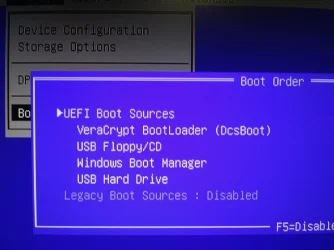
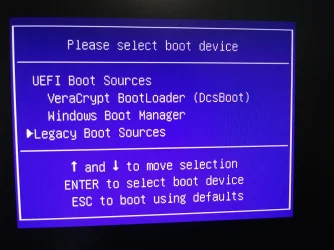
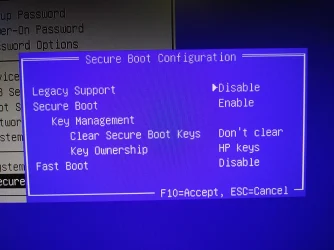
Tried to run AVG rescue CD on boot-up (boot from CD option appears in BIOS Options menu but not available for selection when pressing F9)
I've learned that using the robocopy command may possibly be able to retrieve EFS files and folders securely but I’ve never used it before and unsure of the proper syntax/ parameters to use. I created what I think may work but still experiencing some minor syntax errors. Here's an example of what I have so far:
ROBOCOPY “C:\Users\<MyStandUserProf>“ “C:\Users\<MyAdminUserProf>” D:\BackUps- Misc\UserProf-Recov” /DCOPY AT /Z /E /COPYALL /SECFIX /Z /EFSRAW /R:1000000 /W:30 /LOG /L
NOTE: Replaced my actual user profile names above with generic ones between these characters <....>. Also, the eventual destination path of the data transfer is to the same admin PC connected to an external NTFS formatted storage drive labeled above as ”drive D.” /L= Test mode. Not sure about including the R and W switches.
I've considered restoring my PC to a previous restore point but the restore point wizard tells me I will lose my antivirus program and I'm concerned that any lingering malware on PC may prevent me from installing it again. I’ve really messed up here and don't know how to fix this. I got lazy and sloppy and now I’m paying the price :-( I hope there's some guidance you can offer me that might assist in rescuing my encrypted data files. Please let me know whether RoboCopy and Date Recovery Agent (DRA) may work here in a home user environment.
MY GOAL: EXTRACT MY DATA FILES UNENCRYPTED AND REINSTALL THE OS
PS: I am sending this from a clean, uninfected PC. Also, I have NOT connected to the internet at all on the infected machine since this incident occurred 4 days ago. Furthermore, I NEVER login to my user profiles with the internet connection on.
NOTE: If the scope of resolving this is not possible here, kindly point me to a more suitable forum platform. Thanks much!
PLEASE NOTE: Both profiles mentioned above reside on the same machine
Here are the background and specifics:
Had just recently updated passwords on both my personal and admin account profiles (again, on the same machine)
Unfortunately, I neglected to back up my data files before/ after I changed the passwords. (I was able to login successfully to my personal account a couple times before I did that software download.) Right after this download I realized I'm no longer able to login using new password on my personal user account. I can view the files from my admin profile but can’t open them- even with personal user EFS certs listed CertMgr under Trusted People and Other People.
My standard user profile has many EFS encrypted folders and files for which I have the EFS certs and keys backed up in safe storage. Total profile size is approximately 15 GB.
Admin user profile appears to be functioning properly but I’m a bit suspicious since that’s where I initiated the download from.
I definitely remember the passwords I updated as I wrote them down when changing the password but Windows now throws an "invalid password" error when attempting to login to my standard user profile. I tried different variations of the password but with no success. Unfortunately again, I did not create a password reset disk when changing the password so I'm not able to login at all.
What I've tried so far:
Imported my standard user EFS certs/ keys to Certmgr and Group Policy Editor in Admin user profile. Enabled a DRA agent (my Admin user cert) in gpedit- not sure how to configure it properly or how to run it.
Added admin permissions to File/ Properties/ Security tabs (using test files –still unable to open them.
Tried copying test files to an external drive throws an "access denied -insufficient permissions" error.
Booted to Safe Mode to see if I can run my antivirus and anti-malware programs from there- both programs are disabled and I’m afraid if I uninstall them, I won’t be able to re-install them.
Tried to run AVG rescue CD on boot-up (boot from CD option appears in BIOS Options menu but not available for selection when pressing F9)
I've learned that using the robocopy command may possibly be able to retrieve EFS files and folders securely but I’ve never used it before and unsure of the proper syntax/ parameters to use. I created what I think may work but still experiencing some minor syntax errors. Here's an example of what I have so far:
ROBOCOPY “C:\Users\<MyStandUserProf>“ “C:\Users\<MyAdminUserProf>” D:\BackUps- Misc\UserProf-Recov” /DCOPY
AT /Z /E /COPYALL /SECFIX /Z /EFSRAW /R:1000000 /W:30 /LOG /LNOTE: Replaced my actual user profile names above with generic ones between these characters <....>. Also, the eventual destination path of the data transfer is to the same admin PC connected to an external NTFS formatted storage drive labeled above as ”drive D.” /L= Test mode. Not sure about including the R and W switches.
I've considered restoring my PC to a previous restore point but the restore point wizard tells me I will lose my antivirus program and I'm concerned that any lingering malware on PC may prevent me from installing it again. I’ve really messed up here and don't know how to fix this. I got lazy and sloppy and now I’m paying the price :-( I hope there's some guidance you can offer me that might assist in rescuing my encrypted data files. Please let me know whether RoboCopy and Date Recovery Agent (DRA) may work here in a home user environment.
MY GOAL: EXTRACT MY DATA FILES UNENCRYPTED AND REINSTALL THE OS
PS: I am sending this from a clean, uninfected PC. Also, I have NOT connected to the internet at all on the infected machine since this incident occurred 4 days ago. Furthermore, I NEVER login to my user profiles with the internet connection on.
NOTE: If the scope of resolving this is not possible here, kindly point me to a more suitable forum platform. Thanks much!
- Windows Build/Version
- Build: 26100.8655/ Windows 11- 24H2
Last edited:
My Computer
At a glance
Windows 11i3-416016 GB
- OS
- Windows 11
- Computer type
- PC/Desktop
- Manufacturer/Model
- HP 280 G1
- CPU
- i3-4160
- Memory
- 16 GB
- Hard Drives
- 500 GB
- Antivirus
- Malwarebytes, AVG