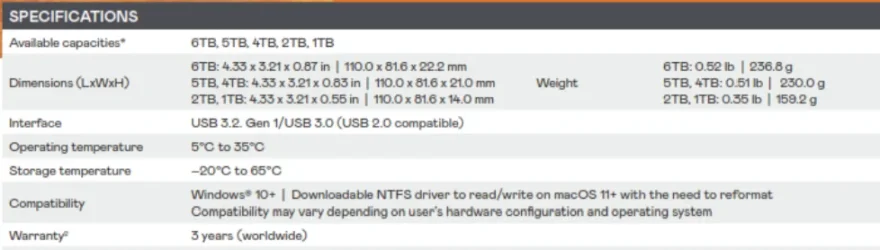
I have been using Macrium Reflect V8 for backing up my Windows 11 PC for a few years. I like it a lot in general. Earlier this week, I found the external hard drive used for backup, a 5TB LaCie hard drive, died. So I purchased a 5TB WD My Passport Ultra to replace it and started to pay more attention to backups. I noticed the following:
1. When the PC is not doing backups, this WD drive does not sleep and it runs at 45 degrees C.
2. When I use Macrium Reflect to perform a full backup, it runs at 55 degrees C and causes the DiskInfo to sound overheat alerts.
How do I improve the situation? Thanks.
1. When the PC is not doing backups, this WD drive does not sleep and it runs at 45 degrees C.
2. When I use Macrium Reflect to perform a full backup, it runs at 55 degrees C and causes the DiskInfo to sound overheat alerts.
How do I improve the situation? Thanks.
My Computers
-
At a glance
Windows 11 ProIntel i9-13900K64GB DDR5-56004090- OS
- Windows 11 Pro
- Computer type
- PC/Desktop
- Manufacturer/Model
- Corsair Vengeance i7400
- CPU
- Intel i9-13900K
- Motherboard
- MSI Pro Z690-A WiFi DDR5
- Memory
- 64GB DDR5-5600
- Graphics Card(s)
- 4090
- Monitor(s) Displays
- BenQ PD3200U
- Screen Resolution
- 4K
- Hard Drives
- 2TB SSD, 4TB SSD
- PSU
- Corsair 1000W 80+ Gold
- Cooling
- water cooled CPU and air cooled GPU
- Internet Speed
- 600 Mbps down and 100 Mbps up
- Antivirus
- Windows Defender
-
At a glance
Windows 11 ProIntel i9-13900H64GBNvidia 4070 mobile- Operating System
- Windows 11 Pro
- Computer type
- Laptop
- Manufacturer/Model
- ASUS ROG Zephyrus M16
- CPU
- Intel i9-13900H
- Memory
- 64GB
- Graphics card(s)
- Nvidia 4070 mobile
- Hard Drives
- 1TB SSD