Google Blog:
Our March Pixel Drop is here, and your Pixel devices just became even more intuitive, personal and helpful. Updates start rolling out today and will continue over the next several weeks. Check out what’s new below and learn about additional updates coming to Pixel devices in the latest Android launches.
Get the full picture with Circle to Search
Circle to Search is great at helping you learn more about something you see on your screen. And with multi-object image recognition you can get inspired by everything you see on your screen. Whether you want to identify every plant in a botanical garden, find out more about characters in a movie trailer or learn about the different dishes in a bento box you see online, Circle to Search can now help you explore every detail of an image. See an outfit that you love while scrolling? You can use Circle to Search on your Pixel 10 device to find every piece of the look. Simply circle the entire outfit, and Google will help you find all of the items you see — from the warm wool maxi coat to the oxford shoes — all in one search.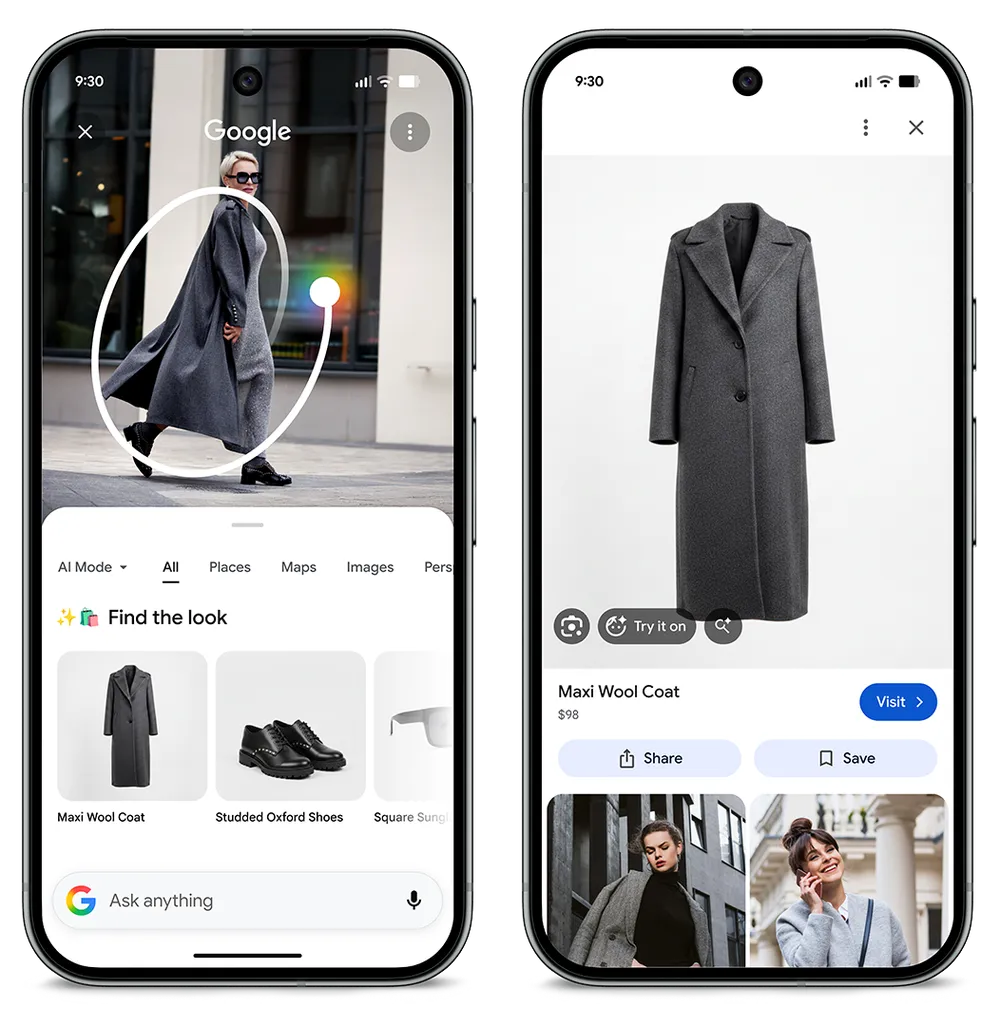
To take the guesswork out of shopping, once you find an item you like, you can easily try it on right in Circle to Search. Just select an eligible product and tap the new "Try It On" button right within the image result. You can either upload your own photo or select a model to see how the item looks.
Offload your to-do list to Gemini
Let Gemini handle your busy work. From ordering groceries to booking a rideshare service to reordering your usual coffee, Gemini works with your apps in the background to complete everyday tasks. And you have the option to view or end tasks, too, so you’re in control. This is available as a beta feature in the Gemini app.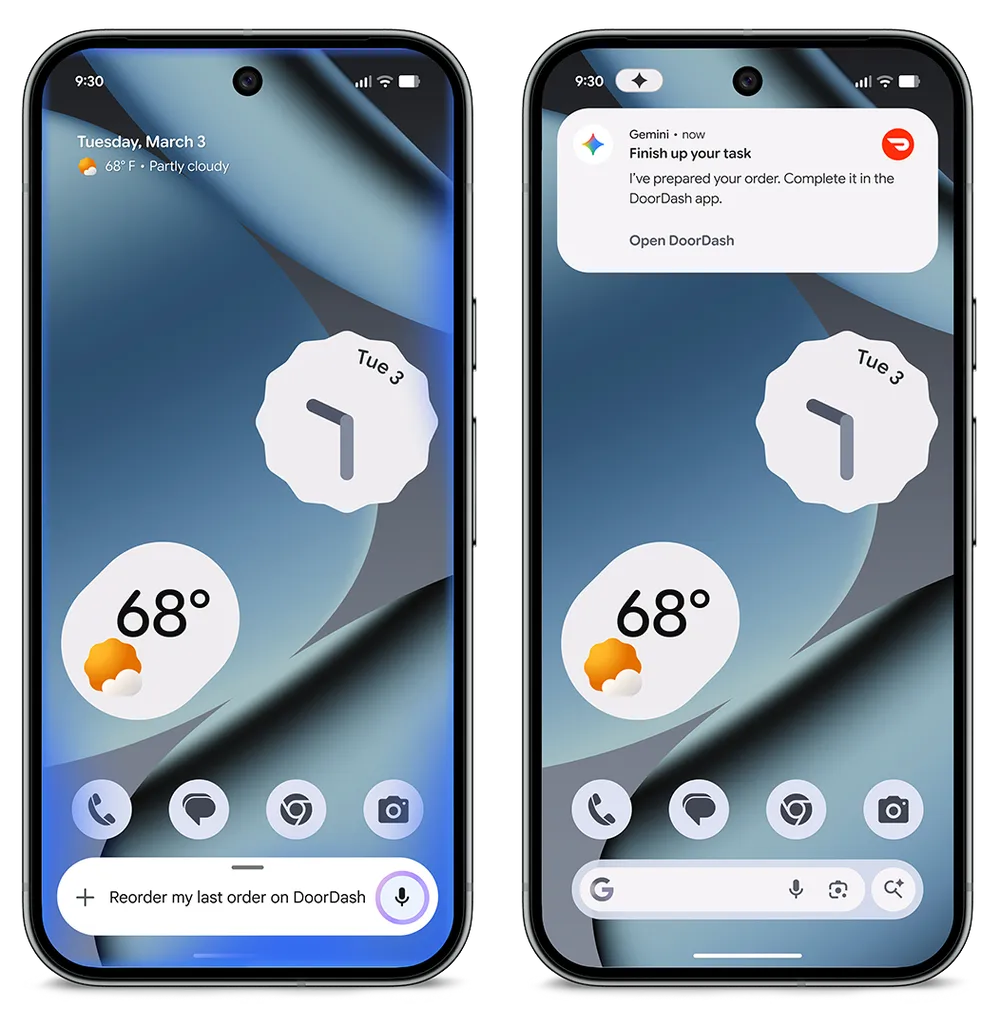
Find restaurant recommendations with Magic Cue and Gemini
Finding the right place to eat just got a lot easier: When you’re texting with friends about restaurant ideas, Magic Cue prompts you to use Gemini to find the perfect spot. With just a tap, Gemini opens a new window within the chat with restaurant options based on your conversation, without you having to switch apps. You never have to leave the chat, so you can stay in the moment with your friends.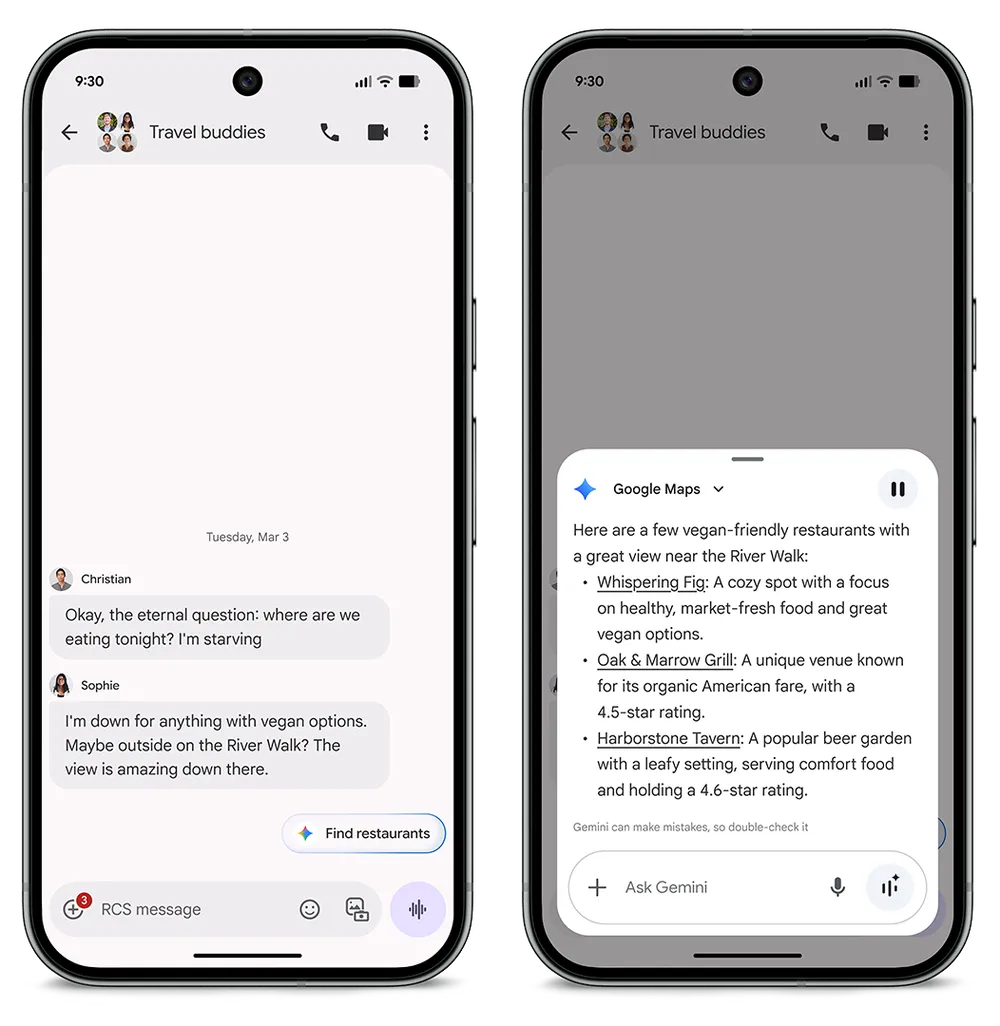
Keep track of your tunes in the Now Playing app
Your Pixel’s built-in music recognition tool is getting its own home. Now Playing is now a standalone app, so you can keep track of all your music — from new discoveries to old favorites. You can also use the history tab to see everything in one place and then play tracks in your preferred music app.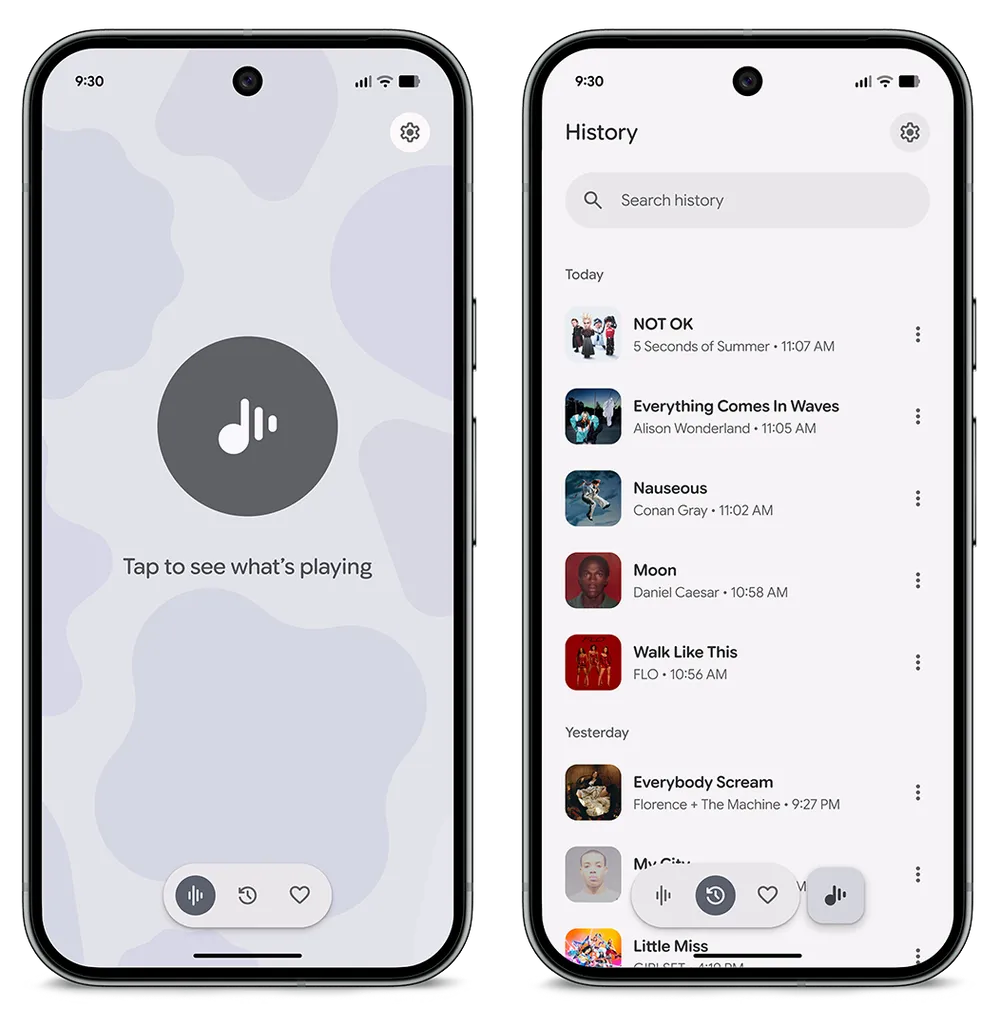
See more at a glance
Need quick updates on transit delays affecting your commute? Or real-time game scores? 8 How about a look at your financial portfolio? At a Glance can now help you find the best route home, follow your favorite sports team, stay updated with Google Finance and so much more.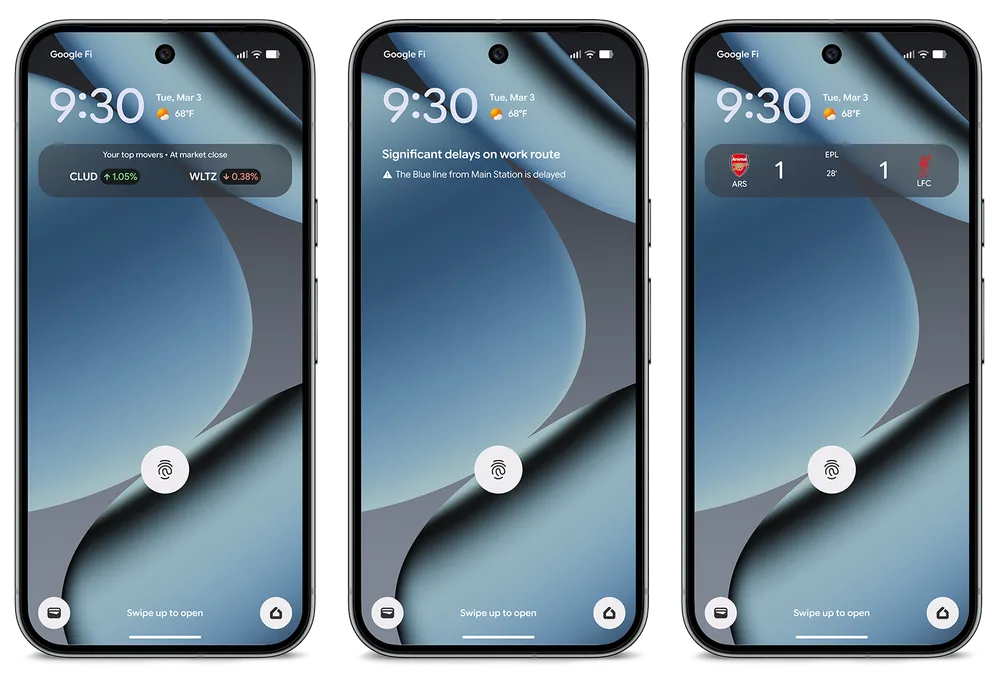
Generate custom icons that suit your home screen
Make your home screen even more you. Choose from five AI-generated styles that will give all the icons across your display a consistent aesthetic that matches your unique personality. You can also try them in the new SpongeBob SquarePants Theme Pack, too!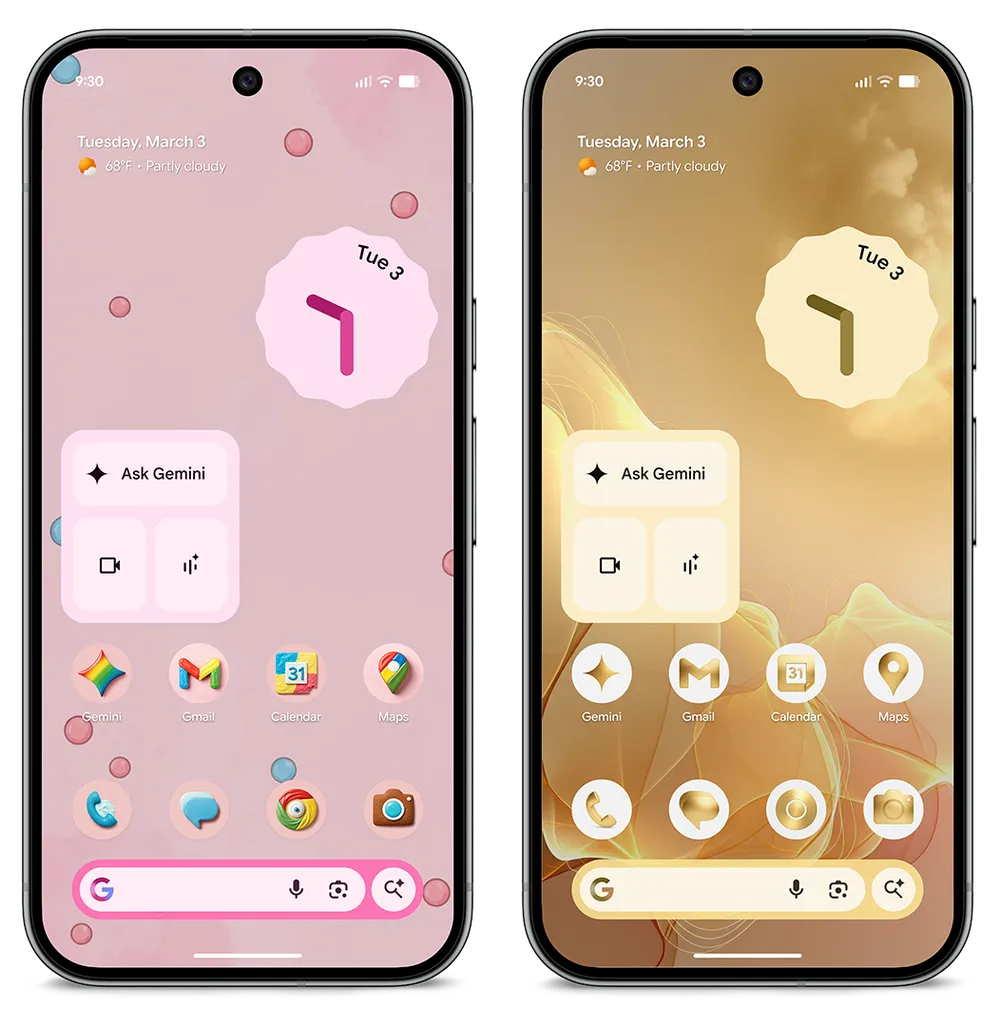
Access AI features in more regions
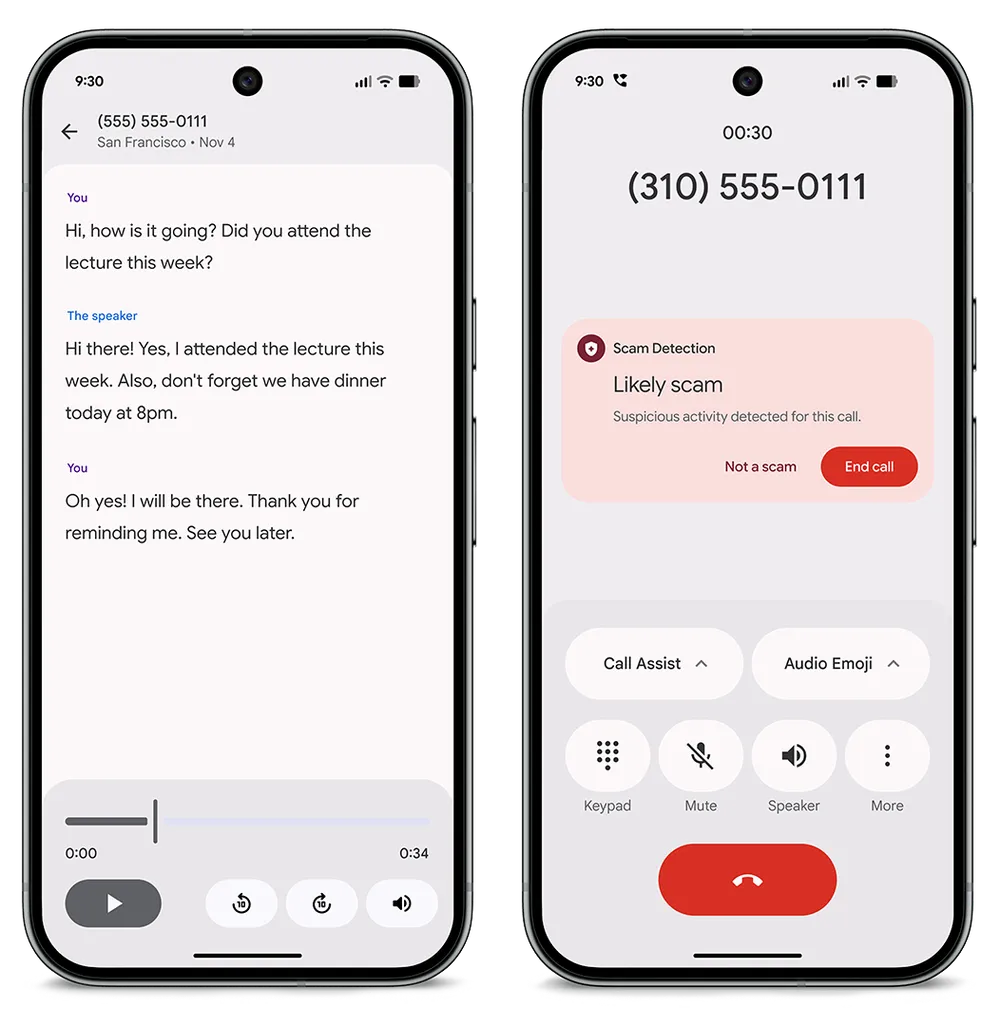
Scam Detection in Phone by Google is now available on Pixel phones in France, Italy, Spain, Mexico, Germany and Japan. Designed for your peace of mind, this feature recognizes speech patterns common by fraudsters and alerts you when a conversation turns suspicious.And in India, Call Notes allows you to easily review your phone conversations. Your Pixel phone will record and transcribe your calls, making it easy for you to look back on calls whenever you need to.
Protect your phone with your Pixel Watch
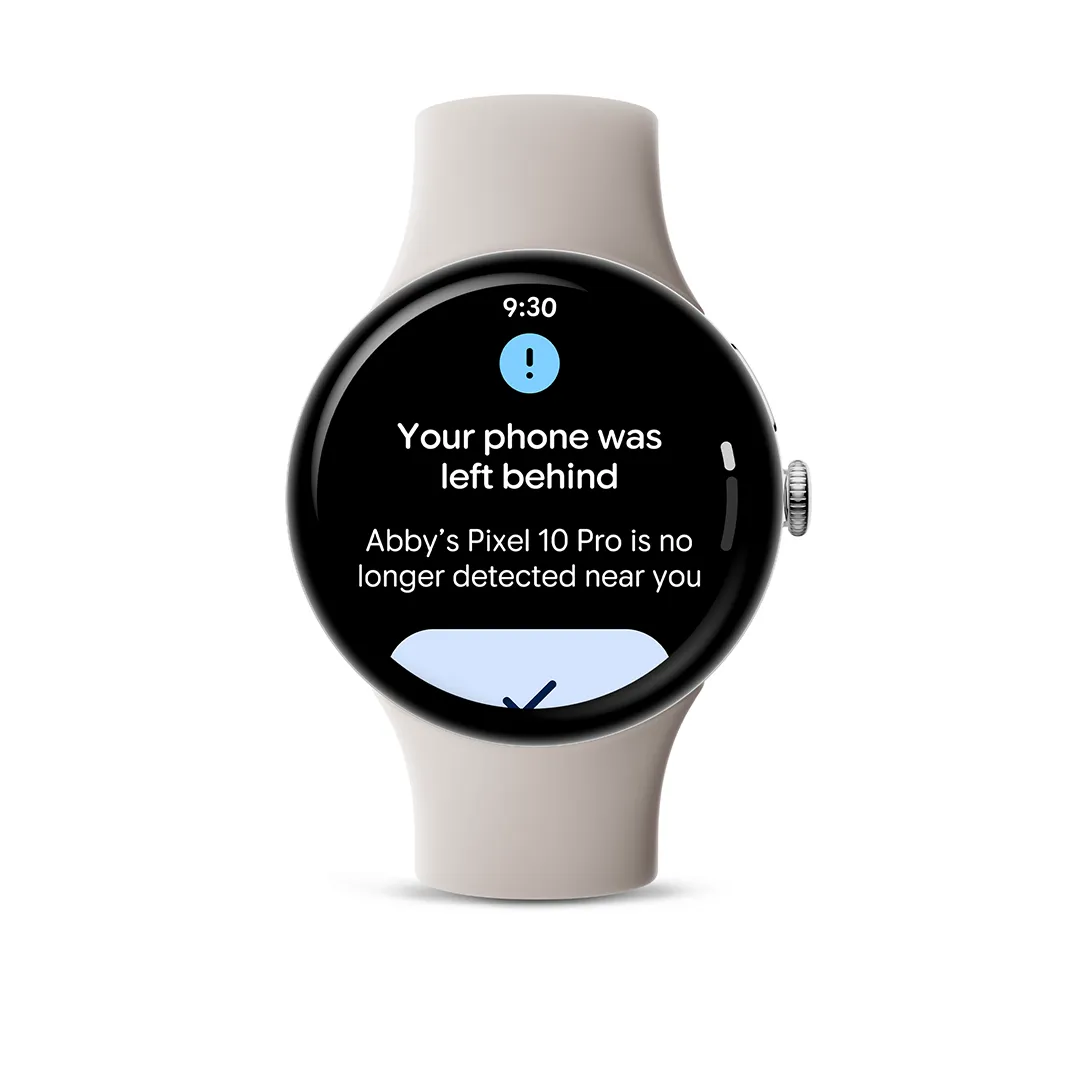
Pixel Watch now works proactively to secure your phone: It sends instant alerts if you accidentally leave it behind and automatically locks your phone the moment you move out of range. Plus, a connected watch and phone now offer faster identity checks for smooth, secure access.Get the peace of mind that finding your belongings is always just a tap away. Now you can also find your misplaced devices and essentials in seconds, right from your wrist with Find Hub on Pixel Watch. Directly ring any device that’s within Bluetooth range, or if it’s out of range, you’ll get the device’s location and directions on a map.
Use more AI-powered magic and one-handed gestures on Pixel Watches
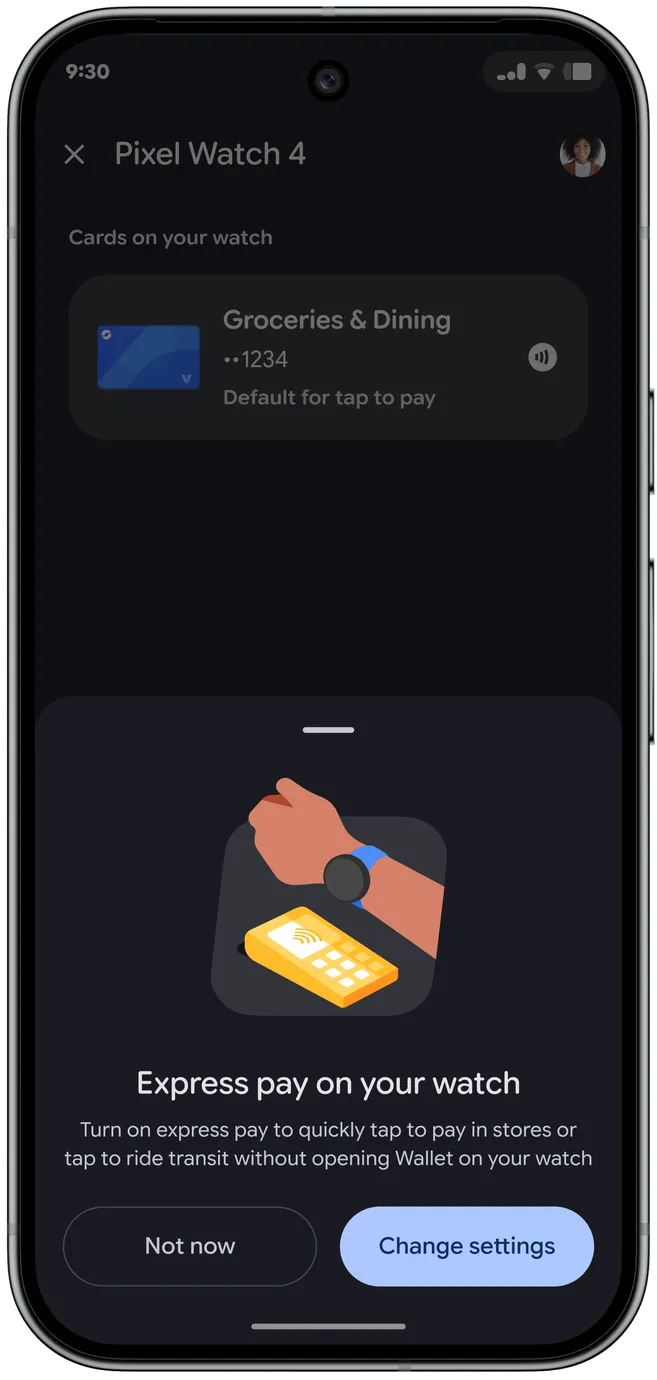
The intuitive, one-handed gestures we brought to Pixel Watch 4 are now expanding to Pixel Watch 3. Whether you’re carrying groceries or grabbing a coffee, double pinch or turn your wrist to answer calls, snap a photo or pause your workout music — all without touching the screen.Plus, pay even more conveniently without compromising security. After you toggle on the new express pay feature, and when it’s enabled, just turn and tap your Pixel Watch to the reader to buy — no need to open the Google Wallet app first!
Stay safe and alert
We’re expanding our suite of safety tools to make Pixel Watch even more essential. The new standalone earthquake alerts notify you of nearby earthquakes in real-time and can provide seconds of warning so you can take protective action.Satellite SOS, first launched on Pixel Watch 4 in the contiguous U.S., is now available in Canada, Europe, Alaska and Hawaii.
You can visit our community forum post for the full list of new features arriving on your Pixel devices this month.
Source:

March Pixel Drop: New personalization and AI tools
March Pixel Drop is here with new ways to use Circle to Search, safety features on Watch, dining suggestions from Magic Cue and more!