Almost everyone here is likely familiar with the fact that a Microsoft retail Windows image contains multiple editions of Windows including Home, Pro, etc.
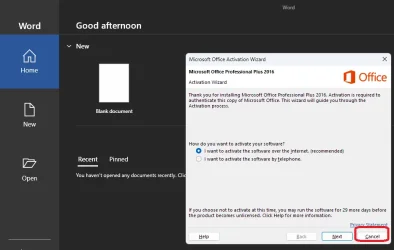
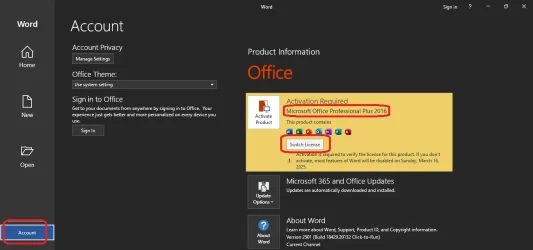
But how about Microsoft 365 (Office)? Does the offline install image contain both the subscription version as well as the permanent license versions of Office?
Why I am asking: I typically download the offline installer for my 365 subscription and preinstall that on my sysprep images. The key is that after installation I do not run Office. The result is that when Windows is installed from my image Office will already be installed but it is only once Office is run for the first time that I need to provide my account details or a key to activate it and at that point it determines what type of subscription I have (Family, Personal, etc.).
I have a friend half way across the country for whom I am putting together a new machine. He is going to purchase a new permanent Office license. I would like to pre-stage this on his system and just let him activate it. But I'm not sure if the permanent license version uses a completely different image or if the difference is simply in the activation key used.
If anyone has insight into this, I would appreciate it.
But how about Microsoft 365 (Office)? Does the offline install image contain both the subscription version as well as the permanent license versions of Office?
Why I am asking: I typically download the offline installer for my 365 subscription and preinstall that on my sysprep images. The key is that after installation I do not run Office. The result is that when Windows is installed from my image Office will already be installed but it is only once Office is run for the first time that I need to provide my account details or a key to activate it and at that point it determines what type of subscription I have (Family, Personal, etc.).
I have a friend half way across the country for whom I am putting together a new machine. He is going to purchase a new permanent Office license. I would like to pre-stage this on his system and just let him activate it. But I'm not sure if the permanent license version uses a completely different image or if the difference is simply in the activation key used.
If anyone has insight into this, I would appreciate it.
My Computers
-
At a glance
Win11 Pro 25H2 (RTM+)Intel i7-14650HX32 GBNo GPU - Built-in Intel Graphics- OS
- Win11 Pro 25H2 (RTM+)
- Computer type
- PC/Desktop
- Manufacturer/Model
- Acemagic
- CPU
- Intel i7-14650HX
- Memory
- 32 GB
- Graphics Card(s)
- No GPU - Built-in Intel Graphics
- Sound Card
- Integrated
- Monitor(s) Displays
- Varies as machine will often be moved to locations with different monitors
- Screen Resolution
- Varies
- Hard Drives
- 1 x 1TB Gen 4 NVMe SSD
- PSU
- 120W Power Brick
- Keyboard
- Corsair K70 Max RGB Magnetic Keyboard
- Mouse
- Logitech MX Master 3
- Internet Speed
- 1Gb Up / 1 Gb Down
- Browser
- Edge
- Antivirus
- Windows Defender
-
At a glance
Win11 Pro 25H2 (RTM+)Intel i7-1255U16 GBIntel Iris Xe Graphics- Operating System
- Win11 Pro 25H2 (RTM+)
- Computer type
- Laptop
- Manufacturer/Model
- Lenovo ThinkBook 13x Gen 2
- CPU
- Intel i7-1255U
- Memory
- 16 GB
- Graphics card(s)
- Intel Iris Xe Graphics
- Sound Card
- Realtek® ALC3306-CG codec
- Monitor(s) Displays
- 13.3-inch IPS Display
- Screen Resolution
- WQXGA (2560 x 1600)
- Hard Drives
- 2 TB 4 x 4 NVMe SSD
- PSU
- USB-C / Thunderbolt 4 Power / Charging
- Keyboard
- Backlit, spill resistant keyboard
- Mouse
- Buttonless Glass Precision Touchpad
- Internet Speed
- 1Gb Up / 1Gb Down
- Browser
- Edge
- Antivirus
- Windows Defender
- Other Info
- WiFi 6e / Bluetooth 5.1 / Facial Recognition / Fingerprint Sensor / ToF (Time of Flight) Human Presence Sensor