Greetings,
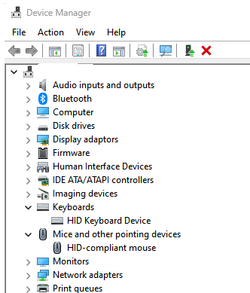
I have a problem with Mouse, that start freezing (no responding).
The malfunction begins to occur after 6-7 minutes of work, after Windows Login.
Also, I noticed that a keyboard also does not respond in time. All this doesn't start immediately after boot, but rather slowly.
After a while, freezing become more frequent - every 2-3 seconds (for keyboard it's implemented as "double clicks" or some delay after button press)
What I did:
1. Checked mouse and keyboard on another PC
2. Swap USB ports
3. Scan for viruses( ESET + Malwarebytes)
4. SFC, CHKDSK, DSIM
5. After all this, windows repair(reinstall)
6. Uninstall NVIDIA drivers, Install Intel LAN driver instead Microsoft
Windows 11, 22H2, build 22621.2506
The problem still persist.
V2 log collector after windows repair
V2 log collection after section 6
Tuneup-log after windows repair
I have a problem with Mouse, that start freezing (no responding).
The malfunction begins to occur after 6-7 minutes of work, after Windows Login.
Also, I noticed that a keyboard also does not respond in time. All this doesn't start immediately after boot, but rather slowly.
After a while, freezing become more frequent - every 2-3 seconds (for keyboard it's implemented as "double clicks" or some delay after button press)
What I did:
1. Checked mouse and keyboard on another PC
2. Swap USB ports
3. Scan for viruses( ESET + Malwarebytes)
4. SFC, CHKDSK, DSIM
5. After all this, windows repair(reinstall)
6. Uninstall NVIDIA drivers, Install Intel LAN driver instead Microsoft
Windows 11, 22H2, build 22621.2506
The problem still persist.
V2 log collector after windows repair
V2 log collection after section 6
Tuneup-log after windows repair
My Computer
At a glance
Windows 11I7 6700K32gb1660 super
- OS
- Windows 11
- Computer type
- PC/Desktop
- CPU
- I7 6700K
- Motherboard
- Z170 Pro Gaming
- Memory
- 32gb
- Graphics Card(s)
- 1660 super