I’m running Windows 11 Pro, and Microsoft Office Excel 2003.
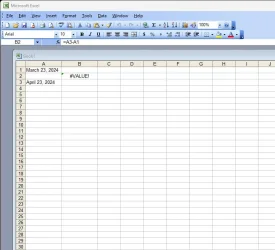
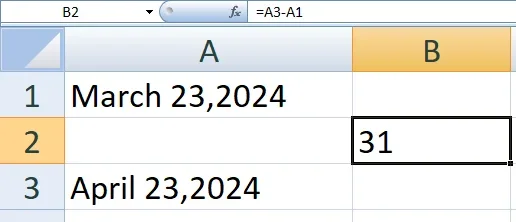
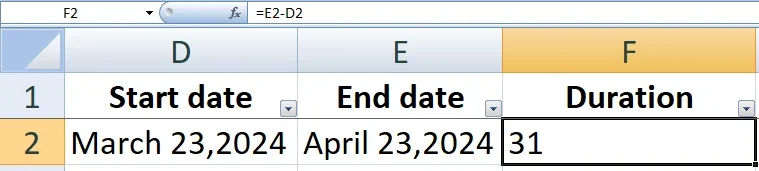
I’ve created an Excel spreadsheet where column A contains dates, which I space every other line (ex. A1, A3 .), and column 2 (ex. B2) shows the number of days elapsed between any 2 dates, using the formula =A3-A1. This has been working well for me until recently.
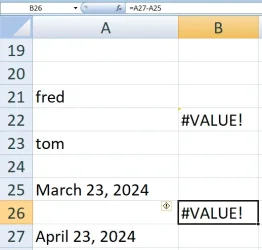
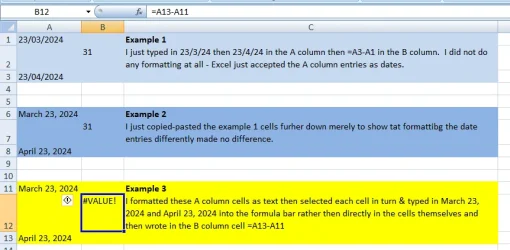
Now, after entering the dates in column 1, and applying the formula in column 2, I get “#VALUE!” in the column 2 cell. I can’t figure out what the problem is.
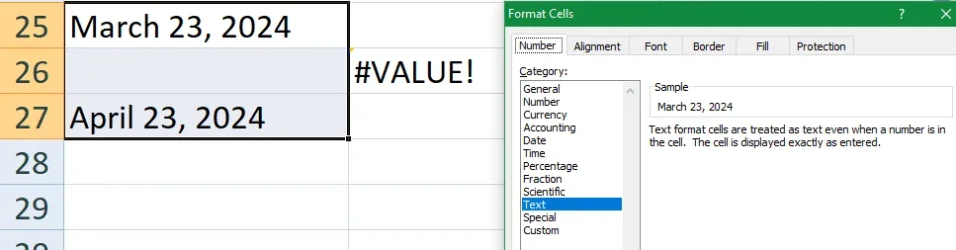
The column A cells are formatted as “Date 14-Mar-01)”, and the column B cells are formatted as “Number”.
I’d appreciate any help you can provide.
I’ve created an Excel spreadsheet where column A contains dates, which I space every other line (ex. A1, A3 .), and column 2 (ex. B2) shows the number of days elapsed between any 2 dates, using the formula =A3-A1. This has been working well for me until recently.
Now, after entering the dates in column 1, and applying the formula in column 2, I get “#VALUE!” in the column 2 cell. I can’t figure out what the problem is.
The column A cells are formatted as “Date 14-Mar-01)”, and the column B cells are formatted as “Number”.
I’d appreciate any help you can provide.
My Computer
At a glance
Window 11 Pro, v.10.0.26200AMD6431,862 MB
- OS
- Window 11 Pro, v.10.0.26200
- Computer type
- PC/Desktop
- Manufacturer/Model
- Custom Built,
- CPU
- AMD64
- Motherboard
- Gigabyte Technology/B650 GAMING X AX V2
- Memory
- 31,862 MB