New External HDD backup device


Memnon

Member
Local time
3:53 PM
Posts
32
OS
W11
I currently have a DLink NAS ... but it is painfully slow (9-12MB/s) , it also needs SMB which is discontinued by Windows (have to manually enable it)

I have never done anything with NAS other than use to have file backups, so maybe I don't need to bother with a NAS and use an External HDD enclosure and USB3 connection instead.

I need at least a 2 SATA bay unit, seen that CENMATE do what looks like useful units, anybody have a view on CENMATE or suggest alternative.(I want empty unit to reuse existing HDD) Seen they do a 2+3 unit, which gives 2 x SATA bays, and 3 x M.2 SSD slots.
Is there any special way of using the M.2 & SATA in combination ... does it allow for example provide high speed dump of files into the SSD and then migrates to SATA ? ..... just not sure what the purpose is.
 
Windows Build/Version
Win Ver 26H2

My Computer My Computer

At a glance

W11AMD Ryzen 9 7900X 4.7 GHz 12-CoreCORSAIR VENGEANCE DDR5 64GB (2x32GB) DDR5 600...Gigabyte Radeon RX 7800 XT GAMING OC 16GB
OS
W11
Computer type
PC/Desktop
Manufacturer/Model
Home Build
CPU
AMD Ryzen 9 7900X 4.7 GHz 12-Core
Motherboard
Gigabyte Aorus Master X670e
Memory
CORSAIR VENGEANCE DDR5 64GB (2x32GB) DDR5 6000MHz
Graphics Card(s)
Gigabyte Radeon RX 7800 XT GAMING OC 16GB
Monitor(s) Displays
1 x Alienware AW2725QF 27" 1 x Dell P2422HD 23"
Screen Resolution
4K
Hard Drives
2 x 2TB Crucial T700 2TB SSD PCIe Gen5 NVMe M.2 I
PSU
Thermaltake TOUGHPOWER GF A3 1050W Modular
Case
Fractal Define 7 Mid Tower Gaming Case
Cooling
Thermalright Phantom Spirit 1230 EVO
Internet Speed
8GB full fibre
Are you confusing a usb hard drive docking station with a hard drive enclosure?
 

My Computers My Computers

  • At a glance

    Windows 11 Pro 26H2 26300.9457i9-10900 10 core 20 threads32 gbnone-Intel UHD Graphics 630
    OS
    Windows 11 Pro 26H2 26300.9457
    Computer type
    PC/Desktop
    Manufacturer/Model
    Dell Optiplex 7080
    CPU
    i9-10900 10 core 20 threads
    Motherboard
    DELL 0J37VM
    Memory
    32 gb
    Graphics Card(s)
    none-Intel UHD Graphics 630
    Sound Card
    Integrated Realtek
    Monitor(s) Displays
    Benq 27
    Screen Resolution
    2560x1440
    Hard Drives
    2x1tb Solidigm m.2 nvme /External drives 512gb Samsung m.2 sata+2tb Kingston m2.nvme
    PSU
    500w
    Case
    MT
    Cooling
    Dell Premium
    Keyboard
    Logitech wired
    Mouse
    Logitech wireless
    Internet Speed
    so slow I'm too embarrassed to tell
    Browser
    #1 Edge #2 Firefox
    Antivirus
    Defender+MWB Premium
  • At a glance

    Windows 11 Pro 24H2 26200.9457AMD Ryzen 7 6800U32 gbintegrated
    Operating System
    Windows 11 Pro 24H2 26200.9457
    Computer type
    PC/Desktop
    Manufacturer/Model
    Beelink Mini PC SER5
    CPU
    AMD Ryzen 7 6800U
    Memory
    32 gb
    Graphics card(s)
    integrated
    Sound Card
    integrated
    Monitor(s) Displays
    Benq 27
    Screen Resolution
    2560x1440
    Hard Drives
    1TB Crucial nvme
    Keyboard
    Logitech wired
    Mouse
    Logitech wireless
    Internet Speed
    still too embarrassed to tell
    Browser
    Firefox
    Antivirus
    Defender
  • System 3 is non compliant Dell 9020 i7-4770/24gb ram Win11 PRO 26200.9457
No not confusing them.
As described thinking of CENMATE it can take 2 x SATA, and 3 x SSD
This is nothing to do with USB docking station.
 

My Computer My Computer

At a glance

W11AMD Ryzen 9 7900X 4.7 GHz 12-CoreCORSAIR VENGEANCE DDR5 64GB (2x32GB) DDR5 600...Gigabyte Radeon RX 7800 XT GAMING OC 16GB
OS
W11
Computer type
PC/Desktop
Manufacturer/Model
Home Build
CPU
AMD Ryzen 9 7900X 4.7 GHz 12-Core
Motherboard
Gigabyte Aorus Master X670e
Memory
CORSAIR VENGEANCE DDR5 64GB (2x32GB) DDR5 6000MHz
Graphics Card(s)
Gigabyte Radeon RX 7800 XT GAMING OC 16GB
Monitor(s) Displays
1 x Alienware AW2725QF 27" 1 x Dell P2422HD 23"
Screen Resolution
4K
Hard Drives
2 x 2TB Crucial T700 2TB SSD PCIe Gen5 NVMe M.2 I
PSU
Thermaltake TOUGHPOWER GF A3 1050W Modular
Case
Fractal Define 7 Mid Tower Gaming Case
Cooling
Thermalright Phantom Spirit 1230 EVO
Internet Speed
8GB full fibre

My Computers My Computers

  • At a glance

    Win 11 Home 26H2 26300.9711AMD Ryzen 7 3700XG.Skill (F4-3200C14D-16GTZKW)EVGA RTX 2070 (08G-P4-2171-KR)
    OS
    Win 11 Home 26H2 26300.9711
    Computer type
    PC/Desktop
    Manufacturer/Model
    Built by Ghot® [May 2020]
    CPU
    AMD Ryzen 7 3700X
    Motherboard
    Asus Pro WS X570-ACE (BIOS 5302)
    Memory
    G.Skill (F4-3200C14D-16GTZKW)
    Graphics Card(s)
    EVGA RTX 2070 (08G-P4-2171-KR)
    Sound Card
    Realtek ALC1220P / ALC S1220A
    Monitor(s) Displays
    Dell U3011 30"
    Screen Resolution
    2560 x 1600
    Hard Drives
    2x Samsung 860 EVO 500GB,
    WD 4TB Black FZBX - SATA III,
    WD 8TB Black FZBX - SATA III,
    DRW-24B1ST CD/DVD Burner
    PSU
    PC Power & Cooling 750W Quad EPS12V
    Case
    Cooler Master ATCS 840 Tower
    Cooling
    CM Hyper 212 EVO (push/pull)
    Keyboard
    Ducky DK9008 Shine II Blue LED
    Mouse
    Logitech Optical M-100
    Internet Speed
    300/300
    Browser
    Firefox (latest)
    Antivirus
    Bitdefender Total Security
    Other Info
    Speakers: Klipsch Pro Media 2.1
  • At a glance

    Windows XP Pro 32bit w/SP3AMD Athlon 64 X2 5000+ (OC'd @ 3.2Ghz)TWIN2X2048-6400C4DHX (2 x 1GB, DDR2 800)EVGA 256-P2-N758-TR GeForce 8600GT SSC
    Operating System
    Windows XP Pro 32bit w/SP3
    Computer type
    PC/Desktop
    Manufacturer/Model
    Built by Ghot® (not in use)
    CPU
    AMD Athlon 64 X2 5000+ (OC'd @ 3.2Ghz)
    Motherboard
    ASUS M2N32-SLI Deluxe Wireless Edition
    Memory
    TWIN2X2048-6400C4DHX (2 x 1GB, DDR2 800)
    Graphics card(s)
    EVGA 256-P2-N758-TR GeForce 8600GT SSC
    Sound Card
    Onboard
    Monitor(s) Displays
    ViewSonic G90FB Black 19" Professional (CRT)
    Screen Resolution
    up to 2048 x 1536
    Hard Drives
    WD 36GB 10,000rpm Raptor SATA
    Seagate 80GB 7200rpm SATA
    Lite-On LTR-52246S CD/RW
    Lite-On LH-18A1P CD/DVD Burner
    PSU
    PC Power & Cooling Silencer 750 Quad EPS12V
    Case
    Generic Beige case, 80mm fans
    Cooling
    ZALMAN 9500A 92mm CPU Cooler
    Keyboard
    Logitech Classic Keybooard 200
    Mouse
    Logitech Optical M-BT96a
    Internet Speed
    300/300
    Browser
    Firefox 3.x ??
    Antivirus
    Symantec (Norton)
    Other Info
    Still assembled, still runs. Haven't turned it on for 15 years?
The D-Link NAS was never a speed demon, consider a better NAS box. Even the inexpensive ones should give you 40-50MB/sec transfers. I have an aging 12 year old Netgear READYNAS with a pair of 8TB drives in it. For file transfers, I get in the mid 40's for any sizeable file transfers. I'm sure I could improve that with a newer box, but it's sufficient for what I used it for.
 

My Computers My Computers

  • At a glance

    Win 11 Pro 26H2, Build 26300.9711Intel Core i5 14500, 14th Generation64GB DDR4GeForce RTX 4060
    OS
    Win 11 Pro 26H2, Build 26300.9711
    Computer type
    PC/Desktop
    Manufacturer/Model
    Home Brew
    CPU
    Intel Core i5 14500, 14th Generation
    Motherboard
    Gigabyte B760M G P WIFI
    Memory
    64GB DDR4
    Graphics Card(s)
    GeForce RTX 4060
    Sound Card
    Chipset Realtek
    Monitor(s) Displays
    LG 45" Ultragear & Acer 24" 1080p
    Screen Resolution
    5120x1440 & 1920x1080
    Hard Drives
    Crucial P310 2TB 2280 PCIe Gen4 3D NAND NVMe M.2 SSD (O/S)
    Silicon Power 2TB US75 NVMe PCIe Gen4 M.2 2280 SSD (backup)
    Crucial BX500 2TB 3D NAND (2nd backup)
    Seagate 4TB Ironwolf, rotating HDD secondary backup
    External off-line backup Drives: 2 NVMe 4TB drives in external enclosures
    PSU
    Thermaltake Toughpower GF3 750W
    Case
    LIAN LI LANCOOL 216 E-ATX PC Case
    Cooling
    Lots of fans!
    Keyboard
    Microsoft Comfort Curve 2000
    Mouse
    Logitech G305
    Internet Speed
    Verizon FiOS 1GB
    Browser
    Firefox
    Antivirus
    MalwareBytes & Windows Defender Security
  • At a glance

    Win 11 Pro 25H2, Build 26300.9550Intel Core i5 1440032GB DDR5Intel 700 Embedded GPU
    Operating System
    Win 11 Pro 25H2, Build 26300.9550
    Computer type
    PC/Desktop
    Manufacturer/Model
    Home Brew
    CPU
    Intel Core i5 14400
    Motherboard
    Gigabyte B760M DS3H AX
    Memory
    32GB DDR5
    Graphics card(s)
    Intel 700 Embedded GPU
    Sound Card
    Realtek Embedded
    Monitor(s) Displays
    27" HP 1080p
    Screen Resolution
    1920x1080
    Hard Drives
    Crucial P310 2TB NVMe Gen4 SSD
    Samsung EVO 990 2TB NVMe Gen4 SSD
    Samsung 2TB SATA SSD
    Seagate 4TB Ironwolf, rotating HDD secondary backup
    PSU
    Thermaltake Smart BM3 650W
    Case
    Okinos Micro ATX Case
    Cooling
    Fans
    Keyboard
    Microsoft Comfort Curve 2000
    Mouse
    Logitech G305
    Internet Speed
    Verizon FiOS 1GB
    Browser
    Firefox
    Antivirus
    Malware Bytes & Windows Defender Security
  • Nimo N171 17" Laptop, (Intel i3-1215U, 16GB RAM, 2TB NVMe, Win11 Pro)
    Acemagic Vista Mini PC V1 (Intel N150, 16GB RAM, 1TB NVMe, Win11 Pro)
    HP ENVY h8-1540t, (24GB RAM, 2TB SSD, 2TB HDD, Win11 Pro)

My Computer My Computer

At a glance

Windows 11 Pro 26H2
OS
Windows 11 Pro 26H2
Computer type
Laptop
Manufacturer/Model
Toshiba
Antivirus
Defender
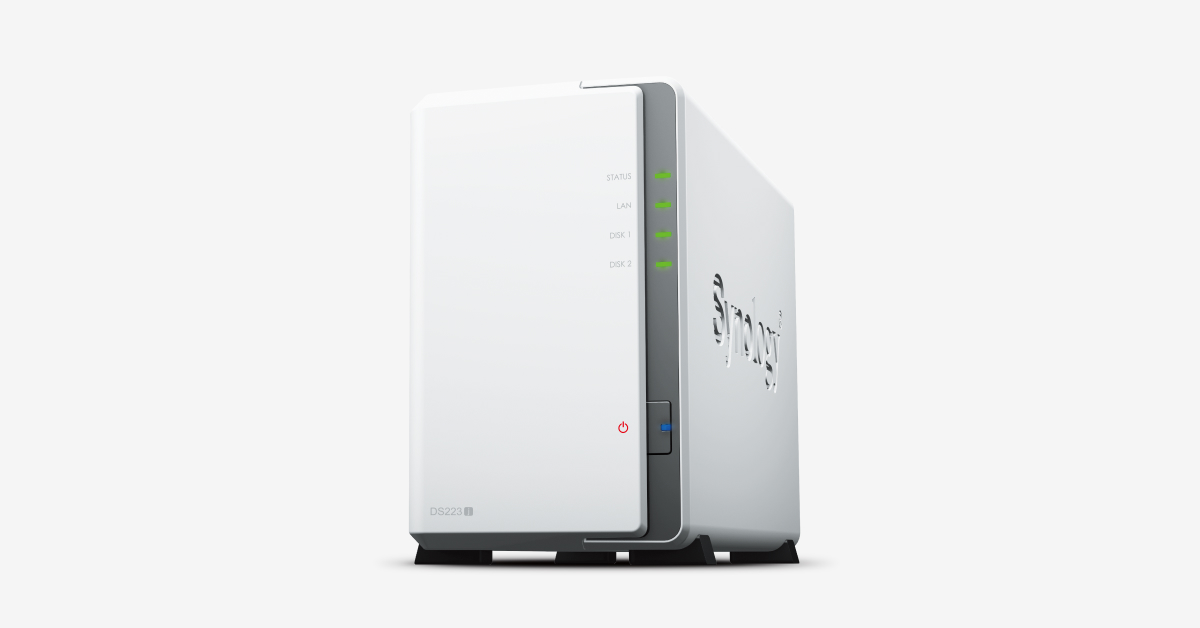
I looked at Synology & Ugreen NAS boxes, they are around 5 times the price of External HDD box..
Appreciate NAS gives the networking, but in 20 years, never did anything more than use the DLink to hold backups.
 

My Computer My Computer

At a glance

W11AMD Ryzen 9 7900X 4.7 GHz 12-CoreCORSAIR VENGEANCE DDR5 64GB (2x32GB) DDR5 600...Gigabyte Radeon RX 7800 XT GAMING OC 16GB
OS
W11
Computer type
PC/Desktop
Manufacturer/Model
Home Build
CPU
AMD Ryzen 9 7900X 4.7 GHz 12-Core
Motherboard
Gigabyte Aorus Master X670e
Memory
CORSAIR VENGEANCE DDR5 64GB (2x32GB) DDR5 6000MHz
Graphics Card(s)
Gigabyte Radeon RX 7800 XT GAMING OC 16GB
Monitor(s) Displays
1 x Alienware AW2725QF 27" 1 x Dell P2422HD 23"
Screen Resolution
4K
Hard Drives
2 x 2TB Crucial T700 2TB SSD PCIe Gen5 NVMe M.2 I
PSU
Thermaltake TOUGHPOWER GF A3 1050W Modular
Case
Fractal Define 7 Mid Tower Gaming Case
Cooling
Thermalright Phantom Spirit 1230 EVO
Internet Speed
8GB full fibre
@Memnon

Any old PC running Linux can act as a far better backup system than these dedicated proprietary NAS boxes often running incomprehensible OS's such as QNAP etc. Even those cheap minipc's are more than sufficient - you don't need a dedicated terminal / monitor either.

Simply attach your backup drives to it and run crontab (automated job) to backup as and when -- OR :

Otherwise what's wrong with a decent 2 / 4 bay HDD enclosure and use bog standard HDD's for backup -- note though do get HDD's with decent / fast cache sizes. You can get some really great deals on "old spinners" up to 20 TB !!!!!! and more than fast enough for running backups. Use Windows if on Windows to create automatic backup jobs or even mirror these things as RAID devices.

Cheers
jimbo
 

My Computer My Computer

At a glance

Windows XP,11 Linux Fedora Rawhide pre-releas...2 X Intel i7
OS
Windows XP,11 Linux Fedora Rawhide pre-release 46
Computer type
PC/Desktop
CPU
2 X Intel i7
Screen Resolution
4KUHD X 2
I vote for external USB box. If you have a computer that mostly stays turned on, you can also put the disks there and share them to the network (transforming the computer to a NAS). I have a videos disk shared, so I can watch my videos from other devices in my home including my smart TV. If you don't leave a specific computer switched on, then the USB enclosure or USB docking station is better for sharing the data between computers.
 

My Computers My Computers

  • At a glance

    Windows 11 Pro 23H2 (7584), 26H2 (9711)Mobile DualCore Intel Core 2 Duo T7250, 2000 MHz4GBMobile Intel(R) GMA 4500M (Mobile 4 series)
    OS
    Windows 11 Pro 23H2 (7584), 26H2 (9711)
    Computer type
    Laptop
    Manufacturer/Model
    Acer Extensa 5630EZ
    CPU
    Mobile DualCore Intel Core 2 Duo T7250, 2000 MHz
    Motherboard
    Acer Extensa 5630
    Memory
    4GB
    Graphics Card(s)
    Mobile Intel(R) GMA 4500M (Mobile 4 series)
    Sound Card
    Realtek ALC268 @ Intel 82801IB ICH9 - High Definition Audio Controller
    Monitor(s) Displays
    1
    Screen Resolution
    1280x800
    Hard Drives
    Samsung SSD 850 EVO 250GB SATA Device (250 GB, SATA-III)
    Internet Speed
    802.11g wireless 54 Mbps
    Browser
    MICROSOFT EDGE
    Antivirus
    WINDOWS DEFENDER
    Other Info
    Legacy MBR installation, no TPM, no Secure Boot, no WDDM 2.0 graphics drivers, no SSE4.2, cannot get more unsupported ;) This is only my test laptop. I had installed Windows 11 here before upgrading my main PC. For my main PC I use everyday see my 2nd system specs.
  • At a glance

    Windows 11 Pro 26H2 (build 26300.9711)Intel Core-i7 3770 3.40GHz s1155 (3rd generat...2x Kingston Hyper-X Blu 8GB DDR3-1600GIGABYTE GeForce RTX 3050 WINDFORCE OC V2 6GB...
    Operating System
    Windows 11 Pro 26H2 (build 26300.9711)
    Computer type
    PC/Desktop
    Manufacturer/Model
    Custom-built PC
    CPU
    Intel Core-i7 3770 3.40GHz s1155 (3rd generation)
    Motherboard
    Asus P8H61 s1155 ATX
    Memory
    2x Kingston Hyper-X Blu 8GB DDR3-1600
    Graphics card(s)
    GIGABYTE GeForce RTX 3050 WINDFORCE OC V2 6GB (GV-N3050WF2OCV2-6GD)
    Sound Card
    Realtek HD audio (ALC887)
    Monitor(s) Displays
    Sony Bravia KDL-19L4000 19" LCD TV via VGA
    Screen Resolution
    1440x900 32-bit 60Hz
    Hard Drives
    WD Blue SA510 2.5 1000GB SSD as system disk, Western Digital Caviar Purple 4TB SATA III (WD40PURZ) as second
    PSU
    Thermaltake Litepower RGB 550W Full Wired
    Case
    SUPERCASE MIDI-TOWER
    Cooling
    Deepcool Gamma Archer CPU cooler, 1x 8cm fan at the back
    Keyboard
    Mitsumi 101-key PS/2
    Mouse
    Microsoft Compact Optical Mouse
    Internet Speed
    802.11ac 5GHz wireless 260Mpbs
    Browser
    Microsoft Edge, Mozilla Firefox
    Antivirus
    Microsoft Windows Defender
    Other Info
    Legacy BIOS (MBR) installation, no TPM, no Secure Boot, WDDM 3.0 graphics drivers, WEI score 7.4
I looked at Synology & Ugreen NAS boxes, they are around 5 times the price of External HDD box.
They are indeed pricey but these days they are much speedier, I have 2 bay 2012 Synology NAS ~30 MB/s, 2020 Synology NAS ~100 MB/s, thus the max possible with 1 Gb/s network.

They have been good for over 12 years, usage has changed to backups like images etc, but I would not swop to USB connected devices like HDD/SSD docks which I have, the reliability is rather dire.

Looking at the cost of your PC specs and internet speed and periferals, a new NAS box is relatively low cost compared to that lot.
 

My Computer My Computer

At a glance

Windows 11
OS
Windows 11
They are indeed pricey but these days they are much speedier, I have 2 bay 2012 Synology NAS ~30 MB/s, 2020 Synology NAS ~100 MB/s, thus the max possible with 1 Gb/s network.

They have been good for over 12 years, usage has changed to backups like images etc, but I would not swop to USB connected devices like HDD/SSD docks which I have, the reliability is rather dire.

Looking at the cost of your PC specs and internet speed and periferals, a new NAS box is relatively low cost compared to that lot.
One more reason to think twice before buying a NAS. If he has given too much money already, he probably wants a more economic solution than buying a dedicated NAS device. For example connecting the drives in one computer and share with the rest or connecting them to a USB docking station but never leave them connected for too long. Just use them as needed and then disconnect them.
 

My Computers My Computers

  • At a glance

    Windows 11 Pro 23H2 (7584), 26H2 (9711)Mobile DualCore Intel Core 2 Duo T7250, 2000 MHz4GBMobile Intel(R) GMA 4500M (Mobile 4 series)
    OS
    Windows 11 Pro 23H2 (7584), 26H2 (9711)
    Computer type
    Laptop
    Manufacturer/Model
    Acer Extensa 5630EZ
    CPU
    Mobile DualCore Intel Core 2 Duo T7250, 2000 MHz
    Motherboard
    Acer Extensa 5630
    Memory
    4GB
    Graphics Card(s)
    Mobile Intel(R) GMA 4500M (Mobile 4 series)
    Sound Card
    Realtek ALC268 @ Intel 82801IB ICH9 - High Definition Audio Controller
    Monitor(s) Displays
    1
    Screen Resolution
    1280x800
    Hard Drives
    Samsung SSD 850 EVO 250GB SATA Device (250 GB, SATA-III)
    Internet Speed
    802.11g wireless 54 Mbps
    Browser
    MICROSOFT EDGE
    Antivirus
    WINDOWS DEFENDER
    Other Info
    Legacy MBR installation, no TPM, no Secure Boot, no WDDM 2.0 graphics drivers, no SSE4.2, cannot get more unsupported ;) This is only my test laptop. I had installed Windows 11 here before upgrading my main PC. For my main PC I use everyday see my 2nd system specs.
  • At a glance

    Windows 11 Pro 26H2 (build 26300.9711)Intel Core-i7 3770 3.40GHz s1155 (3rd generat...2x Kingston Hyper-X Blu 8GB DDR3-1600GIGABYTE GeForce RTX 3050 WINDFORCE OC V2 6GB...
    Operating System
    Windows 11 Pro 26H2 (build 26300.9711)
    Computer type
    PC/Desktop
    Manufacturer/Model
    Custom-built PC
    CPU
    Intel Core-i7 3770 3.40GHz s1155 (3rd generation)
    Motherboard
    Asus P8H61 s1155 ATX
    Memory
    2x Kingston Hyper-X Blu 8GB DDR3-1600
    Graphics card(s)
    GIGABYTE GeForce RTX 3050 WINDFORCE OC V2 6GB (GV-N3050WF2OCV2-6GD)
    Sound Card
    Realtek HD audio (ALC887)
    Monitor(s) Displays
    Sony Bravia KDL-19L4000 19" LCD TV via VGA
    Screen Resolution
    1440x900 32-bit 60Hz
    Hard Drives
    WD Blue SA510 2.5 1000GB SSD as system disk, Western Digital Caviar Purple 4TB SATA III (WD40PURZ) as second
    PSU
    Thermaltake Litepower RGB 550W Full Wired
    Case
    SUPERCASE MIDI-TOWER
    Cooling
    Deepcool Gamma Archer CPU cooler, 1x 8cm fan at the back
    Keyboard
    Mitsumi 101-key PS/2
    Mouse
    Microsoft Compact Optical Mouse
    Internet Speed
    802.11ac 5GHz wireless 260Mpbs
    Browser
    Microsoft Edge, Mozilla Firefox
    Antivirus
    Microsoft Windows Defender
    Other Info
    Legacy BIOS (MBR) installation, no TPM, no Secure Boot, WDDM 3.0 graphics drivers, WEI score 7.4
@Memnon

Any old PC running Linux can act as a far better backup system than these dedicated proprietary NAS boxes often running incomprehensible OS's such as QNAP etc. Even those cheap minipc's are more than sufficient - you don't need a dedicated terminal / monitor either.

Simply attach your backup drives to it and run crontab (automated job) to backup as and when -- OR :

Otherwise what's wrong with a decent 2 / 4 bay HDD enclosure and use bog standard HDD's for backup -- note though do get HDD's with decent / fast cache sizes. You can get some really great deals on "old spinners" up to 20 TB !!!!!! and more than fast enough for running backups. Use Windows if on Windows to create automatic backup jobs or even mirror these things as RAID devices.

Cheers
jimbo
I am not familair with Linux and dont want level of complexity .. hence my simplistic thought of a the 2 bay (or more) HDD enclosure
 

My Computer My Computer

At a glance

W11AMD Ryzen 9 7900X 4.7 GHz 12-CoreCORSAIR VENGEANCE DDR5 64GB (2x32GB) DDR5 600...Gigabyte Radeon RX 7800 XT GAMING OC 16GB
OS
W11
Computer type
PC/Desktop
Manufacturer/Model
Home Build
CPU
AMD Ryzen 9 7900X 4.7 GHz 12-Core
Motherboard
Gigabyte Aorus Master X670e
Memory
CORSAIR VENGEANCE DDR5 64GB (2x32GB) DDR5 6000MHz
Graphics Card(s)
Gigabyte Radeon RX 7800 XT GAMING OC 16GB
Monitor(s) Displays
1 x Alienware AW2725QF 27" 1 x Dell P2422HD 23"
Screen Resolution
4K
Hard Drives
2 x 2TB Crucial T700 2TB SSD PCIe Gen5 NVMe M.2 I
PSU
Thermaltake TOUGHPOWER GF A3 1050W Modular
Case
Fractal Define 7 Mid Tower Gaming Case
Cooling
Thermalright Phantom Spirit 1230 EVO
Internet Speed
8GB full fibre
Like I have said in many threads, Linux IS NOT the magic tool for every problem. It's not Panacea. Inexperienced Windows users who have difficulties using Windows will face 10x times (I would dare say 100x times) more difficulties using Linux! DON'T do that mistake. Linux is not for everyone and is not as easy as Linux fans try to convince us. Install it on a virtual machine and use it for at least a month. I bet by the end of the month you will have changed your mind about how "easy" it is to use Linux, let alone the much smaller hardware and software compatibility. For me compatibility is very important and Linux will never be a match for Windows. I have read elsewhere that a guy managed to make his scanner work in Linux by letting an AI reverse engineer the Windows driver and using a Windows virtual machine to examine how the scanner behaves. If Linux developers start doing that, reverse engineer Windows drivers, and improve hardware compatibility, then it will make more sense to adopt Linux. They should also improve software compatibility and make it much easier. It is 2026, not the 70's. I think it is time to move along and get rid of the Terminal. They should make a GUI for EVERY single configuration the user wants to do. And all personalization should be built-in with the distro, not having an inexperienced user struggle to add the missing components just to change the color of the taskbar or any other simple change that in Windows would be a couple of clicks! For God's shake!

Once more, TRY Linux before switching, or you will be sorry! You have been warned!
 

My Computers My Computers

  • At a glance

    Windows 11 Pro 23H2 (7584), 26H2 (9711)Mobile DualCore Intel Core 2 Duo T7250, 2000 MHz4GBMobile Intel(R) GMA 4500M (Mobile 4 series)
    OS
    Windows 11 Pro 23H2 (7584), 26H2 (9711)
    Computer type
    Laptop
    Manufacturer/Model
    Acer Extensa 5630EZ
    CPU
    Mobile DualCore Intel Core 2 Duo T7250, 2000 MHz
    Motherboard
    Acer Extensa 5630
    Memory
    4GB
    Graphics Card(s)
    Mobile Intel(R) GMA 4500M (Mobile 4 series)
    Sound Card
    Realtek ALC268 @ Intel 82801IB ICH9 - High Definition Audio Controller
    Monitor(s) Displays
    1
    Screen Resolution
    1280x800
    Hard Drives
    Samsung SSD 850 EVO 250GB SATA Device (250 GB, SATA-III)
    Internet Speed
    802.11g wireless 54 Mbps
    Browser
    MICROSOFT EDGE
    Antivirus
    WINDOWS DEFENDER
    Other Info
    Legacy MBR installation, no TPM, no Secure Boot, no WDDM 2.0 graphics drivers, no SSE4.2, cannot get more unsupported ;) This is only my test laptop. I had installed Windows 11 here before upgrading my main PC. For my main PC I use everyday see my 2nd system specs.
  • At a glance

    Windows 11 Pro 26H2 (build 26300.9711)Intel Core-i7 3770 3.40GHz s1155 (3rd generat...2x Kingston Hyper-X Blu 8GB DDR3-1600GIGABYTE GeForce RTX 3050 WINDFORCE OC V2 6GB...
    Operating System
    Windows 11 Pro 26H2 (build 26300.9711)
    Computer type
    PC/Desktop
    Manufacturer/Model
    Custom-built PC
    CPU
    Intel Core-i7 3770 3.40GHz s1155 (3rd generation)
    Motherboard
    Asus P8H61 s1155 ATX
    Memory
    2x Kingston Hyper-X Blu 8GB DDR3-1600
    Graphics card(s)
    GIGABYTE GeForce RTX 3050 WINDFORCE OC V2 6GB (GV-N3050WF2OCV2-6GD)
    Sound Card
    Realtek HD audio (ALC887)
    Monitor(s) Displays
    Sony Bravia KDL-19L4000 19" LCD TV via VGA
    Screen Resolution
    1440x900 32-bit 60Hz
    Hard Drives
    WD Blue SA510 2.5 1000GB SSD as system disk, Western Digital Caviar Purple 4TB SATA III (WD40PURZ) as second
    PSU
    Thermaltake Litepower RGB 550W Full Wired
    Case
    SUPERCASE MIDI-TOWER
    Cooling
    Deepcool Gamma Archer CPU cooler, 1x 8cm fan at the back
    Keyboard
    Mitsumi 101-key PS/2
    Mouse
    Microsoft Compact Optical Mouse
    Internet Speed
    802.11ac 5GHz wireless 260Mpbs
    Browser
    Microsoft Edge, Mozilla Firefox
    Antivirus
    Microsoft Windows Defender
    Other Info
    Legacy BIOS (MBR) installation, no TPM, no Secure Boot, WDDM 3.0 graphics drivers, WEI score 7.4
Like I have said in many threads, Linux IS NOT the magic tool for every problem. It's not Panacea. Inexperienced Windows users who have difficulties using Windows will face 10x times (I would dare say 100x times) more difficulties using Linux! DON'T do that mistake. Linux is not for everyone and is not as easy as Linux fans try to convince us. Install it on a virtual machine and use it for at least a month. I bet by the end of the month you will have changed your mind about how "easy" it is to use Linux, let alone the much smaller hardware and software compatibility. For me compatibility is very important and Linux will never be a match for Windows. I have read elsewhere that a guy managed to make his scanner work in Linux by letting an AI reverse engineer the Windows driver and using a Windows virtual machine to examine how the scanner behaves. If Linux developers start doing that, reverse engineer Windows drivers, and improve hardware compatibility, then it will make more sense to adopt Linux. They should also improve software compatibility and make it much easier. It is 2026, not the 70's. I think it is time to move along and get rid of the Terminal. They should make a GUI for EVERY single configuration the user wants to do. And all personalization should be built-in with the distro, not having an inexperienced user struggle to add the missing components just to change the color of the taskbar or any other simple change that in Windows would be a couple of clicks! For God's shake!

Once more, TRY Linux before switching, or you will be sorry! You have been warned!
Learn the art of the precis -- to overstate a case is to seriously undermine it !!!

Actually I also recommended a far easier solution too -- a 2 or 4 bay HDD enclosure for backup - runs on Windows and if you get one with RAID you can also mirror disks e.g RAID 10 so providing continuous backup.

The most expensive solution is in using those QNAP type things plus it's the most inflexible.

You don't also need to reverse engineer scanners etc -- good cheap piece of software available (runs on Windows etc) is vuescan which supports 1000's of old but still perfectly functionable scanners .

Cheers
jimbo
 

My Computer My Computer

At a glance

Windows XP,11 Linux Fedora Rawhide pre-releas...2 X Intel i7
OS
Windows XP,11 Linux Fedora Rawhide pre-release 46
Computer type
PC/Desktop
CPU
2 X Intel i7
Screen Resolution
4KUHD X 2
Actually I also recommended a far easier solution too -- a 2 or 4 bay HDD enclosure for backup - runs on Windows and if you get one with RAID you can also mirror disks e.g RAID 10 so providing continuous backup.
Think this will be the way forward the 3 bay or 2 SATA and 3 SSD units are cheap ..... and that way I could run RAID 5
 

My Computer My Computer

At a glance

W11AMD Ryzen 9 7900X 4.7 GHz 12-CoreCORSAIR VENGEANCE DDR5 64GB (2x32GB) DDR5 600...Gigabyte Radeon RX 7800 XT GAMING OC 16GB
OS
W11
Computer type
PC/Desktop
Manufacturer/Model
Home Build
CPU
AMD Ryzen 9 7900X 4.7 GHz 12-Core
Motherboard
Gigabyte Aorus Master X670e
Memory
CORSAIR VENGEANCE DDR5 64GB (2x32GB) DDR5 6000MHz
Graphics Card(s)
Gigabyte Radeon RX 7800 XT GAMING OC 16GB
Monitor(s) Displays
1 x Alienware AW2725QF 27" 1 x Dell P2422HD 23"
Screen Resolution
4K
Hard Drives
2 x 2TB Crucial T700 2TB SSD PCIe Gen5 NVMe M.2 I
PSU
Thermaltake TOUGHPOWER GF A3 1050W Modular
Case
Fractal Define 7 Mid Tower Gaming Case
Cooling
Thermalright Phantom Spirit 1230 EVO
Internet Speed
8GB full fibre

Latest Support Threads

Back
Top Bottom