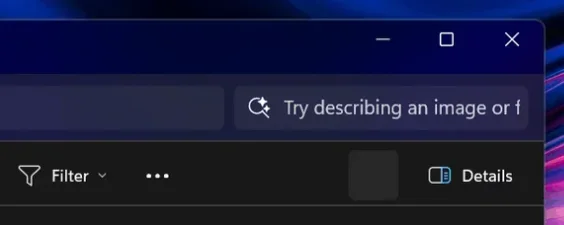
New tool removes AI from Windows 11


Winslop 0.30.33

Changelog:
  • First full release featuring all core functionality ported from the old C codebase, now 100% migrated to C#
  • The app keeps its Windows 95 look & feel, now polished with better fonts, spacing, tooltips, margins and padding. Under the hood, Winslop shares some core ideas with CrapFixer, but the foundation is leaner, faster, and more powerful
  • New Export/Import feature to save and restore your TreeList selections.
 

My Computer

System One

  • OS
    Windows 11 Pro
    Computer type
    PC/Desktop
    Manufacturer/Model
    Custom Build
    CPU
    Intel Core i9 12900KF
    Motherboard
    ASUS ROG Maximus Z690 Hero
    Memory
    Corsair 64GB DDR5 Vengeance C40 5200Mhz
    Graphics Card(s)
    ASUS GeForce RTX 3090 ROG Strix OC 24GB
    Sound Card
    OnBoard
    Monitor(s) Displays
    Acer Predator XB323UGP 32" QHD G-SYNC-C 144Hz 1MS IPS LED
    Screen Resolution
    2560 x 1440
    Hard Drives
    1x Samsung 980 Pro Series Gen4 250GB M.2 NVMe
    1x Samsung 980 Pro Series Gen4 500GB M.2 NVMe
    2x Samsung 980 Pro Series Gen4 2TB M.2 NVMe
    PSU
    Corsair AX1200i 1200W 80PLUS Titanium Modular
    Case
    Corsair 4000D Black Case w/ Tempered Glass Side Panel
    Cooling
    Noctua NH-U12A Chromax Black CPU Cooler, 4x Noctua 120mm Fans
    Keyboard
    Logitech MK545
    Mouse
    Logitech MX Master 3
    Internet Speed
    Fixed Wireless 150mbps/75mbps
    Browser
    Firefox
    Antivirus
    Kaspersky
    Other Info
    Thrustmaster TS-PC RACER
    Fanatec CSL Elite Pedals with the Load Cell Kit
    Yamaha Amp with Bose Speakers
Only thing is.... if you do a thorough Winslopping you will damn near end up with X-Lite much to the horror of the perpetual nay-sayers that have never tried it and never will :eek1: So be very careful when trying Winslop out - you may end up with exactly the Win11 you want and struggle to find things to whinge about in this forum.

I don't use either one, but an open-source tool that can be checked by anyone with the time and knowledge is not quite the same as a license-violating ISO from who-knows-who that you have to just trust and install.
 

My Computer

System One

  • OS
    Windows 11 Pro 25H2
    Computer type
    PC/Desktop
    Manufacturer/Model
    Intel NUC12WSHi7
    CPU
    12th Gen Core i7-1260P
    Motherboard
    NUC12WSBi7
    Memory
    64 GB Micron PC4-25600
    Graphics Card(s)
    Intel Iris Xe Graphics
    Sound Card
    on-board Realtek HD Audio
    Monitor(s) Displays
    Dell U3219Q
    Screen Resolution
    3840 x 2160
    Hard Drives
    Samsung SSD 990 PRO 1TB
    Crucial MX500 2 TB
    Antivirus
    Microsoft Defender
RevoUninstaller
 

My Computers

System One System Two

  • OS
    Windows 11 2xH2 (latest update ... forever anal)
    Computer type
    PC/Desktop
    Manufacturer/Model
    HP Slim S01
    CPU
    Intel i5-12400
    Memory
    8GB
    Graphics Card(s)
    NVIDIA GeForce GT730
    Sound Card
    OOBE
    Monitor(s) Displays
    Acer 32"
    Screen Resolution
    1920x1080
    Hard Drives
    512GB KIOXIA NVMe
    1TB SATA SSD
    PSU
    OOBE
    Case
    OOBE
    Cooling
    OOBE
    Keyboard
    BT
    Mouse
    BT
    Browser
    Brave FFox Chrome Opera
    Antivirus
    KIS
  • Operating System
    Windows 11 Pro 2xH2 (latest update ... 4ever anal)
    Computer type
    Laptop
    Manufacturer/Model
    HP Pavillion 15
    CPU
    i7-1165G7 @ 2.80GHz
    Graphics card(s)
    Intel Iris Xe Graphics
    Hard Drives
    Samsung NVMe 512GB
    + numerous/multiple SSD Type C USB enclosures
    Internet Speed
    NBN FTTN 50
    Browser
    Brave
    Antivirus
    KIS
WinUlti by Chris Titus Tech.. No AI or any bloat on my system.. and no Microsoft account required. 👍
 

My Computer

System One

  • OS
    Windows 11 Pro x64 25H2
    Computer type
    PC/Desktop
    CPU
    i9 14900k
    Motherboard
    MSI Z790 Gaming Plus WiFi-AMZ Gaming Motherboard
    Memory
    G.SKILL Ripjaws S5 Series DDR5 64gb 6400MT/s
    Graphics Card(s)
    NVIDIA Geforce RTX 5070 Ti OC 16gb
    Sound Card
    HyperX Cloud 3 Wireless Headset , Astro A50 Gen 5 Wireless Gaming Headset
    Monitor(s) Displays
    Acer Prediator x34 X5 QD-OLED Ultrawide 240hz, Portable Monitor 1920x1080p 60hz
    Screen Resolution
    3440x1440p , 1920x1080p
    Hard Drives
    Crucial P3 Plus 500gb NVMe M.2
    WD Black SN750 NVMe SSD 1TB
    WD Black SN7100 NVMe SSD 2TB
    Crucial MX500 1TB
    PSU
    Corsair RMx Series RM1000x ATX 3.1 PCIe 5.1
    Case
    MSI MAG PANO 100L PZ
    Cooling
    ID-COOLING FX360 Pro Liquid CPU Cooler
    Keyboard
    CORSAIR - K70 PRO TKL RGB Hall Effect Gaming Keyboard
    Mouse
    Glorious Model O 2 Pro Wireless Gaming Mouse
    Internet Speed
    https://www.speedtest.net/result/19091168380.png
    Browser
    Firefox
    Antivirus
    Windows Security
I got rid of onedrive using dism++

I think Revo is even better since it cleans up OneDrive registry entries as well....

Oh, and if there are any leftover OneDrive folders, it'll zap them too
 
Last edited:

My Computers

System One System Two

  • OS
    Windows 11 Pro 25H2 build: (26200.7623)
    Computer type
    Laptop
    Manufacturer/Model
    Microsoft Surface Pro
    Memory
    32GB
  • Operating System
    Microsoft 25H2 Pro
    Computer type
    Laptop
    Manufacturer/Model
    Dell Pro 14 - PC14250
    CPU
    Intel Core Ultra 7
    Memory
    64GB
    Graphics card(s)
    Intel Integrated Graphics
    Hard Drives
    Micron 1TB SSD
REVO rulz !! :-)
 

My Computers

System One System Two

  • OS
    Win 11 Home ♦♦♦26200.8457 ♦♦♦♦♦♦♦25H2
    Computer type
    PC/Desktop
    Manufacturer/Model
    Built by Ghot® [May 2020]
    CPU
    AMD Ryzen 7 3700X
    Motherboard
    Asus Pro WS X570-ACE (BIOS 5302)
    Memory
    G.Skill (F4-3200C14D-16GTZKW)
    Graphics Card(s)
    EVGA RTX 2070 (08G-P4-2171-KR)
    Sound Card
    Realtek ALC1220P / ALC S1220A
    Monitor(s) Displays
    Dell U3011 30"
    Screen Resolution
    2560 x 1600
    Hard Drives
    2x Samsung 860 EVO 500GB,
    WD 4TB Black FZBX - SATA III,
    WD 8TB Black FZBX - SATA III,
    DRW-24B1ST CD/DVD Burner
    PSU
    PC Power & Cooling 750W Quad EPS12V
    Case
    Cooler Master ATCS 840 Tower
    Cooling
    CM Hyper 212 EVO (push/pull)
    Keyboard
    Ducky DK9008 Shine II Blue LED
    Mouse
    Logitech Optical M-100
    Internet Speed
    300/300
    Browser
    Firefox (latest)
    Antivirus
    Bitdefender Total Security
    Other Info
    Speakers: Klipsch Pro Media 2.1
  • Operating System
    Windows XP Pro 32bit w/SP3
    Computer type
    PC/Desktop
    Manufacturer/Model
    Built by Ghot® (not in use)
    CPU
    AMD Athlon 64 X2 5000+ (OC'd @ 3.2Ghz)
    Motherboard
    ASUS M2N32-SLI Deluxe Wireless Edition
    Memory
    TWIN2X2048-6400C4DHX (2 x 1GB, DDR2 800)
    Graphics card(s)
    EVGA 256-P2-N758-TR GeForce 8600GT SSC
    Sound Card
    Onboard
    Monitor(s) Displays
    ViewSonic G90FB Black 19" Professional (CRT)
    Screen Resolution
    up to 2048 x 1536
    Hard Drives
    WD 36GB 10,000rpm Raptor SATA
    Seagate 80GB 7200rpm SATA
    Lite-On LTR-52246S CD/RW
    Lite-On LH-18A1P CD/DVD Burner
    PSU
    PC Power & Cooling Silencer 750 Quad EPS12V
    Case
    Generic Beige case, 80mm fans
    Cooling
    ZALMAN 9500A 92mm CPU Cooler
    Keyboard
    Logitech Classic Keybooard 200
    Mouse
    Logitech Optical M-BT96a
    Internet Speed
    300/300
    Browser
    Firefox 3.x ??
    Antivirus
    Symantec (Norton)
    Other Info
    Still assembled, still runs. Haven't turned it on for 15 years?

How to remove Copilot AI from Windows 11 today​


The tool is mentioned in this article, but this article goes into other means of removing it, including reg edits, group policy edits, etc.

  • Copilot can be disabled, uninstalled, or blocked from returning in Windows.
  • Removing Copilot may improve performance and reduce resource use.
  • Fully eliminating Copilot requires advanced settings.


My Computer

System One

  • OS
    Win 11 Pro, Win 10 pro, Win 13.7 Pro Chinese Ver
    Computer type
    PC/Desktop
    Manufacturer/Model
    It's a Dell Dude
    CPU
    12th Gen Intel(R) Core(TM) i9-12900 2.40 GHz
    Motherboard
    Father is bored too...
    Memory
    64.0 GB of transcendental dimensional RAM
    Graphics Card(s)
    NVIDIA GeForce RTX 3070 Ti
    Sound Card
    N/A
    Monitor(s) Displays
    27" Samsung Monitor/Alternative Dimensional Viewing Portal
    Screen Resolution
    Fuzzy after a couple drinks
    Hard Drives
    2 or 3, depending on if it's a night they're arguing about having a "split personality crisis" because I partitioned the drive.
    PSU
    Shockingly active
    Case
    Don't get on my case....man
    Cooling
    Scotch on the rocks on the weekends.
    Keyboard
    Steel Series Lighted Glow in the dark something or another
    Mouse
    Currently being stalked by the cat...
    Internet Speed
    DSL
    Browser
    Defeated by Mario...wait...OH...BRowser...
    Antivirus
    Yep
Rumor has it that MS may integrate Copilot into Explorer...

11900.webp
 

My Computers

System One System Two

  • OS
    Windows 11 Pro
    Computer type
    PC/Desktop
    Manufacturer/Model
    ASUS ROG Strix
  • Operating System
    Windows 11 Pro
    Computer type
    Laptop
    Manufacturer/Model
    ASUS VivoBook
Rumor has it that MS may integrate Copilot into Explorer...

Rumor has it that people will find other ways to block it... 🧐
 

My Computers

System One System Two

  • OS
    Windows 11 Pro 25H2 build: (26200.7623)
    Computer type
    Laptop
    Manufacturer/Model
    Microsoft Surface Pro
    Memory
    32GB
  • Operating System
    Microsoft 25H2 Pro
    Computer type
    Laptop
    Manufacturer/Model
    Dell Pro 14 - PC14250
    CPU
    Intel Core Ultra 7
    Memory
    64GB
    Graphics card(s)
    Intel Integrated Graphics
    Hard Drives
    Micron 1TB SSD

My Computer

System One

  • OS
    Windows 11 Pro
    Computer type
    PC/Desktop
    Manufacturer/Model
    Custom Build
    CPU
    Intel Core i9 12900KF
    Motherboard
    ASUS ROG Maximus Z690 Hero
    Memory
    Corsair 64GB DDR5 Vengeance C40 5200Mhz
    Graphics Card(s)
    ASUS GeForce RTX 3090 ROG Strix OC 24GB
    Sound Card
    OnBoard
    Monitor(s) Displays
    Acer Predator XB323UGP 32" QHD G-SYNC-C 144Hz 1MS IPS LED
    Screen Resolution
    2560 x 1440
    Hard Drives
    1x Samsung 980 Pro Series Gen4 250GB M.2 NVMe
    1x Samsung 980 Pro Series Gen4 500GB M.2 NVMe
    2x Samsung 980 Pro Series Gen4 2TB M.2 NVMe
    PSU
    Corsair AX1200i 1200W 80PLUS Titanium Modular
    Case
    Corsair 4000D Black Case w/ Tempered Glass Side Panel
    Cooling
    Noctua NH-U12A Chromax Black CPU Cooler, 4x Noctua 120mm Fans
    Keyboard
    Logitech MK545
    Mouse
    Logitech MX Master 3
    Internet Speed
    Fixed Wireless 150mbps/75mbps
    Browser
    Firefox
    Antivirus
    Kaspersky
    Other Info
    Thrustmaster TS-PC RACER
    Fanatec CSL Elite Pedals with the Load Cell Kit
    Yamaha Amp with Bose Speakers

My Computers

System One System Two

  • OS
    Windows 11 Pro 25H2 build: (26200.7623)
    Computer type
    Laptop
    Manufacturer/Model
    Microsoft Surface Pro
    Memory
    32GB
  • Operating System
    Microsoft 25H2 Pro
    Computer type
    Laptop
    Manufacturer/Model
    Dell Pro 14 - PC14250
    CPU
    Intel Core Ultra 7
    Memory
    64GB
    Graphics card(s)
    Intel Integrated Graphics
    Hard Drives
    Micron 1TB SSD

Winslop 0.35.50

Changelog:
  • Major docs upgrade: Extensive documentation for individual app features and plugins. Every feature now supports Right-click > Help, which opens the matching GitHub section via a URL anchor. You can also open the help anytime via the main menu (hamburger menu) → Help.
  • Improved restore for individually selected features
  • The app is now a bit smaller, and im still working on slimming it down even more. Ideally, I'd love to externalize as much as possible , minimalism is the goal
  • Safer execution flow: Main actions (Inspect/Apply) are now disabled while a task is running, so you cant accidentally click them mid-run
  • More Win95 polish: Refined the classic look again and cleaned up lots of small UI corners and spacing
  • Better Extensions view (clearer + more consistent)
  • Online Log Inspector updated with a proper Windows 95 look
  • Misc improvements & bug fixes
 

My Computer

System One

  • OS
    Windows 11 Pro
    Computer type
    PC/Desktop
    Manufacturer/Model
    Custom Build
    CPU
    Intel Core i9 12900KF
    Motherboard
    ASUS ROG Maximus Z690 Hero
    Memory
    Corsair 64GB DDR5 Vengeance C40 5200Mhz
    Graphics Card(s)
    ASUS GeForce RTX 3090 ROG Strix OC 24GB
    Sound Card
    OnBoard
    Monitor(s) Displays
    Acer Predator XB323UGP 32" QHD G-SYNC-C 144Hz 1MS IPS LED
    Screen Resolution
    2560 x 1440
    Hard Drives
    1x Samsung 980 Pro Series Gen4 250GB M.2 NVMe
    1x Samsung 980 Pro Series Gen4 500GB M.2 NVMe
    2x Samsung 980 Pro Series Gen4 2TB M.2 NVMe
    PSU
    Corsair AX1200i 1200W 80PLUS Titanium Modular
    Case
    Corsair 4000D Black Case w/ Tempered Glass Side Panel
    Cooling
    Noctua NH-U12A Chromax Black CPU Cooler, 4x Noctua 120mm Fans
    Keyboard
    Logitech MK545
    Mouse
    Logitech MX Master 3
    Internet Speed
    Fixed Wireless 150mbps/75mbps
    Browser
    Firefox
    Antivirus
    Kaspersky
    Other Info
    Thrustmaster TS-PC RACER
    Fanatec CSL Elite Pedals with the Load Cell Kit
    Yamaha Amp with Bose Speakers

Winslop 0.40.70

Changelog:
  • New Actions menu logging options: log selected, unselected, or all features
  • New Windows 95 Start Menu to replace the old hamburger menu back when things made sense. I`m considering a fun UI “era progression” for major releases (e.g., v0.2–1.0 = Windows 95, 1.0–1.5 = Windows 98, etc.).
  • Improved DPI scaling for Extensions
  • Versioning reworked + a new footer status indicator showing version info
  • Main tabs renamed: Windows → Apps (formerly Applications) and Tools (formerly Extensions)
  • Better apps/bloatware detection.
  • Help/docs refreshed and reorganized.
  • Smaller fixes & bug patches
  • Help / Quick Start: Open it via the Start Menu → Help — or simply right-click any entry and choose Help.
 

My Computer

System One

  • OS
    Windows 11 Pro
    Computer type
    PC/Desktop
    Manufacturer/Model
    Custom Build
    CPU
    Intel Core i9 12900KF
    Motherboard
    ASUS ROG Maximus Z690 Hero
    Memory
    Corsair 64GB DDR5 Vengeance C40 5200Mhz
    Graphics Card(s)
    ASUS GeForce RTX 3090 ROG Strix OC 24GB
    Sound Card
    OnBoard
    Monitor(s) Displays
    Acer Predator XB323UGP 32" QHD G-SYNC-C 144Hz 1MS IPS LED
    Screen Resolution
    2560 x 1440
    Hard Drives
    1x Samsung 980 Pro Series Gen4 250GB M.2 NVMe
    1x Samsung 980 Pro Series Gen4 500GB M.2 NVMe
    2x Samsung 980 Pro Series Gen4 2TB M.2 NVMe
    PSU
    Corsair AX1200i 1200W 80PLUS Titanium Modular
    Case
    Corsair 4000D Black Case w/ Tempered Glass Side Panel
    Cooling
    Noctua NH-U12A Chromax Black CPU Cooler, 4x Noctua 120mm Fans
    Keyboard
    Logitech MK545
    Mouse
    Logitech MX Master 3
    Internet Speed
    Fixed Wireless 150mbps/75mbps
    Browser
    Firefox
    Antivirus
    Kaspersky
    Other Info
    Thrustmaster TS-PC RACER
    Fanatec CSL Elite Pedals with the Load Cell Kit
    Yamaha Amp with Bose Speakers

Winslop 0.50.125

Changelog:

Extensions/Tools were added to keep Winslop lightweight while making it more useful when Windows 11 inevitably acts up again.
Drop-in PowerShell extensions now power quick “rescue actions” (boot help, recovery, install media) without baking everything into the core app, so you get more tools, fewer headaches, and faster fixes when Win11 starts misbehaving
  • Added Extension – Win11InstallHelper: Downloads and launches Microsoft’s official Windows 11 Media Creation Tool and integrates Rufus for creating bootable USB installation media.
  • Added Extension – Boot Access Helper: Displays common BIOS/UEFI and Boot Menu keys based on the detected hardware vendor to help users boot from USB media faster.
  • Added Extension – Win11IsBusted: Beginner-friendly Windows recovery wizard with guided access to Reset this PC, Advanced Startup (WinRE), SFC repair, and DISM component repair.
  • Tip – Tools Access: All extensions are available through the Tools interface. Open Tools inside the app and launch the desired extension from there.
Other changes:
  • Optimized app startup and reduced resource usage
  • Maintained individual features
  • Improved the extensions engine
  • Updated documentation
  • Minor improvements and fixes
 

My Computer

System One

  • OS
    Windows 11 Pro
    Computer type
    PC/Desktop
    Manufacturer/Model
    Custom Build
    CPU
    Intel Core i9 12900KF
    Motherboard
    ASUS ROG Maximus Z690 Hero
    Memory
    Corsair 64GB DDR5 Vengeance C40 5200Mhz
    Graphics Card(s)
    ASUS GeForce RTX 3090 ROG Strix OC 24GB
    Sound Card
    OnBoard
    Monitor(s) Displays
    Acer Predator XB323UGP 32" QHD G-SYNC-C 144Hz 1MS IPS LED
    Screen Resolution
    2560 x 1440
    Hard Drives
    1x Samsung 980 Pro Series Gen4 250GB M.2 NVMe
    1x Samsung 980 Pro Series Gen4 500GB M.2 NVMe
    2x Samsung 980 Pro Series Gen4 2TB M.2 NVMe
    PSU
    Corsair AX1200i 1200W 80PLUS Titanium Modular
    Case
    Corsair 4000D Black Case w/ Tempered Glass Side Panel
    Cooling
    Noctua NH-U12A Chromax Black CPU Cooler, 4x Noctua 120mm Fans
    Keyboard
    Logitech MK545
    Mouse
    Logitech MX Master 3
    Internet Speed
    Fixed Wireless 150mbps/75mbps
    Browser
    Firefox
    Antivirus
    Kaspersky
    Other Info
    Thrustmaster TS-PC RACER
    Fanatec CSL Elite Pedals with the Load Cell Kit
    Yamaha Amp with Bose Speakers
Cheers mate!
 

My Computer

System One

  • OS
    Win 11 Pro 25H2 26200.8524
    Computer type
    PC/Desktop
    Manufacturer/Model
    Custom
    CPU
    Intel i5-12400F
    Motherboard
    MSI PRO B760M P
    Memory
    2 x16gb DDR4 Patriot Viper Elite II 4000MHz
    Graphics Card(s)
    ASUS GeForce RTX 3060 Dual OC 12GB
    Sound Card
    onboard Realtek
    Monitor(s) Displays
    KTC 32 inch 180Hz Curved Gaming Monitor
    Screen Resolution
    2560x1440
    Hard Drives
    1x SP 512GB NVME (Windows)
    1x 2TB SSD (Downloads)
    1x 2TB BX500 (Games)
    1x 2TB NVME (Steam)
    1x 1TB NVME (Macrium, Stuff)
    PSU
    CORSAIR RM750e (2025) Platinum Fully Modular
    Case
    CORSAIR Frame 4000D RS White
    Cooling
    Thermalright Assassin X120 SE ARGB White
    Keyboard
    Z-88 RGB Mechanical White
    Mouse
    Red Dragon 612 Predator RGB
    Internet Speed
    750/50
    Browser
    Chrome
    Antivirus
    Windows

Winslop 0.51.148​

I rewrote the extensions system to make it faster and easier to use, without turning Winslop into bloat. Still anti-slop
  • Big UI speed-up: no more re-creating a bunch of controls for every extension, it switched from per-item controls to a single reusable details panel
  • Faster startup: metadata is parsed async in the background
  • Cleaner structure: extensions behave more like real plugins now
  • Tools/Extensions Layout is stable across DPI / font scaling
  • Script execution is more reliable and logging behaves better
  • Better AI slop detection
  • Features reorganized into new categories
  • Minor UI improvements
  • Updated docs
 

My Computer

System One

  • OS
    Windows 11 Pro
    Computer type
    PC/Desktop
    Manufacturer/Model
    Custom Build
    CPU
    Intel Core i9 12900KF
    Motherboard
    ASUS ROG Maximus Z690 Hero
    Memory
    Corsair 64GB DDR5 Vengeance C40 5200Mhz
    Graphics Card(s)
    ASUS GeForce RTX 3090 ROG Strix OC 24GB
    Sound Card
    OnBoard
    Monitor(s) Displays
    Acer Predator XB323UGP 32" QHD G-SYNC-C 144Hz 1MS IPS LED
    Screen Resolution
    2560 x 1440
    Hard Drives
    1x Samsung 980 Pro Series Gen4 250GB M.2 NVMe
    1x Samsung 980 Pro Series Gen4 500GB M.2 NVMe
    2x Samsung 980 Pro Series Gen4 2TB M.2 NVMe
    PSU
    Corsair AX1200i 1200W 80PLUS Titanium Modular
    Case
    Corsair 4000D Black Case w/ Tempered Glass Side Panel
    Cooling
    Noctua NH-U12A Chromax Black CPU Cooler, 4x Noctua 120mm Fans
    Keyboard
    Logitech MK545
    Mouse
    Logitech MX Master 3
    Internet Speed
    Fixed Wireless 150mbps/75mbps
    Browser
    Firefox
    Antivirus
    Kaspersky
    Other Info
    Thrustmaster TS-PC RACER
    Fanatec CSL Elite Pedals with the Load Cell Kit
    Yamaha Amp with Bose Speakers
"Goal: in 30 days, more Winslop downloads than Copilot has users 😆"

I'd be willing to be a significant amount of my net worth that more people removed copilot than did not, when made aware there is a choice...
 

My Computer

System One

  • OS
    Windows 11 22H2 Pro (X-lite Micro 11 version)
    Computer type
    Laptop
    Manufacturer/Model
    Dell/ Precision 7680
    CPU
    i7 13850HX (20 cores, 28 threads)
    Motherboard
    Dell
    Memory
    32GB DDR5
    Graphics Card(s)
    Intel UHD/ RTX 1000 ADA
    Sound Card
    Realtek
    Monitor(s) Displays
    4K UHD Touchscreen
    Screen Resolution
    3840 x 2400
    Hard Drives
    Samsung 512GB system drive
    WD Blue 1TB game drive
    PSU
    240W AC adapter, 1800W when docked
    Internet Speed
    1 gigabit symmetrical
    Browser
    Firefox, Librewolf
    Antivirus
    None. Manully configured so nobody except me can change any critical system files. (Don't ask how, it's probably against some rule somewhere)
"Goal: in 30 days, more Winslop downloads than Copilot has users 😆"

I'd be willing to be a significant amount of my net worth that more people removed copilot than did not, when made aware there is a choice...

For every person made aware it can be removed, I'm willing to bet there 50,000 more who aren't aware of it. You'd think Microsoft would be fine with that, but no, that one person, that one exception sticks in their craw.

Hence all the devotion towards putting up obstacles as far as people being able to getting it removed. I guess that's more exciting than doing the right thing and getting their stupid bugs fixed in the first place.
 

My Computers

System One System Two

  • OS
    Windows 11 Pro 25H2 build: (26200.7623)
    Computer type
    Laptop
    Manufacturer/Model
    Microsoft Surface Pro
    Memory
    32GB
  • Operating System
    Microsoft 25H2 Pro
    Computer type
    Laptop
    Manufacturer/Model
    Dell Pro 14 - PC14250
    CPU
    Intel Core Ultra 7
    Memory
    64GB
    Graphics card(s)
    Intel Integrated Graphics
    Hard Drives
    Micron 1TB SSD

Winslop 0.60.170

This release introduces a redesigned app inspection experience with improved flexibility, clarity, and performance.
  • Added profile support with live creation and instant switching of tweak selections in the Windows tab. Selections can now be saved, created, and switched on the fly, so no restart required.
  • Added a Scan Mode selector to the Appstab. You can now choose how applications are inspected:
    • Standard scan (recommended) – Automatically uses the best available inspection source.
    • Full scan – Displays all installed Microsoft Store applications
    • Community scan (CFEnhancer) – Uses external, community-maintained inspection lists via Plugins\CFEnhancer.txt
    • Built-in scan – Uses the native inspection database shipped with Winslop
  • Reworked the apps inspection flow to make it easier to understand and use
  • Logging/status output is clearer now
  • Small UI polish
  • Plugins are now pulled from the Winslop repo (not CrapFixer anymore).
  • Various minor fixes and stability improvements
 

My Computer

System One

  • OS
    Windows 11 Pro
    Computer type
    PC/Desktop
    Manufacturer/Model
    Custom Build
    CPU
    Intel Core i9 12900KF
    Motherboard
    ASUS ROG Maximus Z690 Hero
    Memory
    Corsair 64GB DDR5 Vengeance C40 5200Mhz
    Graphics Card(s)
    ASUS GeForce RTX 3090 ROG Strix OC 24GB
    Sound Card
    OnBoard
    Monitor(s) Displays
    Acer Predator XB323UGP 32" QHD G-SYNC-C 144Hz 1MS IPS LED
    Screen Resolution
    2560 x 1440
    Hard Drives
    1x Samsung 980 Pro Series Gen4 250GB M.2 NVMe
    1x Samsung 980 Pro Series Gen4 500GB M.2 NVMe
    2x Samsung 980 Pro Series Gen4 2TB M.2 NVMe
    PSU
    Corsair AX1200i 1200W 80PLUS Titanium Modular
    Case
    Corsair 4000D Black Case w/ Tempered Glass Side Panel
    Cooling
    Noctua NH-U12A Chromax Black CPU Cooler, 4x Noctua 120mm Fans
    Keyboard
    Logitech MK545
    Mouse
    Logitech MX Master 3
    Internet Speed
    Fixed Wireless 150mbps/75mbps
    Browser
    Firefox
    Antivirus
    Kaspersky
    Other Info
    Thrustmaster TS-PC RACER
    Fanatec CSL Elite Pedals with the Load Cell Kit
    Yamaha Amp with Bose Speakers
Winslop for Windows removes unnecessary bloat, reduces slop, restores user control, shows changes clearly, works locally, deterministic, reversible, lightweight fork of CrapFixer for a cleaner system.

Moved to a Separate Forum Now


My Computer

System One

  • OS
    Windows 11 Pro
    Computer type
    PC/Desktop
    Manufacturer/Model
    Custom Build
    CPU
    Intel Core i9 12900KF
    Motherboard
    ASUS ROG Maximus Z690 Hero
    Memory
    Corsair 64GB DDR5 Vengeance C40 5200Mhz
    Graphics Card(s)
    ASUS GeForce RTX 3090 ROG Strix OC 24GB
    Sound Card
    OnBoard
    Monitor(s) Displays
    Acer Predator XB323UGP 32" QHD G-SYNC-C 144Hz 1MS IPS LED
    Screen Resolution
    2560 x 1440
    Hard Drives
    1x Samsung 980 Pro Series Gen4 250GB M.2 NVMe
    1x Samsung 980 Pro Series Gen4 500GB M.2 NVMe
    2x Samsung 980 Pro Series Gen4 2TB M.2 NVMe
    PSU
    Corsair AX1200i 1200W 80PLUS Titanium Modular
    Case
    Corsair 4000D Black Case w/ Tempered Glass Side Panel
    Cooling
    Noctua NH-U12A Chromax Black CPU Cooler, 4x Noctua 120mm Fans
    Keyboard
    Logitech MK545
    Mouse
    Logitech MX Master 3
    Internet Speed
    Fixed Wireless 150mbps/75mbps
    Browser
    Firefox
    Antivirus
    Kaspersky
    Other Info
    Thrustmaster TS-PC RACER
    Fanatec CSL Elite Pedals with the Load Cell Kit
    Yamaha Amp with Bose Speakers

Latest Support Threads

Back
Top Bottom