New unified Gmail design update now rolling out to all users


Gmail has changed a lot over the past 18 years, and since the beginning, we’ve aspired to help billions of people around the world stay connected and get things done. Our latest changes bring helpful updates to every Gmail user, including the best of Google Workspace, combined with a fresh new look based on Google’s Material Design 3.

Evolving right along with you

Over the years, we’ve introduced new ways to stay productive, like the tabbed inbox, AI-based innovations like Smart Compose and Smart Reply and the ability to get your Gmail on the go with native apps for iOS and Android. (Fun fact: Gmail was the first app on the Google Play Store to hit one billion installs!) Often these changes are highly visual, like custom inbox themes, but some really important ones are less visible, like AI-based spam, phishing and malware protections.

Modern communication, modern design

During the pandemic, we’ve seen a further evolution as tens of millions of people around the world started to move between email, messaging, group chat and video calls as a part of managing their daily lives. To help people stay connected, we’re bringing together Gmail, Chat, Spaces and Meet in a single, unified view.

We first announced the new integrated Gmail view as a sneak-peek preview back in January, and we got tons of feedback from users who are excited about the new look and feel, along with improvement suggestions.

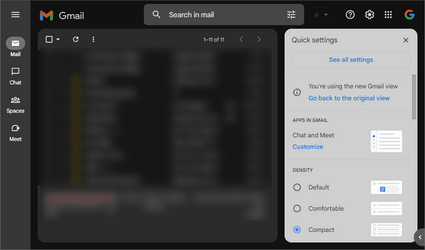
Starting today, the integrated view will begin to roll out for all Gmail users who have turned on Chat. You’ll see a clean, streamlined way to move between apps that you can customize based on what works best for you.

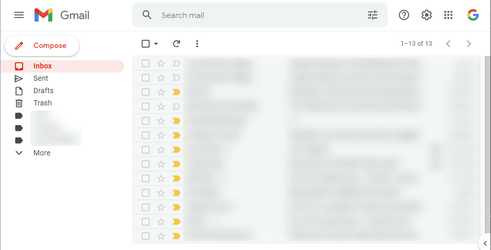
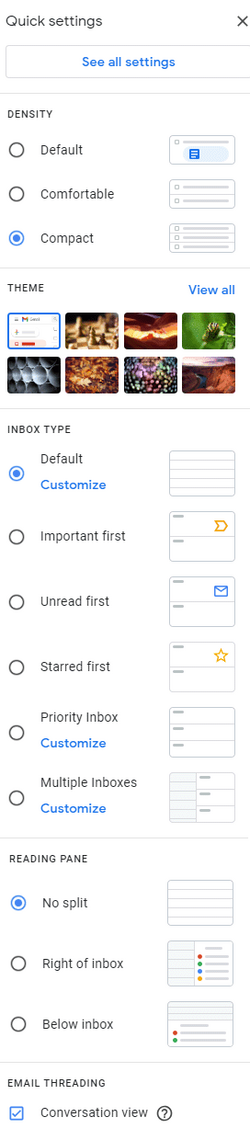
Using Quick Settings, you can select apps you’d like to toggle between on the left side of your window, whether it’s Gmail by itself or a combination of Gmail, Chat, Spaces and Meet. Label lovers will see separate sections for system labels (like Starred, Snoozed and Important) and custom labels you make yourself. And people who love to chat will see conversation bubbles with snippets of incoming messages, along with options to quick reply instead of opening the full message.

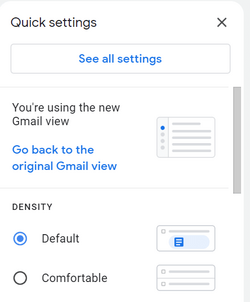
Over the next few weeks, users can enable the integrated view, using the new visual configuration option in Settings — and anyone who wants to keep their existing Gmail layout will be able to do so. You get the Gmail that best fits your personal style, along with a clean, new look, thanks to our Material 3 design.
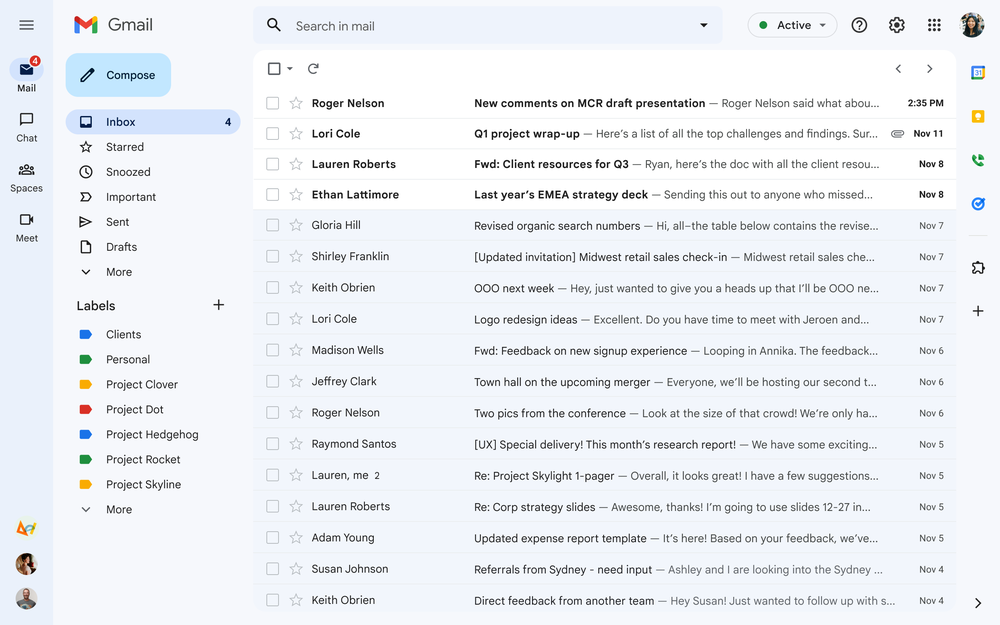
Gmail_GM3.max-1000x1000.png

The new Gmail interface updated with Material 3 look and feel.

More than a pretty (inter)face

Beyond the user interface, we’re continuing to make Gmail more powerful and customizable. For example, we’re making it easier than ever to find the message you’re looking for by bringing search chips to your inbox and improved search results that suggest the best match for your query.

And later this year, we’re delivering an improved experience for tablet users, better emojis, new accessibility features and a whole lot more.

Looking ahead

Now you can optimize Gmail for how you like to stay connected, whether it’s as a standalone email application or a hub for easily moving between Chat, Spaces and video calls in Google Meet. After 18 years of helping people collaborate and get things done, Gmail is more helpful, customizable, and integrated than ever before.


Read more:
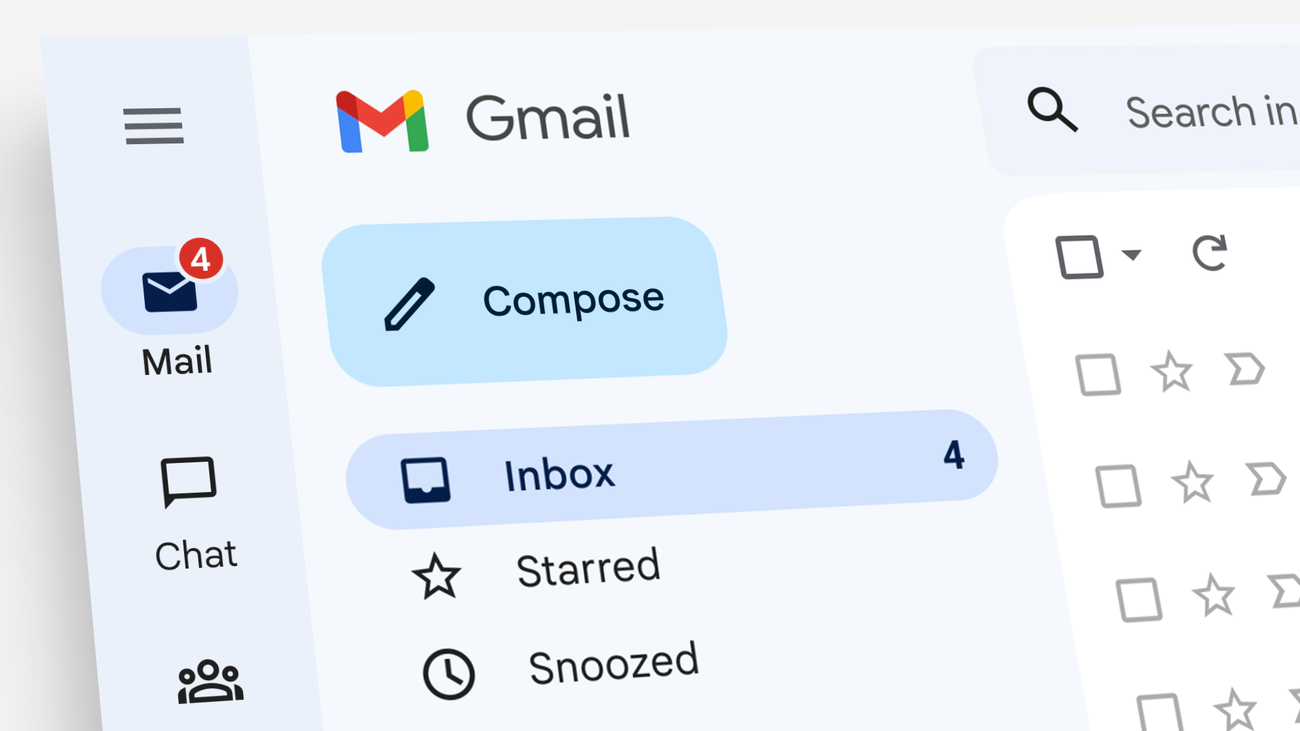
 
I like it. Less boring than before with those new sausages (sausage body/pill shape buttons) :woozy:, but I've got nothing yet.
 

My Computer My Computer

At a glance

Win 11 Enterprisei7
OS
Win 11 Enterprise
Computer type
Laptop
CPU
i7
Hard Drives
SSD
I like it. Less boring than before with those new sausages (sausage body/pill shape buttons) :woozy:, but I've got nothing yet.
Check quick settings.
 

My Computers My Computers

  • At a glance

    Win 11 ProAMD Ryzen™ 7 7730U24GB Dual-Channel DDR4 @ 1596MHz (22-22-22-52)512MB ATI AMD Radeon Graphics (ASUStek Comput...
    OS
    Win 11 Pro
    Computer type
    Laptop
    Manufacturer/Model
    ASUS Vivobook
    CPU
    AMD Ryzen™ 7 7730U
    Motherboard
    M1605YA
    Memory
    24GB Dual-Channel DDR4 @ 1596MHz (22-22-22-52)
    Graphics Card(s)
    512MB ATI AMD Radeon Graphics (ASUStek Computer Inc)
    Monitor(s) Displays
    Generic PnP Monitor (1920x1200@60Hz) - P1 PLUS (1920x1080@59Hz)
    Screen Resolution
    1920 X 1200
    Hard Drives
    953GB Western Digital WD
    PSU
    45 Watts
    Mouse
    Lenovo Bluetooth.
    Internet Speed
    500 Mbps
    Browser
    Edge
    Antivirus
    Defender
  • At a glance

    Windows 11AMD Ryzen 7 5800H / 3.2 GHz32 GB DDR4 SDRAM 3200 MHzNVIDIA GeForce RTX 3060 6 GB GDDR6 SDRAM
    Operating System
    Windows 11
    Computer type
    Laptop
    Manufacturer/Model
    ACER NITRO
    CPU
    AMD Ryzen 7 5800H / 3.2 GHz
    Motherboard
    CZ Scala_CAS (FP6)
    Memory
    32 GB DDR4 SDRAM 3200 MHz
    Graphics card(s)
    NVIDIA GeForce RTX 3060 6 GB GDDR6 SDRAM
    Sound Card
    Realtek Audio. NVIDIA High Definition Audio
    Monitor(s) Displays
    15.6" LED backlight 1920 x 1080 (Full HD) 144 Hz
    Screen Resolution
    1920 x 1080 (Full HD)
    Hard Drives
    Samsung 970 Evo Plus 2TB NVMe M.2
    PSU
    180 Watt, 19.5 V
    Mouse
    Lenovo Bluetooth
    Internet Speed
    500 Mbps
    Browser
    Edge
    Antivirus
    Defender

My Computer My Computer

At a glance

Win 11 Enterprisei7
OS
Win 11 Enterprise
Computer type
Laptop
CPU
i7
Hard Drives
SSD

My Computers My Computers

  • At a glance

    Win 11 ProAMD Ryzen™ 7 7730U24GB Dual-Channel DDR4 @ 1596MHz (22-22-22-52)512MB ATI AMD Radeon Graphics (ASUStek Comput...
    OS
    Win 11 Pro
    Computer type
    Laptop
    Manufacturer/Model
    ASUS Vivobook
    CPU
    AMD Ryzen™ 7 7730U
    Motherboard
    M1605YA
    Memory
    24GB Dual-Channel DDR4 @ 1596MHz (22-22-22-52)
    Graphics Card(s)
    512MB ATI AMD Radeon Graphics (ASUStek Computer Inc)
    Monitor(s) Displays
    Generic PnP Monitor (1920x1200@60Hz) - P1 PLUS (1920x1080@59Hz)
    Screen Resolution
    1920 X 1200
    Hard Drives
    953GB Western Digital WD
    PSU
    45 Watts
    Mouse
    Lenovo Bluetooth.
    Internet Speed
    500 Mbps
    Browser
    Edge
    Antivirus
    Defender
  • At a glance

    Windows 11AMD Ryzen 7 5800H / 3.2 GHz32 GB DDR4 SDRAM 3200 MHzNVIDIA GeForce RTX 3060 6 GB GDDR6 SDRAM
    Operating System
    Windows 11
    Computer type
    Laptop
    Manufacturer/Model
    ACER NITRO
    CPU
    AMD Ryzen 7 5800H / 3.2 GHz
    Motherboard
    CZ Scala_CAS (FP6)
    Memory
    32 GB DDR4 SDRAM 3200 MHz
    Graphics card(s)
    NVIDIA GeForce RTX 3060 6 GB GDDR6 SDRAM
    Sound Card
    Realtek Audio. NVIDIA High Definition Audio
    Monitor(s) Displays
    15.6" LED backlight 1920 x 1080 (Full HD) 144 Hz
    Screen Resolution
    1920 x 1080 (Full HD)
    Hard Drives
    Samsung 970 Evo Plus 2TB NVMe M.2
    PSU
    180 Watt, 19.5 V
    Mouse
    Lenovo Bluetooth
    Internet Speed
    500 Mbps
    Browser
    Edge
    Antivirus
    Defender
:thumbsup:
 

My Computer My Computer

At a glance

Win 11 Enterprisei7
OS
Win 11 Enterprise
Computer type
Laptop
CPU
i7
Hard Drives
SSD
I have got the new one:

ss2.png
 

My Computer My Computer

At a glance

Win 11 Enterprisei7
OS
Win 11 Enterprise
Computer type
Laptop
CPU
i7
Hard Drives
SSD
My design has changed, but the labels part is not like in the video. Is it a special design for Workspace accounts?
 

My Computer My Computer

At a glance

Windows 11Intel(R) Core(TM) i7-8565U CPU @ 1.80GHz 2.00...16GB
OS
Windows 11
Computer type
Laptop
Manufacturer/Model
Lenovo
CPU
Intel(R) Core(TM) i7-8565U CPU @ 1.80GHz 2.00 GHz
Memory
16GB
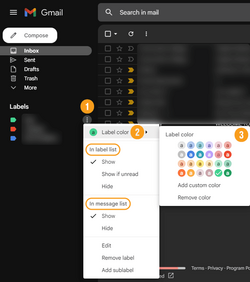
Go to "Labels" and select 3-dot menu, select your desired colour, and make sure both "In label list" and "In message list" are "Show".

ss1.png
 

My Computer My Computer

At a glance

Win 11 Enterprisei7
OS
Win 11 Enterprise
Computer type
Laptop
CPU
i7
Hard Drives
SSD

Latest Support Threads

Back
Top Bottom