Microsoft Teams Blog:
Today, we’re excited to introduce a new, unified experience that brings Viva Engage communities directly into Microsoft Teams now rolling out in public preview. As organizations strive to strengthen culture and connect distributed teams, we’re making it easier than ever for people to engage with their communities in the flow of work, right alongside chats, channels, and meetings.
Communities power learning, dialogue, and engagement across the organization. They enable modern, two‑way communication between leaders and employees and help build trust at scale. With communities in Teams, these connections now happen where people already collaborate, making communication more accessible and impactful.
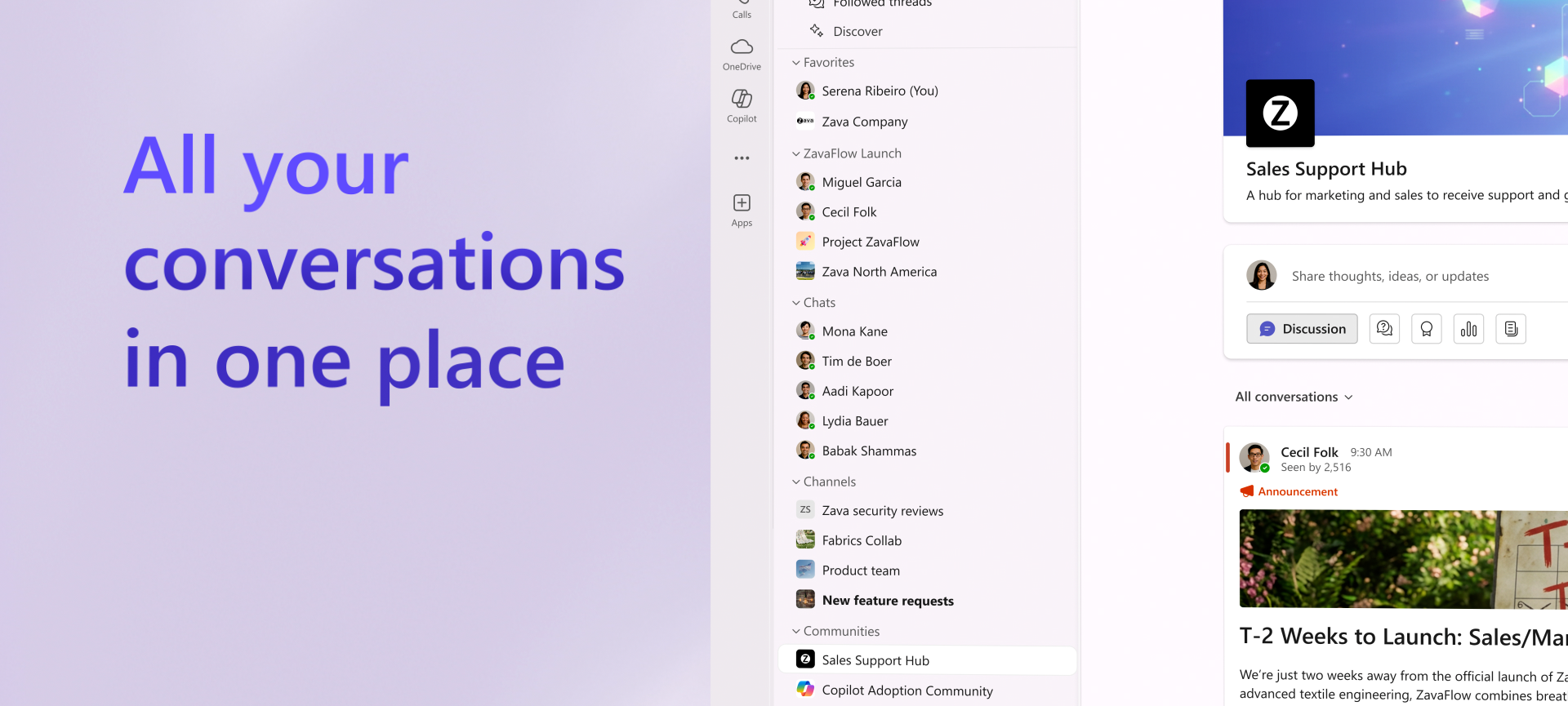
This integration unifies all conversation spaces in Teams—from rapid 1:1 and group chats, to collaborative project channels, to open communities that support broad connection and shared learning across the organization. By bringing these experiences together, we’re unlocking all-in-one value for every employee: deeper context, richer conversations, and a more connected workday.
Bring your organization together in Teams
Below are the top new capabilities, each designed to meet people where they work while supporting the full spectrum of organizational connection and communication.Launch Demo
A modern community layout in Teams
We've designed communities in Teams so that it feels native to the overall Teams experience, including a larger conversation pane, a docked right rail, and Teams-style unread indicators both in the feed and left navigation. Communities now appear in the default unified Chat app in Teams, right alongside chats and channels, so they’re visible and reachable throughout the workday. It’s easier than ever to scroll your feed, react, comment, and create posts, with the same familiarity as engaging on Engage web or app.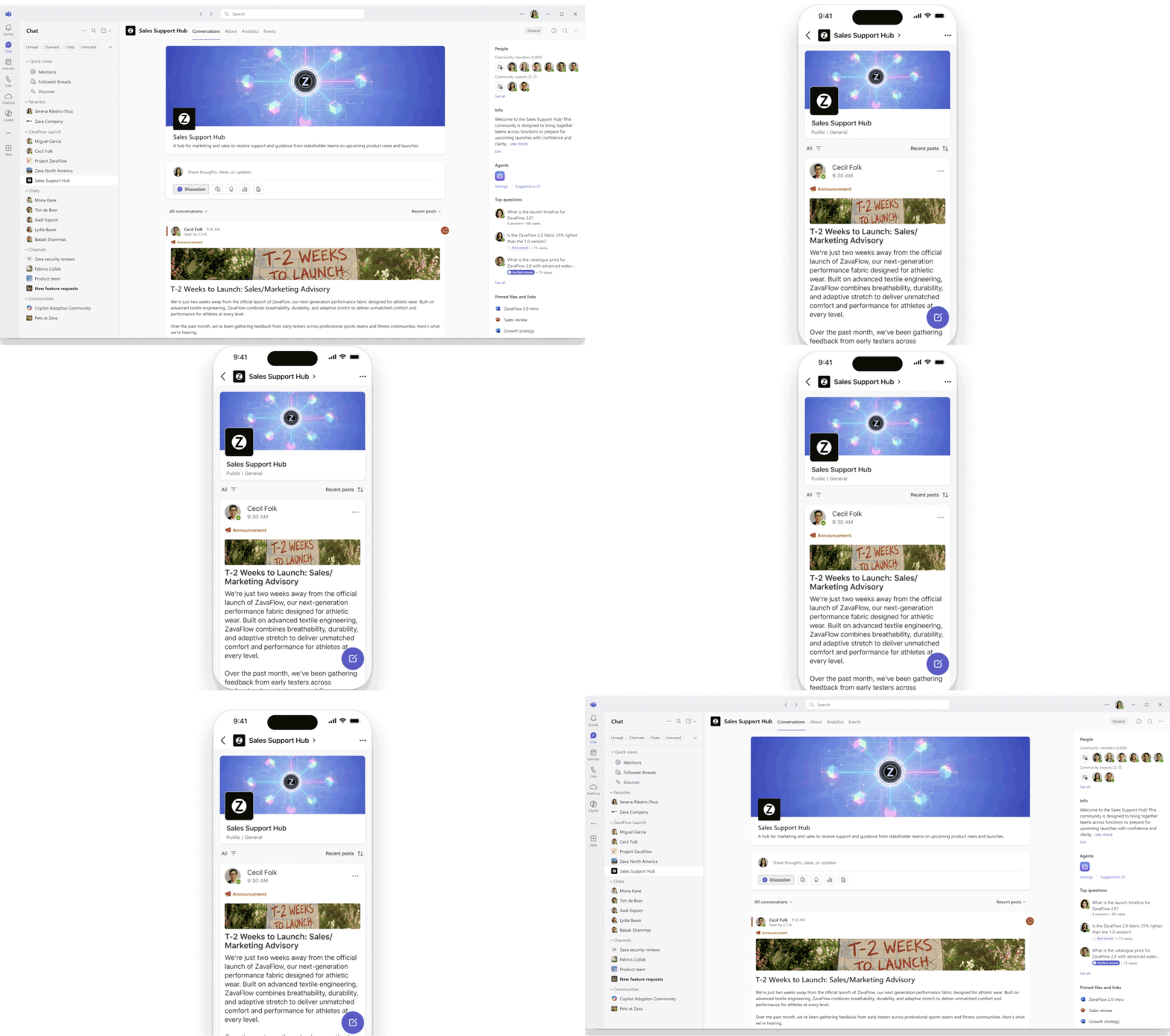
Find and manage your communities in Teams
Employees can curate their experience by reorganizing communities into custom sections, hiding those they don’t need in the navigation, and updating sort order to keep high‑priority conversations within easy reach. This flexibility means community engagement naturally fits into everyday workflows.
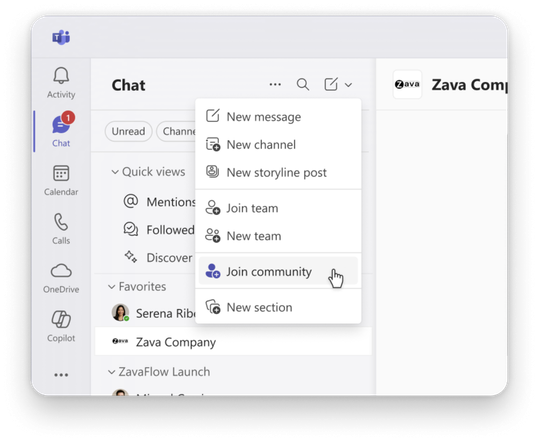
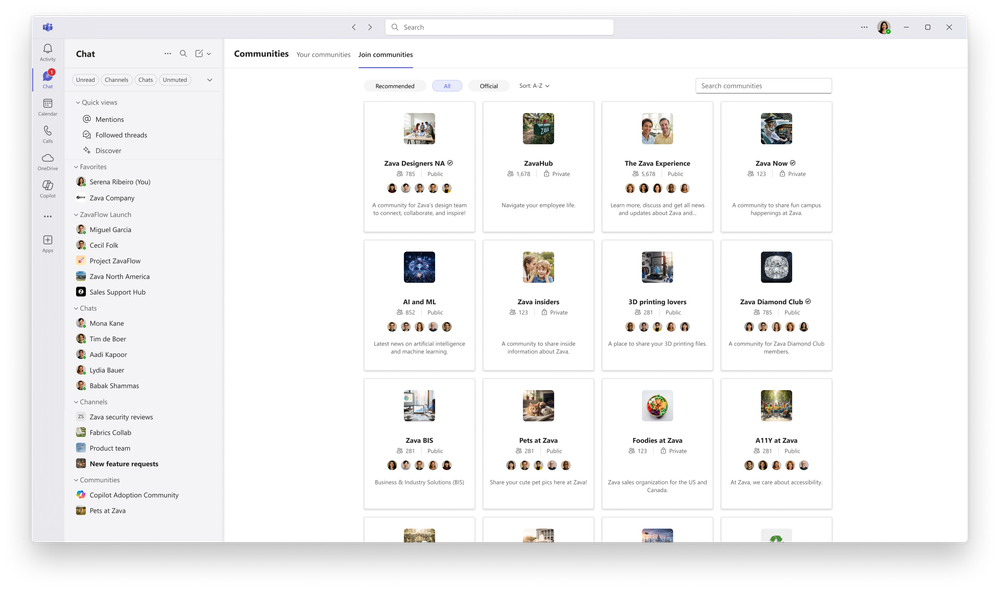
Employees can discover new communities through Teams global search or the new browse experience. The Your communities page makes it simple to review all memberships, adjust your conversation list visibility, and ensure Teams reflects what they rely on most. Whether joining interest groups, functional communities, or organization-wide announcements, employees now have a central, intuitive way to stay connected.
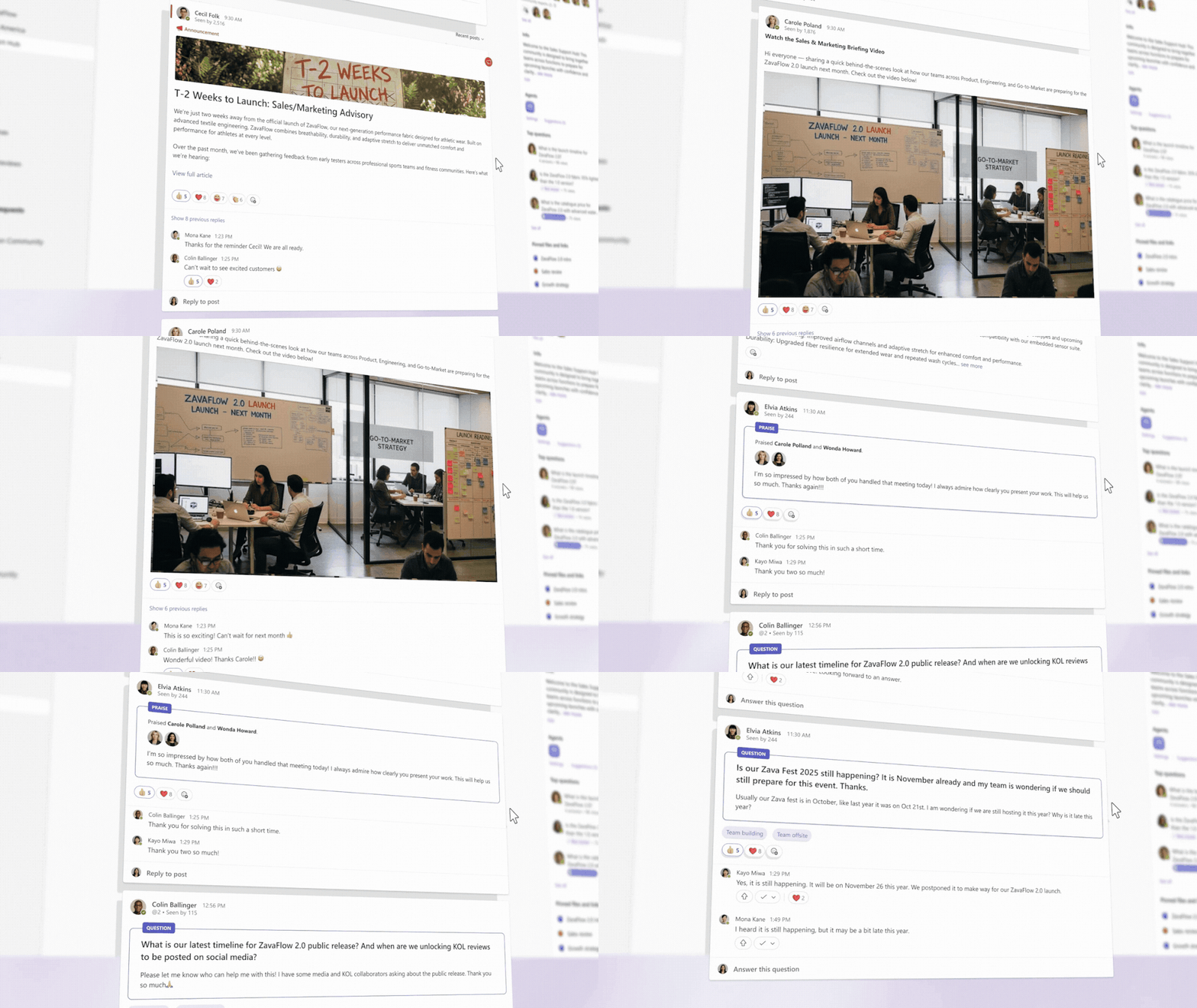
Communities also support a rich mix of post types—including discussions, Q&A, rich media, and long‑form articles—so employees can share knowledge in the format that works best.
Announcements, @mentions, and other key updates also flow into the Teams’ Activity tab, helping people stay up to date across their work.
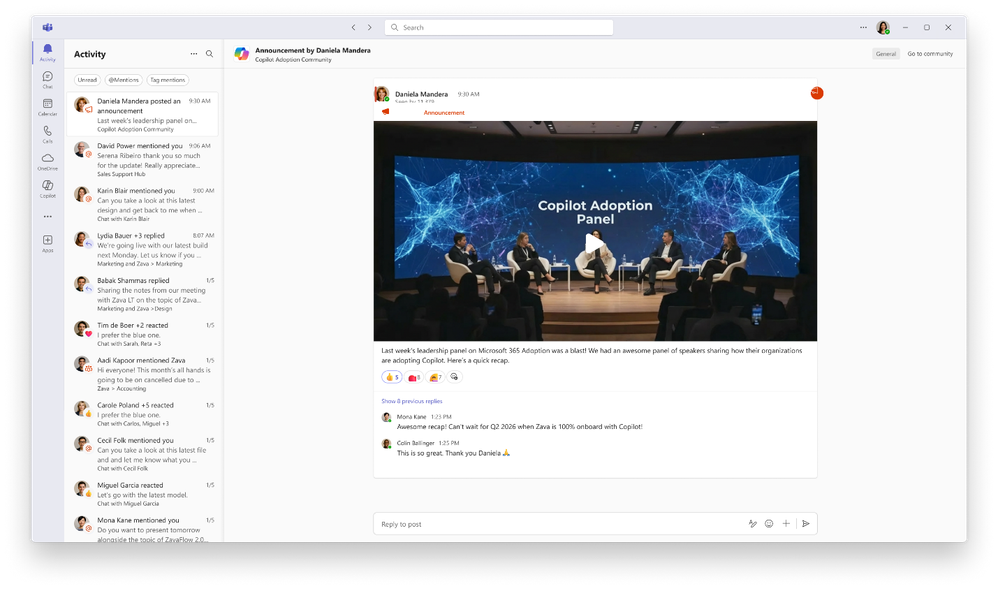
AI that connects your organization’s knowledge
Agents in communities are also available in public preview in this updated experience. The community agent reviews open questions and generates suggested answers based on existing organizational knowledge, and community admins can quickly approve these responses to help employees receive accurate information faster while reducing repeated questions. Learn more here.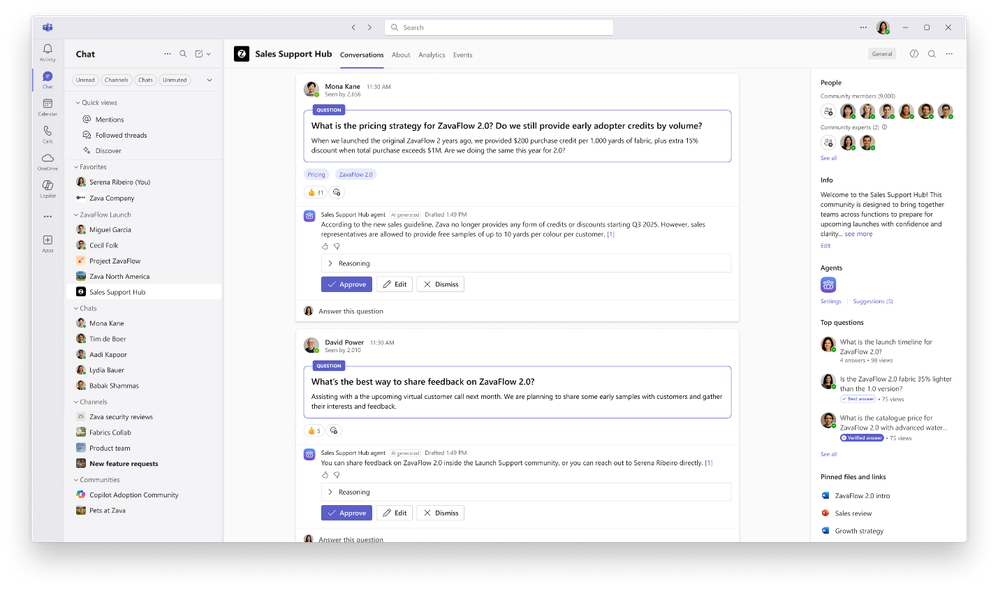
Public community content in Engage also contributes to the grounding sources that Microsoft 365 Copilot can reference when employees ask questions across Microsoft 365 apps. Copilot understands your organization’s knowledge, drawing from conversations in public communities with citations that link directly back to the original conversation. Learn more here.
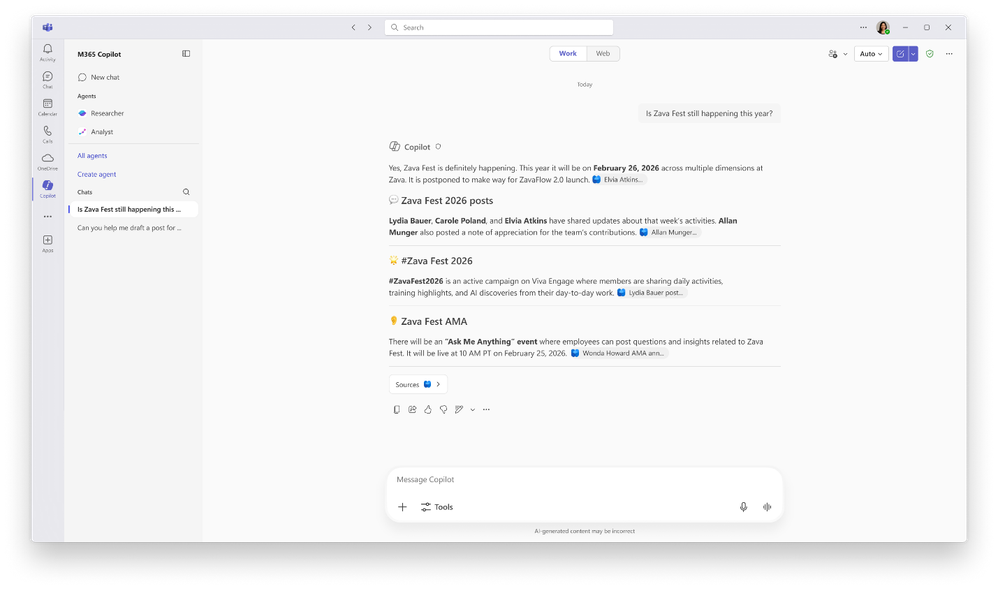
Go deeper with community scenarios
Communities in Teams supports the full depth of community engagement. The Events tab provides a place for employees to organize and return to community‑specific past and upcoming events, such as AI learning sessions or company-wide meetings, helping key moments live beyond the event itself. For community admins, manage membership, pinned posts, and key settings right in the Teams experience. Designed for organization‑wide reach, communities can bring together large audiences in one place for leadership updates, shared knowledge, and open communication.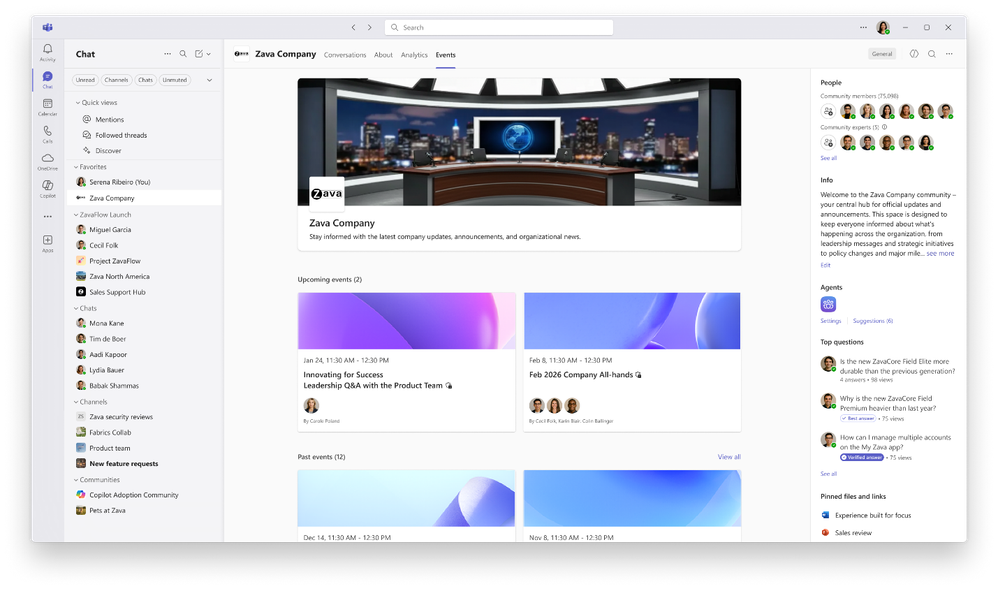
Get started with public preview today
Communities in Teams will roll out in phases for Engage customers who opt into public preview, with no migration required. All existing community content, permissions, and governance settings carry over automatically. To prepare for this change:- Review the network and tenant requirements to ensure your network meets the criteria.
- Make sure the engage experiences in Teams toggle is on for your tenant.
- Opt-in to the public preview through Teams.
- Learn more about the full experience for communities in Teams.
- Optionally, inform your community admins, corporate communicators and employees about the upcoming change. For example, review your All Company Community and designate other communities as official for them to show up in Teams experiences for employees.
Learn more
Explore our resources for tools to build, manage, and sustain vibrant communities, helping you maximize the impact of your community experience.
- Engage Masterclass: Community management overview in Viva Engage
- Modern Employee communications with Microsoft 365
Source:
Introducing communities in Teams: Unifying company communication and connection | Microsoft Community Hub
Today, we’re excited to introduce a new, unified experience that brings Viva Engage communities directly into Microsoft Teams now rolling out in public...
 techcommunity.microsoft.com