- Local time
- 4:00 AM
- Posts
- 163
- OS
- w11 home
forgive my ignorance, I am just a user.
this small co. uses MS 365 apps for business through it's own domain.
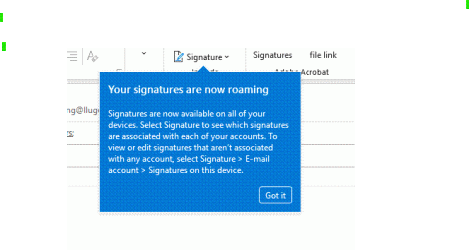
I have been using Outlook NEW and have switched to classic. When I switched my signature stopped working (set up by the off. mgr.) Remedied by creating a manual sig.
I don't see pictures in email all the time and I can't figure out why. Even when i look back at an old email that *I* sent, there is only a placeholder box. Not a 'click here to download' image, just a box.
MORE: AFAIK settings are correct and I do get pictures sometimes and I don't have to click anything to show them.
this small co. uses MS 365 apps for business through it's own domain.
I have been using Outlook NEW and have switched to classic. When I switched my signature stopped working (set up by the off. mgr.) Remedied by creating a manual sig.
I don't see pictures in email all the time and I can't figure out why. Even when i look back at an old email that *I* sent, there is only a placeholder box. Not a 'click here to download' image, just a box.
MORE: AFAIK settings are correct and I do get pictures sometimes and I don't have to click anything to show them.
Last edited:
My Computers
-
At a glance
w11 homei7 Raptor Lake16gb DDR5 8 slots/2 each???Intel XE- OS
- w11 home
- Computer type
- Laptop
- Manufacturer/Model
- ThinkPad T14s Gen 4
- CPU
- i7 Raptor Lake
- Memory
- 16gb DDR5 8 slots/2 each???
- Graphics Card(s)
- Intel XE
- Monitor(s) Displays
- Acer / Viewsonic 24"
- Screen Resolution
- 1920*1200
- Hard Drives
- M2 Aprilcom 1tb
- Keyboard
- wireless Logi
- Mouse
- Logi k270
- Internet Speed
- 1gb
- Browser
- Brave or Thorium ocasionally
- Antivirus
- Malwarebytes
- Other Info
- W11 Home
-
At a glance
W11 ProAMD ryzen 7 5500x16gb- Operating System
- W11 Pro
- Computer type
- PC/Desktop
- Manufacturer/Model
- custom
- CPU
- AMD ryzen 7 5500x
- Motherboard
- ASus B550F Gaming
- Memory
- 16gb
- Hard Drives
- m2 1tb