OpenWin - Unattended Windows 11 install with Brave and 7-Zip, no Edge, no bloat


cris2k47

Member
Local time
12:25 AM
Posts
7
OS
Windows 11
social-preview.png

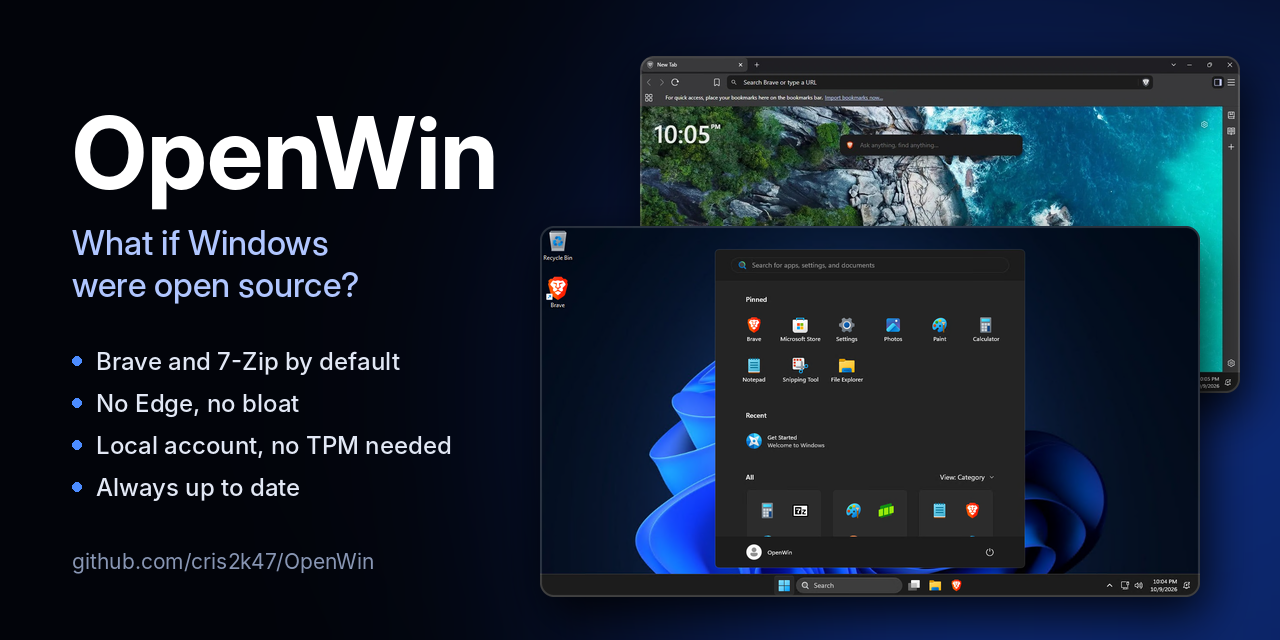
OpenWin is an answer file (autounattend.xml) plus an $OEM$ folder that you add to the official Windows 11 installer from Microsoft. Windows Setup does the rest. It installs Windows 11 Pro with open-source apps by default, without Edge and most of the preinstalled apps, and with a local account.

Downloads
Both downloads contain only autounattend.xml and the $OEM$ folder, always with the latest Brave and 7-Zip.

What you get
Open-source apps by default
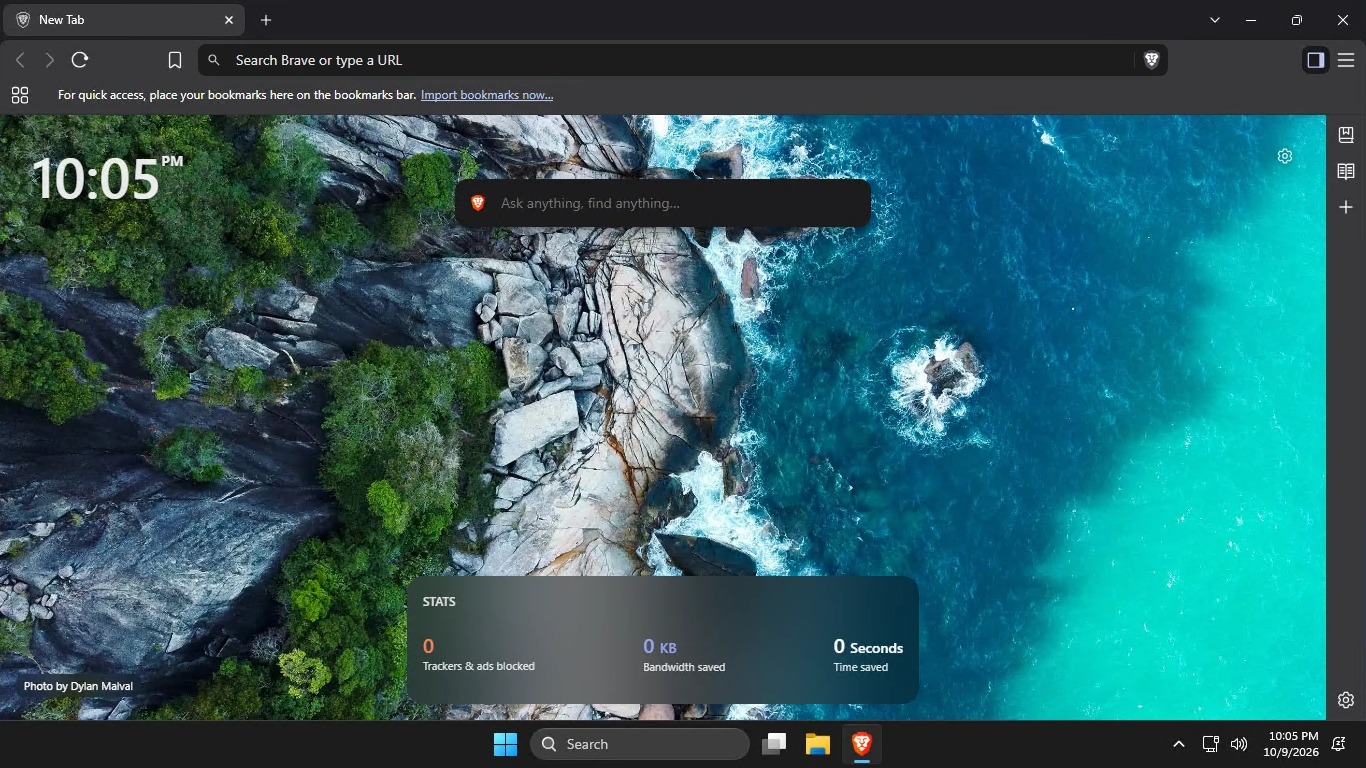
  • Brave is the default browser and PDF viewer. It's pinned to the taskbar and follows the Windows display language. New users start without the VPN, Leo AI, Wallet and Rewards buttons, sponsored images, Brave News, the welcome page or P3A usage statistics. They can turn any of these back on in Brave's settings.
  • 7-Zip opens archives and disk images: zip, 7z, rar, tar, gz, xz, zst, iso, cab, wim, vhd(x), dmg and more.
No bloat
  • Microsoft Edge is uninstalled.
  • These preinstalled apps are removed: Clipchamp, Clock, Camera, Copilot, Dev Home, Family, Feedback Hub, Get Help, News, Outlook (new), Phone Link, Power Automate, Quick Assist, Solitaire Collection, Sound Recorder, Sticky Notes, Teams, Terminal, To Do, Weather, Widgets and Xbox.
  • OneDrive isn't set up for new users.
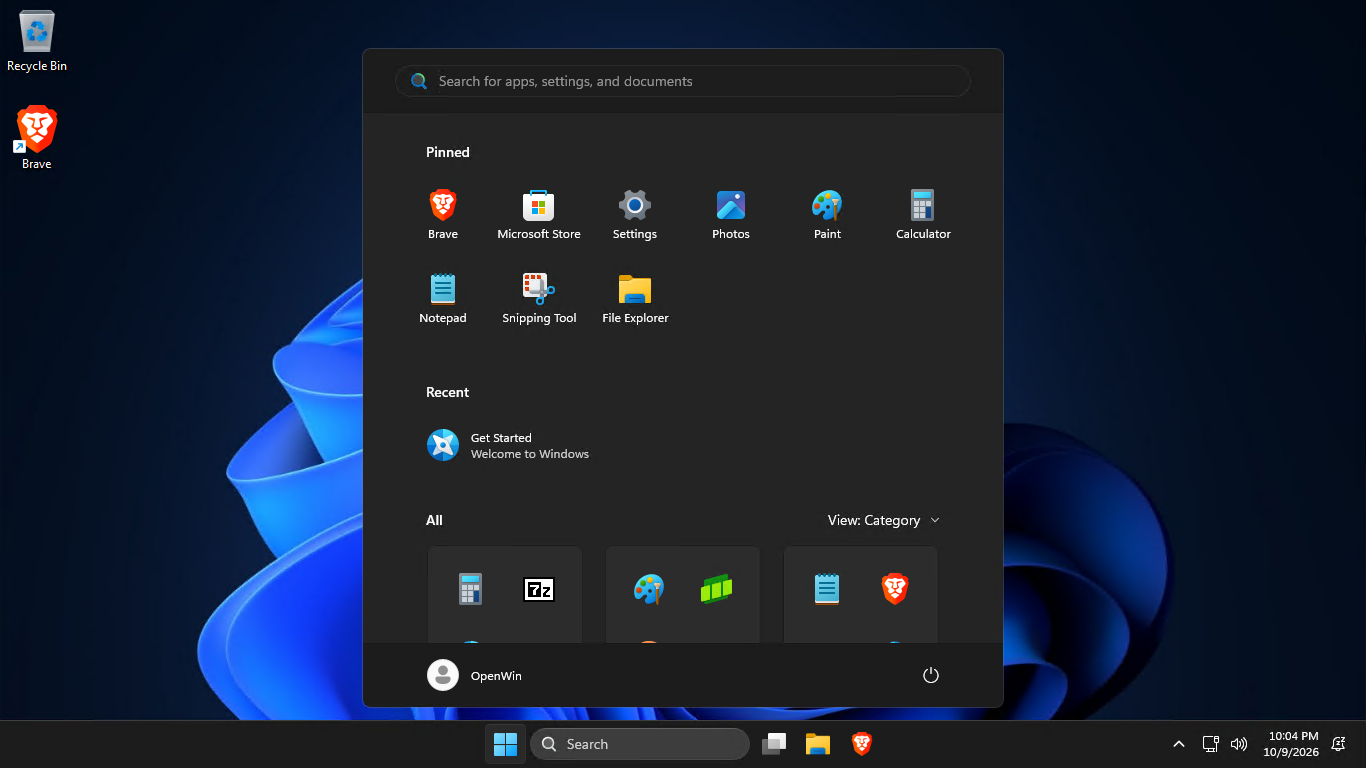
  • The Start menu only has Brave, Microsoft Store, Settings, Photos, Paint, Calculator, Notepad, Snipping Tool and File Explorer. The taskbar has File Explorer and Brave.
  • No web suggestions in Search.
Sensible defaults
  • Dark theme and the classic right-click menu.
  • File Explorer opens to This PC and shows file extensions and hidden files.
  • Mouse acceleration is off.
  • Windows Update doesn't replace your drivers.
Easier setup
  • Works on PCs without TPM 2.0, Secure Boot or 4 GB of RAM.
  • Uses a local account: no Microsoft account and no internet connection needed.
  • Skips the privacy settings screen, leaving its optional settings off.
start-menu.png

brave.jpg

How it works
OpenWin doesn't modify install.wim or boot.wim. It only uses Windows Setup's own unattended features:
  • windowsPE: skips the TPM, Secure Boot and RAM checks, picks Windows 11 Pro with Microsoft's generic key, and has Setup copy $OEM$ to the new installation.
  • specialize: removes the provisioned apps with DISM, uninstalls Edge, installs 7-Zip and Brave silently, and imports the registry tweaks for the machine and the default user profile.
  • oobeSystem: hides the Microsoft account screens and the privacy settings screen.
Apart from the official Brave and 7-Zip installers, everything is plain text (XML, .cmd, .reg, JSON) that you can read on GitHub before you use it.

Always up to date
A GitHub Actions workflow checks for new Brave and 7-Zip releases every 5 minutes. When one is out, it verifies the official installer: Brave's against Brave's GPG-signed checksums, and 7-Zip's against the SHA-256 of its GitHub release. It then commits the update and publishes a new OpenWin release. Older releases are kept.

How to use it
USB drive
  1. Make a Windows 11 USB drive with the Media Creation Tool.
  2. Extract OpenWin.zip and copy autounattend.xml and the $OEM$ folder to the root of the USB drive, next to setup.exe.
  3. Boot the PC from the USB drive.
Virtual machine
  1. Create the VM with at least 2 CPUs and the Windows 11 ISO from Microsoft as its boot CD/DVD drive.
  2. Add a second CD/DVD drive with autounattend.iso.
  3. Boot from the Windows 11 ISO. Setup finds autounattend.xml on the second drive by itself.
In VirtualBox and VMware, turn off their own unattended installation (Easy Install in VMware), otherwise OpenWin is ignored. The README has tips for VirtualBox, VMware, Hyper-V and QEMU.

Setup still asks for your language and keyboard, the drive to install to, your region, a Wi-Fi network on PCs without a wired connection, and your account name and password. Setup can erase the drive you pick, so back up first.

Activation
OpenWin installs Windows 11 Pro with Microsoft's generic installation key, which doesn't activate Windows. A PC with a Windows 10 or 11 Pro digital license activates on its own once it's online. Otherwise, enter your own Pro key. No activators are included.

Feedback, bug reports and suggestions are welcome, here or on GitHub.

OpenWin is under the MIT License. Brave is by Brave Software (MPL 2.0) and 7-Zip is by Igor Pavlov (GNU LGPL). Windows is a trademark of Microsoft. OpenWin isn't affiliated with Microsoft, Brave Software or 7-Zip.
 
Windows Build/Version
Windows 11 26H2

My Computer My Computer

At a glance

Windows 11
OS
Windows 11
JMO but I think you need to make it clear in your opening statement that this is for PRO only, rather than as an afterthought at the end.
 

My Computers My Computers

  • At a glance

    Windows 11 Pro 26H2 26300.9457i9-10900 10 core 20 threads32 gbnone-Intel UHD Graphics 630
    OS
    Windows 11 Pro 26H2 26300.9457
    Computer type
    PC/Desktop
    Manufacturer/Model
    Dell Optiplex 7080
    CPU
    i9-10900 10 core 20 threads
    Motherboard
    DELL 0J37VM
    Memory
    32 gb
    Graphics Card(s)
    none-Intel UHD Graphics 630
    Sound Card
    Integrated Realtek
    Monitor(s) Displays
    Benq 27
    Screen Resolution
    2560x1440
    Hard Drives
    2x1tb Solidigm m.2 nvme /External drives 512gb Samsung m.2 sata+2tb Kingston m2.nvme
    PSU
    500w
    Case
    MT
    Cooling
    Dell Premium
    Keyboard
    Logitech wired
    Mouse
    Logitech wireless
    Internet Speed
    so slow I'm too embarrassed to tell
    Browser
    #1 Edge #2 Firefox
    Antivirus
    Defender+MWB Premium
  • At a glance

    Windows 11 Pro 24H2 26200.9457AMD Ryzen 7 6800U32 gbintegrated
    Operating System
    Windows 11 Pro 24H2 26200.9457
    Computer type
    PC/Desktop
    Manufacturer/Model
    Beelink Mini PC SER5
    CPU
    AMD Ryzen 7 6800U
    Memory
    32 gb
    Graphics card(s)
    integrated
    Sound Card
    integrated
    Monitor(s) Displays
    Benq 27
    Screen Resolution
    2560x1440
    Hard Drives
    1TB Crucial nvme
    Keyboard
    Logitech wired
    Mouse
    Logitech wireless
    Internet Speed
    still too embarrassed to tell
    Browser
    Firefox
    Antivirus
    Defender
  • System 3 is non compliant Dell 9020 i7-4770/24gb ram Win11 PRO 26200.9457
JMO but I think you need to make it clear in your opening statement that this is for PRO only, rather than as an afterthought at the end.
true, i will either change it so the user chooses which version to install or just clarify that it installs pro.

the problem about installing home is that this reg key wouldnt work:
[HKEY_LOCAL_MACHINE\SOFTWARE\Policies\Microsoft\Windows\WindowsUpdate]
"ExcludeWUDriversInQualityUpdate"=dword:00000001
 

My Computer My Computer

At a glance

Windows 11
OS
Windows 11
JMO but I think you need to make it clear in your opening statement that this is for PRO only, rather than as an afterthought at the end.
Hmmm, I'll bet that we could modify this easily to work with Home as well. I'll have to obtain this and test it tomorrow if I have time.
 

My Computers My Computers

  • At a glance

    Win11 Pro 26H2 (Release Preview)Intel i7-14650HX32 GBNo GPU - Built-in Intel Graphics
    OS
    Win11 Pro 26H2 (Release Preview)
    Computer type
    PC/Desktop
    Manufacturer/Model
    Acemagic Matrix M5
    CPU
    Intel i7-14650HX
    Memory
    32 GB
    Graphics Card(s)
    No GPU - Built-in Intel Graphics
    Sound Card
    Integrated
    Monitor(s) Displays
    Varies as machine will often be moved to locations with different monitors
    Screen Resolution
    Varies
    Hard Drives
    1 x 1TB Gen 4 NVMe SSD
    PSU
    120W Power Brick
    Keyboard
    Corsair K70 Max RGB Magnetic Keyboard
    Mouse
    Logitech MX Master 3
    Internet Speed
    1Gb Up / 1 Gb Down
    Browser
    Edge
    Antivirus
    Windows Defender
  • At a glance

    Win11 Pro 26H2 (Release Preview)Intel i7-1255U16 GBIntel Iris Xe Graphics
    Operating System
    Win11 Pro 26H2 (Release Preview)
    Computer type
    Laptop
    Manufacturer/Model
    Lenovo ThinkBook 13x Gen 2
    CPU
    Intel i7-1255U
    Memory
    16 GB
    Graphics card(s)
    Intel Iris Xe Graphics
    Sound Card
    Realtek® ALC3306-CG codec
    Monitor(s) Displays
    13.3-inch IPS Display
    Screen Resolution
    WQXGA (2560 x 1600)
    Hard Drives
    4 TB 4 x 4 NVMe SSD
    PSU
    USB-C / Thunderbolt 4 Power / Charging Using an Anker 160W Charger
    Keyboard
    Backlit, spill resistant keyboard
    Mouse
    Buttonless Glass Precision Touchpad
    Internet Speed
    1Gb Up / 1Gb Down
    Browser
    Edge
    Antivirus
    Windows Defender
    Other Info
    WiFi 6e / Bluetooth 5.1 / Facial Recognition / Fingerprint Sensor / ToF (Time of Flight) Human Presence Sensor
Hmmm, I'll bet that we could modify this easily to work with Home as well. I'll have to obtain this and test it tomorrow if I have time.
some policies works on home and some not, this one is not working sadly, let me know if you fix it tho
 

My Computer My Computer

At a glance

Windows 11
OS
Windows 11
some policies works on home and some not, this one is not working sadly, let me know if you fix it tho
This is true. MS deliberately doesn't want a business to "cheap out" and purchase Home (not Pro) PC's for the workplace.
 

My Computer My Computer

At a glance

Windows 7
OS
Windows 7
the problem about installing home is that this reg key wouldnt work:
[HKEY_LOCAL_MACHINE\SOFTWARE\Policies\Microsoft\Windows\WindowsUpdate]
"ExcludeWUDriversInQualityUpdate"=dword:00000001
Would that not be because there are 3 registry entries that deal with disabling include drivers with Windows Update? I have used this registry tweak in both home and pro.
reference: Enable or Disable Include Drivers with Windows Updates in Windows 11

[HKEY_LOCAL_MACHINE\SOFTWARE\Policies\Microsoft\Windows\WindowsUpdate]
"ExcludeWUDriversInQualityUpdate"=dword:00000001

[HKEY_LOCAL_MACHINE\SOFTWARE\Microsoft\Windows\CurrentVersion\DriverSearching]
"SearchOrderConfig"=dword:00000003

[HKEY_LOCAL_MACHINE\SOFTWARE\Microsoft\WindowsUpdate\UpdatePolicy\PolicyState]
"ExcludeWUDrivers"=dword:00000001
 

My Computers My Computers

  • At a glance

    Windows 11 Pro 26H2 26300.9457i9-10900 10 core 20 threads32 gbnone-Intel UHD Graphics 630
    OS
    Windows 11 Pro 26H2 26300.9457
    Computer type
    PC/Desktop
    Manufacturer/Model
    Dell Optiplex 7080
    CPU
    i9-10900 10 core 20 threads
    Motherboard
    DELL 0J37VM
    Memory
    32 gb
    Graphics Card(s)
    none-Intel UHD Graphics 630
    Sound Card
    Integrated Realtek
    Monitor(s) Displays
    Benq 27
    Screen Resolution
    2560x1440
    Hard Drives
    2x1tb Solidigm m.2 nvme /External drives 512gb Samsung m.2 sata+2tb Kingston m2.nvme
    PSU
    500w
    Case
    MT
    Cooling
    Dell Premium
    Keyboard
    Logitech wired
    Mouse
    Logitech wireless
    Internet Speed
    so slow I'm too embarrassed to tell
    Browser
    #1 Edge #2 Firefox
    Antivirus
    Defender+MWB Premium
  • At a glance

    Windows 11 Pro 24H2 26200.9457AMD Ryzen 7 6800U32 gbintegrated
    Operating System
    Windows 11 Pro 24H2 26200.9457
    Computer type
    PC/Desktop
    Manufacturer/Model
    Beelink Mini PC SER5
    CPU
    AMD Ryzen 7 6800U
    Memory
    32 gb
    Graphics card(s)
    integrated
    Sound Card
    integrated
    Monitor(s) Displays
    Benq 27
    Screen Resolution
    2560x1440
    Hard Drives
    1TB Crucial nvme
    Keyboard
    Logitech wired
    Mouse
    Logitech wireless
    Internet Speed
    still too embarrassed to tell
    Browser
    Firefox
    Antivirus
    Defender
  • System 3 is non compliant Dell 9020 i7-4770/24gb ram Win11 PRO 26200.9457
Referring to the CSP docs, this policy excludes Home.

ExcludeWUDriversInQualityUpdate​

ScopeEditionsApplicable OS
✅ Device
❌ User
✅ Pro
✅ Enterprise
✅ Education
✅ IoT Enterprise / IoT Enterprise LTSC
✅ Windows 10, version 1607 [10.0.14393] and later

"SearchOrderConfig" works on all versions, because it pre-dates most of the later policies.
 

My Computer My Computer

At a glance

Windows 7
OS
Windows 7
Would that not be because there are 3 registry entries that deal with disabling include drivers with Windows Update? I have used this registry tweak in both home and pro.
reference: Enable or Disable Include Drivers with Windows Updates in Windows 11

[HKEY_LOCAL_MACHINE\SOFTWARE\Policies\Microsoft\Windows\WindowsUpdate]
"ExcludeWUDriversInQualityUpdate"=dword:00000001

[HKEY_LOCAL_MACHINE\SOFTWARE\Microsoft\Windows\CurrentVersion\DriverSearching]
"SearchOrderConfig"=dword:00000003

[HKEY_LOCAL_MACHINE\SOFTWARE\Microsoft\WindowsUpdate\UpdatePolicy\PolicyState]
"ExcludeWUDrivers"=dword:00000001
i dont want to disable searchorderconfig since MSI Driver Utility Installer installs through that, ASUS driverhub installs through WPBT
 

My Computer My Computer

At a glance

Windows 11
OS
Windows 11
@cris2k47 A promising start. I personally prefer not to have your choice of a browser imposed but rather no browser installed. No problem having the installers included but not installed. Same deal with 7Zip. Why do so many of these "debloated" versions feel the need to install one persons choice, another persons bloat? I might try this out with some edits to not install Brave or 7Zip.
What is the state of default disk encryption? I am guessing that "local account" prevents the default disk encryption?
Keep developing this to work on an unmolested MS Win11 iso to set it apart from the many molested lite isos. Maybe give people a choice to pre-process the scripts and make some of their own choices?
Watching how this goes (y)
 

My Computers My Computers

  • At a glance

    Win11 Home 26h2 26300.9550 (orig X-Lite Optimum)Ryzen 5 7520U16GB DDR5Integrated graphics
    OS
    Win11 Home 26h2 26300.9550 (orig X-Lite Optimum)
    Computer type
    Laptop
    Manufacturer/Model
    Asus E1504FA
    CPU
    Ryzen 5 7520U
    Memory
    16GB DDR5
    Graphics Card(s)
    Integrated graphics
    Monitor(s) Displays
    15" Asus Laptop display + MSI MP245V external monitor
    Screen Resolution
    1920
    Hard Drives
    1TB Crucial P3+ PCIE 4.0 (in a PCIE 3.0 slot)
    Browser
    Vivaldi
    Antivirus
    Nil
  • At a glance

    Linux Manjaro KDE dual boot with Windows 25H22nd gen I58GB DDR3Integrated graphics
    Operating System
    Linux Manjaro KDE dual boot with Windows 25H2
    Computer type
    Laptop
    Manufacturer/Model
    Asus A53E
    CPU
    2nd gen I5
    Memory
    8GB DDR3
    Graphics card(s)
    Integrated graphics
    Hard Drives
    256GB SATA SSD
    Browser
    Firefox
    Antivirus
    Nil
@cris2k47 A promising start. I personally prefer not to have your choice of a browser imposed but rather no browser installed. No problem having the installers included but not installed. Same deal with 7Zip. Why do so many of these "debloated" versions feel the need to install one persons choice, another persons bloat? I might try this out with some edits to not install Brave or 7Zip.
What is the state of default disk encryption? I am guessing that "local account" prevents the default disk encryption?
Keep developing this to work on an unmolested MS Win11 iso to set it apart from the many molested lite isos. Maybe give people a choice to pre-process the scripts and make some of their own choices?
Watching how this goes (y)
The initial idea was actually a website that looks like an IDE, that lets you edit the files and lets you choose which browser to install, but that would cost money to me.

There is not much open-source browser, also making a website with ads kind off goes against the idea of the project being open-source.
 

My Computer My Computer

At a glance

Windows 11
OS
Windows 11
Device Encryption (or full BitLocker) can happen regardless of whether you're using a Local Account.

A MS Account allows the keys to be mirrored in the cloud. You can disable disk encryption using a simple reg change, which a number of ISO debloating or customizing scripts will do for you.
 

My Computer My Computer

At a glance

Windows 7
OS
Windows 7
I might add a RemovePkgs.cmd that removes OneDrive, recall and bitlocker packages with DISM /Remove-Package, but i need to make sure It doesnt break Windows update.
 

My Computer My Computer

At a glance

Windows 11
OS
Windows 11

Latest Support Threads

Back
Top Bottom