
Opera Blog:
Hey all,
A couple updates to Opera One today. First, we are introducing Vertical Tabs, a different tab layout that displays your tabs stacked along the side of your browser window. Vertical Tabs ensure the titles are always readable regardless of how many tabs you have open, making them easier to find at a glance. In addition, we’ve integrated Google Lens into the start page search field, so you can perform an image search right from your browser’s home page.
What are Vertical Tabs, and why are they useful for you?
Let’s say you’re browsing with the traditional horizontal tab strip and you have a significant number of tabs – say, 20 or more. We’ve all probably been there, and we’ve all probably been frustrated by how tricky it can get to identify or even click on the desired tab. The tabs become so small that only the favicons (that is, the icon of the website that appears to the left of every tab) are visible, making it difficult to know what’s what.If you decide to change your layout to Vertical Tabs (which is optional), you’ll trade your traditional tab bar – which sits horizontally atop your browser – for a lateral view of your tabs. Simply put, Vertical Tabs stacks your tabs to the left of the browser window in a resizable panel. When using it, you’re able to see the favicon of the tab, and, most importantly, its full title – letting you easily identify each and every tab.
Now, the titles don’t shrink, so instead of having a more cluttered tab bar, such as you can see on the right…
…you can have a nice, clean interface – as on the left – in which it’s easier to differentiate between tabs and quickly jump over to what you’re looking for. Vertical Tabs also provide more vertical space on the screen for web pages – useful, for example, when reading an article or scrolling through your emails – and the tab strip can furthermore be collapsed for when you want to maximize screen space.

Additionally, Tab Islands remain available in the vertical tab strip with most of their functionalities, and your Tab Islands will be preserved when you switch from one layout to the other (and back).
How to activate Vertical Tabs in Opera One
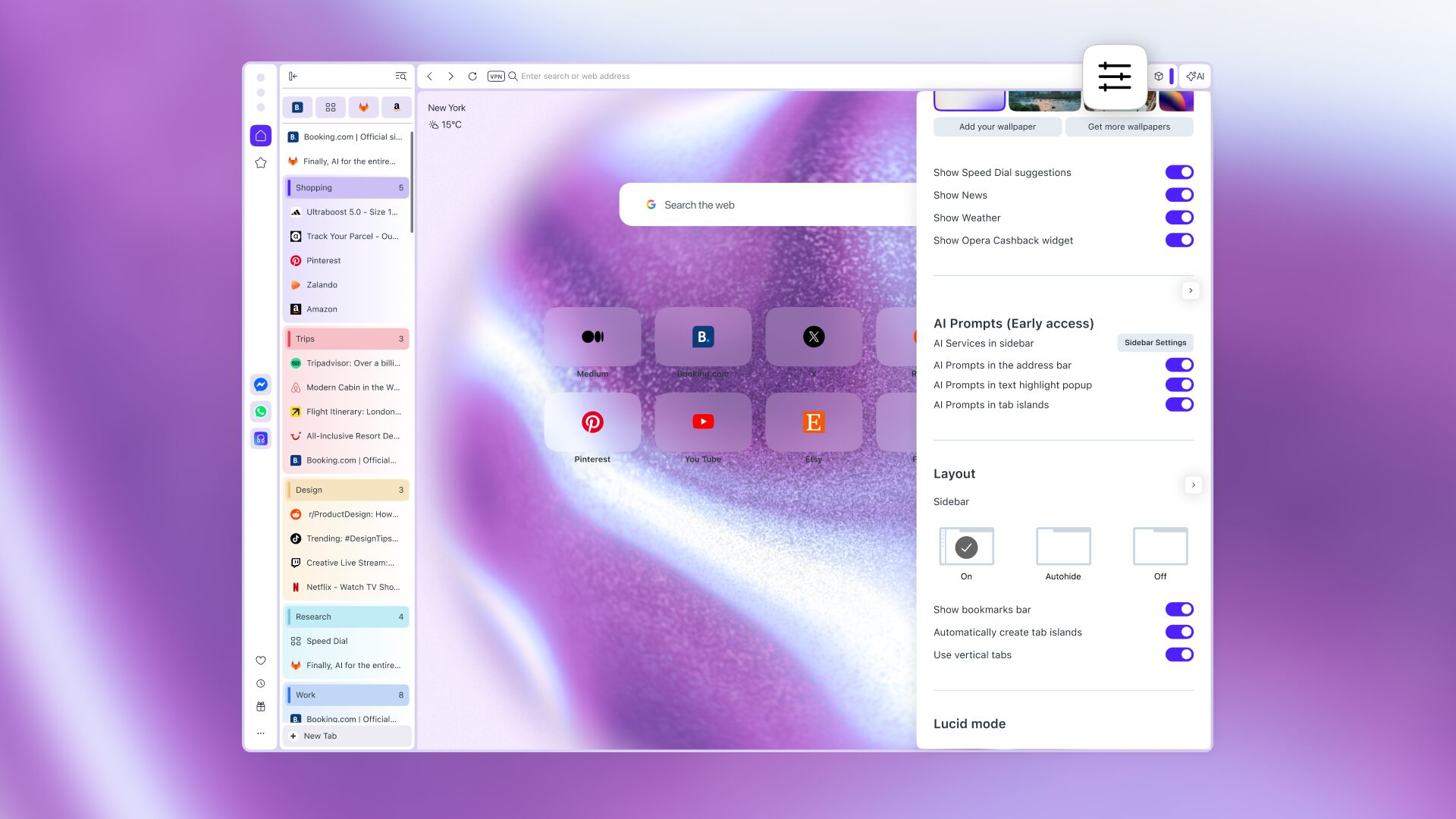
The easiest way to access Vertical Tabs in Opera One is to right click any tab in your tab bar and select the option that says “Use vertical tab strip” at the very bottom of the menu. When using Vertical Tabs, you can switch back to the horizontal tab strip in the same way: right click any tab, and go to the bottom option of the menu that says “Use horizontal tab strip.”Another way to access this feature is through the Easy Setup, which sits to the right of the browser’s toolbar, at the top right side of your screen. Once you open it you’ll find the option “Use vertical tab strip” under the Layout section, and you can toggle the feature on and off from here too.
Finally, you can also activate and deactivate the vertical tab strip from the browser’s settings. Go to Settings (opera://settings) → Browser → Tabs → toggle “Use vertical tab strip” on.
There’s plenty more to know about Vertical Tabs and how they work in Opera One. For example, pinned tabs now appear as a grid at the top of the tab strip, and you can also switch from full tab names to icon view when you need the full width of your screen. We have a blog post that dives into all the nitty gritty, which you can find here.
What’s New with Google Lens?
Google Lens has been in Opera One for a while now, but we’ve made it more accessible and expanded its functionality. Now you can perform an image search right from your Opera home page, with Google Lens integrated into the search bar. Additionally, you can conduct an image search using local files or by pasting an image from the clipboard.Once you click the Google Lens icon in the search bar, a dialogue box will open where you can supply an image by uploading a file, dragging and dropping, pasting from a clipboard, or entering an image URL. The results of your search will then appear in your current tab.
Leave your feedback!
We’re constantly looking at the ways in which browsing can become a better experience, and we’re constantly reading your feedback through different channels like the comments on blogs like this one, social media, and the feature feedback within the browser. While we’re already working on implementing a way to showcase your recently visited tabs within the vertical tab strip, we’d appreciate your feedback on this feature.Want to change the name of your whole tab game? Download Opera One and try out Vertical Tabs.
Source:

Vertical Tabs and an Upgraded Google Lens land in Opera One
Hey all, A couple updates to Opera One today. First, we are introducing Vertical Tabs, a different tab layout that displays your tabs stacked along the side of your browser window. Vertical Tabs ensure the titles are always readable regardless of how many tabs you have open, making them easier...






