Microsoft PowerToys is installed and has overridden the PDF Preview setting.
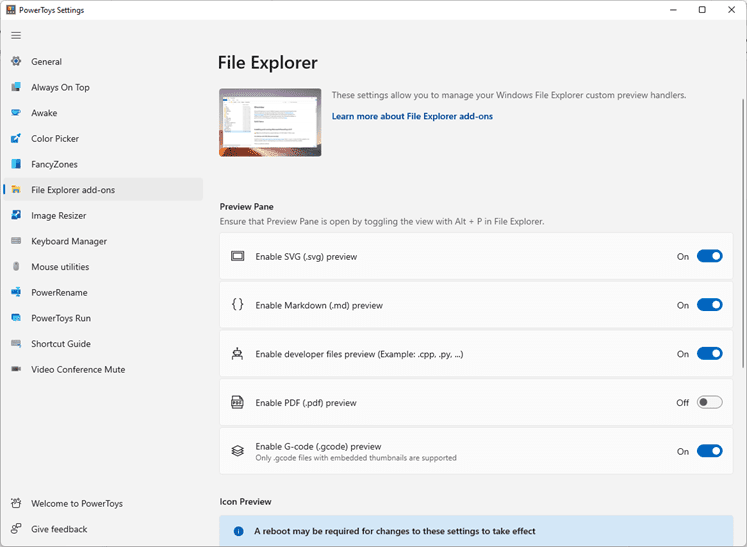
From the Windows Start Menu, search for PowerToys App and open it. Select File Explorer Add-ons and disable Enable PDF (.pdf) preview.
Read more:
Outlook PDF preview error: This file cannot be previewed because there is no previewer installed for it | Microsoft Support
Outlook PDF preview error: This file cannot be previewed because there is no previewer installed for it
 support.microsoft.com