Dugong
Member
- Local time
- 8:15 PM
- Posts
- 27
- OS
- Windows 11
Follow along with the video below to see how to install our site as a web app on your home screen.
Note: This feature may not be available in some browsers.
www.elevenforum.com
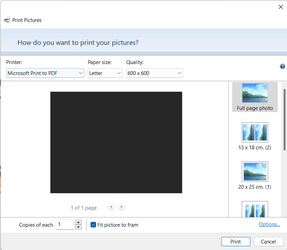
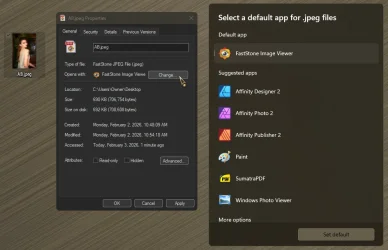
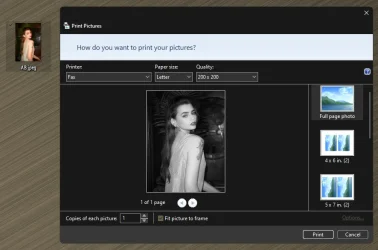
I had the same problem after converting Windows 10 to Windows 11. Solution is to go to a picture file, right click and open PROPERTIES. Then click on the "Change" button and choose "Photos" and click "Set Default". That worked for me!Whenever I tried to open photo from search instead of opening in photo app, windows open in print pictures. I've already set the default app to open any image files with photo app. Any solution ?
View attachment 52347
View attachment 52348
Or right-click on a picture file, select Open with, then choose other app, click on Photos (or whatever else you want) and click on Always. Repeat that for all picture types (png, jpg etc) you want.I had the same problem after converting Windows 10 to Windows 11. Solution is to go to a picture file, right click and open PROPERTIES. Then click on the "Change" button and choose "Photos" and click "Set Default". That worked for me!
How to permanently change the default application:There **IS NO** "Change" button for "Open With" in the Properties dialog. Microsoft in their infinite ARROGANCE has decided you are not allowed to use anything that Central CCP Command has dictated you should use.
Just another case of complaining about something without being sure what they are talking about. Well done showing how it is done.
And you will sacrifice compatibility just because something in Windows isn't the way you like it? Despite how hard Linux fanboys try to convince us, Linux is a totally different OS with much less applications and hardware support. I prefer getting the most out of my precious PC, so Windows 11 is the only sensible choice. Anything else is compromise.Well you can't change the file association for a file type/extension if the file type/extension does not show up in the app settings in the first place! You can't change a setting that isn't there.
Eventually had to install Photos from the MS Store, and then force the Photos app into a repair & reset. That put all the settings back in, but the downside is eventually MS will screw with the preferences and make their useless P.o.S. Photos app the default. Because Microsoft can never leave things well alone.
(seriously, I need to fix/redo the Linux install on my brother's computers so he won't have to deal with this nonsense anymore).

What a real quote!And you will sacrifice compatibility just because something in Windows isn't the way you like it? Despite how hard Linux fanboys try to convince us, Linux is a totally different OS with much less applications and hardware support. I prefer getting the most out of my precious PC, so Windows 11 is the only sensible choice. Anything else is compromise.