
Problem Viewing My Instagram Photos in Any Web Browser


Steve C

Well-known member
Power User
VIP
Local time
5:45 PM
Posts
1,361
Location
North Yorkshire, UK
OS
Windows 11 Pro
Until recently I could view any of my Instagram photos in a larger windows by clicking on the photo to view and edit my comments. Now I just see a large greyed out window using all browsers - Chrome, Edge and Brave on all my PCs. I can see other peoples photos in the viewing window by clicking on the photo. How to fix?
 

My Computer

System One

  • OS
    Windows 11 Pro
    Computer type
    PC/Desktop
    Manufacturer/Model
    Self build
    CPU
    Core i7-13700K
    Motherboard
    Asus TUF Gaming Plus WiFi Z790
    Memory
    64 GB Kingston Fury Beast DDR5
    Graphics Card(s)
    Gigabyte GeForce RTX 2060 Super Gaming OC 8G
    Sound Card
    Realtek S1200A
    Monitor(s) Displays
    Viewsonic VP2770 & Dell (secondary)
    Screen Resolution
    2560 x 1440
    Hard Drives
    Kingston KC3000 2TB NVME SSD & SATA HDDs & SSD
    PSU
    EVGA SuperNova G2 850W
    Case
    Nanoxia Deep Silence 1
    Cooling
    Noctua NH-D14
    Keyboard
    Microsoft Digital Media Pro
    Mouse
    Logitech Wireless
    Internet Speed
    80 Mb / s
    Browser
    Chrome
    Antivirus
    Defender, Malwarebytes Free & AdwCleaner
Without going too deep, I would recommend checking basic stuff, sometimes the solution to a problem can be found on the surface. First thing I'd check is if it's a cache issue. Try clearing the cache in your browsers and see if that fixes it. If that doesn't work, try logging out and back into Instagram, or even reinstalling your browsers. Sometimes settings or extensions can cause conflicts, so try disabling any extensions, especially ad blockers or privacy tools, and see if that helps.

Also, check if you're having the same issue on a different device, like your phone or another PC. If it's just on your PC, you might want to reset browser settings or check for any updates. Sometimes clearing cookies and cache works wonders for this stuff.
 

My Computer

System One

  • OS
    Windiows 11
    Computer type
    PC/Desktop
    Manufacturer/Model
    Dell XPS 8940 / Custom Build / HP Spectre x360
    CPU
    Intel Core i7-13700K / AMD Ryzen 5 7600X
    Motherboard
    ASUS ROG STRIX B650-F / MSI Z690 Tomahawk
    Memory
    32GB DDR5 6000MHz (2x16GB)
    Graphics Card(s)
    NVIDIA RTX 4070 Ti / AMD Radeon RX 7900 XT / Intel Arc A770
    Sound Card
    Realtek ALC897 (onboard) / Sound Blaster Z
    Monitor(s) Displays
    LG 27GL83A-B 27" 1440p 144Hz + Dell 24" 1080p
    Screen Resolution
    2560x1440 (Main), 1920x1080 (Secondary)
    Hard Drives
    1TB NVMe SSD (Samsung 980 Pro), 2TB HDD (Seagate Barracuda)
    PSU
    Corsair RM850x 850W 80+ Gold
    Case
    NZXT H510 / Fractal Design Meshify C
    Keyboard
    Logitech MX Keys
    Mouse
    Razer DeathAdder V2
    Browser
    Microsoft Edge / Chrome / Firefox / Brave
    Antivirus
    Bitdefender
Without going too deep, I would recommend checking basic stuff, sometimes the solution to a problem can be found on the surface. First thing I'd check is if it's a cache issue. Try clearing the cache in your browsers and see if that fixes it. If that doesn't work, try logging out and back into Instagram, or even reinstalling your browsers. Sometimes settings or extensions can cause conflicts, so try disabling any extensions, especially ad blockers or privacy tools, and see if that helps.

Also, check if you're having the same issue on a different device, like your phone or another PC. If it's just on your PC, you might want to reset browser settings or check for any updates. Sometimes clearing cookies and cache works wonders for this stuff.
I've done all that but the issue remains. I've sent a bug report to Instagram.
 

My Computer

System One

  • OS
    Windows 11 Pro
    Computer type
    PC/Desktop
    Manufacturer/Model
    Self build
    CPU
    Core i7-13700K
    Motherboard
    Asus TUF Gaming Plus WiFi Z790
    Memory
    64 GB Kingston Fury Beast DDR5
    Graphics Card(s)
    Gigabyte GeForce RTX 2060 Super Gaming OC 8G
    Sound Card
    Realtek S1200A
    Monitor(s) Displays
    Viewsonic VP2770 & Dell (secondary)
    Screen Resolution
    2560 x 1440
    Hard Drives
    Kingston KC3000 2TB NVME SSD & SATA HDDs & SSD
    PSU
    EVGA SuperNova G2 850W
    Case
    Nanoxia Deep Silence 1
    Cooling
    Noctua NH-D14
    Keyboard
    Microsoft Digital Media Pro
    Mouse
    Logitech Wireless
    Internet Speed
    80 Mb / s
    Browser
    Chrome
    Antivirus
    Defender, Malwarebytes Free & AdwCleaner
Until recently I could view any of my Instagram photos in a larger windows by clicking on the photo to view and edit my comments. Now I just see a large greyed out window using all browsers - Chrome, Edge and Brave on all my PCs. I can see other peoples photos in the viewing window by clicking on the photo. How to fix?
Any update? Both my desktop (Win 10) and tablet (Win 11) experience exact same issue as you with Chrome and Edge. I've done the basic stuff.... deleted cookies and cache, but no help. Thank you.
 

My Computer

System One

  • OS
    Windows 11
    Computer type
    PC/Desktop
    Manufacturer/Model
    Home built
Any update? Both my desktop (Win 10) and tablet (Win 11) experience exact same issue as you with Chrome and Edge. I've done the basic stuff.... deleted cookies and cache, but no help. Thank you.
No, still no joy despite submitting an error report. This is pathetic considering all the money spent on Instagram. I also can't post a wide format e.g. a panorama and aspect ratios in a vertical format are severely limited.
 

My Computer

System One

  • OS
    Windows 11 Pro
    Computer type
    PC/Desktop
    Manufacturer/Model
    Self build
    CPU
    Core i7-13700K
    Motherboard
    Asus TUF Gaming Plus WiFi Z790
    Memory
    64 GB Kingston Fury Beast DDR5
    Graphics Card(s)
    Gigabyte GeForce RTX 2060 Super Gaming OC 8G
    Sound Card
    Realtek S1200A
    Monitor(s) Displays
    Viewsonic VP2770 & Dell (secondary)
    Screen Resolution
    2560 x 1440
    Hard Drives
    Kingston KC3000 2TB NVME SSD & SATA HDDs & SSD
    PSU
    EVGA SuperNova G2 850W
    Case
    Nanoxia Deep Silence 1
    Cooling
    Noctua NH-D14
    Keyboard
    Microsoft Digital Media Pro
    Mouse
    Logitech Wireless
    Internet Speed
    80 Mb / s
    Browser
    Chrome
    Antivirus
    Defender, Malwarebytes Free & AdwCleaner
No, still no joy despite submitting an error report. This is pathetic considering all the money spent on Instagram. I also can't post a wide format e.g. a panorama and aspect ratios in a vertical format are severely limited.
Wow that's sad. Instagram works fine for me on Android regarding no large transparent blob, but something happened on windows. Where did you file your bug report? I could do the same.
 

My Computer

System One

  • OS
    Windows 11
    Computer type
    PC/Desktop
    Manufacturer/Model
    Home built
Wow that's sad. Instagram works fine for me on Android regarding no large transparent blob, but something happened on windows. Where did you file your bug report? I could do the same.
Under More / Report a problem
 

My Computer

System One

  • OS
    Windows 11 Pro
    Computer type
    PC/Desktop
    Manufacturer/Model
    Self build
    CPU
    Core i7-13700K
    Motherboard
    Asus TUF Gaming Plus WiFi Z790
    Memory
    64 GB Kingston Fury Beast DDR5
    Graphics Card(s)
    Gigabyte GeForce RTX 2060 Super Gaming OC 8G
    Sound Card
    Realtek S1200A
    Monitor(s) Displays
    Viewsonic VP2770 & Dell (secondary)
    Screen Resolution
    2560 x 1440
    Hard Drives
    Kingston KC3000 2TB NVME SSD & SATA HDDs & SSD
    PSU
    EVGA SuperNova G2 850W
    Case
    Nanoxia Deep Silence 1
    Cooling
    Noctua NH-D14
    Keyboard
    Microsoft Digital Media Pro
    Mouse
    Logitech Wireless
    Internet Speed
    80 Mb / s
    Browser
    Chrome
    Antivirus
    Defender, Malwarebytes Free & AdwCleaner

Under More / Report a problem
Thanks. Just sent in my report. I'm just a regular user of Instagram and thankfully this forum and your message appeared while hunting down this issue. Thanks again and good luck.
 

My Computer

System One

  • OS
    Windows 11
    Computer type
    PC/Desktop
    Manufacturer/Model
    Home built
It's a recent problem as basically, when you click on the photo under your profile, it does not appear to open or basically anything happened, but you will notice the URL will change so hitting F5 will cause it to show. I have had this problem probably since sometime in April 2025 when I post something and I always want to see if the photo shows up correctly.
 

My Computer

System One

  • OS
    WindowsXP/7/8/8.1/10/11,Linux,Android,FreeBSD Unix
    Computer type
    Laptop
    Manufacturer/Model
    Dell XPS 15 9570
    CPU
    Intel® Core™ i7-8750H 8th Gen 2.2Ghz up to 4.1Ghz
    Motherboard
    Dell XPS 15 9570
    Memory
    64GB using 2x32GB CL16 Mushkin redLine modules
    Graphics Card(s)
    Intel UHD 630 & NVIDIA GeForce GTX 1050 Ti with 4GB DDR5
    Sound Card
    Realtek ALC3266-CG
    Monitor(s) Displays
    15.6" 4K Touch UltraHD 3840x2160 made by Sharp
    Screen Resolution
    3840x2160 4K UltraHD
    Hard Drives
    Samsung MZ-V9P4T0B/AM 990 PRO 4TB PCIe®4.0 NVMe™ M.2 SSD was Toshiba KXG60ZNV1T02 NVMe 1TB SSD
    PSU
    Dell XPS 15 9570
    Case
    Dell XPS 15 9570
    Cooling
    Stock
    Keyboard
    Stock
    Mouse
    SwitftPoint ProPoint
    Internet Speed
    Comcast/XFinity 1.44Gbps/42.5Mbps
    Browser
    Microsoft EDGE (Chromium based) & Google Chrome
    Antivirus
    Windows Defender that came with Windows
No, still no joy despite submitting an error report. This is pathetic considering all the money spent on Instagram. I also can't post a wide format e.g. a panorama and aspect ratios in a vertical format are severely limited.
I have found that Instagram is always picky and a lot of time, the photos might not scale correctly so it only shows a portion of the image when I try to upload an image from my Windows desktop. Sometimes it works and sometimes it doesn't, and when it doesn't, I always had to use the following which will resize the original photo so it shows correctly on Instagram:

Also, is there a way to add the URL to a image or even share a existing Instagram post?
 

My Computer

System One

  • OS
    WindowsXP/7/8/8.1/10/11,Linux,Android,FreeBSD Unix
    Computer type
    Laptop
    Manufacturer/Model
    Dell XPS 15 9570
    CPU
    Intel® Core™ i7-8750H 8th Gen 2.2Ghz up to 4.1Ghz
    Motherboard
    Dell XPS 15 9570
    Memory
    64GB using 2x32GB CL16 Mushkin redLine modules
    Graphics Card(s)
    Intel UHD 630 & NVIDIA GeForce GTX 1050 Ti with 4GB DDR5
    Sound Card
    Realtek ALC3266-CG
    Monitor(s) Displays
    15.6" 4K Touch UltraHD 3840x2160 made by Sharp
    Screen Resolution
    3840x2160 4K UltraHD
    Hard Drives
    Samsung MZ-V9P4T0B/AM 990 PRO 4TB PCIe®4.0 NVMe™ M.2 SSD was Toshiba KXG60ZNV1T02 NVMe 1TB SSD
    PSU
    Dell XPS 15 9570
    Case
    Dell XPS 15 9570
    Cooling
    Stock
    Keyboard
    Stock
    Mouse
    SwitftPoint ProPoint
    Internet Speed
    Comcast/XFinity 1.44Gbps/42.5Mbps
    Browser
    Microsoft EDGE (Chromium based) & Google Chrome
    Antivirus
    Windows Defender that came with Windows
Until recently I could view any of my Instagram photos in a larger windows by clicking on the photo to view and edit my comments. Now I just see a large greyed out window using all browsers - Chrome, Edge and Brave on all my PCs. I can see other peoples photos in the viewing window by clicking on the photo. How to fix?
I think it's an Instagram thing - I've been getting the same recently. If you right click on the post and select to open in a private window, it should open though. I suspect they are trying to force people to use the mobile version. There are various things you can only do on the mobile version, not the desktop version.
 

My Computers

System One System Two

  • OS
    Windows 11 Home 25H2
    Computer type
    Laptop
    Manufacturer/Model
    HP Pavilion 14-ce3606sa
    CPU
    Core i5-1035G1
    Memory
    32gb
    Hard Drives
    Samsung 870 evo sata ssd
    Cooling
    Could be better
    Internet Speed
    50 mbps Starlink
    Browser
    Firefox
    Other Info
    Originally came installed with a 500gb H10 Optane ssd
  • Operating System
    Windows 11 Home
    Computer type
    Laptop
    Manufacturer/Model
    HP Pavilion ce3606sa
    CPU
    Intel Core i5-1035G1
    Memory
    16gb
    Hard Drives
    Hynix Gold P31 2TB
    Internet Speed
    200mbps Starlink
    Browser
    Firefox
    Antivirus
    Defender
I think it's an Instagram thing - I've been getting the same recently. If you right click on the post and select to open in a private window, it should open though. I suspect they are trying to force people to use the mobile version. There are various things you can only do on the mobile version, not the desktop version.
An epic software engineering failure considering the money they have available!
 

My Computer

System One

  • OS
    Windows 11 Pro
    Computer type
    PC/Desktop
    Manufacturer/Model
    Self build
    CPU
    Core i7-13700K
    Motherboard
    Asus TUF Gaming Plus WiFi Z790
    Memory
    64 GB Kingston Fury Beast DDR5
    Graphics Card(s)
    Gigabyte GeForce RTX 2060 Super Gaming OC 8G
    Sound Card
    Realtek S1200A
    Monitor(s) Displays
    Viewsonic VP2770 & Dell (secondary)
    Screen Resolution
    2560 x 1440
    Hard Drives
    Kingston KC3000 2TB NVME SSD & SATA HDDs & SSD
    PSU
    EVGA SuperNova G2 850W
    Case
    Nanoxia Deep Silence 1
    Cooling
    Noctua NH-D14
    Keyboard
    Microsoft Digital Media Pro
    Mouse
    Logitech Wireless
    Internet Speed
    80 Mb / s
    Browser
    Chrome
    Antivirus
    Defender, Malwarebytes Free & AdwCleaner
It's a recent problem as basically, when you click on the photo under your profile, it does not appear to open or basically anything happened, but you will notice the URL will change so hitting F5 will cause it to show. I have had this problem probably since sometime in April 2025 when I post something and I always want to see if the photo shows up correctly.
Good tip - F5 works. Another irritation is you can't view any photo in full screen without fiddling with the web address.
 

My Computer

System One

  • OS
    Windows 11 Pro
    Computer type
    PC/Desktop
    Manufacturer/Model
    Self build
    CPU
    Core i7-13700K
    Motherboard
    Asus TUF Gaming Plus WiFi Z790
    Memory
    64 GB Kingston Fury Beast DDR5
    Graphics Card(s)
    Gigabyte GeForce RTX 2060 Super Gaming OC 8G
    Sound Card
    Realtek S1200A
    Monitor(s) Displays
    Viewsonic VP2770 & Dell (secondary)
    Screen Resolution
    2560 x 1440
    Hard Drives
    Kingston KC3000 2TB NVME SSD & SATA HDDs & SSD
    PSU
    EVGA SuperNova G2 850W
    Case
    Nanoxia Deep Silence 1
    Cooling
    Noctua NH-D14
    Keyboard
    Microsoft Digital Media Pro
    Mouse
    Logitech Wireless
    Internet Speed
    80 Mb / s
    Browser
    Chrome
    Antivirus
    Defender, Malwarebytes Free & AdwCleaner
Good tip - F5 works. Another irritation is you can't view any photo in full screen without fiddling with the web address.
Is full screen actually with the photo taking the entire screen? I couldn't tell because on a 4K screen, everything will be a small photo even in full screen mode. I think the whole problem started when you are on the profile page, same as hitting the profile icon on the left side so the URL reads: instagram.com/username but when on that page, on the top corner of each photo, there is a icon you can click, that one always opens up correctly but goes to a very long URL with Instagram.com's CDN as that icon never existed until the problem started. I mean this icon on the top right corner of each photo in the main profile page:
1746228571141.webp
 

My Computer

System One

  • OS
    WindowsXP/7/8/8.1/10/11,Linux,Android,FreeBSD Unix
    Computer type
    Laptop
    Manufacturer/Model
    Dell XPS 15 9570
    CPU
    Intel® Core™ i7-8750H 8th Gen 2.2Ghz up to 4.1Ghz
    Motherboard
    Dell XPS 15 9570
    Memory
    64GB using 2x32GB CL16 Mushkin redLine modules
    Graphics Card(s)
    Intel UHD 630 & NVIDIA GeForce GTX 1050 Ti with 4GB DDR5
    Sound Card
    Realtek ALC3266-CG
    Monitor(s) Displays
    15.6" 4K Touch UltraHD 3840x2160 made by Sharp
    Screen Resolution
    3840x2160 4K UltraHD
    Hard Drives
    Samsung MZ-V9P4T0B/AM 990 PRO 4TB PCIe®4.0 NVMe™ M.2 SSD was Toshiba KXG60ZNV1T02 NVMe 1TB SSD
    PSU
    Dell XPS 15 9570
    Case
    Dell XPS 15 9570
    Cooling
    Stock
    Keyboard
    Stock
    Mouse
    SwitftPoint ProPoint
    Internet Speed
    Comcast/XFinity 1.44Gbps/42.5Mbps
    Browser
    Microsoft EDGE (Chromium based) & Google Chrome
    Antivirus
    Windows Defender that came with Windows
Is full screen actually with the photo taking the entire screen? I couldn't tell because on a 4K screen, everything will be a small photo even in full screen mode. I think the whole problem started when you are on the profile page, same as hitting the profile icon on the left side so the URL reads: instagram.com/username but when on that page, on the top corner of each photo, there is a icon you can click, that one always opens up correctly but goes to a very long URL with Instagram.com's CDN as that icon never existed until the problem started. I mean this icon on the top right corner of each photo in the main profile page:
View attachment 132806
Yes, I'm accessing my photos from my profile page but I don't see those icons.
 

My Computer

System One

  • OS
    Windows 11 Pro
    Computer type
    PC/Desktop
    Manufacturer/Model
    Self build
    CPU
    Core i7-13700K
    Motherboard
    Asus TUF Gaming Plus WiFi Z790
    Memory
    64 GB Kingston Fury Beast DDR5
    Graphics Card(s)
    Gigabyte GeForce RTX 2060 Super Gaming OC 8G
    Sound Card
    Realtek S1200A
    Monitor(s) Displays
    Viewsonic VP2770 & Dell (secondary)
    Screen Resolution
    2560 x 1440
    Hard Drives
    Kingston KC3000 2TB NVME SSD & SATA HDDs & SSD
    PSU
    EVGA SuperNova G2 850W
    Case
    Nanoxia Deep Silence 1
    Cooling
    Noctua NH-D14
    Keyboard
    Microsoft Digital Media Pro
    Mouse
    Logitech Wireless
    Internet Speed
    80 Mb / s
    Browser
    Chrome
    Antivirus
    Defender, Malwarebytes Free & AdwCleaner
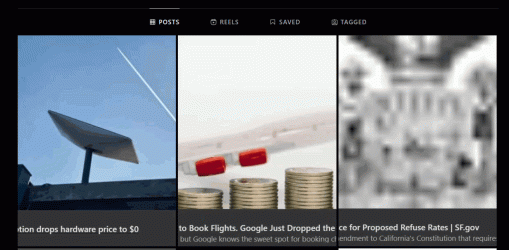
Yes, I'm accessing my photos from my profile page but I don't see those icons.
It only shows up when you have the mouse pointer on that photo.

2025-05-03_05-13-17.gif
 

My Computer

System One

  • OS
    WindowsXP/7/8/8.1/10/11,Linux,Android,FreeBSD Unix
    Computer type
    Laptop
    Manufacturer/Model
    Dell XPS 15 9570
    CPU
    Intel® Core™ i7-8750H 8th Gen 2.2Ghz up to 4.1Ghz
    Motherboard
    Dell XPS 15 9570
    Memory
    64GB using 2x32GB CL16 Mushkin redLine modules
    Graphics Card(s)
    Intel UHD 630 & NVIDIA GeForce GTX 1050 Ti with 4GB DDR5
    Sound Card
    Realtek ALC3266-CG
    Monitor(s) Displays
    15.6" 4K Touch UltraHD 3840x2160 made by Sharp
    Screen Resolution
    3840x2160 4K UltraHD
    Hard Drives
    Samsung MZ-V9P4T0B/AM 990 PRO 4TB PCIe®4.0 NVMe™ M.2 SSD was Toshiba KXG60ZNV1T02 NVMe 1TB SSD
    PSU
    Dell XPS 15 9570
    Case
    Dell XPS 15 9570
    Cooling
    Stock
    Keyboard
    Stock
    Mouse
    SwitftPoint ProPoint
    Internet Speed
    Comcast/XFinity 1.44Gbps/42.5Mbps
    Browser
    Microsoft EDGE (Chromium based) & Google Chrome
    Antivirus
    Windows Defender that came with Windows

My Computer

System One

  • OS
    Windows 11 Pro
    Computer type
    PC/Desktop
    Manufacturer/Model
    Self build
    CPU
    Core i7-13700K
    Motherboard
    Asus TUF Gaming Plus WiFi Z790
    Memory
    64 GB Kingston Fury Beast DDR5
    Graphics Card(s)
    Gigabyte GeForce RTX 2060 Super Gaming OC 8G
    Sound Card
    Realtek S1200A
    Monitor(s) Displays
    Viewsonic VP2770 & Dell (secondary)
    Screen Resolution
    2560 x 1440
    Hard Drives
    Kingston KC3000 2TB NVME SSD & SATA HDDs & SSD
    PSU
    EVGA SuperNova G2 850W
    Case
    Nanoxia Deep Silence 1
    Cooling
    Noctua NH-D14
    Keyboard
    Microsoft Digital Media Pro
    Mouse
    Logitech Wireless
    Internet Speed
    80 Mb / s
    Browser
    Chrome
    Antivirus
    Defender, Malwarebytes Free & AdwCleaner
I had a similar issue and clearing the browser cache fixed it for me. I also turned off any extensions just to test, and that made a difference too.
 

My Computer

System One

  • OS
    Windows 8
I didn't have to do anything after not being on Instagram from May 28, 2025 until July 28, 2025 as I locked myself out when trying to login using a dfferent machine since the other machine had a capacitor burning down that killed the notebook motherboard as I did not have the 2FA codes and when I finally gotten the battery replaced on my phone on July 28, 2025 when I used the same notebook with a new motherboard and now the phone that has not been charging since November 19, 2024 works again and generated the 2FA codes to login, it worked like it did before. FB and Instagram changes their code, no different than Facebook's notifications took out the Unread Notifications button on the desktop which they added back but now does not display all notifications until one keeps retrying. So it is not the cache or extensions as I didn't change anything and posts will automatically refresh the page.
 

My Computer

System One

  • OS
    WindowsXP/7/8/8.1/10/11,Linux,Android,FreeBSD Unix
    Computer type
    Laptop
    Manufacturer/Model
    Dell XPS 15 9570
    CPU
    Intel® Core™ i7-8750H 8th Gen 2.2Ghz up to 4.1Ghz
    Motherboard
    Dell XPS 15 9570
    Memory
    64GB using 2x32GB CL16 Mushkin redLine modules
    Graphics Card(s)
    Intel UHD 630 & NVIDIA GeForce GTX 1050 Ti with 4GB DDR5
    Sound Card
    Realtek ALC3266-CG
    Monitor(s) Displays
    15.6" 4K Touch UltraHD 3840x2160 made by Sharp
    Screen Resolution
    3840x2160 4K UltraHD
    Hard Drives
    Samsung MZ-V9P4T0B/AM 990 PRO 4TB PCIe®4.0 NVMe™ M.2 SSD was Toshiba KXG60ZNV1T02 NVMe 1TB SSD
    PSU
    Dell XPS 15 9570
    Case
    Dell XPS 15 9570
    Cooling
    Stock
    Keyboard
    Stock
    Mouse
    SwitftPoint ProPoint
    Internet Speed
    Comcast/XFinity 1.44Gbps/42.5Mbps
    Browser
    Microsoft EDGE (Chromium based) & Google Chrome
    Antivirus
    Windows Defender that came with Windows
This happened to me too—my own photos would just show a greyed-out window while other people’s worked fine. What fixed it was clearing the cache and logging out, then back in. Also tried disabling extensions one by one. While messing around, I checked Buy Instagram Likes – Instant, Real & Affordable | BuzzVoice just to see engagement options, and it actually showed me a clean way to track likes without any weird glitches.
 

My Computer

System One

  • OS
    Windows 8
Back
Top Bottom




