Questions about HHD size for storage


PBzeer

Active member
Local time
12:52 AM
Posts
45
OS
Windows 11 Home
Wasn't sure where to put this. Any way... I'm redoing my storage set up and wondered about the efficiency and reliability of many smaller drives vs fewer larger drives. Price-wise, a larger drive is cheaper than multiple smaller drives (such as a 12tb is cheaper than 4 3tb, 3 4tb or 2 6tb), and, I should note, I always back up important data twice, so if I went with a 12tb (which is my inclination), I'd only need two, whereas I'd need 8, 6 or 4 of the smaller drives. I've been using WD Reds (along with 2 Samsung external ssds) and they've worked well for me, but the largest I have is pair of 6tb in my NAS, so I have no experience with the larger drives.
 

My Computers

System One System Two

  • OS
    Windows 11 Home
    Computer type
    PC/Desktop
    Manufacturer/Model
    IBuyPower/SMI7N5701
    CPU
    Intel Core i7 14700F
    Motherboard
    ASUS PRIME B760M-A AX6 II
    Memory
    32gb DDR5 5200MHz
    Graphics Card(s)
    Nvidia RTX 5070 12gb
    Sound Card
    Toshiba Dynadock Audio
    Monitor(s) Displays
    Dell P2214h
    Screen Resolution
    1920 x 1080
    Hard Drives
    AGI AI818 M.2 PCIe Gen4 SSD
    PSU
    750W 80 PLUS Gold PSU
    Case
    iBUYPOWER Slate 8 Mesh Pro
    Cooling
    Air Cooled
  • Operating System
    Windows 11 Pro upgraded from 10
    Computer type
    PC/Desktop
    Manufacturer/Model
    Intel/NUC 10i7FNH
    CPU
    i7 10710U
    Memory
    16GB
    Graphics card(s)
    Integrated Intel UHD Graphics 620
    Sound Card
    On board
    Monitor(s) Displays
    Dell P2214h
    Screen Resolution
    1920 x 1080
@PBzeer

Generally the drives that are powers of two are better.
Like 2, 4, 8, 16

I've been using WD Blacks forever. I haven't had any failures.


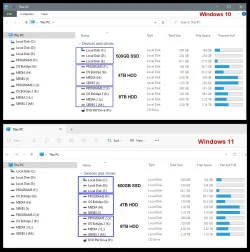
00000 Hard Drives.webp


WD 36GB Raptor
M/N: WDC WD360GD-00FLA1

WD 300GB Velociraptor
M/N: WD3000HLFS-01G6U0

WD 500GB Velociraptor
M/N: WD5000HHTZ-04N21V0

WD 1TB Caviar Black (x3)
M/N: WD1002FAEX-00Y9A0

WD 2TB Black (x3)
M/N: WD2003FZEX-00Z4SA0

WD 4TB Black
M/N: WD4005FZBX-00X5WB0

WD 8TB Black
M/N: WD8001FZBX-00ASYA0

Samsung 860 EVO 500GB (x2)
M/N: MZ-76E500
 
Last edited:

My Computers

System One System Two

  • OS
    Win 11 Home ♦♦♦26200.8655 ♦♦♦♦♦♦♦25H2
    Computer type
    PC/Desktop
    Manufacturer/Model
    Built by Ghot® [May 2020]
    CPU
    AMD Ryzen 7 3700X
    Motherboard
    Asus Pro WS X570-ACE (BIOS 5302)
    Memory
    G.Skill (F4-3200C14D-16GTZKW)
    Graphics Card(s)
    EVGA RTX 2070 (08G-P4-2171-KR)
    Sound Card
    Realtek ALC1220P / ALC S1220A
    Monitor(s) Displays
    Dell U3011 30"
    Screen Resolution
    2560 x 1600
    Hard Drives
    2x Samsung 860 EVO 500GB,
    WD 4TB Black FZBX - SATA III,
    WD 8TB Black FZBX - SATA III,
    DRW-24B1ST CD/DVD Burner
    PSU
    PC Power & Cooling 750W Quad EPS12V
    Case
    Cooler Master ATCS 840 Tower
    Cooling
    CM Hyper 212 EVO (push/pull)
    Keyboard
    Ducky DK9008 Shine II Blue LED
    Mouse
    Logitech Optical M-100
    Internet Speed
    300/300
    Browser
    Firefox (latest)
    Antivirus
    Bitdefender Total Security
    Other Info
    Speakers: Klipsch Pro Media 2.1
  • Operating System
    Windows XP Pro 32bit w/SP3
    Computer type
    PC/Desktop
    Manufacturer/Model
    Built by Ghot® (not in use)
    CPU
    AMD Athlon 64 X2 5000+ (OC'd @ 3.2Ghz)
    Motherboard
    ASUS M2N32-SLI Deluxe Wireless Edition
    Memory
    TWIN2X2048-6400C4DHX (2 x 1GB, DDR2 800)
    Graphics card(s)
    EVGA 256-P2-N758-TR GeForce 8600GT SSC
    Sound Card
    Onboard
    Monitor(s) Displays
    ViewSonic G90FB Black 19" Professional (CRT)
    Screen Resolution
    up to 2048 x 1536
    Hard Drives
    WD 36GB 10,000rpm Raptor SATA
    Seagate 80GB 7200rpm SATA
    Lite-On LTR-52246S CD/RW
    Lite-On LH-18A1P CD/DVD Burner
    PSU
    PC Power & Cooling Silencer 750 Quad EPS12V
    Case
    Generic Beige case, 80mm fans
    Cooling
    ZALMAN 9500A 92mm CPU Cooler
    Keyboard
    Logitech Classic Keybooard 200
    Mouse
    Logitech Optical M-BT96a
    Internet Speed
    300/300
    Browser
    Firefox 3.x ??
    Antivirus
    Symantec (Norton)
    Other Info
    Still assembled, still runs. Haven't turned it on for 15 years?
Wasn't sure where to put this. Any way... I'm redoing my storage set up and wondered about the efficiency and reliability of many smaller drives vs fewer larger drives. Price-wise, a larger drive is cheaper than multiple smaller drives (such as a 12tb is cheaper than 4 3tb, 3 4tb or 2 6tb), and, I should note, I always back up important data twice, so if I went with a 12tb (which is my inclination), I'd only need two, whereas I'd need 8, 6 or 4 of the smaller drives. I've been using WD Reds (along with 2 Samsung external ssds) and they've worked well for me, but the largest I have is pair of 6tb in my NAS, so I have no experience with the larger drives.
As you very sensibly say, you intend to backup to 2x12 TB drives (100% redundancy if one fails). 11/10 for that!👍👍👍👍.

However, I am a firm believer in categorising data (e.g. critical, fairly important, not that important), and not just blindly backing up everything "because you can".

Often, a lot of data is items like video files which take a lot of space, but can often be redownloaded without too much difficulty (assuming a reasonable internet speed). So is it worth backing up such data to multiple drives? Personally, I do not bother backing up large video files or very large (30 GB+) Insider virtual hard drives that I can easily recreate (e.g. clone main OS to a vhdx file, rejoin appropriate Insider).

If a user reviews their data, they will often find critical data is only a small percentage of their stored data (in my case, less than 15%). This data, as a minimum, should most certainly be backed up to at least two different drives (I actually use onedrive and one physical drive).

Over time, data storage inexorably grows, and if not managed, eventually you run out and need to upgrade your storage requirements.

It's not really any different to storage cupboards at home (my ex could fill cupboards faster than I could build them as my ex was a massive hoarder lol).
Getting my ex to throw away old stuff was a nightmare!

For sure, simply backing up everything to two locations is an acceptable solution but (imo) is not necessarily a cost effective and time efficient solution.
In the end, I strongly recommend users think about their data and define a backup strategy that suits them.
 

My Computer

System One

  • OS
    Windows 11 Pro + Win11 Canary VM.
    Computer type
    Laptop
    Manufacturer/Model
    ASUS Zenbook 14
    CPU
    I9 13th gen i9-13900H 2.60 GHZ
    Motherboard
    Yep, Laptop has one.
    Memory
    16 GB soldered
    Graphics Card(s)
    Integrated Intel Iris XE
    Sound Card
    Realtek built in
    Monitor(s) Displays
    laptop OLED screen
    Screen Resolution
    2880x1800 touchscreen
    Hard Drives
    1 TB NVME SSD (only weakness is only one slot)
    PSU
    Internal + 65W thunderbolt USB4 charger
    Case
    Yep, got one
    Cooling
    Stella Artois (UK pint cans - 568 ml) - extra cost.
    Keyboard
    Built in UK keybd
    Mouse
    Bluetooth , wireless dongled, wired
    Internet Speed
    900 mbs (ethernet), wifi 6 typical 350-450 mb/s both up and down
    Browser
    Edge
    Antivirus
    Defender
    Other Info
    TPM 2.0, 2xUSB4 thunderbolt, 1xUsb3 (usb a), 1xUsb-c, hdmi out, 3.5 mm audio out/in combo, ASUS backlit trackpad (inc. switchable number pad)

    Macrium Reflect Home V8
    Office 365 Family (6 users each 1TB onedrive space)
    Hyper-V (a vm runs almost as fast as my older laptop)
Can such large drives (HDD, not SSD) be found that do not use Shingled Magnetic Recording (SMR)?
 

My Computers

System One System Two

  • OS
    Windows 11 25H2
    Computer type
    PC/Desktop
    Manufacturer/Model
    Dell Tower Plus EBT2250
    CPU
    Intel Core Ultra 7 265
    Memory
    32GB
    Graphics Card(s)
    NVIDIA GeForce RTX 3050 6GB
    Monitor(s) Displays
    2x Dell U2419H
    Hard Drives
    NVMe Phison 521GB SSD
    Seagate 2TB HDD
    (Dell installed them RAID enabled using Intel VMD)
  • Operating System
    Windows 11 25H2
    Computer type
    Laptop
    Manufacturer/Model
    HP
    CPU
    Intel Core i5-1334U
    Motherboard
    HP 8DD7 - Intel Alder Lake-P PCH
    Memory
    8 GB
    Graphics card(s)
    Intel Raptor Lake-U - Integrated Graphics
    Hard Drives
    512 GB
Can such large drives (HDD, not SSD) be found that do not use Shingled Magnetic Recording (SMR)?
Seagate IronWolf Pro drives use CMR recording for reliability and consistency. I'm sure there are others, you just have to check the specifications first. The plain IronWolf drive also uses CMR.
 
Last edited:

My Computers

System One System Two

  • OS
    Win 11 Pro 25H2, Build 26200.8655
    Computer type
    PC/Desktop
    Manufacturer/Model
    Home Brew
    CPU
    Intel Core i5 14500
    Motherboard
    Gigabyte B760M G P WIFI
    Memory
    64GB DDR4
    Graphics Card(s)
    GeForce RTX 4060
    Sound Card
    Chipset Realtek
    Monitor(s) Displays
    LG 45" Ultragear, Acer 24" 1080p
    Screen Resolution
    5120x1440, 1920x1080
    Hard Drives
    Crucial P310 2TB 2280 PCIe Gen4 3D NAND NVMe M.2 SSD (O/S)
    Silicon Power 2TB US75 NVMe PCIe Gen4 M.2 2280 SSD (backup)
    Crucial BX500 2TB 3D NAND (2nd backup)
    Seagate 4TB Ironwolf, rotating HDD archive files
    External off-line backup Drives: 2 NVMe 4TB drives in external enclosures
    PSU
    Thermaltake Toughpower GF3 750W
    Case
    LIAN LI LANCOOL 216 E-ATX PC Case
    Cooling
    Lots of fans!
    Keyboard
    Microsoft Comfort Curve 2000
    Mouse
    Logitech G305
    Internet Speed
    Verizon FiOS 1GB
    Browser
    Firefox
    Antivirus
    Malware Bytes & Windows Defender Security
  • Operating System
    Win 11 Pro 25H2, Build 26200.8524
    Computer type
    PC/Desktop
    Manufacturer/Model
    Home Brew
    CPU
    Intel Core i5 14400
    Motherboard
    Gigabyte B760M DS3H AX
    Memory
    32GB DDR5
    Graphics card(s)
    Intel 700 Embedded GPU
    Sound Card
    Realtek Embedded
    Monitor(s) Displays
    27" HP 1080p
    Screen Resolution
    1920x1080
    Hard Drives
    Crucial P310 2TB 2280 PCIe Gen4 eD NAND PCIe SSD
    Samsung EVO 990 2TB NVMe Gen4 SSD
    Samsung 2TB SATA SSD
    PSU
    Thermaltake Smart BM3 650W
    Case
    Okinos Micro ATX Case
    Cooling
    Fans
    Keyboard
    Microsoft Comfort Curve 2000
    Mouse
    Logitech G305
    Internet Speed
    Verizon FiOS 1GB
    Browser
    Firefox
    Antivirus
    Malware Bytes & Windows Defender Security
In the end, I strongly recommend users think about their data and define a backup strategy that suits them.
I pretty much do as you suggest already. Critical for me is backups, financial data and other personal data, and media (775 movies in .mkv, well over 300 music CD's in .mp3 and videos I have made in .mp4). About 8tb total, with a bit over 4tb in the NAS and the other 4 spread over multiple disks in my DAS. In my setup, I use a Toshiba Dynadock to run mouse/keyboard, speakers, monitor for laptops and 2 Samsung external 1tb ssd's where I save most things I want to have easy access to. I try to save as little as possible to my C drive. I looking to add a 4 bay NAS, primarily for backups and keep my current 2 bay NAS for media.
 

My Computers

System One System Two

  • OS
    Windows 11 Home
    Computer type
    PC/Desktop
    Manufacturer/Model
    IBuyPower/SMI7N5701
    CPU
    Intel Core i7 14700F
    Motherboard
    ASUS PRIME B760M-A AX6 II
    Memory
    32gb DDR5 5200MHz
    Graphics Card(s)
    Nvidia RTX 5070 12gb
    Sound Card
    Toshiba Dynadock Audio
    Monitor(s) Displays
    Dell P2214h
    Screen Resolution
    1920 x 1080
    Hard Drives
    AGI AI818 M.2 PCIe Gen4 SSD
    PSU
    750W 80 PLUS Gold PSU
    Case
    iBUYPOWER Slate 8 Mesh Pro
    Cooling
    Air Cooled
  • Operating System
    Windows 11 Pro upgraded from 10
    Computer type
    PC/Desktop
    Manufacturer/Model
    Intel/NUC 10i7FNH
    CPU
    i7 10710U
    Memory
    16GB
    Graphics card(s)
    Integrated Intel UHD Graphics 620
    Sound Card
    On board
    Monitor(s) Displays
    Dell P2214h
    Screen Resolution
    1920 x 1080

Latest Support Threads

Back
Top Bottom