- Local time
- 11:54 PM
- Posts
- 10
- OS
- Windows 11
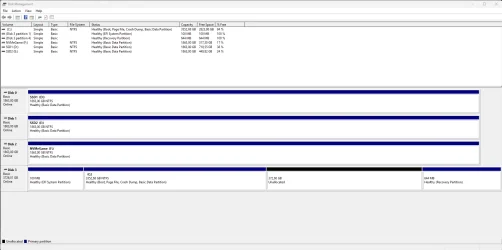
I sometimes get a bluescreen when my monitor turns off, either when I turn it off manually or Windows power plan turns off the display. What could be causing this and how to fix it? It only started happening recently and I have not changed any hardware. I can give you any further information you need to help me solve this.
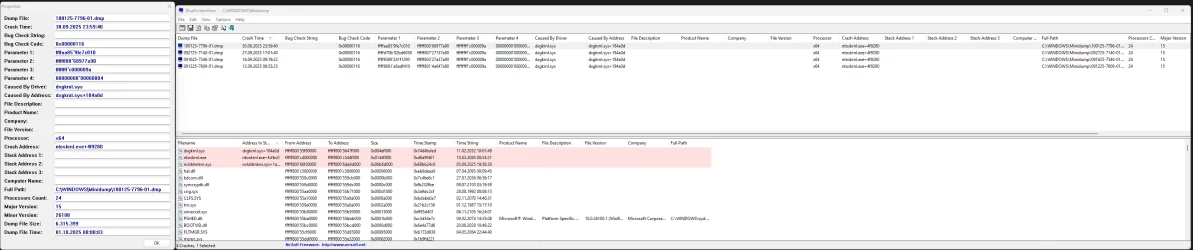
Logs.
Logs.
- Windows Build/Version
- Windows 11 Pro Version 24H2 (OS Build 26100.6725)
My Computer
At a glance
Windows 11AMD Ryzen 9 5900X2x G.Skill F4-3600C16-16GVKCNVIDIA GeForce RTX 4090 Founders Edition (AD1...
- OS
- Windows 11
- Computer type
- PC/Desktop
- Manufacturer/Model
- Custom
- CPU
- AMD Ryzen 9 5900X
- Motherboard
- MSI MEG X570 UNIFY (MS-7C35)
- Memory
- 2x G.Skill F4-3600C16-16GVKC
- Graphics Card(s)
- NVIDIA GeForce RTX 4090 Founders Edition (AD102-300)
- Sound Card
- None
- Monitor(s) Displays
- Samsung Odyssey Neo G9 Gaming Monitor (49”)
- Screen Resolution
- 5120 x 1440
- Hard Drives
- Samsung SSD 990 PRO 4TB
2 x CT2000MX500SSD1
Seagate FireCuda 530 2TB
- PSU
- Corsair HX1000i
- Case
- DARK BASE PRO 900 Rev. 2
- Cooling
- Liquid Freezer II - 420
- Keyboard
- Logitech G915
- Mouse
- Logitech G502 X Lightspeed
- Internet Speed
- Fiber: 500MB Down / 100MB Up
- Browser
- Firefox
- Antivirus
- Microsoft Defender Antivirus