Resize a window


shonauk

Member
Local time
9:27 AM
Posts
15
OS
windows 11
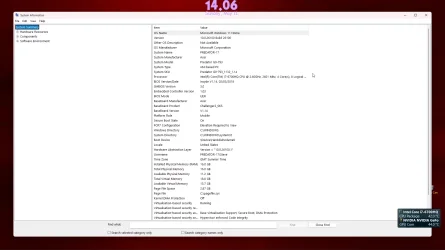
Hi, is it possible to resize system info window to open smaller
at present it takes the whole screen, when i resize it and close it
it just opens big again
 

Attachments

  • present.webp
    present.webp
    93.5 KB · Views: 1
  • desired.webp
    desired.webp
    77.1 KB · Views: 1

My Computer My Computer

At a glance

windows 11
OS
windows 11
Computer type
Laptop
Manufacturer/Model
predator 17
Just did a test: even with ShellFolderFix (an app that makes Windows appear in the same place and size) that particular Information Window always opens at the same (indeed quite huge) size.

But for me that's no problem at all, because I seldomly use System Information at all.

And there are some other apps that do the job the same or even better, like Speccy, CPU-Z or HWiNFO.
 

My Computer My Computer

At a glance

Windows 11 Pro 25H2AMD Ryzen 7 5700GKingston FURY Beast 2x16GB DIMM DDR4 2666 CL16MSI GeForce GT 730 2GB LP V1
OS
Windows 11 Pro 25H2
Computer type
PC/Desktop
Manufacturer/Model
Build by vendor to my specs
CPU
AMD Ryzen 7 5700G
Motherboard
MSI PRO B550M-P Gen3
Memory
Kingston FURY Beast 2x16GB DIMM DDR4 2666 CL16
Graphics Card(s)
MSI GeForce GT 730 2GB LP V1
Sound Card
Creative Sound Blaster Audigy FX
Monitor(s) Displays
Samsung S24E450F 24"
Screen Resolution
1920 x 1080
Hard Drives
1. SSD Crucial P5 Plus 500GB PCIe M.2
2. SSD-SATA Crucial MX500-2TB
PSU
Corsair CV650W
Case
Cooler Master Silencio S400
Cooling
Cooler Master Hyper H412R with Be Quiet Pure Wings 2 PWM BL038 fan
Keyboard
Cherry Stream (wired, scissor keys)
Mouse
Asus WT465 (wireless)
Internet Speed
70 Mbps down / 80 Mbps up
Browser
Firefox 130.0
Antivirus
F-Secure (Internetprovider version)
Other Info
Router: FRITZBox 7490
Oracle VirtualBox 7 for testing software on Win 10 or 11
On mine that window opens just as others do, has the same controls in the upper right corner. I click the middle item and get either Maximized or Restore/previous view. I just tested and if I drag the edges on the Restore view to a smaller size then hold down the Ctrl key while clicking Close the reopen it comes up at the new size.

A note: Full Size is not the same as Maximized, gets rid of some of the toolbars in a program and hides the Taskbar to give more screen room for the program view.
 

My Computers My Computers

  • At a glance

    Win11 Pro RTM Version 24H2 Build 26100.4202Intel Core i5 11th Gen. 2.40GHz12GB
    OS
    Win11 Pro RTM Version 24H2 Build 26100.4202
    Computer type
    Laptop
    Manufacturer/Model
    Dell Vostro 3400
    CPU
    Intel Core i5 11th Gen. 2.40GHz
    Memory
    12GB
    Hard Drives
    256GB SSD NVMe M.2
  • At a glance

    Win11 Pro RTM Version 24H2 Build 26100.4202Intel Core i5 10th Gen. 2.90GHz16GBOnboard, no VGA, using a DisplayPort-to-VGA a...
    Operating System
    Win11 Pro RTM Version 24H2 Build 26100.4202
    Computer type
    PC/Desktop
    Manufacturer/Model
    Dell Vostro 5890
    CPU
    Intel Core i5 10th Gen. 2.90GHz
    Memory
    16GB
    Graphics card(s)
    Onboard, no VGA, using a DisplayPort-to-VGA adapter
    Monitor(s) Displays
    24" Dell
    Hard Drives
    512GB SSD NVMe, 4TB Seagate HDD
    Browser
    Firefox, Edge
    Antivirus
    Windows Defender/Microsoft Security
use the attached as your new shortcut. will open it at a smaller size. i compiled the ahk script to an exe for you with the msinfo icon. if you want to do it yourself or edit the size, here is the code:

Code:
Run msinfo32.exe
WinWaitActive, System Information
SysGet, ScreenWidth, 0
SysGet, ScreenHeight, 1
WinMove, System Information,, (ScreenWidth - 1000) / 2, (ScreenHeight - 600) / 2, 1000, 600
 

Attachments

My Computer My Computer

At a glance

Windows 11 Pro
OS
Windows 11 Pro
thanks for helping
 

My Computer My Computer

At a glance

windows 11
OS
windows 11
Computer type
Laptop
Manufacturer/Model
predator 17
Sorry, but I just don't understand your concern over the size of one window that one never or very rarely goes to. Now, if it was something I used daily, I'd be right there with you.
 

My Computers My Computers

  • At a glance

    Windows 11 Pro 25H2 26200.9457i9-10900 10 core 20 threads32 gbnone-Intel UHD Graphics 630
    OS
    Windows 11 Pro 25H2 26200.9457
    Computer type
    PC/Desktop
    Manufacturer/Model
    Dell Optiplex 7080
    CPU
    i9-10900 10 core 20 threads
    Motherboard
    DELL 0J37VM
    Memory
    32 gb
    Graphics Card(s)
    none-Intel UHD Graphics 630
    Sound Card
    Integrated Realtek
    Monitor(s) Displays
    Benq 27
    Screen Resolution
    2560x1440
    Hard Drives
    2x1tb Solidigm m.2 nvme /External drives 512gb Samsung m.2 sata+2tb Kingston m2.nvme
    PSU
    500w
    Case
    MT
    Cooling
    Dell Premium
    Keyboard
    Logitech wired
    Mouse
    Logitech wireless
    Internet Speed
    so slow I'm too embarrassed to tell
    Browser
    #1 Edge #2 Firefox
    Antivirus
    Defender+MWB Premium
  • At a glance

    Windows 11 Pro 24H2 26200.9457AMD Ryzen 7 6800U32 gbintegrated
    Operating System
    Windows 11 Pro 24H2 26200.9457
    Computer type
    PC/Desktop
    Manufacturer/Model
    Beelink Mini PC SER5
    CPU
    AMD Ryzen 7 6800U
    Memory
    32 gb
    Graphics card(s)
    integrated
    Sound Card
    integrated
    Monitor(s) Displays
    Benq 27
    Screen Resolution
    2560x1440
    Hard Drives
    1TB Crucial nvme
    Keyboard
    Logitech wired
    Mouse
    Logitech wireless
    Internet Speed
    still too embarrassed to tell
    Browser
    Firefox
    Antivirus
    Defender
  • System 3 is non compliant Dell 9020 i7-4770/24gb ram Win11 PRO 26200.9457
I copied the resize.exe to the windows tools folder and replaced the original
renamed it system information same as original, its just got .exe at the end of it
think i can live with that as it opens in a reasonable size window

thanks for the zip file dacrone
 

My Computer My Computer

At a glance

windows 11
OS
windows 11
Computer type
Laptop
Manufacturer/Model
predator 17
just put the .exe anywhere (like create C:\temp or whatever), right click > create shortcut > name it whatever you want and it wont have the .exe. place the shortcut in that folder
 

My Computer My Computer

At a glance

Windows 11 Pro
OS
Windows 11 Pro
Worked a treat ... thanks

Learning everyday
 

My Computer My Computer

At a glance

windows 11
OS
windows 11
Computer type
Laptop
Manufacturer/Model
predator 17

Latest Support Threads

Back
Top Bottom





