Slow loading of .exe thumbnails on Windows Explorer


Kitetense

Member
Local time
12:10 AM
Posts
21
OS
Windows 11
In windows explorer, when ever i open a folder containing .exe files , the thumbnails for it load pretty slowly, interestingly it only happens with the .exe files and not with others , the other file types load pretty quickly, the folder isn't on OneDrive its in my local storage and on a nvme ssd as well not hard drive which would make it slower. I have run sfc scans as well no errors there as well.
 
Windows Build/Version
Windows 11 Version 24H2 (OS Build 26100.4946)

My Computer

System One

  • OS
    Windows 11
    Computer type
    Laptop
    Manufacturer/Model
    Lenovo
    CPU
    Intel 14650hx
    Motherboard
    OEM
    Memory
    16 GB
    Graphics Card(s)
    RTX 4060 Mobile
    Monitor(s) Displays
    Laptop Built in
    Screen Resolution
    2500x1600
    Internet Speed
    150 Mbps
    Browser
    Firefox
    Antivirus
    Kaspersky
In windows explorer, when ever i open a folder containing .exe files , the thumbnails for it load pretty slowly, interestingly it only happens with the .exe files and not with others , the other file types load pretty quickly, the folder isn't on OneDrive its in my local storage and on a nvme ssd as well not hard drive which would make it slower. I have run sfc scans as well no errors there as well.
.exe files have to be scanned every time as they have the potential to contain viruses.
Temporarily disable Kaspersky and see what happens.
Look into disabling indexing if searching for files is not a priority to you.

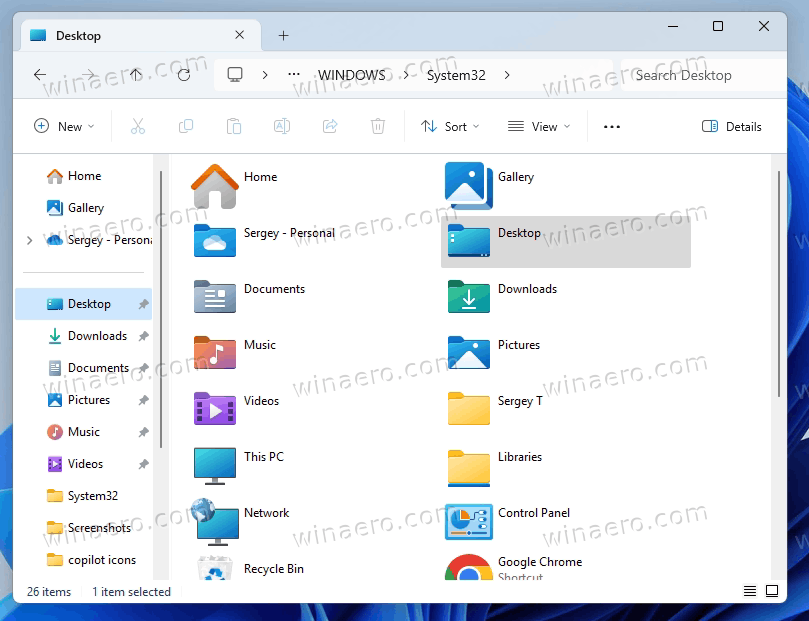
Finally I use this from Winaero and that speeds things up:

Code:
Windows Registry Editor Version 5.00

; Created by Sergey Tkachenko
; Tutorial: These two tricks can significantly speed up File Explorer in Windows 11
; URL: https://winaero.com/speed-up-file-explorer-windows-11/

[HKEY_CURRENT_USER\Software\Classes\Local Settings\Software\Microsoft\Windows\Shell\Bags\AllFolders\Shell]
"FolderType"="NotSpecified"


My Computers

System One System Two

  • OS
    All Branches but Release
    Computer type
    Laptop
    Manufacturer/Model
    Acer Nitro ANV15-51
    CPU
    AMD Ryzen 7 7735HS 3200-4500 Mhz 8 cores x 2
    Motherboard
    Sportage_RBH
    Memory
    32 GB DDR5
    Graphics Card(s)
    Radeon Graphic / NVIDIA GeForce RTX 4060 8 GB GDDR6
    Sound Card
    AMD/Realtek(R) Audio
    Monitor(s) Displays
    Integrated Monitor (15.3"vis)
    Screen Resolution
    FHD 1920X1080 16:9 144Hz
    Hard Drives
    KINGSTON OM8SEP4512Q-AA 1TB
    Western Digital 256GB
    PSU
    19V DC 6.32 A 120 W
    Cooling
    Dual Fans
    Mouse
    MS Bluetooth
    Internet Speed
    Fiber 1GB Cox -us & 1GB Orange-fr
    Browser
    Edge Canary- Firefox Nightly-Chrome Dev-Chrome Dev
    Antivirus
    Windows Defender
  • Operating System
    Windows 11 Beta
    Computer type
    Laptop
    Manufacturer/Model
    Asus X751BP
    CPU
    AMD A9-9420
    Memory
    8 GB of DDR4
    Graphics card(s)
    AMD Radeon R5
    Screen Resolution
    1600x900
    Hard Drives
    Seagate 1 TB
Ok then I'll try and tell you about my experience, btw i tried using the winaero tweaker and disabled clearing thumbnail cache but it didn't work, maybe this one might
 

My Computer

System One

  • OS
    Windows 11
    Computer type
    Laptop
    Manufacturer/Model
    Lenovo
    CPU
    Intel 14650hx
    Motherboard
    OEM
    Memory
    16 GB
    Graphics Card(s)
    RTX 4060 Mobile
    Monitor(s) Displays
    Laptop Built in
    Screen Resolution
    2500x1600
    Internet Speed
    150 Mbps
    Browser
    Firefox
    Antivirus
    Kaspersky
Well you hit the nail right on the head, Kaspersky indeed was doing all of this delay and causing the thumbnails of .exe files to load slower, but now how to fix that please suggest me some solution to this i would be highly grateful
 

My Computer

System One

  • OS
    Windows 11
    Computer type
    Laptop
    Manufacturer/Model
    Lenovo
    CPU
    Intel 14650hx
    Motherboard
    OEM
    Memory
    16 GB
    Graphics Card(s)
    RTX 4060 Mobile
    Monitor(s) Displays
    Laptop Built in
    Screen Resolution
    2500x1600
    Internet Speed
    150 Mbps
    Browser
    Firefox
    Antivirus
    Kaspersky
Well you hit the nail right on the head, Kaspersky indeed was doing all of this delay and causing the thumbnails of .exe files to load slower, but now how to fix that please suggest me some solution to this i would be highly grateful
I do not use 3rd party AVs. I never have and never will.
Many of them seem to create problems like the one you are experiencing.
Defender is all I use.
 

My Computers

System One System Two

  • OS
    All Branches but Release
    Computer type
    Laptop
    Manufacturer/Model
    Acer Nitro ANV15-51
    CPU
    AMD Ryzen 7 7735HS 3200-4500 Mhz 8 cores x 2
    Motherboard
    Sportage_RBH
    Memory
    32 GB DDR5
    Graphics Card(s)
    Radeon Graphic / NVIDIA GeForce RTX 4060 8 GB GDDR6
    Sound Card
    AMD/Realtek(R) Audio
    Monitor(s) Displays
    Integrated Monitor (15.3"vis)
    Screen Resolution
    FHD 1920X1080 16:9 144Hz
    Hard Drives
    KINGSTON OM8SEP4512Q-AA 1TB
    Western Digital 256GB
    PSU
    19V DC 6.32 A 120 W
    Cooling
    Dual Fans
    Mouse
    MS Bluetooth
    Internet Speed
    Fiber 1GB Cox -us & 1GB Orange-fr
    Browser
    Edge Canary- Firefox Nightly-Chrome Dev-Chrome Dev
    Antivirus
    Windows Defender
  • Operating System
    Windows 11 Beta
    Computer type
    Laptop
    Manufacturer/Model
    Asus X751BP
    CPU
    AMD A9-9420
    Memory
    8 GB of DDR4
    Graphics card(s)
    AMD Radeon R5
    Screen Resolution
    1600x900
    Hard Drives
    Seagate 1 TB
Well you hit the nail right on the head, Kaspersky indeed was doing all of this delay and causing the thumbnails of .exe files to load slower, but now how to fix that please suggest me some solution to this i would be highly grateful
Well it's hard to tell what the solution is. If Kaspersky thinks it needs to acces each .exe again and again maybe asking this question on their forum is a good way to start; Kaspersky Support Forum See if this known at other users. Maybe it can be as simple by turning on or off inside the software options.

Looking at the manual (https://media.kaspersky.com/usa/documentation/kis2016_userguide_en.pdf) there is something about Application mode trusted enabled or not. It's all about trusting installed applications. If this is disabled I can image that it sees all .exe as a threat and access it quickly to see if there is a threat. That can be prevented by enable this mode. Take a look at that setting. It could be a solution for the problem you are experiencing now. Normally all applications should be trusted. It will inspect it only closely when installing a new program. Once it has inspected it, it would marked it also as trusted. If during an install it sees something suspicions it would notify you immediately. "Don't install because...."

I don't use Kaspersky but an other all-in-one anti virus program; I's provided as one from my provider but in real life it's know as F-Secure. It keeps it's software and newer virus patterns up to date on a daily basis. Never seen this behavior there also. Kaspersky should not do that also. The easy way is to uninstall the software; cleanup the registry (get rid of all left behinds) and to reinstall the software. All settings should be at default. (With trusted application enabled) Give it a try..... But first; do an online scan at one of the online scanner providers like TrendMicro (Housecall) ESET or F-secure etc. They will online inspect your system if there is not a piece of software installed to fool Kaspersky. (You never know. Just google on "online virus scanners")
 

My Computer

System One

  • OS
    Win 11 Pro "25H2" Build 26200.8653, Zorin OS Pro
    Computer type
    PC/Desktop
    Manufacturer/Model
    Self built
    CPU
    Intel® Core™ i7-12700KF 12th Gen. (S1700)
    Motherboard
    ASUS Prime Z690-A, BIOS v4505 (Z690 Intel Chipset)
    Memory
    32GB DDR5 5600-36 Vengeance (2x16)
    Graphics Card(s)
    PCIe4.0 Asus NVIDIA RTX3060Ti
    Sound Card
    Onboard; Realtek
    Monitor(s) Displays
    34" LG 34UC79G-B Curved 21:9 144Hz
    Screen Resolution
    2560x1080 (No HDR)
    Hard Drives
    250Gb Samsung 870PRO NVMe (Win 11 Pro)
    1Tb Samsung 980PRO NVMe
    1Tb Samsung 970EVO NVMe
    2Tb Samsung 990PRO NVMe with heatsink.
    4Tb WDC WD40EZRZ Blue SATA (Int.)
    4Tb WDC WD40EZRZ Blue SATA (Int.)
    3Tb WDC WD30EFRZ Red SATA (Int.)
    256Gb Samsung 840PRO SSD (RHEL 9,5)
    256Gb Samsung 850PRO SSD (Zorin OS Pro 18)
    PSU
    Coolermaster 850W V2 Gold with internal 12cm exaust fan
    Case
    Be-Quiet Pure Base 600.
    Cooling
    3x Be-Quiet! 12/14cm "Silent Wings 4" casefans, 1x Arctic Freezer i35 CPU towerblock with fan.
    Keyboard
    Steelseries APEX 7 keyboard.
    Mouse
    Logitech G-502 Hero
    Internet Speed
    1Gb
    Browser
    Brave
    Antivirus
    F-Secure
    Other Info
    No Noise system.
    256Gb Kingston Travler USB 3.0 drive.
    64Gb Sandisk USB 3.2 drive. (Ventoy)
    8Gb Philips USB 3.0 drive. (Win. Inst.)
    8Gb Philips USB 3.0 drive. (Rescue disk)
    2Tb WD USB 3.0 Passport drive.
    USB Ext. 500Gb WD SATA drive.
    External USB 3.0 C.A. CD/DVD* burner.
The only 3rd party AV I have running (happily alongside Defender)is Malwarebytes Premium. The day MWB becomes too bloated, invasive, or uncontrollable, it will be gone lickety-split. As for all the other mainstream and no so mainstream AV players (both paid and free) that bloat & invade a person's system, I've strongly advocated against them for many years.

I believe in simplifying my life. I use no 3rd party apps that alter the GUI. For other 3rd party software that I use, I make every effort to find standalone versions. If I'm forced to install any 3rd party app, it is prevented from loading at startup.

This has been my practice for many years and through many versions of 10 and 11. Sure I've had a few beefs with changes in the OS itself but I've never had to deal with chasing my tail to fix the weird stuff other folks seem to have that eventually comes down to 3rd party interference. It's all about choice, though, and while I do me, you have to do you.
 

My Computers

System One System Two

  • OS
    Windows 11 Pro 25H2 26200.8655
    Computer type
    PC/Desktop
    Manufacturer/Model
    Dell Optiplex 7080
    CPU
    i9-10900 10 core 20 threads
    Motherboard
    DELL 0J37VM
    Memory
    32 gb
    Graphics Card(s)
    none-Intel UHD Graphics 630
    Sound Card
    Integrated Realtek
    Monitor(s) Displays
    Benq 27
    Screen Resolution
    2560x1440
    Hard Drives
    2x1tb Solidigm m.2 nvme /External drives 512gb Samsung m.2 sata+2tb Kingston m2.nvme
    PSU
    500w
    Case
    MT
    Cooling
    Dell Premium
    Keyboard
    Logitech wired
    Mouse
    Logitech wireless
    Internet Speed
    so slow I'm too embarrassed to tell
    Browser
    #1 Edge #2 Firefox
    Antivirus
    Defender+MWB Premium
  • Operating System
    Windows 11 Pro 24H2 26200.8457
    Computer type
    PC/Desktop
    Manufacturer/Model
    Beelink Mini PC SER5
    CPU
    AMD Ryzen 7 6800U
    Memory
    32 gb
    Graphics card(s)
    integrated
    Sound Card
    integrated
    Monitor(s) Displays
    Benq 27
    Screen Resolution
    2560x1440
    Hard Drives
    1TB Crucial nvme
    Keyboard
    Logitech wired
    Mouse
    Logitech wireless
    Internet Speed
    still too embarrassed to tell
    Browser
    Firefox
    Antivirus
    Defender
    Other Info
    System 3 is non compliant Dell 9020 i7-4770/24gb ram Win11 PRO 26200.8457
  • Like
Reactions: OAT
Ok then I'll try and tell you about my experience, btw i tried using the winaero tweaker and disabled clearing thumbnail cache but it didn't work, maybe this one might

I've had slow performance from Windows Explorer as well. Since I also use Winaero Tweaker for other things, I've chosen to use the Winaero Tweaker option solution in post #2. It keeps it all so very simple. ;-)


My Computers

System One System Two

  • OS
    Windows 11 Pro 25H2 build: (26200.7623)
    Computer type
    Laptop
    Manufacturer/Model
    Microsoft Surface Pro
    Memory
    32GB
  • Operating System
    Microsoft 25H2 Pro
    Computer type
    Laptop
    Manufacturer/Model
    Dell Pro 14 - PC14250
    CPU
    Intel Core Ultra 7
    Memory
    64GB
    Graphics card(s)
    Intel Integrated Graphics
    Hard Drives
    Micron 1TB SSD
Ok then I'll try and tell you about my experience, btw i tried using the winaero tweaker and disabled clearing thumbnail cache but it didn't work, maybe this one might
I notice you use Winaero Tweaker which makes it very easy to increase the size of your icon cache. Have you tried doing that? The default size is 512KB, I've increased mine to 4096KB on two machines and 2048KB on another and it seems to help with the icon loading speed.
 

My Computers

System One System Two

  • OS
    Windows 11 25H2
    Computer type
    Laptop
    Manufacturer/Model
    Alienware 18 Area-51
    CPU
    Intel Core Ultra 9 275HX (24-Core)
    Motherboard
    Alienware
    Memory
    64GB DDR5 6400MT/s
    Graphics Card(s)
    NVIDIA GeForce RTX 5080 and Intel UHD Graphics
    Sound Card
    Onboard, Realtek high-performance Audio chips (ALC3329 & ALC1708))
    Monitor(s) Displays
    300HZ 18-inch QHD 500 nit Comfort View+
    Screen Resolution
    2560 x 1600
    Hard Drives
    2TB NVMe M.2 PCIe Gen 5 SSD
    Case
    Magnesium Alloy
    Cooling
    Advanced Cryo-Tech Quad-Fan Cooling system & large vapor chamber
    Keyboard
    Cherry MX ultra low profile mechanical keyboard with per key AlienFX RGB lighting
    Mouse
    Logitech MX Master 4
    Browser
    Vivaldi (main), Firefox, Chrome, Edge
    Antivirus
    MS Defender and Malwarebytes Free
  • Operating System
    Windows 11 25H2
    Computer type
    Laptop
    Manufacturer/Model
    Microsoft Surface Laptop 7
    CPU
    Qualcomm Snapdragon X Elite (12 Core) ARM based CPU
    Motherboard
    Microsoft Corp.
    Memory
    16GB LPDDR5
    Graphics card(s)
    Qualcomm Adreno X1-85
    Sound Card
    Omnisonic speakers with Dolby Atmos spatial sound
    Monitor(s) Displays
    120 Hz 13.8-inch 600 nit PixelSense Flow touchscreen
    Screen Resolution
    2304x1536
    Hard Drives
    1TB NVMe Gen 4 SSD
    Case
    Anodized Aluminum
    Cooling
    Traditional active cooling fan system
    Keyboard
    Mechanical QWERTY, backlit when in use
    Mouse
    Logitech MX Master 4 and Surface Arc Mouse
    Browser
    Vivaldi (main), Firefox, Chrome, Edge
    Antivirus
    MS Defender and Malwarebytes Free
Back
Top Bottom