PBzeer
Active member
- Local time
- 5:45 AM
- Posts
- 45
- OS
- Windows 11 Home
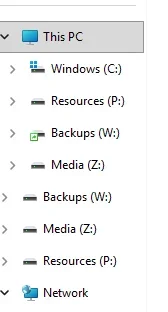
Is there a way to change the sort order for Drives? As I recall, they were sorted by drive letter prior to 11, rather than alphabetical by device name. Not a big deal really, I just find myself expecting them to be by drive letter.
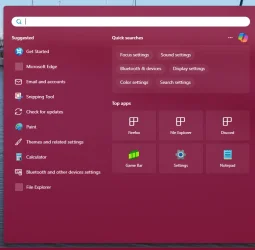
When I click on the search box in the taskbar, is there a way to change the menu that pops up, so that it opens to this: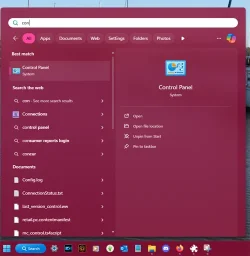
I've gone through the settings and explorerpatcher, but I'm not seeing anything to change this.
When I click on the search box in the taskbar, is there a way to change the menu that pops up, so that it opens to this:
I've gone through the settings and explorerpatcher, but I'm not seeing anything to change this.
- Windows Build/Version
- 25H2 Build 26200.6725
My Computers
-
At a glance
Windows 11 HomeIntel Core i7 14700F32gb DDR5 5200MHzNvidia RTX 5070 12gb- OS
- Windows 11 Home
- Computer type
- PC/Desktop
- Manufacturer/Model
- IBuyPower/SMI7N5701
- CPU
- Intel Core i7 14700F
- Motherboard
- ASUS PRIME B760M-A AX6 II
- Memory
- 32gb DDR5 5200MHz
- Graphics Card(s)
- Nvidia RTX 5070 12gb
- Sound Card
- Toshiba Dynadock Audio
- Monitor(s) Displays
- Dell P2214h
- Screen Resolution
- 1920 x 1080
- Hard Drives
- AGI AI818 M.2 PCIe Gen4 SSD
- PSU
- 750W 80 PLUS Gold PSU
- Case
- iBUYPOWER Slate 8 Mesh Pro
- Cooling
- Air Cooled
-
At a glance
Windows 11 Pro upgraded from 10i7 10710U16GBIntegrated Intel UHD Graphics 620- Operating System
- Windows 11 Pro upgraded from 10
- Computer type
- PC/Desktop
- Manufacturer/Model
- Intel/NUC 10i7FNH
- CPU
- i7 10710U
- Memory
- 16GB
- Graphics card(s)
- Integrated Intel UHD Graphics 620
- Sound Card
- On board
- Monitor(s) Displays
- Dell P2214h
- Screen Resolution
- 1920 x 1080