- Local time
- 6:50 AM
- Posts
- 130
- OS
- Windows 11
I have used StartAllBack for a long while now. It works perfect except for a problem with one app. I'm using StartAllBack 3.5.2 in Windows 11 Build 25197.rs_prerelease. The problem has always existed no matter what build of Windows or StartAllBack I am using. I run StartAllBack with the segmented taskbar.
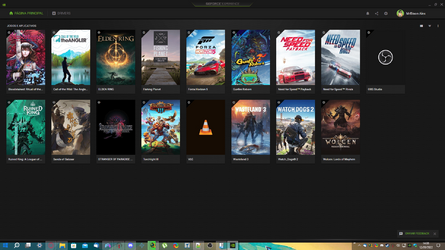
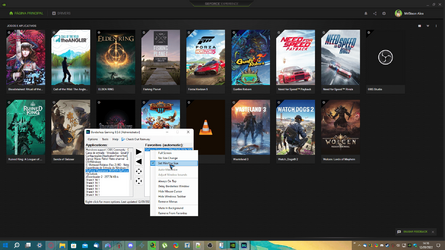
Some of it clear some of it not. I have one app that, after a reboot, when minimized ends up under one of the invisible portions of the taskbar. All there is, is a tiny portion of the minimized app peeking out from under the edge of the taskbar. I can just grab it and pull the the window further open so I can drag the app to a new area on the desktop to be used. It is a special app used in analyzing antenna systems and correct tuning for changing conditions. Is there any way in StartAllBack to force the app to the top of the taskbar? I've spoken with the author of the app and he says Nope! Not my problem! So, no help was he. This is the only app I am using that displays this behavior. I've tried every option I can find in StartAllBack. I've also looked at the Taskbar settings in Windows Settings. No help there either.
Any Ideas? Thank you!
Some of it clear some of it not. I have one app that, after a reboot, when minimized ends up under one of the invisible portions of the taskbar. All there is, is a tiny portion of the minimized app peeking out from under the edge of the taskbar. I can just grab it and pull the the window further open so I can drag the app to a new area on the desktop to be used. It is a special app used in analyzing antenna systems and correct tuning for changing conditions. Is there any way in StartAllBack to force the app to the top of the taskbar? I've spoken with the author of the app and he says Nope! Not my problem! So, no help was he. This is the only app I am using that displays this behavior. I've tried every option I can find in StartAllBack. I've also looked at the Taskbar settings in Windows Settings. No help there either.
Any Ideas? Thank you!
My Computer
At a glance
Windows 11I7 870016gbMSI 1050t
- OS
- Windows 11
- Computer type
- PC/Desktop
- Manufacturer/Model
- HP Pavilion Gaming 790-0077c
- CPU
- I7 8700
- Motherboard
- Berks Form factor: ATX, 36.45 x 24.88 cm (15.35 x 9.79 in)
- Memory
- 16gb
- Graphics Card(s)
- MSI 1050t
- Sound Card
- Creative SoundBlaster AE-9
- Monitor(s) Displays
- Twin Samsung 27" curved
- Screen Resolution
- 1920 x 1080
- Hard Drives
- 512Gb and 1Tb