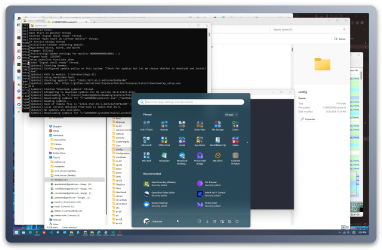
StartAllBack - Where’d that Come From?


ajaxStardust

Well-known member
Local time
12:24 PM
Posts
58
OS
Windows 11 Pro 22631.3447
1719499579455.png
Start All Back:
Proper 11 = 1
Enhanced Start = 1
(ShareX auto-selected just that left area - there would be folders etc on the right)
StartAllBackCfg_eabJ08Emz4.png
Any idea how StartAllBack selects/ decides what shorctus to place there?
E.g. Telegram down to Paint.Net.

I presume it's like Win 10? That's good if I know how Win 10 does it. I don't.

I mean, those aren't apps I generally use. I'd go with that menu to switch it up awhile, but why the seemingly random selection of apps?

Correction. I guess some of them are regulars. But some of my most used aren't present, while some rarely used are. It makes sense if it's not scanning alternate program locations. Which, why would it. But, I'm pretty sure I have shortcuts to any such apps in the %AppData%\...\StartMenu
 

My Computer My Computer

At a glance

Windows 11 Pro 22631.3447Intel(R) N100 800 MHz16 GBIntel UHD Graphics: 8086-4E61
OS
Windows 11 Pro 22631.3447
Computer type
PC/Desktop
Manufacturer/Model
Trycoo
CPU
Intel(R) N100 800 MHz
Motherboard
WI-6
Memory
16 GB
Graphics Card(s)
Intel UHD Graphics: 8086-4E61
Sound Card
USB Audio Device
Monitor(s) Displays
HP E241i
Screen Resolution
1920x1200
Other Info
http://speccy.piriform.com/results/NwxSjHiPVH0y4XLSt8D2NvS
The developer of this program's design determines what goes where.
 

My Computers My Computers

  • At a glance

    Windows11 Pro 26300.9278Intel Core i9 14900F (24 -Core, 68 MB Total C...32GB DDR5RTX 4080 Super w/610.74
    OS
    Windows11 Pro 26300.9278
    Computer type
    PC/Desktop
    Manufacturer/Model
    Dell Alienware Aurora R16
    CPU
    Intel Core i9 14900F (24 -Core, 68 MB Total Cache)
    Motherboard
    Dell Alienware
    Memory
    32GB DDR5
    Graphics Card(s)
    RTX 4080 Super w/610.74
    Sound Card
    Realtec
    Monitor(s) Displays
    Corsair XENEON 32QHD165
    Screen Resolution
    2560 X 1440
    Hard Drives
    1-2TB Samsung 990 Pro PCIe NVMe M2 SSD
    1-4TB Samsung 990 Pro PCIe NVMe M2 SSD
    PSU
    1000 Watt Platinum Dell
    Case
    Alienware
    Cooling
    Liquid Closed Loop
    Keyboard
    Corsair Strafe RGB
    Mouse
    Logitech MK270 Wireless
    Internet Speed
    100Gb's Down-20 Up
    Browser
    Firefox 154.0.1
    Antivirus
    Defender
    Other Info
    Very Quiet And Fast
    CyberPower UPS CP1500PFCLCD
  • At a glance

    PClinuxOS Mate (2025.7)13th Gen Inter(R) Core(TM) i3-1315U64 GB DDR4 @3200 MHz.Internal
    Operating System
    PClinuxOS Mate (2025.7)
    Computer type
    PC/Desktop
    Manufacturer/Model
    Intel
    CPU
    13th Gen Inter(R) Core(TM) i3-1315U
    Motherboard
    Intel
    Memory
    64 GB DDR4 @3200 MHz.
    Graphics card(s)
    Internal
    Sound Card
    None
    Monitor(s) Displays
    Dell 2419HGCF
    Screen Resolution
    1920 X 1080
    Hard Drives
    SAMSUNG 980 PRO SSD 2TB, PCIe 4.0 M.2 2280
    PSU
    Chicony 30 Watt
    Case
    Small
    Keyboard
    Dell
    Mouse
    Razor
    Internet Speed
    1GB
    Browser
    Slimjet
You should be able to grab an item from the list with your left mousebutton and drag it to the desired position. On my testsystem I could easily do that:

001999.jpg

Dragged 'Rekenmachine' and 'Kladblok' to the far lowest position:

002000.jpg

And remove a shortcut can be done by the right mouse click "delete from this list".

I myself am on Start11 now for my main system, but I have been using StartAllBack for about half a year. It is not a bad app, but I had some issues with compatibility when MS updates windows.
 

My Computer My Computer

At a glance

Windows 11 Pro 25H2AMD Ryzen 7 5700GKingston FURY Beast 2x16GB DIMM DDR4 2666 CL16MSI GeForce GT 730 2GB LP V1
OS
Windows 11 Pro 25H2
Computer type
PC/Desktop
Manufacturer/Model
Build by vendor to my specs
CPU
AMD Ryzen 7 5700G
Motherboard
MSI PRO B550M-P Gen3
Memory
Kingston FURY Beast 2x16GB DIMM DDR4 2666 CL16
Graphics Card(s)
MSI GeForce GT 730 2GB LP V1
Sound Card
Creative Sound Blaster Audigy FX
Monitor(s) Displays
Samsung S24E450F 24"
Screen Resolution
1920 x 1080
Hard Drives
1. SSD Crucial P5 Plus 500GB PCIe M.2
2. SSD-SATA Crucial MX500-2TB
PSU
Corsair CV650W
Case
Cooler Master Silencio S400
Cooling
Cooler Master Hyper H412R with Be Quiet Pure Wings 2 PWM BL038 fan
Keyboard
Cherry Stream (wired, scissor keys)
Mouse
Asus WT465 (wireless)
Internet Speed
70 Mbps down / 80 Mbps up
Browser
Firefox 130.0
Antivirus
F-Secure (Internetprovider version)
Other Info
Router: FRITZBox 7490
Oracle VirtualBox 7 for testing software on Win 10 or 11
You should be able to grab an item from the list with your left mousebutton and drag it to the desired position. On my testsystem I could easily do that:

View attachment 100135

Dragged 'Rekenmachine' and 'Kladblok' to the far lowest position:

View attachment 100136

And remove a shortcut can be done by the right mouse click "delete from this list".

I myself am on Start11 now for my main system, but I have been using StartAllBack for about half a year. It is not a bad app, but I had some issues with compatibility when MS updates windows.
 

My Computer My Computer

At a glance

Windows 11 Pro 22631.3447Intel(R) N100 800 MHz16 GBIntel UHD Graphics: 8086-4E61
OS
Windows 11 Pro 22631.3447
Computer type
PC/Desktop
Manufacturer/Model
Trycoo
CPU
Intel(R) N100 800 MHz
Motherboard
WI-6
Memory
16 GB
Graphics Card(s)
Intel UHD Graphics: 8086-4E61
Sound Card
USB Audio Device
Monitor(s) Displays
HP E241i
Screen Resolution
1920x1200

Other Info
http://speccy.piriform.com/results/NwxSjHiPVH0y4XLSt8D2NvS

My Computer My Computer

At a glance

Windows 11 Pro 22631.3447Intel(R) N100 800 MHz16 GBIntel UHD Graphics: 8086-4E61
OS
Windows 11 Pro 22631.3447
Computer type
PC/Desktop
Manufacturer/Model
Trycoo
CPU
Intel(R) N100 800 MHz
Motherboard
WI-6
Memory
16 GB
Graphics Card(s)
Intel UHD Graphics: 8086-4E61
Sound Card
USB Audio Device
Monitor(s) Displays
HP E241i
Screen Resolution
1920x1200

Other Info
http://speccy.piriform.com/results/NwxSjHiPVH0y4XLSt8D2NvS

My Computer My Computer

At a glance

Windows 11 Pro 22631.3447Intel(R) N100 800 MHz16 GBIntel UHD Graphics: 8086-4E61
OS
Windows 11 Pro 22631.3447
Computer type
PC/Desktop
Manufacturer/Model
Trycoo
CPU
Intel(R) N100 800 MHz
Motherboard
WI-6
Memory
16 GB
Graphics Card(s)
Intel UHD Graphics: 8086-4E61
Sound Card
USB Audio Device
Monitor(s) Displays
HP E241i
Screen Resolution
1920x1200

Other Info
http://speccy.piriform.com/results/NwxSjHiPVH0y4XLSt8D2NvS
Are you recommending Start11 over StartAllBack ?
No, I don't.
As a matter of fact StartAllBack (SAB) is a program that has (had) more posiblities to tweak the taskbar.

That's because SAB was based on the old Windows 10 taskbar that was in Windows 23H2 (and before). Now that MS has announced in about Febr. this year that the old taskbar would be taken out, the SAB program was first blocked by MS to be installed and after the dev. of SAB took the taskbar tweaks out, the MS block was undone.

Because I already had a payed licence for Start11 as well (cost about 10$), I decided to switch over to that program, at least for the time being.

In the meantime, the dev. of SAB has done great work to change his program so, that the taskbar again will have about all tweaks that were in the old version, but then ready for 24H2. It's not yet fully ready (still in a test state), but it looks promising. So my plan is to wait until MS makes 24H2 available for normal updates and then I will test SAB in again and probably return to that program.

Please look into the main topic about SAB, to follow what's going on with it at the moment and in the past weeks. The dev. @Tihiy is looking there as well!


My Computer My Computer

At a glance

Windows 11 Pro 25H2AMD Ryzen 7 5700GKingston FURY Beast 2x16GB DIMM DDR4 2666 CL16MSI GeForce GT 730 2GB LP V1
OS
Windows 11 Pro 25H2
Computer type
PC/Desktop
Manufacturer/Model
Build by vendor to my specs
CPU
AMD Ryzen 7 5700G
Motherboard
MSI PRO B550M-P Gen3
Memory
Kingston FURY Beast 2x16GB DIMM DDR4 2666 CL16
Graphics Card(s)
MSI GeForce GT 730 2GB LP V1
Sound Card
Creative Sound Blaster Audigy FX
Monitor(s) Displays
Samsung S24E450F 24"
Screen Resolution
1920 x 1080
Hard Drives
1. SSD Crucial P5 Plus 500GB PCIe M.2
2. SSD-SATA Crucial MX500-2TB
PSU
Corsair CV650W
Case
Cooler Master Silencio S400
Cooling
Cooler Master Hyper H412R with Be Quiet Pure Wings 2 PWM BL038 fan
Keyboard
Cherry Stream (wired, scissor keys)
Mouse
Asus WT465 (wireless)
Internet Speed
70 Mbps down / 80 Mbps up
Browser
Firefox 130.0
Antivirus
F-Secure (Internetprovider version)
Other Info
Router: FRITZBox 7490
Oracle VirtualBox 7 for testing software on Win 10 or 11
SAB ( with only taskbar enabled ) , works very fine with OpenShell together............ ;-)
 

My Computers My Computers

  • At a glance

    Windows11 Pro 25H2i732GBnVidia
    OS
    Windows11 Pro 25H2
    Computer type
    PC/Desktop
    Manufacturer/Model
    Asus
    CPU
    i7
    Motherboard
    z97k
    Memory
    32GB
    Graphics Card(s)
    nVidia
    Sound Card
    Realtek
    Hard Drives
    3
    Cooling
    air
    Browser
    Edge
    Antivirus
    ESET
  • At a glance

    Windows11 ProIntel i516GBIntel
    Operating System
    Windows11 Pro
    Computer type
    PC/Desktop
    Manufacturer/Model
    ASUS
    CPU
    Intel i5
    Motherboard
    ASUS Basic
    Memory
    16GB
    Graphics card(s)
    Intel
    Sound Card
    Realtek
    Monitor(s) Displays
    Samsung
    Hard Drives
    one intern , 0ne extern, OS on SSD
    Cooling
    air
    Keyboard
    wireless Logitech
    Mouse
    wireless Logitech
    Internet Speed
    1GB
    Browser
    Edge
    Antivirus
    ESET

My Computers My Computers

  • At a glance

    Windows11 Pro 26300.9278Intel Core i9 14900F (24 -Core, 68 MB Total C...32GB DDR5RTX 4080 Super w/610.74
    OS
    Windows11 Pro 26300.9278
    Computer type
    PC/Desktop
    Manufacturer/Model
    Dell Alienware Aurora R16
    CPU
    Intel Core i9 14900F (24 -Core, 68 MB Total Cache)
    Motherboard
    Dell Alienware
    Memory
    32GB DDR5
    Graphics Card(s)
    RTX 4080 Super w/610.74
    Sound Card
    Realtec
    Monitor(s) Displays
    Corsair XENEON 32QHD165
    Screen Resolution
    2560 X 1440
    Hard Drives
    1-2TB Samsung 990 Pro PCIe NVMe M2 SSD
    1-4TB Samsung 990 Pro PCIe NVMe M2 SSD
    PSU
    1000 Watt Platinum Dell
    Case
    Alienware
    Cooling
    Liquid Closed Loop
    Keyboard
    Corsair Strafe RGB
    Mouse
    Logitech MK270 Wireless
    Internet Speed
    100Gb's Down-20 Up
    Browser
    Firefox 154.0.1
    Antivirus
    Defender
    Other Info
    Very Quiet And Fast
    CyberPower UPS CP1500PFCLCD
  • At a glance

    PClinuxOS Mate (2025.7)13th Gen Inter(R) Core(TM) i3-1315U64 GB DDR4 @3200 MHz.Internal
    Operating System
    PClinuxOS Mate (2025.7)
    Computer type
    PC/Desktop
    Manufacturer/Model
    Intel
    CPU
    13th Gen Inter(R) Core(TM) i3-1315U
    Motherboard
    Intel
    Memory
    64 GB DDR4 @3200 MHz.
    Graphics card(s)
    Internal
    Sound Card
    None
    Monitor(s) Displays
    Dell 2419HGCF
    Screen Resolution
    1920 X 1080
    Hard Drives
    SAMSUNG 980 PRO SSD 2TB, PCIe 4.0 M.2 2280
    PSU
    Chicony 30 Watt
    Case
    Small
    Keyboard
    Dell
    Mouse
    Razor
    Internet Speed
    1GB
    Browser
    Slimjet
…Because SAB was based on the old Windows 10 taskbar that was in Windows 23H2 (and before). Now that MS has announced in about Febr. this year that the old taskbar would be taken out, the SAB program was first blocked by MS to be installed and after the dev. of SAB took the taskbar tweaks out, the MS block was undone.

Because I already had a paid license for Start11 as well (cost about 10$), I decided to switch over to that program, at least for the time being.

In the meantime, the dev. of SAB has done great work to change his program so, that the taskbar again will have about all tweaks that were in the old version…
wow. you're worse than me. that's difficult to do. probably not. (probably not worse than me. not, probably not difficult to do) i'm just not used to it. ha!

That's good information. I'm proably not ready to consume that right now. :chucklechuckle:

I came here lookin' for something. What is it? COde to copy and paste, i think. I use it sometimes. what could it be?...
UGH! What windows do i have open?

YOu have to be careful not to get distracted. Oh man. Thursday. hahahaah. That guy over there knows.

I did that regedit ExplorerPatcher_22621.3296.64.1 because I had it. that's old though. i dunno! all that seemed to do is this.
that's unpleasant.
1725299646530.png
 
Last edited:

My Computer My Computer

At a glance

Windows 11 Pro 22631.3447Intel(R) N100 800 MHz16 GBIntel UHD Graphics: 8086-4E61
OS
Windows 11 Pro 22631.3447
Computer type
PC/Desktop
Manufacturer/Model
Trycoo
CPU
Intel(R) N100 800 MHz
Motherboard
WI-6
Memory
16 GB
Graphics Card(s)
Intel UHD Graphics: 8086-4E61
Sound Card
USB Audio Device
Monitor(s) Displays
HP E241i
Screen Resolution
1920x1200

Other Info
http://speccy.piriform.com/results/NwxSjHiPVH0y4XLSt8D2NvS
sweet Jeebus! It was this thread after all.

That Start11.

Now what? I just had SAB (my last name is "Sabarese", and my h/s nickname was sab. That's funny.) it ran out of gas. So ... that nag box pops up. That's cool. I get it. Ha. Funny thing is. I paid money. Who knows what I did with that. I always forget about that. Hey!
Hey! I can try that.

But I still wanted to know about the Start11. And any other input. I guess Start All back does what it does pretty well, if not extraordinarily well. You just never know. I like to try different things. (stop snickering). Like if there's something to try, Desktop Environment-wise, of course.

Why no expansion upon the Win 11 Menu itself yet? No one's done that?
You guys remember Window Blinds. That was like... shoot.. I dunno. It wasn't much like the Win XP menu. I guess it was more like KDE on Linux or something. I'd always overdo it. Haha.

Cheers y'all!
Thank you!

:: No more edits, Jeffrey! ::
 
Last edited:

My Computer My Computer

At a glance

Windows 11 Pro 22631.3447Intel(R) N100 800 MHz16 GBIntel UHD Graphics: 8086-4E61
OS
Windows 11 Pro 22631.3447
Computer type
PC/Desktop
Manufacturer/Model
Trycoo
CPU
Intel(R) N100 800 MHz
Motherboard
WI-6
Memory
16 GB
Graphics Card(s)
Intel UHD Graphics: 8086-4E61
Sound Card
USB Audio Device
Monitor(s) Displays
HP E241i
Screen Resolution
1920x1200

Other Info
http://speccy.piriform.com/results/NwxSjHiPVH0y4XLSt8D2NvS
Just for Fun, I have it installed on a NUC. I hardly ever really use it.
I don't even know what we're talking about there. But. it's probably funny.
:-)🤸‍♀️🤸‍♂️🎱🦼👨‍🦽🧑‍🦼🦽🦽:poop:
 

My Computer My Computer

At a glance

Windows 11 Pro 22631.3447Intel(R) N100 800 MHz16 GBIntel UHD Graphics: 8086-4E61
OS
Windows 11 Pro 22631.3447
Computer type
PC/Desktop
Manufacturer/Model
Trycoo
CPU
Intel(R) N100 800 MHz
Motherboard
WI-6
Memory
16 GB
Graphics Card(s)
Intel UHD Graphics: 8086-4E61
Sound Card
USB Audio Device
Monitor(s) Displays
HP E241i
Screen Resolution
1920x1200
Other Info
http://speccy.piriform.com/results/NwxSjHiPVH0y4XLSt8D2NvS
Sorry. But hold up. What the h*ll language is that? (wouldn't let me quote it)
:(

I might have made a mistake. 😲🤯

EDIT:
This is the Explorer Patcher, available at a link I provided above -- which is a link to thread here. which is where you should learn.
Check it out. This looks pretty sweet to me! What do you think?

1725302666617.png
 
Last edited:

My Computer My Computer

At a glance

Windows 11 Pro 22631.3447Intel(R) N100 800 MHz16 GBIntel UHD Graphics: 8086-4E61
OS
Windows 11 Pro 22631.3447
Computer type
PC/Desktop
Manufacturer/Model
Trycoo
CPU
Intel(R) N100 800 MHz
Motherboard
WI-6
Memory
16 GB
Graphics Card(s)
Intel UHD Graphics: 8086-4E61
Sound Card
USB Audio Device
Monitor(s) Displays
HP E241i
Screen Resolution
1920x1200
Other Info
http://speccy.piriform.com/results/NwxSjHiPVH0y4XLSt8D2NvS
Just for Fun, I have it installed on a NUC. I hardly ever really use it.
I only said just play around with it. Linux is not my main OS. . But Linux is Relevant to many many People World Wide. My main is Windows 11 Build 26100.1591.
 

My Computers My Computers

  • At a glance

    Windows11 Pro 26300.9278Intel Core i9 14900F (24 -Core, 68 MB Total C...32GB DDR5RTX 4080 Super w/610.74
    OS
    Windows11 Pro 26300.9278
    Computer type
    PC/Desktop
    Manufacturer/Model
    Dell Alienware Aurora R16
    CPU
    Intel Core i9 14900F (24 -Core, 68 MB Total Cache)
    Motherboard
    Dell Alienware
    Memory
    32GB DDR5
    Graphics Card(s)
    RTX 4080 Super w/610.74
    Sound Card
    Realtec
    Monitor(s) Displays
    Corsair XENEON 32QHD165
    Screen Resolution
    2560 X 1440
    Hard Drives
    1-2TB Samsung 990 Pro PCIe NVMe M2 SSD
    1-4TB Samsung 990 Pro PCIe NVMe M2 SSD
    PSU
    1000 Watt Platinum Dell
    Case
    Alienware
    Cooling
    Liquid Closed Loop
    Keyboard
    Corsair Strafe RGB
    Mouse
    Logitech MK270 Wireless
    Internet Speed
    100Gb's Down-20 Up
    Browser
    Firefox 154.0.1
    Antivirus
    Defender
    Other Info
    Very Quiet And Fast
    CyberPower UPS CP1500PFCLCD
  • At a glance

    PClinuxOS Mate (2025.7)13th Gen Inter(R) Core(TM) i3-1315U64 GB DDR4 @3200 MHz.Internal
    Operating System
    PClinuxOS Mate (2025.7)
    Computer type
    PC/Desktop
    Manufacturer/Model
    Intel
    CPU
    13th Gen Inter(R) Core(TM) i3-1315U
    Motherboard
    Intel
    Memory
    64 GB DDR4 @3200 MHz.
    Graphics card(s)
    Internal
    Sound Card
    None
    Monitor(s) Displays
    Dell 2419HGCF
    Screen Resolution
    1920 X 1080
    Hard Drives
    SAMSUNG 980 PRO SSD 2TB, PCIe 4.0 M.2 2280
    PSU
    Chicony 30 Watt
    Case
    Small
    Keyboard
    Dell
    Mouse
    Razor
    Internet Speed
    1GB
    Browser
    Slimjet

Latest Support Threads

Back
Top Bottom