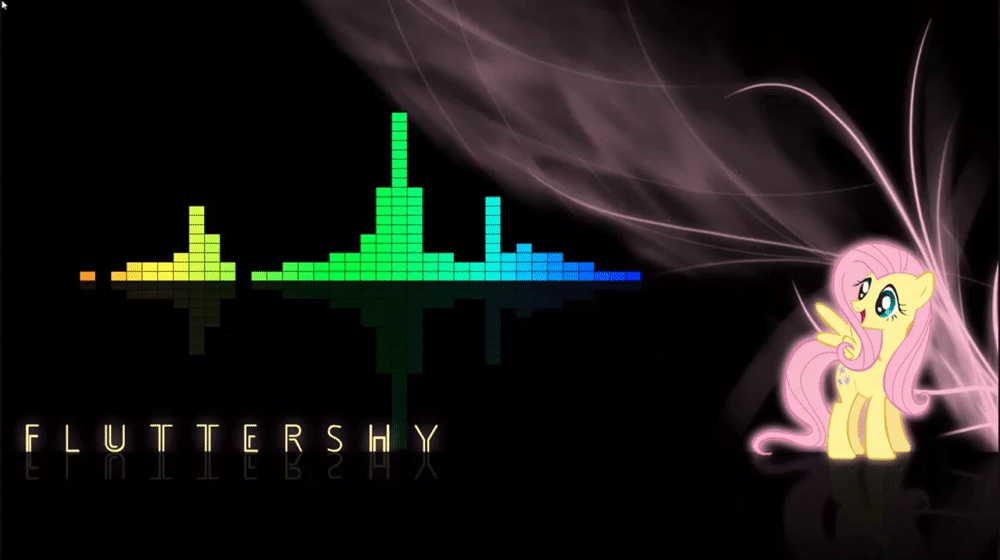
Suggestions on how to change my desktop to be more colorful and bright?


Thready

Well-known member
Member
Local time
8:27 PM
Posts
60
OS
Windows 11 Pro
I have seasonal affective disorder and I'm looking to change up my desktop and UI so it's more colorful and brighter. I just don't know how to change it up like I see others doing online. I'm wondering if there is a tutorial or if anyone has some suggestions on how to make my desktop look less bleak and dark?

I saw that there are backgrounds that move, like a waterfall, but I don't know if those are legit since you have to download them on a 3rd party website.

Any help would be appreciated. Thank you!
 

My Computer

System One

  • OS
    Windows 11 Pro
    Computer type
    PC/Desktop
    Manufacturer/Model
    Me
    CPU
    Ryzen 5 3600X
    Motherboard
    ASROCK Gaming 4 Phantom Z570
    Memory
    32 GB 3200
    Graphics Card(s)
    RTX 2070
    Monitor(s) Displays
    Asus MX27AQ
    Hard Drives
    Too many to count!
I have seasonal affective disorder and I'm looking to change up my desktop and UI so it's more colorful and brighter. I just don't know how to change it up like I see others doing online. I'm wondering if there is a tutorial or if anyone has some suggestions on how to make my desktop look less bleak and dark?

I saw that there are backgrounds that move, like a waterfall, but I don't know if those are legit since you have to download them on a 3rd party website.

Any help would be appreciated. Thank you!
You could go to Stardock and download WindowBlinds and see if that helps.
 

My Computers

System One System Two

  • OS
    Windows 11 Pro x64 24H2 v26200.5074
    Computer type
    PC/Desktop
    Manufacturer/Model
    Built Myself in 2025
    CPU
    AMD Ryzen 9 3600X 12-Core @ 3.80GHz
    Motherboard
    MSI X570 Gaming Plus
    Memory
    Corsair 32GB DDR4
    Graphics Card(s)
    EVGA GeForce gtx 1660 Super
    Sound Card
    On Board
    Monitor(s) Displays
    2 X AOC 27" , Dell 27"
    Screen Resolution
    1920 X 1080
    Hard Drives
    ~~~~~~~~~~~~~~~~~~~~~~~~~~
    ~ P34A60 512GB NVMe PCIe Gen3x4 M.2
    ~ 6TB Toshiba HDD
    ~ 6TB HDD (Backup)
    ~ SanDisk 250GB SSD
    ~ 2 X 1TB HDD
    ~~~~~~~~~~
    PSU
    eVGA 750w G+
    Case
    GAMDIAS White ATX Mid Tower Gaming Computer PC Case w/Tempered Glass
    Cooling
    AMD Wraith Prism
    Keyboard
    Nulea RT05 Wireless Ergonomic
    Mouse
    Nulea MD280 Wireless Vertical Mouse
    Internet Speed
    761Mbps (Download) / 692Mbps (Upload)
    Browser
    Firefox
    Antivirus
    Malwarebytes
    Other Info
    *This is my Main Computer That I use*
  • Operating System
    Windows 11 Pro x64 24H2 v26100.2894
    Computer type
    PC/Desktop
    CPU
    AMD Ryzen 7 1800X @ 3.60Ghz
    Motherboard
    Asus Crosshair VI Hero
    Memory
    16GB
    Graphics card(s)
    AMD RX580
    Sound Card
    onBoard
    Monitor(s) Displays
    LG 27UK650-W 27", eMachine 22"
    Screen Resolution
    1920 X 1080
    Hard Drives
    250GB SSD
    PSU
    CORSAIR RM850
    Case
    GAMDIAS Black ATX Mid Tower Gaming Computer PC Case w/Tempered Glass
    Cooling
    Liquid
    Keyboard
    Nulea RT05 Wireless Ergonomic
    Mouse
    Nulea MD280 Wireless Vertical Mouse
    Internet Speed
    752Mbps (Download) / 537Mbps (Upload)
    Browser
    Firefox
    Antivirus
    Malwarebytes
    Other Info
    I use this computer for photo/video editing and to track severe weather
I have seasonal affective disorder and I'm looking to change up my desktop and UI so it's more colorful and brighter. I just don't know how to change it up like I see others doing online. I'm wondering if there is a tutorial or if anyone has some suggestions on how to make my desktop look less bleak and dark?

I saw that there are backgrounds that move, like a waterfall, but I don't know if those are legit since you have to download them on a 3rd party website.

Any help would be appreciated. Thank you!
That is a very wide question with a wide range of answers. Wallpapers are easy to change, so is your browsers theme, now if you wanted to theme the start menu and taskbar, well, you can change colors in windows settings but for a bigger change and more options theres Windowblinds as

JMedlock83 mentioned. Or there is the patching way, meaning use something like UltraUxThemePatcher which is legit does work and can have drawbacks but that will change most of the system including the taskbar and start menu etc. You can also change most of the Folder Icons/Icons throughout the system using the app 7tsp and using 7tsp icon packs. And that really is a good chunk of how you could but there is so much more ways to do it. So your going to see a million post thread here for answers.​


My Computer

System One

  • OS
    Windows 11 Pro Version 23H2(OS Build 22631.4890)
    Computer type
    PC/Desktop
    Manufacturer/Model
    AMD
    CPU
    12-Core AMD Ryzen 9 5900X, 4950 MHz (49.5 x 100)
    Motherboard
    Gigabyte X570 Aorus Master
    Memory
    4 - G Skill Trident Z Neo F4-3600C16-16GTZNC
    Graphics Card(s)
    PCI Express 4.0 x16: PowerColor RX 6800
    Sound Card
    Realtek ALC1220 @ AMD K19.2 - High Definition Audio Controller
    Monitor(s) Displays
    2 - 27 inch Westinghouse
    Screen Resolution
    1920 x 1080
    Hard Drives
    2 SSD - 2 TB each
    1 SSD - 4TB
    1 HDD - 2TB
    Keyboard
    logitech
    Mouse
    logitech
    Internet Speed
    1 GB
    Browser
    Firefox
    Antivirus
    Eset Endpoint Security

My Computer

System One

  • OS
    Windows 11 Pro
    Computer type
    PC/Desktop
    Manufacturer/Model
    Me
    CPU
    Ryzen 5 3600X
    Motherboard
    ASROCK Gaming 4 Phantom Z570
    Memory
    32 GB 3200
    Graphics Card(s)
    RTX 2070
    Monitor(s) Displays
    Asus MX27AQ
    Hard Drives
    Too many to count!
That is a very wide question with a wide range of answers. Wallpapers are easy to change, so is your browsers theme, now if you wanted to theme the start menu and taskbar, well, you can change colors in windows settings but for a bigger change and more options theres Windowblinds as

JMedlock83 mentioned. Or there is the patching way, meaning use something like UltraUxThemePatcher which is legit does work and can have drawbacks but that will change most of the system including the taskbar and start menu etc. You can also change most of the Folder Icons/Icons throughout the system using the app 7tsp and using 7tsp icon packs. And that really is a good chunk of how you could but there is so much more ways to do it. So your going to see a million post thread here for answers.​

Thank you. I didn't know what words to type in. You used the word "theme" and that seems to bring up a lot of personalization options in Windows. I think that's what I'm looking for.
 

My Computer

System One

  • OS
    Windows 11 Pro
    Computer type
    PC/Desktop
    Manufacturer/Model
    Me
    CPU
    Ryzen 5 3600X
    Motherboard
    ASROCK Gaming 4 Phantom Z570
    Memory
    32 GB 3200
    Graphics Card(s)
    RTX 2070
    Monitor(s) Displays
    Asus MX27AQ
    Hard Drives
    Too many to count!

My Computers

System One System Two

  • OS
    Win 11 pro 22H2
    Computer type
    PC/Desktop
    Manufacturer/Model
    Dell Vostro 3710 SFF
    CPU
    Intel I7 12th gen
    Memory
    16 GB
    Graphics Card(s)
    Intel UHD Graphics 770
    Sound Card
    Cirrus Logic CS8409(AB 57)
    Monitor(s) Displays
    27 inch Acer
    Screen Resolution
    1920x1080
    Hard Drives
    512 GB M.2 SSD
    PSU
    180 W 85% Efficient, 80 PLUS Bronze
    Browser
    chrome, edge beta, tor
    Antivirus
    yes, Windows Defender ?
    Other Info
    Msoft 365
  • Operating System
    fire os 7.3 (Android 9 api level 28)
    Computer type
    Tablet
    Manufacturer/Model
    Amazon Fire HD 8 Tablet (10th Gen, 2020 Release)
    Browser
    Edge (APK)

My Computer

System One

  • OS
    Windows 11 Pro
    Computer type
    PC/Desktop
    Manufacturer/Model
    Me
    CPU
    Ryzen 5 3600X
    Motherboard
    ASROCK Gaming 4 Phantom Z570
    Memory
    32 GB 3200
    Graphics Card(s)
    RTX 2070
    Monitor(s) Displays
    Asus MX27AQ
    Hard Drives
    Too many to count!

My Computers

System One System Two

  • OS
    Windows 11 Pro
    Computer type
    PC/Desktop
    CPU
    AMD Ryzen 7 9800X3D
    Motherboard
    MSI PRO B850-P Wifi
    Memory
    32GB DDR5 CL30 Kingston Fury
    Graphics Card(s)
    ASUS Prime Radeon RX 9060 XT OC Edition 16GB
    Monitor(s) Displays
    LG Ultrawide 34" + LG 27" 1080p
    Screen Resolution
    3440x1440
    Hard Drives
    Main Boot Drive : 512GB Adata XPG RGB Gen3x4 NVMe M.2 SSD
    PSU
    EVGA 750 Watts 80+ Gold
    Case
    Deepcool Genome II
    Cooling
    Thermalright Burst Assassin 120
    Internet Speed
    1Gbps
    Browser
    Chrome
    Antivirus
    "Moderna"
  • Operating System
    Windows 11 Pro
    Computer type
    PC/Desktop
    CPU
    i7-4790K
    Motherboard
    ASRock Xtreme6 Z97
    Memory
    16GB Corsair Vengeance Pro
    Graphics card(s)
    MSI R9 290
    Monitor(s) Displays
    LG Ultrawide 34"
    Screen Resolution
    3440x1440
    Hard Drives
    500GB Adata SSD (OS Only)
    PSU
    Thermaltake 475 Watts 80 Bronze
    Case
    Thermaltake Commander I Snow Edition
    Cooling
    Deep Cool Archer Air Cooler
    Keyboard
    Armageddon MKA-5R RGB-Hornet
    Mouse
    Logitech G402
    Internet Speed
    1Gbps
    Browser
    Chrome
    Antivirus
    Moderna :)

My Computer

System One

  • OS
    Home26H2Can
    Computer type
    PC/Desktop
    CPU
    AMD Ryzen 5 8600G (07/24)
    Motherboard
    ASROCK B650M-HDV/M.2 (07/24) BIOS 4.21 AGESA ComboAM5 1.3.0.1 (04/26)
    Memory
    2x32GB Kingston FURY DDR5 5600 MHz CL36 @5200 CL36 (07/24)
    Graphics Card(s)
    ASROCK Radeon RX 6600 Challenger D 8G @48FPS (08/24)
    Sound Card
    Creative Sound BlasterX AE-5 Plus (05/24)
    Monitor(s) Displays
    24" Philips 24M1N3200ZS/00 (05/24)
    Screen Resolution
    1920×1080@165Hz via DP1.4
    Hard Drives
    Kingston KC3000 NVMe 2TB (05/24)
    ADATA XPG GAMMIX S11 Pro 512GB (07/19)
    PSU
    Seasonic Core GM 550 Gold (04/24)
    Case
    Fractal Design Define 7 Mini with 3x Noctua NF-P14s/12@555rpm (04/24)
    Cooling
    Noctua NH-U12S with Noctua NF-P12 (04/24)
    Keyboard
    HP Pavilion Wired Keyboard 300 (07/24) + Rabalux 76017 Parker (01/24)
    Mouse
    Logitech M330 Silent Plus (01/26)
    Internet Speed
    500/100 Mbps via RouterOS (05/21) & TCP Optimizer
    Browser
    Edge, Brave for YouTube, LibreWolf for FB
    Antivirus
    NextDNS blocking 1/3 Traffic
    Other Info
    Phone: Motorola Moto G86 (02/26)
    Backup: Hasleo Backup Suite (PreOS)
    Headphones: Sennheiser RS170 (09/10)
    Chair: Huzaro Force 4.4 Grey Mesh (05/24)
    Notifier: Xiaomi Mi Band 9 Milanese (10/24)
    FlexCore USB-C 3.2 Gen 1 (M) to LAN (F) (08/25)
I have seasonal affective disorder and I'm looking to change up my desktop and UI so it's more colorful and brighter. I just don't know how to change it up like I see others doing online. I'm wondering if there is a tutorial or if anyone has some suggestions on how to make my desktop look less bleak and dark?

I saw that there are backgrounds that move, like a waterfall, but I don't know if those are legit since you have to download them on a 3rd party website.

Any help would be appreciated. Thank you!


I've never used this program but the website (gHacks), is well respected....


WinPaletter: customize Windows theme colors to your liking​


My Computers

System One System Two

  • OS
    Win 11 Home ♦♦♦26200.8655 ♦♦♦♦♦♦♦25H2
    Computer type
    PC/Desktop
    Manufacturer/Model
    Built by Ghot® [May 2020]
    CPU
    AMD Ryzen 7 3700X
    Motherboard
    Asus Pro WS X570-ACE (BIOS 5302)
    Memory
    G.Skill (F4-3200C14D-16GTZKW)
    Graphics Card(s)
    EVGA RTX 2070 (08G-P4-2171-KR)
    Sound Card
    Realtek ALC1220P / ALC S1220A
    Monitor(s) Displays
    Dell U3011 30"
    Screen Resolution
    2560 x 1600
    Hard Drives
    2x Samsung 860 EVO 500GB,
    WD 4TB Black FZBX - SATA III,
    WD 8TB Black FZBX - SATA III,
    DRW-24B1ST CD/DVD Burner
    PSU
    PC Power & Cooling 750W Quad EPS12V
    Case
    Cooler Master ATCS 840 Tower
    Cooling
    CM Hyper 212 EVO (push/pull)
    Keyboard
    Ducky DK9008 Shine II Blue LED
    Mouse
    Logitech Optical M-100
    Internet Speed
    300/300
    Browser
    Firefox (latest)
    Antivirus
    Bitdefender Total Security
    Other Info
    Speakers: Klipsch Pro Media 2.1
  • Operating System
    Windows XP Pro 32bit w/SP3
    Computer type
    PC/Desktop
    Manufacturer/Model
    Built by Ghot® (not in use)
    CPU
    AMD Athlon 64 X2 5000+ (OC'd @ 3.2Ghz)
    Motherboard
    ASUS M2N32-SLI Deluxe Wireless Edition
    Memory
    TWIN2X2048-6400C4DHX (2 x 1GB, DDR2 800)
    Graphics card(s)
    EVGA 256-P2-N758-TR GeForce 8600GT SSC
    Sound Card
    Onboard
    Monitor(s) Displays
    ViewSonic G90FB Black 19" Professional (CRT)
    Screen Resolution
    up to 2048 x 1536
    Hard Drives
    WD 36GB 10,000rpm Raptor SATA
    Seagate 80GB 7200rpm SATA
    Lite-On LTR-52246S CD/RW
    Lite-On LH-18A1P CD/DVD Burner
    PSU
    PC Power & Cooling Silencer 750 Quad EPS12V
    Case
    Generic Beige case, 80mm fans
    Cooling
    ZALMAN 9500A 92mm CPU Cooler
    Keyboard
    Logitech Classic Keybooard 200
    Mouse
    Logitech Optical M-BT96a
    Internet Speed
    300/300
    Browser
    Firefox 3.x ??
    Antivirus
    Symantec (Norton)
    Other Info
    Still assembled, still runs. Haven't turned it on for 15 years?
Back
Top Bottom