I swapped out my Intel i9 based Win11 Pro system for an AMD Ryzen one by simply restoring a Macrium system backup (the whole C: drive) onto the new Ryzen machine. I was pleasantly surprised that the whole process worked quite well and required only minimal tweaks. The new machine has been running just fine for several weeks now.
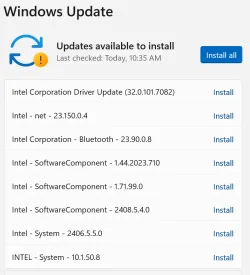
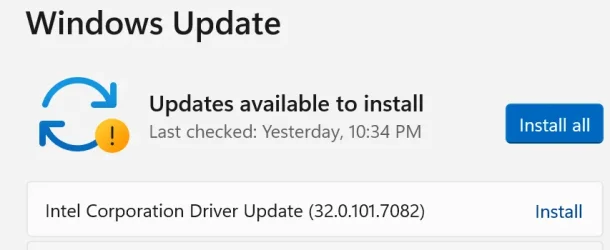
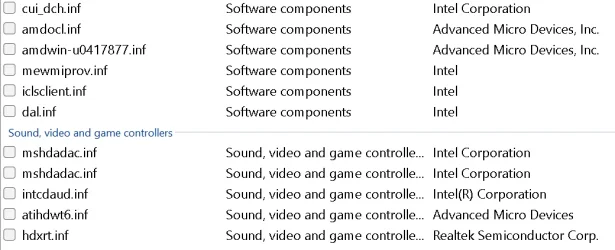
Except (isn't there always an except?) that Windows Update continues to install updates for Intel drivers. I don't think I need any of those drivers, but I guess the registry (or something) is telling Update that I still have them. Here's a sample from RAPR that shows some of them:
Also, Autoruns shows these drives as still being active and loaded:
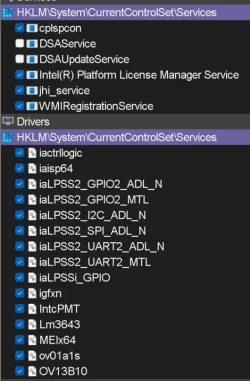
Is there a way to tell if a particular Intel driver is still needed, or if it's just a leftover from my old Intel based system?
Except (isn't there always an except?) that Windows Update continues to install updates for Intel drivers. I don't think I need any of those drivers, but I guess the registry (or something) is telling Update that I still have them. Here's a sample from RAPR that shows some of them:
Also, Autoruns shows these drives as still being active and loaded:
Is there a way to tell if a particular Intel driver is still needed, or if it's just a leftover from my old Intel based system?
My Computer
At a glance
Win11 ProAMD Ryzen 5 5500U16 GBRadeon 2100
- OS
- Win11 Pro
- Computer type
- PC/Desktop
- Manufacturer/Model
- BeeLink SER Mini
- CPU
- AMD Ryzen 5 5500U
- Motherboard
- BeeLink SER
- Memory
- 16 GB
- Graphics Card(s)
- Radeon 2100
- Sound Card
- none
- Monitor(s) Displays
- Primary: Phillips 4K; Secondary: LG 4K
- Screen Resolution
- Both 3860 x 2160
- Hard Drives
- C: NVme 500 GB Windows only
D: 128 GB NVme User data + Windows Temp via Junction Link
- PSU
- External
- Case
- Mini
- Cooling
- Internal fan
- Keyboard
- Logitech Wireless Lighted
- Mouse
- Kensington ExpertMouse wireless trackball
- Internet Speed
- 500/500
- Browser
- Brave
- Antivirus
- Windows Defender