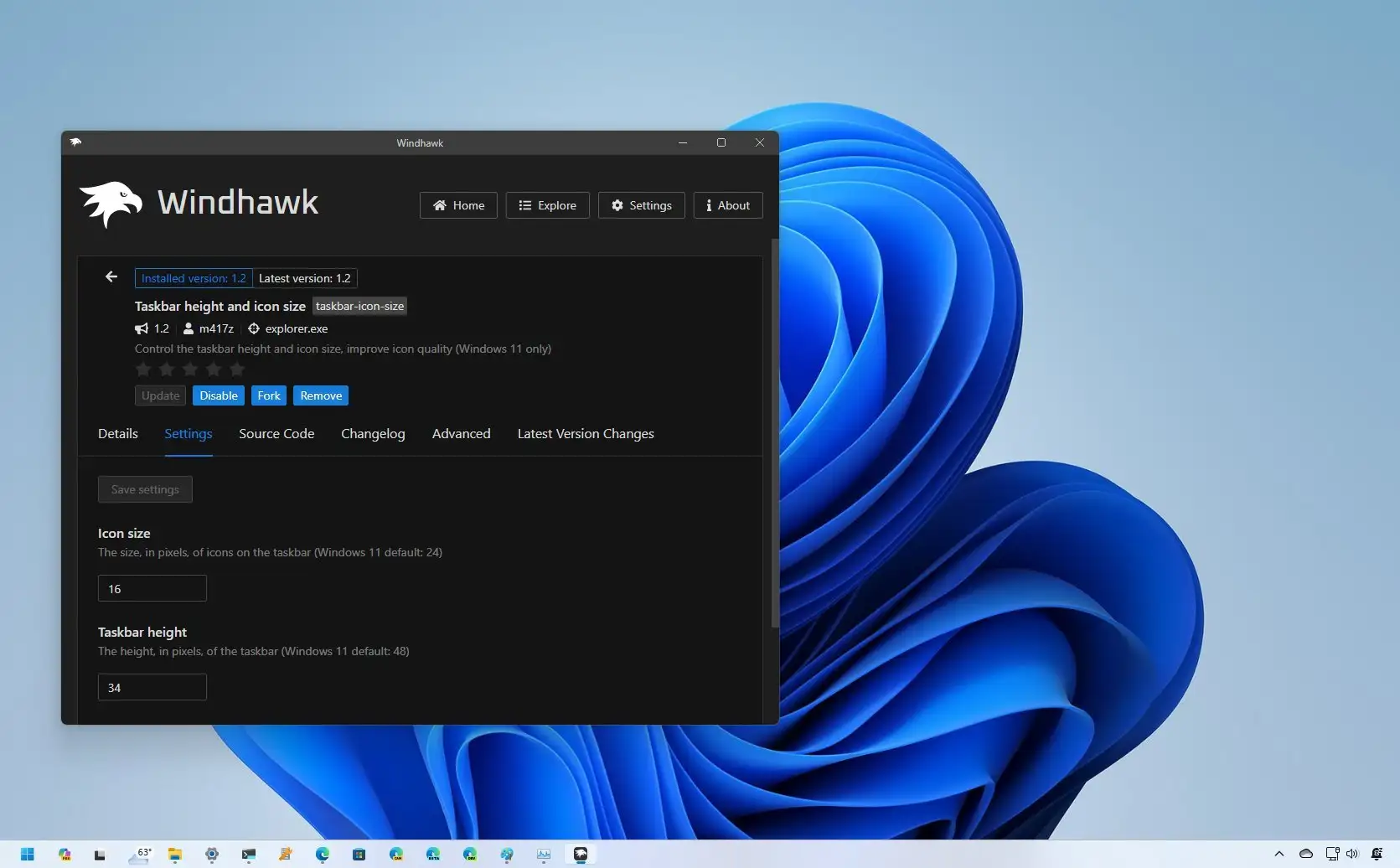
Taskbar


modelman

Well-known member
Member
VIP
Local time
8:38 PM
Posts
117
OS
Windows11
I have just updated W11 to 22621, and my taskbar has gone large, whereas before I had it small. I have put TaskbarSi to 0, but it doesn't change the size back to small.

Any help appreciated.

Thank You
 

My Computers

System One System Two

  • OS
    Windows11
    Computer type
    Laptop
    Manufacturer/Model
    Asus
    CPU
    intel i12
  • Operating System
    W11
    Computer type
    PC/Desktop
    Manufacturer/Model
    HP
    CPU
    i5-12400
    Motherboard
    HP
    Memory
    8GB
    Internet Speed
    30mbps
    Browser
    Edge
    Antivirus
    Defender
The following article suggests that the ability to use TaskbarSi was removed.

But then the following article shows how to use TaskbarSi and it is dated recently so don't know which is correct.
 

My Computers

System One System Two

  • OS
    Windows 11 Pro
    Computer type
    PC/Desktop
    Manufacturer/Model
    GMKtec K11
    CPU
    AMD Ryzen 9 8945HS
    Memory
    32GB DDR5 SO-DIMM
    Graphics Card(s)
    Integrated AMD Radeon 780M (4.00 GHz)
    Monitor(s) Displays
    Benq 2250HM
    Screen Resolution
    1920 x 1080
    Hard Drives
    1 TB PCIe 4.0 NVMe M.2 SSD
  • Operating System
    Windows 11 Home
    Computer type
    Laptop
    Manufacturer/Model
    ASUS Zenbook 14 OLED 14" Laptop - UX3405CA-QL192W
    CPU
    Intel® Core™ Ultra 7 - 255H processor
    Memory
    16 GB LPDDR5 SDRAM
    Graphics card(s)
    Intel Arc 140T onboard graphics
    Screen Resolution
    1920 x 1200 (16:10 WUXGA resolution) OLED Touchscreen
    Hard Drives
    1TB SSD
I have just updated W11 to 22621, and my taskbar has gone large, whereas before I had it small. I have put TaskbarSi to 0, but it doesn't change the size back to small.

Any help appreciated.

Thank You


Part B here, will fix Taskbar size. It will also fix TranslucentTB if you use that.


My Computers

System One System Two

  • OS
    Win 11 Home ♦♦♦26200.8655 ♦♦♦♦♦♦♦25H2
    Computer type
    PC/Desktop
    Manufacturer/Model
    Built by Ghot® [May 2020]
    CPU
    AMD Ryzen 7 3700X
    Motherboard
    Asus Pro WS X570-ACE (BIOS 5302)
    Memory
    G.Skill (F4-3200C14D-16GTZKW)
    Graphics Card(s)
    EVGA RTX 2070 (08G-P4-2171-KR)
    Sound Card
    Realtek ALC1220P / ALC S1220A
    Monitor(s) Displays
    Dell U3011 30"
    Screen Resolution
    2560 x 1600
    Hard Drives
    2x Samsung 860 EVO 500GB,
    WD 4TB Black FZBX - SATA III,
    WD 8TB Black FZBX - SATA III,
    DRW-24B1ST CD/DVD Burner
    PSU
    PC Power & Cooling 750W Quad EPS12V
    Case
    Cooler Master ATCS 840 Tower
    Cooling
    CM Hyper 212 EVO (push/pull)
    Keyboard
    Ducky DK9008 Shine II Blue LED
    Mouse
    Logitech Optical M-100
    Internet Speed
    300/300
    Browser
    Firefox (latest)
    Antivirus
    Bitdefender Total Security
    Other Info
    Speakers: Klipsch Pro Media 2.1
  • Operating System
    Windows XP Pro 32bit w/SP3
    Computer type
    PC/Desktop
    Manufacturer/Model
    Built by Ghot® (not in use)
    CPU
    AMD Athlon 64 X2 5000+ (OC'd @ 3.2Ghz)
    Motherboard
    ASUS M2N32-SLI Deluxe Wireless Edition
    Memory
    TWIN2X2048-6400C4DHX (2 x 1GB, DDR2 800)
    Graphics card(s)
    EVGA 256-P2-N758-TR GeForce 8600GT SSC
    Sound Card
    Onboard
    Monitor(s) Displays
    ViewSonic G90FB Black 19" Professional (CRT)
    Screen Resolution
    up to 2048 x 1536
    Hard Drives
    WD 36GB 10,000rpm Raptor SATA
    Seagate 80GB 7200rpm SATA
    Lite-On LTR-52246S CD/RW
    Lite-On LH-18A1P CD/DVD Burner
    PSU
    PC Power & Cooling Silencer 750 Quad EPS12V
    Case
    Generic Beige case, 80mm fans
    Cooling
    ZALMAN 9500A 92mm CPU Cooler
    Keyboard
    Logitech Classic Keybooard 200
    Mouse
    Logitech Optical M-BT96a
    Internet Speed
    300/300
    Browser
    Firefox 3.x ??
    Antivirus
    Symantec (Norton)
    Other Info
    Still assembled, still runs. Haven't turned it on for 15 years?
Thank you for your help. I have uninstalled the update, and wont install it again.
 

My Computers

System One System Two

  • OS
    Windows11
    Computer type
    Laptop
    Manufacturer/Model
    Asus
    CPU
    intel i12
  • Operating System
    W11
    Computer type
    PC/Desktop
    Manufacturer/Model
    HP
    CPU
    i5-12400
    Motherboard
    HP
    Memory
    8GB
    Internet Speed
    30mbps
    Browser
    Edge
    Antivirus
    Defender
Since this happened, I've decided to use the 'hide' option for the Taskbar. It can be troublesome when using some image programs though The colour palettes and tools are at the bottom of the screen. When selecting any, the Taskbar keeps popping up. After a bit of searching I found a program made in 1999 called 'Taskbar Activate' that reportedly still worked with W.10. Tried it on my W.11 system and it works. It gives a mouseover delay for un-hiding the Taskbar between 0 and 1000's of milliseconds. I'll be trying this for a while.
 

My Computer

System One

  • OS
    Windows11 Home
    Computer type
    PC/Desktop
    Manufacturer/Model
    HP QHD AiO
    CPU
    12th Gen Intel i7-1.70 GHz
    Motherboard
    89E9 0100
    Memory
    16.0 GB
    Graphics Card(s)
    Intel UHD Graphics - Nvidia GeForce MX450
    Sound Card
    Realtek Audio
    Monitor(s) Displays
    HP 27" QHD
    Screen Resolution
    2560 x 1440
    Hard Drives
    1TB SSD (OS and programs) - 1TB HDD (Storage)
    Browser
    Edge
I have uninstalled the update, and wont install it again.
I just registered here because I'm having the same issue. Rolled back the update due to problems with SAB and after removal of SAB the update won't re-install. I can see the update and the button that says "Download and install" but it does not respond to mouse clicking. Hopefully can someone give some advice on this. Thanks!
 

My Computer

System One

  • OS
    Windows 11
    Computer type
    PC/Desktop
    Manufacturer/Model
    AsRock Mini H470
    CPU
    I5-11600
    Motherboard
    Intel H470
    Memory
    32Gb
Searched everywhere and no solution. So uninstalled this update. Looks like MSoft are into the our way or the highway so I'll take the latter with this update
 

My Computers

System One System Two

  • OS
    Win11 Pro 24H2
    Computer type
    PC/Desktop
    Manufacturer/Model
    Lenovo M90q
    CPU
    i5 12500
    Motherboard
    Lenovo
    Memory
    32GB
    Graphics Card(s)
    Intel CPU integrated
    Sound Card
    Intel MB intergrated
    Monitor(s) Displays
    Dell 4k IPS
    Screen Resolution
    3840 x 2160
    Hard Drives
    500GB NVMe Samsung 980 Pro
    2 TB NVMe Samsung 990 Pro
    1 TB Crucial MX500
    PSU
    Lenovo
    Case
    Lenovo
    Cooling
    Air
    Keyboard
    Logitech BT
    Mouse
    Logitech BT
    Internet Speed
    FTTP
    Browser
    Firefox
    Antivirus
    MS Defender and Malwarebytes
  • Operating System
    Win 11 Pro
    Computer type
    Laptop
    Manufacturer/Model
    Surface Pro 8
    CPU
    i5-1135G7
    Motherboard
    MS
    Memory
    16GB
    Graphics card(s)
    Intel Iris XE
    Sound Card
    ATI/AMD Renoir
    Monitor(s) Displays
    UHD
    Screen Resolution
    2880 x 1920
    Hard Drives
    2TB NVMe
    PSU
    MS
    Case
    Microsoft
    Cooling
    Air
    Keyboard
    Built In
    Mouse
    Touchpad
    Internet Speed
    FTTP
    Browser
    Firefox
    Antivirus
    MS Defender and Malwarebytes

Latest Support Threads

Back
Top Bottom