This is a utility which allows for a more truly custom install of nVidia graphics drivers.
From their website:

 www.techpowerup.com
I've been using this to install nVidia drivers on Windows 10 for a while now, and I'm happy to report that I just used it to install the latest nVidia 471.41 driver on Windows 11 without any issues.
Screenshots from my own personal use.
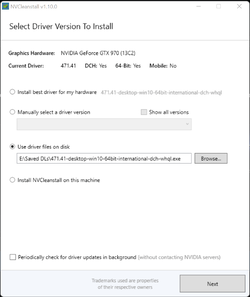
1) Program initial screen with options. Here you pick the driver you want from a list, to download, or use one you already have downloaded.
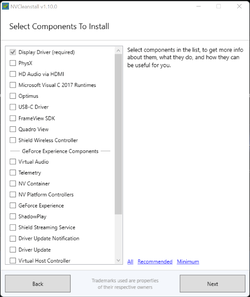
2) Here you pick what components you want to install.
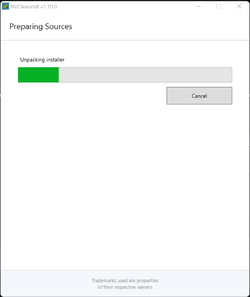
3) Unpacking driver.
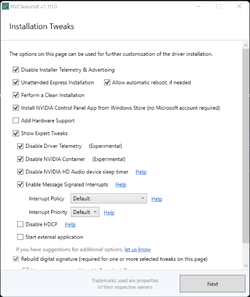
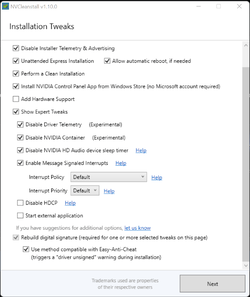
4) The all important options screen. It's where the magic happens. NOTE: Be sure not to check
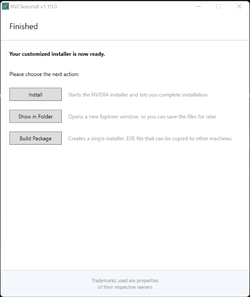
5) Final screen. Install will simply run the installer as seen in
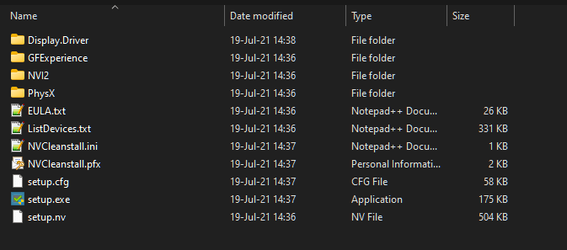
6) Show in Folder (in temp)
7) Build Package

HTH
From their website:
Much of the GeForce Software package consists of components NVIDIA feels are essential to the hardware and form an extension of the product itself. Thus, even the "custom install" option won't let you unselect these packages — NVCleanstall will. For example, you might want to skip support for Stereo 3D Glasses, USB-C, Telemetry, or Notebook Optimizations.
Features
- Remove all those features you don't need, bring down disk and memory usage
- Skip download of unselected driver components, less data needed
- Works offline with manually downloaded installer packages, too
- Customized installer is portable and can be saved for later use, or launched immediately
- Detailed help texts describe what every component does
- Automatic dependency checking
- Portable software, no installation required
- Runs on Windows 7, Windows 8, Windows 10. Both 32-bit & 64-bit operating systems are supported
NVCleanstall v1.19.0 Download
NVCleanstall lets you customize the NVIDIA GeForce Driver package by removing components that you don't need (or want). This not only keeps things ti
Version History
v1.16.0 (June 19th, 2023)
- Added support for disabling Ansel
- Added a new install action "Copy Folder", which copies the NVCleanstall output directory to a folder of your choice
- Fixed "auto-accept unsigned driver warning" not working on Windows 10
- Fixed crashes on systems with English (United States) culture settings and decimal separator set to a value other than '.'
- Fixed NVEnc patch not working on newer driver versions
I've been using this to install nVidia drivers on Windows 10 for a while now, and I'm happy to report that I just used it to install the latest nVidia 471.41 driver on Windows 11 without any issues.
Screenshots from my own personal use.
1) Program initial screen with options. Here you pick the driver you want from a list, to download, or use one you already have downloaded.
2) Here you pick what components you want to install.
3) Unpacking driver.
4) The all important options screen. It's where the magic happens. NOTE: Be sure not to check
Disable NVIDIA Container (Experimental) as that setting will block the nVidia Control Panel app from opening),5) Final screen. Install will simply run the installer as seen in
Show in Folder directly, and have a text notification at the top left of your main monitor that the installation is being monitored by NVCleanStall.6) Show in Folder (in temp)
7) Build Package
HTH
Last edited: