The content index catalog is corrupt.


Kol12

Well-known member
Member
VIP
Local time
12:46 AM
Posts
342
OS
Windows 11 - Release Preview channel
Just looking through Event Viewer on my machine this is happening on a regular basis. What could be the problem?

Event 7042

The Windows Search Service is being stopped because there is a problem with the indexer: The catalog is corrupt.

Details:
The content index catalog is corrupt. 0xc0041801 (0xc0041801)
 

My Computer My Computer

At a glance

Windows 11 - Release Preview channelIntel 13900KCorsair Dominator Platinum RGB 32GB DDR5 6000MHzGigabyte 4090 Gaming OC
OS
Windows 11 - Release Preview channel
Computer type
PC/Desktop
Manufacturer/Model
Kol's custom ROG
CPU
Intel 13900K
Motherboard
Asus ROG Maximus Hero Z790
Memory
Corsair Dominator Platinum RGB 32GB DDR5 6000MHz
Graphics Card(s)
Gigabyte 4090 Gaming OC
Sound Card
SoundBlaster X-AE5
Monitor(s) Displays
Dell Alienware AW3821DW
Screen Resolution
3840x1600 144hz
Hard Drives
Samsung 980 Pro 500GB
860 EVO's
Samsung 990 Pro 2TB
External RAID enclosure - 2x Seagate 3TB HDD
PSU
Seasonic Prime Ultra 1300W Platinum
Case
Phanteks Eclipse P600S
Cooling
Custom water cooling. EK Velocity (CPU), EK Quantum Vector2 (GPU), EK Quantum D5 Pump, 360mm radiator in case + 560mm external radiator
Keyboard
Corsair K100
Mouse
Logitech G502X
Antivirus
Windows Defender, VBS
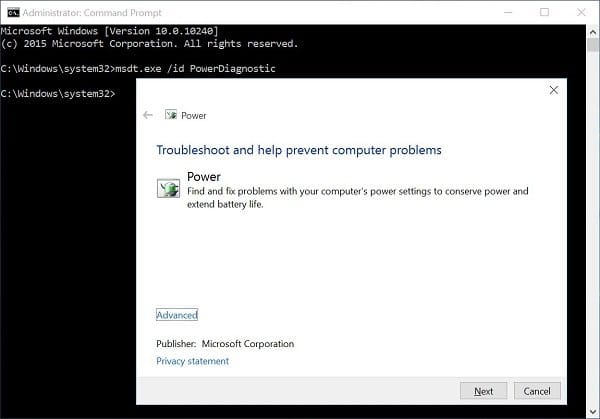
Open the Command Prompt with administrative privileges and execute bellow commands one at a time.

Code:
sfc /scannow

DISM.exe /Online /Cleanup-image /Restorehealth


Use the Windows Search and Indexing troubleshooter to try to fix any problems that affect this process. Execute below command from Command Prompt.

Code:
msdt.exe -ep WindowsHelp id SearchDiagnostic
 

My Computer My Computer

At a glance

Windows 11AMD Ryzen 7 5700GMicron Technology DDR4-3200 16GBNVIDIA GeForce RTX 3060
OS
Windows 11
Computer type
PC/Desktop
Manufacturer/Model
HP Pavilion
CPU
AMD Ryzen 7 5700G
Motherboard
Erica6
Memory
Micron Technology DDR4-3200 16GB
Graphics Card(s)
NVIDIA GeForce RTX 3060
Sound Card
Realtek ALC671
Monitor(s) Displays
Samsung SyncMaster U28E590
Screen Resolution
3840 x 2160
Hard Drives
SAMSUNG MZVLQ1T0HALB-000H1
I run DISM.exe /Online /Cleanup-image /Scanhealth on a regular basis.... Will run the search and indexing troubleshooter.
 

My Computer My Computer

At a glance

Windows 11 - Release Preview channelIntel 13900KCorsair Dominator Platinum RGB 32GB DDR5 6000MHzGigabyte 4090 Gaming OC
OS
Windows 11 - Release Preview channel
Computer type
PC/Desktop
Manufacturer/Model
Kol's custom ROG
CPU
Intel 13900K
Motherboard
Asus ROG Maximus Hero Z790
Memory
Corsair Dominator Platinum RGB 32GB DDR5 6000MHz
Graphics Card(s)
Gigabyte 4090 Gaming OC
Sound Card
SoundBlaster X-AE5
Monitor(s) Displays
Dell Alienware AW3821DW
Screen Resolution
3840x1600 144hz
Hard Drives
Samsung 980 Pro 500GB
860 EVO's
Samsung 990 Pro 2TB
External RAID enclosure - 2x Seagate 3TB HDD
PSU
Seasonic Prime Ultra 1300W Platinum
Case
Phanteks Eclipse P600S
Cooling
Custom water cooling. EK Velocity (CPU), EK Quantum Vector2 (GPU), EK Quantum D5 Pump, 360mm radiator in case + 560mm external radiator
Keyboard
Corsair K100
Mouse
Logitech G502X
Antivirus
Windows Defender, VBS
I run DISM.exe /Online /Cleanup-image /Scanhealth on a regular basis.... Will run the search and indexing troubleshooter.
How about Sfc command?
 

My Computer My Computer

At a glance

Windows 11AMD Ryzen 7 5700GMicron Technology DDR4-3200 16GBNVIDIA GeForce RTX 3060
OS
Windows 11
Computer type
PC/Desktop
Manufacturer/Model
HP Pavilion
CPU
AMD Ryzen 7 5700G
Motherboard
Erica6
Memory
Micron Technology DDR4-3200 16GB
Graphics Card(s)
NVIDIA GeForce RTX 3060
Sound Card
Realtek ALC671
Monitor(s) Displays
Samsung SyncMaster U28E590
Screen Resolution
3840 x 2160
Hard Drives
SAMSUNG MZVLQ1T0HALB-000H1
Open the Command Prompt with administrative privileges and execute bellow commands one at a time.

Code:
sfc /scannow

DISM.exe /Online /Cleanup-image /Restorehealth


Use the Windows Search and Indexing troubleshooter to try to fix any problems that affect this process. Execute below command from Command Prompt.

Code:
msdt.exe -ep WindowsHelp id SearchDiagnostic

What is -ep WindowsHelp in the command line for? Shouldn't it be "msdt.exe /id SearchDiagnostic"?
 

My Computer My Computer

At a glance

Windows 11 - Release Preview channelIntel 13900KCorsair Dominator Platinum RGB 32GB DDR5 6000MHzGigabyte 4090 Gaming OC
OS
Windows 11 - Release Preview channel
Computer type
PC/Desktop
Manufacturer/Model
Kol's custom ROG
CPU
Intel 13900K
Motherboard
Asus ROG Maximus Hero Z790
Memory
Corsair Dominator Platinum RGB 32GB DDR5 6000MHz
Graphics Card(s)
Gigabyte 4090 Gaming OC
Sound Card
SoundBlaster X-AE5
Monitor(s) Displays
Dell Alienware AW3821DW
Screen Resolution
3840x1600 144hz
Hard Drives
Samsung 980 Pro 500GB
860 EVO's
Samsung 990 Pro 2TB
External RAID enclosure - 2x Seagate 3TB HDD
PSU
Seasonic Prime Ultra 1300W Platinum
Case
Phanteks Eclipse P600S
Cooling
Custom water cooling. EK Velocity (CPU), EK Quantum Vector2 (GPU), EK Quantum D5 Pump, 360mm radiator in case + 560mm external radiator
Keyboard
Corsair K100
Mouse
Logitech G502X
Antivirus
Windows Defender, VBS

My Computer My Computer

At a glance

Windows 11 - Release Preview channelIntel 13900KCorsair Dominator Platinum RGB 32GB DDR5 6000MHzGigabyte 4090 Gaming OC
OS
Windows 11 - Release Preview channel
Computer type
PC/Desktop
Manufacturer/Model
Kol's custom ROG
CPU
Intel 13900K
Motherboard
Asus ROG Maximus Hero Z790
Memory
Corsair Dominator Platinum RGB 32GB DDR5 6000MHz
Graphics Card(s)
Gigabyte 4090 Gaming OC
Sound Card
SoundBlaster X-AE5
Monitor(s) Displays
Dell Alienware AW3821DW
Screen Resolution
3840x1600 144hz
Hard Drives
Samsung 980 Pro 500GB
860 EVO's
Samsung 990 Pro 2TB
External RAID enclosure - 2x Seagate 3TB HDD
PSU
Seasonic Prime Ultra 1300W Platinum
Case
Phanteks Eclipse P600S
Cooling
Custom water cooling. EK Velocity (CPU), EK Quantum Vector2 (GPU), EK Quantum D5 Pump, 360mm radiator in case + 560mm external radiator
Keyboard
Corsair K100
Mouse
Logitech G502X
Antivirus
Windows Defender, VBS
What is -ep WindowsHelp in the command line for? Shouldn't it be "msdt.exe /id SearchDiagnostic"?
You will get error message if you don't use msdt.exe -ep WindowsHelp id SearchDiagnostic command.
 

My Computer My Computer

At a glance

Windows 11AMD Ryzen 7 5700GMicron Technology DDR4-3200 16GBNVIDIA GeForce RTX 3060
OS
Windows 11
Computer type
PC/Desktop
Manufacturer/Model
HP Pavilion
CPU
AMD Ryzen 7 5700G
Motherboard
Erica6
Memory
Micron Technology DDR4-3200 16GB
Graphics Card(s)
NVIDIA GeForce RTX 3060
Sound Card
Realtek ALC671
Monitor(s) Displays
Samsung SyncMaster U28E590
Screen Resolution
3840 x 2160
Hard Drives
SAMSUNG MZVLQ1T0HALB-000H1

My Computer My Computer

At a glance

Windows 11 - Release Preview channelIntel 13900KCorsair Dominator Platinum RGB 32GB DDR5 6000MHzGigabyte 4090 Gaming OC
OS
Windows 11 - Release Preview channel
Computer type
PC/Desktop
Manufacturer/Model
Kol's custom ROG
CPU
Intel 13900K
Motherboard
Asus ROG Maximus Hero Z790
Memory
Corsair Dominator Platinum RGB 32GB DDR5 6000MHz
Graphics Card(s)
Gigabyte 4090 Gaming OC
Sound Card
SoundBlaster X-AE5
Monitor(s) Displays
Dell Alienware AW3821DW
Screen Resolution
3840x1600 144hz
Hard Drives
Samsung 980 Pro 500GB
860 EVO's
Samsung 990 Pro 2TB
External RAID enclosure - 2x Seagate 3TB HDD
PSU
Seasonic Prime Ultra 1300W Platinum
Case
Phanteks Eclipse P600S
Cooling
Custom water cooling. EK Velocity (CPU), EK Quantum Vector2 (GPU), EK Quantum D5 Pump, 360mm radiator in case + 560mm external radiator
Keyboard
Corsair K100
Mouse
Logitech G502X
Antivirus
Windows Defender, VBS
My DISM and SFC checks usually come back clean every time so not sure why the Search Indexer is being corrupted... Will run the troubleshooter tomorrow and report back, calling it a night. :sleep:
 

My Computer My Computer

At a glance

Windows 11 - Release Preview channelIntel 13900KCorsair Dominator Platinum RGB 32GB DDR5 6000MHzGigabyte 4090 Gaming OC
OS
Windows 11 - Release Preview channel
Computer type
PC/Desktop
Manufacturer/Model
Kol's custom ROG
CPU
Intel 13900K
Motherboard
Asus ROG Maximus Hero Z790
Memory
Corsair Dominator Platinum RGB 32GB DDR5 6000MHz
Graphics Card(s)
Gigabyte 4090 Gaming OC
Sound Card
SoundBlaster X-AE5
Monitor(s) Displays
Dell Alienware AW3821DW
Screen Resolution
3840x1600 144hz
Hard Drives
Samsung 980 Pro 500GB
860 EVO's
Samsung 990 Pro 2TB
External RAID enclosure - 2x Seagate 3TB HDD
PSU
Seasonic Prime Ultra 1300W Platinum
Case
Phanteks Eclipse P600S
Cooling
Custom water cooling. EK Velocity (CPU), EK Quantum Vector2 (GPU), EK Quantum D5 Pump, 360mm radiator in case + 560mm external radiator
Keyboard
Corsair K100
Mouse
Logitech G502X
Antivirus
Windows Defender, VBS
This is what the troubleshooter found. It's solution was to restart the Search app... Question is why is it stopping working in the first place?
 

Attachments

  • Search Index troubleshooter 1.png
    Search Index troubleshooter 1.png
    5.6 KB · Views: 1
  • Search Index troubleshooter 2.png
    Search Index troubleshooter 2.png
    7.6 KB · Views: 1

My Computer My Computer

At a glance

Windows 11 - Release Preview channelIntel 13900KCorsair Dominator Platinum RGB 32GB DDR5 6000MHzGigabyte 4090 Gaming OC
OS
Windows 11 - Release Preview channel
Computer type
PC/Desktop
Manufacturer/Model
Kol's custom ROG
CPU
Intel 13900K
Motherboard
Asus ROG Maximus Hero Z790
Memory
Corsair Dominator Platinum RGB 32GB DDR5 6000MHz
Graphics Card(s)
Gigabyte 4090 Gaming OC
Sound Card
SoundBlaster X-AE5
Monitor(s) Displays
Dell Alienware AW3821DW
Screen Resolution
3840x1600 144hz
Hard Drives
Samsung 980 Pro 500GB
860 EVO's
Samsung 990 Pro 2TB
External RAID enclosure - 2x Seagate 3TB HDD
PSU
Seasonic Prime Ultra 1300W Platinum
Case
Phanteks Eclipse P600S
Cooling
Custom water cooling. EK Velocity (CPU), EK Quantum Vector2 (GPU), EK Quantum D5 Pump, 360mm radiator in case + 560mm external radiator
Keyboard
Corsair K100
Mouse
Logitech G502X
Antivirus
Windows Defender, VBS
You can delete and rebuild index from Control Panel --> Index Options --> Advanced options.
 

My Computer My Computer

At a glance

Windows 11AMD Ryzen 7 5700GMicron Technology DDR4-3200 16GBNVIDIA GeForce RTX 3060
OS
Windows 11
Computer type
PC/Desktop
Manufacturer/Model
HP Pavilion
CPU
AMD Ryzen 7 5700G
Motherboard
Erica6
Memory
Micron Technology DDR4-3200 16GB
Graphics Card(s)
NVIDIA GeForce RTX 3060
Sound Card
Realtek ALC671
Monitor(s) Displays
Samsung SyncMaster U28E590
Screen Resolution
3840 x 2160
Hard Drives
SAMSUNG MZVLQ1T0HALB-000H1
You can delete and rebuild index from Control Panel --> Index Options --> Advanced options.
I will give it a few days and see if the Event Viewer errors come back. If they do I'll try the rebuild...
 

My Computer My Computer

At a glance

Windows 11 - Release Preview channelIntel 13900KCorsair Dominator Platinum RGB 32GB DDR5 6000MHzGigabyte 4090 Gaming OC
OS
Windows 11 - Release Preview channel
Computer type
PC/Desktop
Manufacturer/Model
Kol's custom ROG
CPU
Intel 13900K
Motherboard
Asus ROG Maximus Hero Z790
Memory
Corsair Dominator Platinum RGB 32GB DDR5 6000MHz
Graphics Card(s)
Gigabyte 4090 Gaming OC
Sound Card
SoundBlaster X-AE5
Monitor(s) Displays
Dell Alienware AW3821DW
Screen Resolution
3840x1600 144hz
Hard Drives
Samsung 980 Pro 500GB
860 EVO's
Samsung 990 Pro 2TB
External RAID enclosure - 2x Seagate 3TB HDD
PSU
Seasonic Prime Ultra 1300W Platinum
Case
Phanteks Eclipse P600S
Cooling
Custom water cooling. EK Velocity (CPU), EK Quantum Vector2 (GPU), EK Quantum D5 Pump, 360mm radiator in case + 560mm external radiator
Keyboard
Corsair K100
Mouse
Logitech G502X
Antivirus
Windows Defender, VBS

Latest Support Threads

Back
Top Bottom