

- Local time
- 2:33 PM
- Posts
- 187
- OS
- Windows 11 [22H2] [22621.2428]
Using Theme Tool or SecureUxTheme no difference, within 5 minutes after I apply a theme, windows reverts back to defaults (or thereabouts.).
I read it could be an issue with syncing settings so I turned that off in settings and no dice. Then I thought it might be Wallpaper Tool, but turning that off completely doesn't do it either.
Going to reinstall and try
[COLOR=rgba(0, 0, 0, 0.87)]
[/COLOR]
Apply theme:
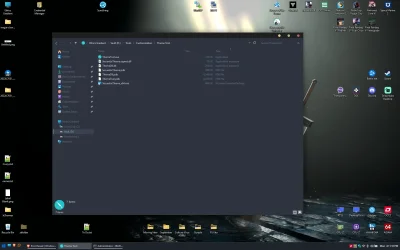
Seconds or minutes later it goes like this:
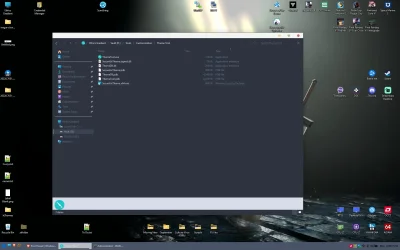
I read it could be an issue with syncing settings so I turned that off in settings and no dice. Then I thought it might be Wallpaper Tool, but turning that off completely doesn't do it either.
Going to reinstall and try
[COLOR=rgba(0, 0, 0, 0.87)]
| Windows 11 Insider Preview Feature Update (26220.7051) amd64 | x64 | 2025-10-31 17:00:15 UTC |
Apply theme:
Seconds or minutes later it goes like this:
- Windows Build/Version
- Windows 11, version 25H2 (26200.7019) amd64
My Computer
At a glance
Windows 11 [22H2] [22621.2428]Intel Core i9-14900K 3.2 GHz 24-Core ProcessorG.Skill Trident Z5 RGB 32 GB (2 x 16 GB) DDR5...AMD Radeon RX 6950 XT
- OS
- Windows 11 [22H2] [22621.2428]
- Computer type
- PC/Desktop
- Manufacturer/Model
- Culture-Virus v7.0
- CPU
- Intel Core i9-14900K 3.2 GHz 24-Core Processor
- Motherboard
- Asus ROG MAXIMUS Z790 APEX ENCORE ATX LGA1700 Motherboard
- Memory
- G.Skill Trident Z5 RGB 32 GB (2 x 16 GB) DDR5-7200 CL34 Memory
- Graphics Card(s)
- AMD Radeon RX 6950 XT
- Monitor(s) Displays
- AOC CQ27G2U/BK
- Screen Resolution
- 2560x1440
- Hard Drives
- M.2 1: Samsung SSD 990 PRO 2TB
M.2 2: Samsung SSD 970 EVO Plus 2TB
- PSU
- Corsair RM1000X SHIFT
- Case
- Phanteks NV9
- Cooling
- Custom Water / Direct-Die Cooling
- Keyboard
- Corsair K95 RGB PLATINUM XT Wired Gaming Keyboard
- Mouse
- ROCCAT LEADR Optical
- Internet Speed
- 500mb Direct Fiber
- Browser
- Chrome






