turn off security antivirus app


fender62

Member
Local time
9:51 AM
Posts
15
Location
wales u.k
OS
windows 11
is there an app something like winhawk or powertoys that can turn off all security in one click, rather then me having to delve into win11 submenus to do it one by one.
 

My Computer My Computer

At a glance

windows 11i7-8565U16gb
OS
windows 11
Computer type
Laptop
Manufacturer/Model
Dell inspiron 7586
CPU
i7-8565U
Motherboard
dell
Memory
16gb
Hard Drives
samsung 1tb 980 nvme
Antivirus
eset
Windows Defender is what you want to disable? If you don’t like commands, you can use WinaeroTweaker or Sordum tools to disable it (Disable, NOT Remove)
 

My Computer My Computer

At a glance

Windows 11 Pro
OS
Windows 11 Pro
Settings>Privacy & Security>Windows Security>Open Windows Security>Open Virus & Threat Protection>
Under "Virus & Threat Protection Settings" select manage settings>
Toggle Off real time protection.

OR
In bottom right corner of task tray, right click Windows Defender shield icon. Select "view security dashboard" Select virus & threat protection"
Under "Virus & Threat Protection Settings" select manage settings>
Toggle Off real time protection.
 

My Computers My Computers

  • At a glance

    Windows 11 Pro 25H2 26200.8655i9-10900 10 core 20 threads32 gbnone-Intel UHD Graphics 630
    OS
    Windows 11 Pro 25H2 26200.8655
    Computer type
    PC/Desktop
    Manufacturer/Model
    Dell Optiplex 7080
    CPU
    i9-10900 10 core 20 threads
    Motherboard
    DELL 0J37VM
    Memory
    32 gb
    Graphics Card(s)
    none-Intel UHD Graphics 630
    Sound Card
    Integrated Realtek
    Monitor(s) Displays
    Benq 27
    Screen Resolution
    2560x1440
    Hard Drives
    2x1tb Solidigm m.2 nvme /External drives 512gb Samsung m.2 sata+2tb Kingston m2.nvme
    PSU
    500w
    Case
    MT
    Cooling
    Dell Premium
    Keyboard
    Logitech wired
    Mouse
    Logitech wireless
    Internet Speed
    so slow I'm too embarrassed to tell
    Browser
    #1 Edge #2 Firefox
    Antivirus
    Defender+MWB Premium
  • At a glance

    Windows 11 Pro 24H2 26200.8457AMD Ryzen 7 6800U32 gbintegrated
    Operating System
    Windows 11 Pro 24H2 26200.8457
    Computer type
    PC/Desktop
    Manufacturer/Model
    Beelink Mini PC SER5
    CPU
    AMD Ryzen 7 6800U
    Memory
    32 gb
    Graphics card(s)
    integrated
    Sound Card
    integrated
    Monitor(s) Displays
    Benq 27
    Screen Resolution
    2560x1440
    Hard Drives
    1TB Crucial nvme
    Keyboard
    Logitech wired
    Mouse
    Logitech wireless
    Internet Speed
    still too embarrassed to tell
    Browser
    Firefox
    Antivirus
    Defender
    Other Info
    System 3 is non compliant Dell 9020 i7-4770/24gb ram Win11 PRO 26200.8457
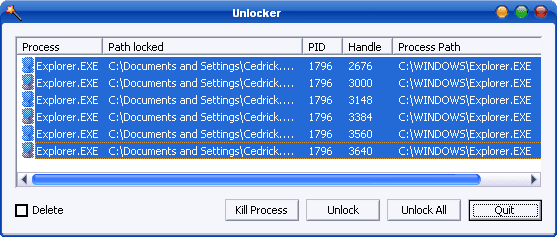
In my experience there is no way to turn off defender (ie stopping MsMpEng.exe from hogging resources) other than to boot into safemode, rename the MsMpEng.exe using an unlocker app with trusted installer privileges then disable it in the registry as trusted installer along with a dozen of its accomplices. Getting rid of defender is harder than getting rid of a virus. If there is an automated way I'd like to see it work.


My Computer My Computer

At a glance

Windows 11Intel(R) Core(TM) i9-14900KCorsair 128GB (4x32GB) DDR5 5600MT/S CL40 Mem...Onboard
OS
Windows 11
Computer type
PC/Desktop
Manufacturer/Model
Intel
CPU
Intel(R) Core(TM) i9-14900K
Motherboard
GIGABYTE Z790 AORUS Elite X WIFI7
Memory
Corsair 128GB (4x32GB) DDR5 5600MT/S CL40 Memory Kit
Graphics Card(s)
Onboard
Sound Card
Onboard
Monitor(s) Displays
43 inch 4k
Screen Resolution
2k (2560 x 1440)
Hard Drives
WD_BLACK 1TB NVMe SSD with Heatsink 7300 mb/s
PSU
MEG Ai1300P PCIE 5 & ATX 3.0 PSU 1300 watts
Case
Phanteks (PH-ES614PTG_BK) Enthoo Pro ATX , Tempered Glass, Integrated RGB Lighting
Cooling
ENERMAX LIQMAXFLO 360mm A-RGB AIO CPU Liquid Cooler
Keyboard
Wireless logitech
Mouse
Wireless logitech
thanks for reply all, i was just thinking there are a few windows tweaker apps, and maybe one had a tick to turn off protection, i install some apps and windows say virus or download something it gets deleted as a virus when it is not, im lazy i suppose, i know how to turn it off manually in settings.
 

My Computer My Computer

At a glance

windows 11i7-8565U16gb
OS
windows 11
Computer type
Laptop
Manufacturer/Model
Dell inspiron 7586
CPU
i7-8565U
Motherboard
dell
Memory
16gb
Hard Drives
samsung 1tb 980 nvme
Antivirus
eset
Settings>Privacy & Security>Windows Security>Open Windows Security>Open Virus & Threat Protection>
Under "Virus & Threat Protection Settings" select manage settings>
Toggle Off real time protection.

OR
In bottom right corner of task tray, right click Windows Defender shield icon. Select "view security dashboard" Select virus & threat protection"
Under "Virus & Threat Protection Settings" select manage settings>
Toggle Off real time protection.
You're not wrong here but its a lot more then that. If I disable real time protection yeah that works but delving into other sub menus and way deep one will find a host of many more boxes to UN-check in order for it to be fully disabled. Using a third party like Winaero yes works but again to the bare minimal point, best to dive deep in ALL areas under security and disable everything.
 

My Computer My Computer

At a glance

Windows 11 Pro Version 23H2(OS Build 22631.4890)12-Core AMD Ryzen 9 5900X, 4950 MHz (49.5 x 100)4 - G Skill Trident Z Neo F4-3600C16-16GTZNCPCI Express 4.0 x16: PowerColor RX 6800
OS
Windows 11 Pro Version 23H2(OS Build 22631.4890)
Computer type
PC/Desktop
Manufacturer/Model
AMD
CPU
12-Core AMD Ryzen 9 5900X, 4950 MHz (49.5 x 100)
Motherboard
Gigabyte X570 Aorus Master
Memory
4 - G Skill Trident Z Neo F4-3600C16-16GTZNC
Graphics Card(s)
PCI Express 4.0 x16: PowerColor RX 6800
Sound Card
Realtek ALC1220 @ AMD K19.2 - High Definition Audio Controller
Monitor(s) Displays
2 - 27 inch Westinghouse
Screen Resolution
1920 x 1080
Hard Drives
2 SSD - 2 TB each
1 SSD - 4TB
1 HDD - 2TB
Keyboard
logitech
Mouse
logitech
Internet Speed
1 GB
Browser
Firefox
Antivirus
Eset Endpoint Security

Similar threads

Latest Support Threads

Back
Top Bottom