I have a new PC, and it has a Gen 14 Intel and a MSI MPG Z890 Edge Ti WIFI Intel LGA 1851 ATX Motherboard
It was delivered with no OS as I have an unused WIN11 Pro install CD, with activation code etc.
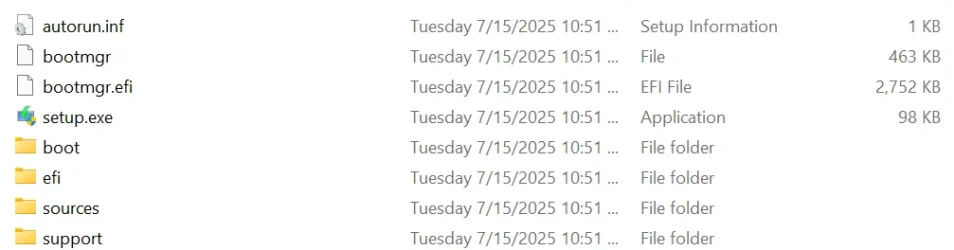
I have gone to the Microsoft web site and downloaded the latest Win 11 Pro onto a USB stick.
On turning on the new PC, the PC boots into its BIOS. In there I can set my boot media as USB. I insert the USB with the boot instructions etc from Microsoft
Win11_24H2_EnglishInternational_x64.iso 5,6954,02KB.
This is where it all goes wrong. The PC reboots and shows the same BIOS screen, but no attempt to read from the USB is observed. So I am left with the same initial BIOS screen.
The BIOS shows as a "MSI CLICK BIOS", something I have not seen before
I have used 3 different USB sticks, none of which work.
What can I be doing wrong?
Regards,
Doug
It was delivered with no OS as I have an unused WIN11 Pro install CD, with activation code etc.
I have gone to the Microsoft web site and downloaded the latest Win 11 Pro onto a USB stick.
On turning on the new PC, the PC boots into its BIOS. In there I can set my boot media as USB. I insert the USB with the boot instructions etc from Microsoft
Win11_24H2_EnglishInternational_x64.iso 5,6954,02KB.
This is where it all goes wrong. The PC reboots and shows the same BIOS screen, but no attempt to read from the USB is observed. So I am left with the same initial BIOS screen.
The BIOS shows as a "MSI CLICK BIOS", something I have not seen before
I have used 3 different USB sticks, none of which work.
What can I be doing wrong?
Regards,
Doug
My Computer
At a glance
Windows 11
- OS
- Windows 11
- Computer type
- PC/Desktop
- Manufacturer/Model
- Various