Rmrc
New member
- Local time
- 1:47 AM
- Posts
- 2
- OS
- windows 11
I installed a windows 11 on a brand new SSD, using that creation tool to make a usb flash drive.
But, when I first tried to install, on the first automatic reboot, it did not went back to continue the instalation. I restarted the pc again, and started a new installation, that went normal and finished as expected.
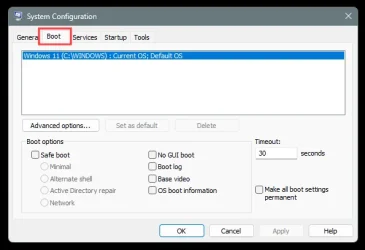
What I didn't notice, is that everytime the pc boots up, it aks which windows 11 to boot, one that doesn't work, or the one that does work normally.
I do not want to re install everything, as I already installed the programs and all the things.
question is: How do I remove that failed installation?
But, when I first tried to install, on the first automatic reboot, it did not went back to continue the instalation. I restarted the pc again, and started a new installation, that went normal and finished as expected.
What I didn't notice, is that everytime the pc boots up, it aks which windows 11 to boot, one that doesn't work, or the one that does work normally.
I do not want to re install everything, as I already installed the programs and all the things.
question is: How do I remove that failed installation?
- Windows Build/Version
- 25h2 /26200.8653
My Computer
At a glance
windows 11
- OS
- windows 11
- Computer type
- PC/Desktop