CharlieDog
Well-known member
- Local time
- 1:53 PM
- Posts
- 28
- OS
- Windows 11 Pro Version 25H2
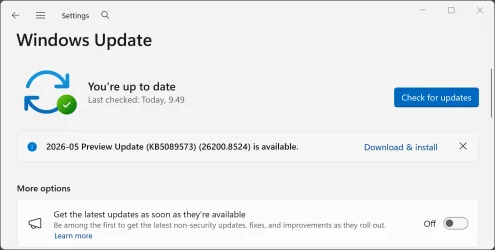
I've lost count of the number of times I have tried to install this update on my Dell Optiplex 5060, 25H2, 8th gen. I7, plenty of ram, SSD, secure boot, tpm 2.0 etc., etc.
It installed without problems on several other computers in our household, but fails every time I try it on my primary desktop. I've never had a problem with a Windows update on this computer before.
I've Googled the error code 0x800705b9 and tried several different sets of instructions with no luck. I went to Microsoft's download for the update and got the error message that I didn't have the right computer for the download, almost as if it didn't recognize that I didn't have an ARM machine, and I was not running 24H2.
Open to suggestions, TIA.
It installed without problems on several other computers in our household, but fails every time I try it on my primary desktop. I've never had a problem with a Windows update on this computer before.
I've Googled the error code 0x800705b9 and tried several different sets of instructions with no luck. I went to Microsoft's download for the update and got the error message that I didn't have the right computer for the download, almost as if it didn't recognize that I didn't have an ARM machine, and I was not running 24H2.
Open to suggestions, TIA.
My Computers
-
At a glance
Windows 11 Pro Version 25H2Core i7-870032 GB DDR4-2666Zotac Gaming GeForce GTX 1650 OC- OS
- Windows 11 Pro Version 25H2
- Computer type
- PC/Desktop
- Manufacturer/Model
- Dell OptiPlex 5060
- CPU
- Core i7-8700
- Memory
- 32 GB DDR4-2666
- Graphics Card(s)
- Zotac Gaming GeForce GTX 1650 OC
- Hard Drives
- Silicon Power UD90 M.2 NVMe 1TB
- Mouse
- Several Logitech mice
- Internet Speed
- 1 GB/S
- Browser
- Chrome
- Antivirus
- Windows Defender
-
At a glance
Windows 11 Home Version 22H2 Build 222621.963i3-8145U16 GB DDR4-2666- Operating System
- Windows 11 Home Version 22H2 Build 222621.963
- Computer type
- Laptop
- Manufacturer/Model
- HP Laptop14-cf1020od
- CPU
- i3-8145U
- Memory
- 16 GB DDR4-2666
- Hard Drives
- WD Blue 250 GB M.2 SATA SSD