Solved Updated BIOS. Boot loop freezing.


GetTheClicker

Well-known member
Member
Local time
4:13 AM
Posts
82
OS
Windows 11
I started having random freezes while idling but never while gaming or watching media.
I thought it'd be a good idea to update my BIOS on the Aorus X570S master. I went from F5 to the latest F8.
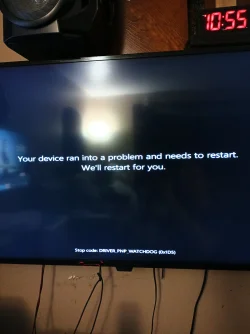
The update went as it should UNTIL.... It rebooted and then went into a bootloop. It would eventually go into preparing automatic repair where it would freeze. The loading icon froze. Hard rebooting and sometimes it wouldn't freeze but instead I would get error codes such as WatchDog or fatal hardware error.

I thought it might be ram so I took out 3 of the 4 sticks and tried one at a time. It seems more stable when all 4 are in.
I removed all drives except for the main OS NvMe.
I have tried getting into the recovery environment, no dice. I think it's not enabled or just isn't there.
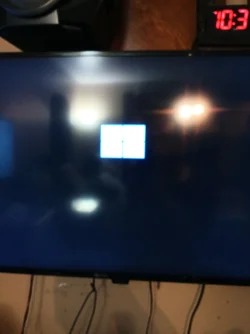
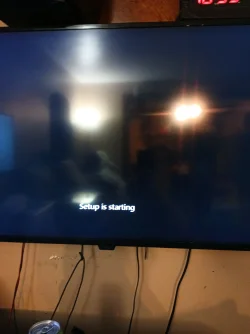
I tried a bootable media device. I could see the 2D windows icon and then it would freeze.
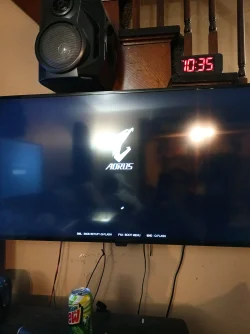
I tried attempting a clean installation of windows but I can't get past the Aorus splash screen.
Dr Debug doesn't list anything other than 9E.
I reverted back to BIOS version F5.
Still stuck.
5950x
64gigs GSkill Trident Z
LianLi 1000watt PSU

Now I can't even get into the BIOS with DR Debug 4F whatever that means.
 

My Computer

System One

  • OS
    Windows 11
    Computer type
    PC/Desktop
    Manufacturer/Model
    Aorus
    CPU
    AMD 5950X
    Motherboard
    Aorus X570S Master
    Memory
    64gigs DDR4 4000mhz Neo TridentZ
    Graphics Card(s)
    Radeon 7900XTX
    Monitor(s) Displays
    Dual 42" Insignia 1080p 55" TCL 6 series
    Screen Resolution
    3200x1800 / 3840x2160
    Hard Drives
    1 500gb NvMe Operating System Drive
    3x 2TB NvMe
    1 2tb SSD
    1 500gb SSD
    PSU
    Lian Li Edge Serie - 1000W
    Cooling
    ARCTIC Liquid Freezer II 360
    Browser
    Chrome
I certainly didn't know the answer so I asked co-pilot. Here's the answer I got.

The IMC (memory controller) is struggling and the BIOS is misconfigured or corrupted.
🛠️ The Fix: Step‑by‑Step Recovery
These steps are safe and don’t require booting into BIOS.

1️⃣ Full CMOS Reset (not just the button)
Gigabyte boards sometimes require a deep reset after a failed firmware flash.
Do this:
  1. Power off
  2. Switch PSU off
  3. Hold power button 10 seconds (discharge)
  4. Remove CMOS battery
  5. Short the CLR_CMOS pins for 10 seconds
  6. Leave battery out for 15 minutes
  7. Reassemble and power on
This forces the board to rebuild NVRAM and memory training data.

2️⃣ Boot With Minimal RAM

Gigabyte boards are picky about slot population after a failed flash.

Try this order:
  1. One stick in A2
  2. If no POST → one stick in B2
  3. If no POST → try a different stick in A2
  4. If it POSTS → enter BIOS immediately and load “Optimized Defaults”
If you get into BIOS even once, you’ve won.

3️⃣ Disable XMP/EXPO Immediately

If you reach BIOS:
  • Load Optimized Defaults
  • Do NOT enable XMP
  • Set DRAM Voltage manually to the kit’s rated value
  • Save and reboot
  • Then shut down and add the remaining sticks
4️⃣ Reflash BIOS Using Q‑Flash Plus (no CPU/RAM needed)
If you still cannot enter BIOS:

Your board supports Q‑Flash Plus, which can reflash the BIOS even when the system won’t POST.
You need:
  • FAT32 USB stick
  • Correct BIOS file renamed to GIGABYTE.BIN
  • Plug into the white USB port
  • Press Q‑Flash Plus button
This bypasses the corrupted firmware and memory training entirely.

5️⃣ If 4F Persists After Q‑Flash

Then the possibilities narrow to:
✔ Corrupted firmware region (NVRAM or ME/SOC block)
Q‑Flash usually fixes this.

✔ IMC degradation (rare but possible on 5950X)​

Usually shows up as sudden inability to train RAM at any speed.

✔ PSU instability during training​

Your Lian Li 1000W is plenty, but if it’s aging, cold‑boot instability can appear.

🧭 What I’d Do Next (Most Effective Order)​

  1. Deep CMOS reset
  2. One‑stick boot attempts
  3. Q‑Flash Plus reflash to F5 or F8c
  4. If still dead → test with a different RAM kit (even cheap 8GB stick)
  5. If that fails → the board’s memory training circuitry is likely damaged
 

My Computers

System One System Two

  • OS
    Windows 11 Pro 25H2
    Computer type
    PC/Desktop
    Manufacturer/Model
    Dell Optiplex 7080
    CPU
    i9-10900 10 core 20 threads
    Motherboard
    DELL 0J37VM
    Memory
    32 gb
    Graphics Card(s)
    none-Intel UHD Graphics 630
    Sound Card
    Integrated Realtek
    Monitor(s) Displays
    Benq 27
    Screen Resolution
    2560x1440
    Hard Drives
    2x1tb Solidigm m.2 nvme /External drives 512gb Samsung m.2 sata+2tb Kingston m2.nvme
    PSU
    500w
    Case
    MT
    Cooling
    Dell Premium
    Keyboard
    Logitech wired
    Mouse
    Logitech wireless
    Internet Speed
    so slow I'm too embarrassed to tell
    Browser
    #1 Edge #2 Firefox
    Antivirus
    Defender+MWB Premium
  • Operating System
    Windows 11 Pro 24H2 26200.8457
    Computer type
    PC/Desktop
    Manufacturer/Model
    Beelink Mini PC SER5
    CPU
    AMD Ryzen 7 6800U
    Memory
    32 gb
    Graphics card(s)
    integrated
    Sound Card
    integrated
    Monitor(s) Displays
    Benq 27
    Screen Resolution
    2560x1440
    Hard Drives
    1TB Crucial nvme
    Keyboard
    Logitech wired
    Mouse
    Logitech wireless
    Internet Speed
    still too embarrassed to tell
    Browser
    Firefox
    Antivirus
    Defender
    Other Info
    System 3 is non compliant Dell 9020 i7-4770/24gb ram Win11 PRO 26200.8457
Please indicate whether the computer is or is not posting and is or is not producing beep codes:


My Computer

System One

  • OS
    Windows 10
    Computer type
    Laptop
    Manufacturer/Model
    HP
    CPU
    Intel(R) Core(TM) i7-4800MQ CPU @ 2.70GHz
    Motherboard
    Product : 190A Version : KBC Version 94.56
    Memory
    16 GB Total: Manufacturer : Samsung MemoryType : DDR3 FormFactor : SODIMM Capacity : 8GB Speed : 1600
    Graphics Card(s)
    NVIDIA Quadro K3100M; Intel(R) HD Graphics 4600
    Sound Card
    IDT High Definition Audio CODEC; PNP Device ID HDAUDIO\FUNC_01&VEN_111D&DEV_76E0
    Hard Drives
    Model Hitachi HTS727575A9E364
    Antivirus
    Microsoft Defender
    Other Info
    Mobile Workstation
I can get to the BIOS again but still can't get into recovery mode nor anywhere with bootable media USB. Still says preparing setup and freezes there.
I suspect a bad CPU so I've ordered one. God I hope it's not the gpu.

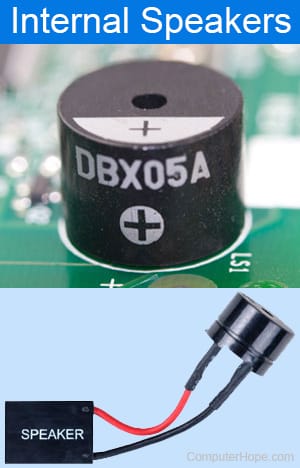
I'm not getting any beeps, no speaker installed. The only codes I see are 4F at times, 9E, and sometimes 01
 

My Computer

System One

  • OS
    Windows 11
    Computer type
    PC/Desktop
    Manufacturer/Model
    Aorus
    CPU
    AMD 5950X
    Motherboard
    Aorus X570S Master
    Memory
    64gigs DDR4 4000mhz Neo TridentZ
    Graphics Card(s)
    Radeon 7900XTX
    Monitor(s) Displays
    Dual 42" Insignia 1080p 55" TCL 6 series
    Screen Resolution
    3200x1800 / 3840x2160
    Hard Drives
    1 500gb NvMe Operating System Drive
    3x 2TB NvMe
    1 2tb SSD
    1 500gb SSD
    PSU
    Lian Li Edge Serie - 1000W
    Cooling
    ARCTIC Liquid Freezer II 360
    Browser
    Chrome
Try glascutters suggestion to reset CMOS > report findings

Take pictures > post images or share links


This link may be useful:


Run the Sea Tools bootable Short and Long generic tests > post images or share links


My Computer

System One

  • OS
    Windows 10
    Computer type
    Laptop
    Manufacturer/Model
    HP
    CPU
    Intel(R) Core(TM) i7-4800MQ CPU @ 2.70GHz
    Motherboard
    Product : 190A Version : KBC Version 94.56
    Memory
    16 GB Total: Manufacturer : Samsung MemoryType : DDR3 FormFactor : SODIMM Capacity : 8GB Speed : 1600
    Graphics Card(s)
    NVIDIA Quadro K3100M; Intel(R) HD Graphics 4600
    Sound Card
    IDT High Definition Audio CODEC; PNP Device ID HDAUDIO\FUNC_01&VEN_111D&DEV_76E0
    Hard Drives
    Model Hitachi HTS727575A9E364
    Antivirus
    Microsoft Defender
    Other Info
    Mobile Workstation
I managed to dig a very old GPU out of the bin in the garage. Don't know how it still even works. I am still crashing/freezing and boot looping a the motherboard splash screen so I'm relieved to say I think the 7900xtx is fine.
This is where I get stuck.
Pic 1 no USB. Pic 2 with bootable USB partition 1. Pic 3 bootable USB partition 2. Selecting general USB device shows a message I'm trying to boot with legacy drivers or something and I need to use rufus to change gpt to mbr.
 

Attachments

  • 17740604746861941869445589933132.webp
    17740604746861941869445589933132.webp
    1.8 MB · Views: 2
  • 17740606005816486449651454002183.webp
    17740606005816486449651454002183.webp
    941.4 KB · Views: 1
  • 17740607157452772737238696809288.webp
    17740607157452772737238696809288.webp
    1.7 MB · Views: 1

My Computer

System One

  • OS
    Windows 11
    Computer type
    PC/Desktop
    Manufacturer/Model
    Aorus
    CPU
    AMD 5950X
    Motherboard
    Aorus X570S Master
    Memory
    64gigs DDR4 4000mhz Neo TridentZ
    Graphics Card(s)
    Radeon 7900XTX
    Monitor(s) Displays
    Dual 42" Insignia 1080p 55" TCL 6 series
    Screen Resolution
    3200x1800 / 3840x2160
    Hard Drives
    1 500gb NvMe Operating System Drive
    3x 2TB NvMe
    1 2tb SSD
    1 500gb SSD
    PSU
    Lian Li Edge Serie - 1000W
    Cooling
    ARCTIC Liquid Freezer II 360
    Browser
    Chrome
If needed these are links for CMOS:

How to Clear Your Computers CMOS to Reset BIOS Settings:

3 Ways to Reset Your BIOS - wikiHow:

3 Easy Ways to Clear CMOS (Reset BIOS)
 

My Computer

System One

  • OS
    Windows 10
    Computer type
    Laptop
    Manufacturer/Model
    HP
    CPU
    Intel(R) Core(TM) i7-4800MQ CPU @ 2.70GHz
    Motherboard
    Product : 190A Version : KBC Version 94.56
    Memory
    16 GB Total: Manufacturer : Samsung MemoryType : DDR3 FormFactor : SODIMM Capacity : 8GB Speed : 1600
    Graphics Card(s)
    NVIDIA Quadro K3100M; Intel(R) HD Graphics 4600
    Sound Card
    IDT High Definition Audio CODEC; PNP Device ID HDAUDIO\FUNC_01&VEN_111D&DEV_76E0
    Hard Drives
    Model Hitachi HTS727575A9E364
    Antivirus
    Microsoft Defender
    Other Info
    Mobile Workstation
Clearing the CMOS does nothing. I tried everything on that end. Unplugged the psu, removed battery for 15 mins, held the reset CMOS button, and jumped the pins.
I did see the notification about the BIOS being reset so I know that part went as planned yet I'm still stuck. The ram seems good, the GPU is good, the drives are good, I checked those with the BIOS as there was an option for self test for those. The only thing I can't swap out yet is the CPU and motherboard.
I feel like at this point it's the CPU or motherboard. Seeing how a BIOS update caused this it has to be either or.

Ran into another error while not crashing as Automatic decided to load, or attempt to anywho. Dr debug Code was 01
 

Attachments

  • 17740617199467288009927109468600.webp
    17740617199467288009927109468600.webp
    1.2 MB · Views: 1

My Computer

System One

  • OS
    Windows 11
    Computer type
    PC/Desktop
    Manufacturer/Model
    Aorus
    CPU
    AMD 5950X
    Motherboard
    Aorus X570S Master
    Memory
    64gigs DDR4 4000mhz Neo TridentZ
    Graphics Card(s)
    Radeon 7900XTX
    Monitor(s) Displays
    Dual 42" Insignia 1080p 55" TCL 6 series
    Screen Resolution
    3200x1800 / 3840x2160
    Hard Drives
    1 500gb NvMe Operating System Drive
    3x 2TB NvMe
    1 2tb SSD
    1 500gb SSD
    PSU
    Lian Li Edge Serie - 1000W
    Cooling
    ARCTIC Liquid Freezer II 360
    Browser
    Chrome
See if it is possible to boot to

a) Sea Tool bootable

b) Memtest86+


Code:
Bug Check 0x1D5: DRIVER_PNP_WATCHDOG
 

My Computer

System One

  • OS
    Windows 10
    Computer type
    Laptop
    Manufacturer/Model
    HP
    CPU
    Intel(R) Core(TM) i7-4800MQ CPU @ 2.70GHz
    Motherboard
    Product : 190A Version : KBC Version 94.56
    Memory
    16 GB Total: Manufacturer : Samsung MemoryType : DDR3 FormFactor : SODIMM Capacity : 8GB Speed : 1600
    Graphics Card(s)
    NVIDIA Quadro K3100M; Intel(R) HD Graphics 4600
    Sound Card
    IDT High Definition Audio CODEC; PNP Device ID HDAUDIO\FUNC_01&VEN_111D&DEV_76E0
    Hard Drives
    Model Hitachi HTS727575A9E364
    Antivirus
    Microsoft Defender
    Other Info
    Mobile Workstation
I will try more tomorrow night. I have been tinkering with this thing for the last 14 hours straight. It means more to me than my children, don't tell them I said that.

Is there any way to boot into safe mode from a USB drive? Just to get into the OS assuming this isn't a software issue.
 

My Computer

System One

  • OS
    Windows 11
    Computer type
    PC/Desktop
    Manufacturer/Model
    Aorus
    CPU
    AMD 5950X
    Motherboard
    Aorus X570S Master
    Memory
    64gigs DDR4 4000mhz Neo TridentZ
    Graphics Card(s)
    Radeon 7900XTX
    Monitor(s) Displays
    Dual 42" Insignia 1080p 55" TCL 6 series
    Screen Resolution
    3200x1800 / 3840x2160
    Hard Drives
    1 500gb NvMe Operating System Drive
    3x 2TB NvMe
    1 2tb SSD
    1 500gb SSD
    PSU
    Lian Li Edge Serie - 1000W
    Cooling
    ARCTIC Liquid Freezer II 360
    Browser
    Chrome
If not already done:

disconnect all peripherals

Boot to the BIOS > change RAID to ACHI to IDE and vice versa


Report what happens again with booting to advanced startup (see earlier post thread).
 

My Computer

System One

  • OS
    Windows 10
    Computer type
    Laptop
    Manufacturer/Model
    HP
    CPU
    Intel(R) Core(TM) i7-4800MQ CPU @ 2.70GHz
    Motherboard
    Product : 190A Version : KBC Version 94.56
    Memory
    16 GB Total: Manufacturer : Samsung MemoryType : DDR3 FormFactor : SODIMM Capacity : 8GB Speed : 1600
    Graphics Card(s)
    NVIDIA Quadro K3100M; Intel(R) HD Graphics 4600
    Sound Card
    IDT High Definition Audio CODEC; PNP Device ID HDAUDIO\FUNC_01&VEN_111D&DEV_76E0
    Hard Drives
    Model Hitachi HTS727575A9E364
    Antivirus
    Microsoft Defender
    Other Info
    Mobile Workstation
Did that. It never once enabled RAID mode. It always stayed in AHCI.
 

My Computer

System One

  • OS
    Windows 11
    Computer type
    PC/Desktop
    Manufacturer/Model
    Aorus
    CPU
    AMD 5950X
    Motherboard
    Aorus X570S Master
    Memory
    64gigs DDR4 4000mhz Neo TridentZ
    Graphics Card(s)
    Radeon 7900XTX
    Monitor(s) Displays
    Dual 42" Insignia 1080p 55" TCL 6 series
    Screen Resolution
    3200x1800 / 3840x2160
    Hard Drives
    1 500gb NvMe Operating System Drive
    3x 2TB NvMe
    1 2tb SSD
    1 500gb SSD
    PSU
    Lian Li Edge Serie - 1000W
    Cooling
    ARCTIC Liquid Freezer II 360
    Browser
    Chrome
More things I have tried would be changing the bootable windows installation from GPT to MBR. It looked like it was going to work. I got past the splash screen and onto the windows logo in a single boot up. Aaaand then it rebooted and tried to automatically repair itself where it rebooted again and eventually froze during the boot loop.

Next I tried moving the GPU down a slot for kicks and giggles. Nothing.

I removed the CPU to reseat it and I think I might have found the problem. The paste was dry. It never overheated. I mean it ran at 95c while gaming and 62c while idling. I might have damaged the CPU neglecting the maintenance and gaming on it for long hours. But I can still navigate the BIOS as long as I want? Can you do that with a bad CPU?
 

My Computer

System One

  • OS
    Windows 11
    Computer type
    PC/Desktop
    Manufacturer/Model
    Aorus
    CPU
    AMD 5950X
    Motherboard
    Aorus X570S Master
    Memory
    64gigs DDR4 4000mhz Neo TridentZ
    Graphics Card(s)
    Radeon 7900XTX
    Monitor(s) Displays
    Dual 42" Insignia 1080p 55" TCL 6 series
    Screen Resolution
    3200x1800 / 3840x2160
    Hard Drives
    1 500gb NvMe Operating System Drive
    3x 2TB NvMe
    1 2tb SSD
    1 500gb SSD
    PSU
    Lian Li Edge Serie - 1000W
    Cooling
    ARCTIC Liquid Freezer II 360
    Browser
    Chrome
I tried to use TAILS USB portable OS and that didn't work. It looked like it was about to but as it was loading it crashed. It seems like putting any load beyond the BIOS causes system failure.

It took all day on a dinky laptop but I got Windows To Go on a USB drive and it's doing something new. It got through the setup process and device set up just fine. Didn't crash once. It just rebooted so we'll see what happens. To me this is progress!

Well that didn't work. Now it gets hung up on F3 and AE on Dr debug without showing the Mobo splash screen. Guess I'll have to reset CMOS to get that back.
 
Last edited:

My Computer

System One

  • OS
    Windows 11
    Computer type
    PC/Desktop
    Manufacturer/Model
    Aorus
    CPU
    AMD 5950X
    Motherboard
    Aorus X570S Master
    Memory
    64gigs DDR4 4000mhz Neo TridentZ
    Graphics Card(s)
    Radeon 7900XTX
    Monitor(s) Displays
    Dual 42" Insignia 1080p 55" TCL 6 series
    Screen Resolution
    3200x1800 / 3840x2160
    Hard Drives
    1 500gb NvMe Operating System Drive
    3x 2TB NvMe
    1 2tb SSD
    1 500gb SSD
    PSU
    Lian Li Edge Serie - 1000W
    Cooling
    ARCTIC Liquid Freezer II 360
    Browser
    Chrome
Found a spare PSU lying around and decided to try that before I go to bed. No dice. Same exact symptoms. So I have definitely narrowed it down to either CPU or motherboard. I ordered both a couple days ago so I'll be back when I've had a chance to diagnose with those.
 

My Computer

System One

  • OS
    Windows 11
    Computer type
    PC/Desktop
    Manufacturer/Model
    Aorus
    CPU
    AMD 5950X
    Motherboard
    Aorus X570S Master
    Memory
    64gigs DDR4 4000mhz Neo TridentZ
    Graphics Card(s)
    Radeon 7900XTX
    Monitor(s) Displays
    Dual 42" Insignia 1080p 55" TCL 6 series
    Screen Resolution
    3200x1800 / 3840x2160
    Hard Drives
    1 500gb NvMe Operating System Drive
    3x 2TB NvMe
    1 2tb SSD
    1 500gb SSD
    PSU
    Lian Li Edge Serie - 1000W
    Cooling
    ARCTIC Liquid Freezer II 360
    Browser
    Chrome

My Computer

System One

  • OS
    Windows 10
    Computer type
    Laptop
    Manufacturer/Model
    HP
    CPU
    Intel(R) Core(TM) i7-4800MQ CPU @ 2.70GHz
    Motherboard
    Product : 190A Version : KBC Version 94.56
    Memory
    16 GB Total: Manufacturer : Samsung MemoryType : DDR3 FormFactor : SODIMM Capacity : 8GB Speed : 1600
    Graphics Card(s)
    NVIDIA Quadro K3100M; Intel(R) HD Graphics 4600
    Sound Card
    IDT High Definition Audio CODEC; PNP Device ID HDAUDIO\FUNC_01&VEN_111D&DEV_76E0
    Hard Drives
    Model Hitachi HTS727575A9E364
    Antivirus
    Microsoft Defender
    Other Info
    Mobile Workstation
Is there any way to boot into safe mode from a USB drive?

Yes by command.

However it will fail when there is an overriding hardware problem.

Option Three in this thread:


My Computer

System One

  • OS
    Windows 10
    Computer type
    Laptop
    Manufacturer/Model
    HP
    CPU
    Intel(R) Core(TM) i7-4800MQ CPU @ 2.70GHz
    Motherboard
    Product : 190A Version : KBC Version 94.56
    Memory
    16 GB Total: Manufacturer : Samsung MemoryType : DDR3 FormFactor : SODIMM Capacity : 8GB Speed : 1600
    Graphics Card(s)
    NVIDIA Quadro K3100M; Intel(R) HD Graphics 4600
    Sound Card
    IDT High Definition Audio CODEC; PNP Device ID HDAUDIO\FUNC_01&VEN_111D&DEV_76E0
    Hard Drives
    Model Hitachi HTS727575A9E364
    Antivirus
    Microsoft Defender
    Other Info
    Mobile Workstation
It was in fact the CPU. Replaced it and I'm back in business
 

My Computer

System One

  • OS
    Windows 11
    Computer type
    PC/Desktop
    Manufacturer/Model
    Aorus
    CPU
    AMD 5950X
    Motherboard
    Aorus X570S Master
    Memory
    64gigs DDR4 4000mhz Neo TridentZ
    Graphics Card(s)
    Radeon 7900XTX
    Monitor(s) Displays
    Dual 42" Insignia 1080p 55" TCL 6 series
    Screen Resolution
    3200x1800 / 3840x2160
    Hard Drives
    1 500gb NvMe Operating System Drive
    3x 2TB NvMe
    1 2tb SSD
    1 500gb SSD
    PSU
    Lian Li Edge Serie - 1000W
    Cooling
    ARCTIC Liquid Freezer II 360
    Browser
    Chrome
Back
Top Bottom