
- Local time
- 12:20 PM
- Posts
- 163
- OS
- Windows 11 Pro
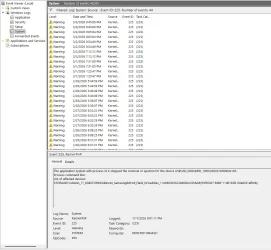
If doing it multiple times allows the processes to be stopped and makes it ejectable, try this
Safely remove hardware not working
This took me awhile to figure out. Thought this would help other people. Open event viewer. Select Windows Logs on the left. Select system also on the left. You are likely to have a lot error messages. Select filter current log on the right. On the line above task category type 225 for the...www.elevenforum.com
Thanks. The PID is 4, which from what I read can't be fooled with.
Attachments
My Computers
-
At a glance
Windows 11 Proi516.0 GB- OS
- Windows 11 Pro
- Computer type
- PC/Desktop
- CPU
- i5
- Motherboard
- Asus
- Memory
- 16.0 GB
- Monitor(s) Displays
- Samsung T45F
- Screen Resolution
- 1920x1200
- Hard Drives
- Samsung Evo SSDs and Western HDDs
- Keyboard
- IBM Model M
- Mouse
- Bornd
- Antivirus
- Windows and MBAM Premium
-
At a glance
Win 11 Pro- Operating System
- Win 11 Pro
- Computer type
- Laptop
- Manufacturer/Model
- Lenovo Thinkpad






