Hello,
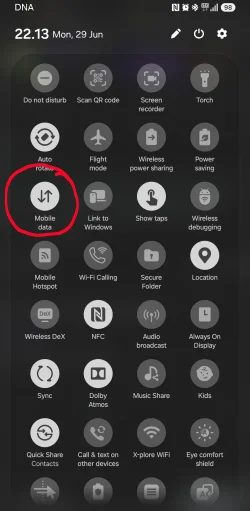
I noticed a problem that I already had on Windows10 and experience again on Windows11 to which I migrated months ago: After connecting my Android phone to Windows through USB tethering and sharing its memory (ie. file transfer mode, not just charging), Windows or some application mistakenly use that Internet connection instead of going through the fiber connection. As a result, it eats up my small 2GB data plan, and I'll have to do wtihout until the middle of next month when the reset occurs :-/
Has someone also experienced that problem? Is there a way to know if it's Windows or some specific application that takes the wrong route to the Net?
As a temporary fix, I'll have to always remember to turn off the data connection before connecting the phone through USB in file transfer mode.
Thank you.
I noticed a problem that I already had on Windows10 and experience again on Windows11 to which I migrated months ago: After connecting my Android phone to Windows through USB tethering and sharing its memory (ie. file transfer mode, not just charging), Windows or some application mistakenly use that Internet connection instead of going through the fiber connection. As a result, it eats up my small 2GB data plan, and I'll have to do wtihout until the middle of next month when the reset occurs :-/
Has someone also experienced that problem? Is there a way to know if it's Windows or some specific application that takes the wrong route to the Net?
As a temporary fix, I'll have to always remember to turn off the data connection before connecting the phone through USB in file transfer mode.
Thank you.
My Computer
At a glance
Windows 11
- OS
- Windows 11