Video loading taking ages.


sydh

Well-known member
Member
Local time
6:24 PM
Posts
147
Location
Eastleigh, Hampshire, UK
OS
W11
W11 23H2 Build 22631.4317
I have over 1,000 video clips that I have recently uploaded to my PC from my cameras. They are all MP4. When I open their folder the video symbols appear, in this case the VLC cone symbol. The computer then displays the egg timer while the symbols are being replaced with the preview pictures but this has taken ages. The previews are appearing at the rate of around 4 per second at their best with the occasional pause of a few seconds but mostly it is 2 seconds per file. I am writing this post and the egg timer is still there. Around 20 minutes and still loading.
I have a fairly high spec PC with Ryzen 9 3900XT, 32GB RAM, NVIDIA GeForce RTX 3060Ti.
Can anyone point me in the right direction of what to check, or maybe this is normal. I'm sure video clips didn't used to take this long.
25 minutes and still loading.
I should add, the CPU meter is at 1%, the hard drive with the files is at 100%.
 

My Computer My Computer

At a glance

W113.80 gigahertz AMD Ryzen 9 3900XT 12-Core32684 MegabytesNVIDIA GeForce RTX 3060 Ti
OS
W11
Computer type
PC/Desktop
Manufacturer/Model
PC Specialist
CPU
3.80 gigahertz AMD Ryzen 9 3900XT 12-Core
Motherboard
ASUSTeK COMPUTER INC. TUF GAMING X570-PLUS Rev X.0x
Memory
32684 Megabytes
Graphics Card(s)
NVIDIA GeForce RTX 3060 Ti
Monitor(s) Displays
ViewSonic VX3276-QHD (x2)
Hard Drives
1TB PCS PCIe M.2 SSD
ST8000DM004-2CX188 (8001.56 GB)
WDC WD30EZRX-00DC0B0 (3000.59 GB)
WDC WD30EZRX-00SPEB0 (3000.59 GB)
Cooling
Water cooled
Keyboard
Logitech
Mouse
Logitech
Internet Speed
56
Tried a different video player? Also are you using a third party thumbnail program like Icaros?
 

My Computer My Computer

At a glance

11 Pro 25H2i7-10750H16GB Samsung DDR4 3200Intel + Nvidia RTX3060 Laptop
OS
11 Pro 25H2
Computer type
Laptop
Manufacturer/Model
MSI
CPU
i7-10750H
Motherboard
MSI MS-17F5
Memory
16GB Samsung DDR4 3200
Graphics Card(s)
Intel + Nvidia RTX3060 Laptop
Sound Card
Realtek
Monitor(s) Displays
Samsung 24" Curved (HDMI)
Screen Resolution
1920x1080
Hard Drives
Sabrent Rocket Gen3 1Tb Smasung EVO 870 1TB
Antivirus
Bitdefender
Do you need the Preview pics? With the folder open click on View. You can change how they show in File Explorer.
 

My Computers My Computers

  • At a glance

    Windows 11 Pro 25H2Intel Core i7-10700K16GB (8GB PC4-19200 DDR4 SDRAM x2)NVIDIA GeForce GTX 1050 TI
    OS
    Windows 11 Pro 25H2
    Computer type
    PC/Desktop
    Manufacturer/Model
    PowerSpec B746
    CPU
    Intel Core i7-10700K
    Motherboard
    ASRock Z490 Phantom Gaming 4/ax
    Memory
    16GB (8GB PC4-19200 DDR4 SDRAM x2)
    Graphics Card(s)
    NVIDIA GeForce GTX 1050 TI
    Sound Card
    Realtek Audio
    Monitor(s) Displays
    #1. LG ULTRAWIDE 34" #2. AOC Q32G2WG3 32"
    Screen Resolution
    #1. 3440 X 1440 #2. 1920 x 1080
    Hard Drives
    NVMe WDC WDS100T2B0C-00PXH0 1TB
    Samsung SSD 860 EVO 1TB
    PSU
    750 Watts (62.5A)
    Case
    PowerSpec/Lian Li ATX 205
    Keyboard
    Logitech K270
    Mouse
    Logitech M185
    Browser
    Microsoft Edge and Firefox
    Antivirus
    Webroot SecureAnywhere CE 26.1
  • At a glance

    Windows 11 Canary ChannelIntel Core i5-8400 CPU @ 2.80GHz16 MB DDR 4-2666
    Operating System
    Windows 11 Canary Channel
    Computer type
    PC/Desktop
    Manufacturer/Model
    PowerSpec G156
    CPU
    Intel Core i5-8400 CPU @ 2.80GHz
    Motherboard
    AsusTeK Prime B360M-A
    Memory
    16 MB DDR 4-2666
    Monitor(s) Displays
    23" Speptre HDMI 75Hz
    Screen Resolution
    1920x1080
    Hard Drives
    Samsung 970 EVO 500GB NVMe
    Keyboard
    Logitek K270
    Mouse
    Logitek M185
    Browser
    Firefox, Edge and Edge Canary
    Antivirus
    Windows Defender
Tried a different video player? Also are you using a third party thumbnail program like Icaros?
When they are loading, I'm not using a video player. The VLC icon is just from the file type settings. I have no thumbnail program.
 

My Computer My Computer

At a glance

W113.80 gigahertz AMD Ryzen 9 3900XT 12-Core32684 MegabytesNVIDIA GeForce RTX 3060 Ti
OS
W11
Computer type
PC/Desktop
Manufacturer/Model
PC Specialist
CPU
3.80 gigahertz AMD Ryzen 9 3900XT 12-Core
Motherboard
ASUSTeK COMPUTER INC. TUF GAMING X570-PLUS Rev X.0x
Memory
32684 Megabytes
Graphics Card(s)
NVIDIA GeForce RTX 3060 Ti
Monitor(s) Displays
ViewSonic VX3276-QHD (x2)
Hard Drives
1TB PCS PCIe M.2 SSD
ST8000DM004-2CX188 (8001.56 GB)
WDC WD30EZRX-00DC0B0 (3000.59 GB)
WDC WD30EZRX-00SPEB0 (3000.59 GB)
Cooling
Water cooled
Keyboard
Logitech
Mouse
Logitech
Internet Speed
56
Do you need the Preview pics? With the folder open click on View. You can change how they show in File Explorer.
Good point. I imagine list view will appear almost instantly. I will check that. However, I am still surprised that it takes so long to generate thumbnails.
 

My Computer My Computer

At a glance

W113.80 gigahertz AMD Ryzen 9 3900XT 12-Core32684 MegabytesNVIDIA GeForce RTX 3060 Ti
OS
W11
Computer type
PC/Desktop
Manufacturer/Model
PC Specialist
CPU
3.80 gigahertz AMD Ryzen 9 3900XT 12-Core
Motherboard
ASUSTeK COMPUTER INC. TUF GAMING X570-PLUS Rev X.0x
Memory
32684 Megabytes
Graphics Card(s)
NVIDIA GeForce RTX 3060 Ti
Monitor(s) Displays
ViewSonic VX3276-QHD (x2)
Hard Drives
1TB PCS PCIe M.2 SSD
ST8000DM004-2CX188 (8001.56 GB)
WDC WD30EZRX-00DC0B0 (3000.59 GB)
WDC WD30EZRX-00SPEB0 (3000.59 GB)
Cooling
Water cooled
Keyboard
Logitech
Mouse
Logitech
Internet Speed
56
Good point. I imagine list view will appear almost instantly. I will check that. However, I am still surprised that it takes so long to generate thumbnails.

Windows takes a while to generate thumbnails for large volumes of videos for the first time. Something I've noticed also though never as many as you're doing.
 

My Computer My Computer

At a glance

11 Pro 25H2i7-10750H16GB Samsung DDR4 3200Intel + Nvidia RTX3060 Laptop
OS
11 Pro 25H2
Computer type
Laptop
Manufacturer/Model
MSI
CPU
i7-10750H
Motherboard
MSI MS-17F5
Memory
16GB Samsung DDR4 3200
Graphics Card(s)
Intel + Nvidia RTX3060 Laptop
Sound Card
Realtek
Monitor(s) Displays
Samsung 24" Curved (HDMI)
Screen Resolution
1920x1080
Hard Drives
Sabrent Rocket Gen3 1Tb Smasung EVO 870 1TB
Antivirus
Bitdefender
I tried changing VIEW in File Explorer from ICONS to DETAILS but I still have the same issue. The DATE and the LENGTH columns take a long time to populate but it is quicker than the thumbnails. Once again, the harddisk is running at 100%. I'm having no problems with the harddisk and it checks out as healthy. Maybe these long loading times are normal but I cannot imagine professional studios who also work with thousands of clips have this problem. Their productivity would drop considerably while waiting for files to load.
I wondered if moving the files to my SSD would be better to work with, but this folder is 165GB. I have ample room for them on the SSD but I'm unsure if this would have a negative impact on the SSD with so much data being written and modified by my video editor. Or am I being over-cautious?
 

My Computer My Computer

At a glance

W113.80 gigahertz AMD Ryzen 9 3900XT 12-Core32684 MegabytesNVIDIA GeForce RTX 3060 Ti
OS
W11
Computer type
PC/Desktop
Manufacturer/Model
PC Specialist
CPU
3.80 gigahertz AMD Ryzen 9 3900XT 12-Core
Motherboard
ASUSTeK COMPUTER INC. TUF GAMING X570-PLUS Rev X.0x
Memory
32684 Megabytes
Graphics Card(s)
NVIDIA GeForce RTX 3060 Ti
Monitor(s) Displays
ViewSonic VX3276-QHD (x2)
Hard Drives
1TB PCS PCIe M.2 SSD
ST8000DM004-2CX188 (8001.56 GB)
WDC WD30EZRX-00DC0B0 (3000.59 GB)
WDC WD30EZRX-00SPEB0 (3000.59 GB)
Cooling
Water cooled
Keyboard
Logitech
Mouse
Logitech
Internet Speed
56
Windows takes a while to generate thumbnails for large volumes of videos for the first time. Something I've noticed also though never as many as you're doing.
Yeah, I've noticed the same phenomenon on my Windows 🤔
 

My Computer My Computer

At a glance

Windows 11
OS
Windows 11
Computer type
Laptop
Manufacturer/Model
Asus
I have folders with many videos. Of course I have set them to display lists or details. Opening the folder with the default sorting by name, takes 2-3 seconds. If I want to sort by date, it takes more than 10 seconds to display the contents. And my videos are less than 1000. If you have that many videos in one folder delays are normal. Have you tried moving to subfolders based by date or whatever?
 

My Computers My Computers

  • At a glance

    Windows 11 Pro 23H2 (5699), 25H2 (8655)Mobile DualCore Intel Core 2 Duo T7250, 2000 MHz4GBMobile Intel(R) GMA 4500M (Mobile 4 series)
    OS
    Windows 11 Pro 23H2 (5699), 25H2 (8655)
    Computer type
    Laptop
    Manufacturer/Model
    Acer Extensa 5630EZ
    CPU
    Mobile DualCore Intel Core 2 Duo T7250, 2000 MHz
    Motherboard
    Acer Extensa 5630
    Memory
    4GB
    Graphics Card(s)
    Mobile Intel(R) GMA 4500M (Mobile 4 series)
    Sound Card
    Realtek ALC268 @ Intel 82801IB ICH9 - High Definition Audio Controller
    Monitor(s) Displays
    1
    Screen Resolution
    1280x800
    Hard Drives
    Samsung SSD 850 EVO 250GB SATA Device (250 GB, SATA-III)
    Internet Speed
    VDSL 50 Mbps
    Browser
    MICROSOFT EDGE
    Antivirus
    WINDOWS DEFENDER
    Other Info
    Legacy MBR installation, no TPM, no Secure Boot, no WDDM 2.0 graphics drivers, no SSE4.2, cannot get more unsupported ;) This is only my test laptop. I had installed Windows 11 here before upgrading my main PC. For my main PC I use everyday see my 2nd system specs.
  • At a glance

    Windows 11 Pro v25H2 (build 26200.8655)Intel Core-i7 3770 3.40GHz s1155 (3rd generat...2x Kingston Hyper-X Blu 8GB DDR3-1600GIGABYTE GeForce RTX 3050 WINDFORCE OC V2 6GB...
    Operating System
    Windows 11 Pro v25H2 (build 26200.8655)
    Computer type
    PC/Desktop
    Manufacturer/Model
    Custom-built PC
    CPU
    Intel Core-i7 3770 3.40GHz s1155 (3rd generation)
    Motherboard
    Asus P8H61 s1155 ATX
    Memory
    2x Kingston Hyper-X Blu 8GB DDR3-1600
    Graphics card(s)
    GIGABYTE GeForce RTX 3050 WINDFORCE OC V2 6GB (GV-N3050WF2OCV2-6GD)
    Sound Card
    Realtek HD audio (ALC887)
    Monitor(s) Displays
    Sony Bravia KDL-19L4000 19" LCD TV via VGA
    Screen Resolution
    1440x900 32-bit 60Hz
    Hard Drives
    WD Blue SA510 2.5 1000GB SSD as system disk, Western Digital Caviar Purple 4TB SATA III (WD40PURZ) as second
    PSU
    Thermaltake Litepower RGB 550W Full Wired
    Case
    SUPERCASE MIDI-TOWER
    Cooling
    Deepcool Gamma Archer CPU cooler, 1x 8cm fan at the back
    Keyboard
    Mitsumi 101-key PS/2
    Mouse
    Sunnyline OptiEye PS/2
    Internet Speed
    100Mbps
    Browser
    Microsoft Edge, Mozilla Firefox
    Antivirus
    Microsoft Windows Defender
    Other Info
    Legacy BIOS (MBR) installation, no TPM, no Secure Boot, WDDM 3.0 graphics drivers, WEI score 7.4
Good point. I imagine list view will appear almost instantly. I will check that. However, I am still surprised that it takes so long to generate thumbnails.

"I have over 1,000 video clips" + "the harddisk is running at 100%."

Even on a fast SSD can take a bit of time (tho, 10x faster than the best HDD). Only if all videos were stored into Ram would appear almost instantly. Your CPU, GPU and RAM - makes little difference in this case (as you've noticed in task manager - they're running at 1%) - the slow HDD is the issue.

Open Windows Search and look for "Adjust the appearance and performance" and select only the following:

ulu.png

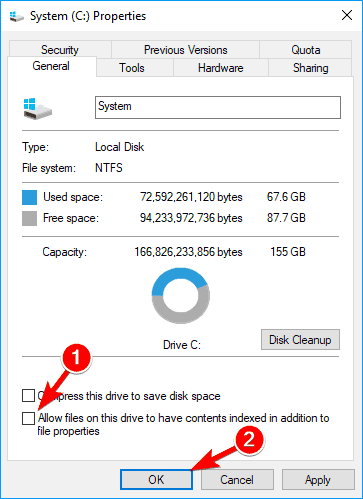
You could also Disable Indexing

indexing-windows-drive-1.png


indexing-windows-drive-2.png


And Superfetch

Open Windows Search and look for "Services" - open it and scroll down to Sysmain - click on it Stop + Disabled.

This changes can help with a HDD but even so... 1000+ videos loading almost instantly - you'll need a NVMe SSD.
 

My Computer My Computer

At a glance

WinDOS 25H2Intel & AMDSO-DIMM SK Hynix 15.8 GB Dual-Channel DDR4-26...nVidia RTX 2060 6GB Mobile GPU (TU106M)
OS
WinDOS 25H2
Computer type
Laptop
CPU
Intel & AMD
Memory
SO-DIMM SK Hynix 15.8 GB Dual-Channel DDR4-2666 (2 x 8 GB) 1329MHz (19-19-19-43)
Graphics Card(s)
nVidia RTX 2060 6GB Mobile GPU (TU106M)
Sound Card
Onbord Realtek ALC1220
Screen Resolution
1920 x 1080
Hard Drives
1x Samsung PM981 NVMe PCIe M.2 512GB / 1x Seagate Expansion ST1000LM035 1TB

Latest Support Threads

Back
Top Bottom