- Local time
- 4:34 PM
- Posts
- 121
- OS
- Windows 11
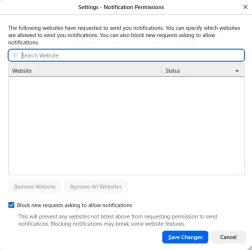
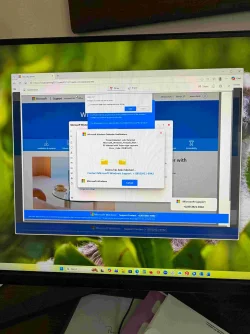
On wife's Win-11 PC which I think is from edge browser when opened. In the past would get pop-up in lower right so I turned off notification. Doesn't happen every-time. I'm sure it's from a site she went to as she likes to use "search feature". I can post the full link? but not sure how to do safely? Here's the ending reference web-xxxxx-core-xxxxx-windows-xxxxx- net
I replaced the "." with "-xxxxx-"
Also open to suggestion how to remove this are anti virus software that works. MS defender found nothing on FULL scan
thanks
I replaced the "." with "-xxxxx-"
Also open to suggestion how to remove this are anti virus software that works. MS defender found nothing on FULL scan
thanks
Attachments
My Computer
At a glance
Windows 11i7-1070032GBGFORCE RTX 2070 SUPER
- OS
- Windows 11
- Computer type
- PC/Desktop
- Manufacturer/Model
- Dell R16
- CPU
- i7-10700
- Memory
- 32GB
- Graphics Card(s)
- GFORCE RTX 2070 SUPER