Visual bug when opening windows on home PC driving me crazy.


CarameloGay

Member
Local time
10:35 AM
Posts
15
OS
Windows
Home PC specs
  • Windows 11 Pro 25H2, fully updated
  • Intel i7-12400F
  • NVIDIA RTX 3050
  • 16 GB DDR4
  • ASUS entry-level H610 motherboard
  • Dual-monitor setup: one 180 Hz display and one 144 Hz display

Work PC specs
  • Windows 11 Pro 25H2, fully updated
  • Intel i3-12100 (integrated graphics)
  • Same ASUS H610 motherboard model as the home PC
  • 16 GB DDR4
  • Single-monitor setup 60hz
Issue:
ChatGPT refers to this as “misplacement flash”, but I cannot find this expression used anywhere online, it's very hard to know where to start fixing this.

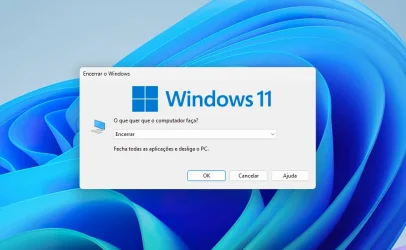
On my home PC, not every time but very frequently, when opening a window for the first time—such as File Explorer, application windows, “Save As” dialogs (from any app), folder properties, or even the Windows shutdown screen—the window’s shadow (not the window content itself) briefly flashes in an incorrect position on the screen. This flash lasts less than a second, after which the window appears in the correct position.

It is difficult to describe more precisely, but the shadow appears momentarily offset before snapping to the correct location.

This behaviour does not occur at all on the work PC, despite running the same Windows 11 Pro build and sharing some specs.


Observations / things already tested
  • The issue does not occur on a dual-boot installation of Windows 10 on the same hardware.
  • NVIDIA driver version makes no difference; it occurs on every version tested.
  • Disabling or enabling the following has no effect:
    • Multiplane Overlay (MPO)
    • HAGS
    • Game Mode
    • Windowed game optimisations
  • Happens in both HDR and SDR modes.
  • G-SYNC on or off makes no difference.
  • Turning off either monitor does not resolve it.
  • The issue seems to occur less frequently when NVIDIA Power Management is set to Prefer maximum performance.
Screen recording software (e.g. OBS) does not capture the issue, which, to me, suggests it may be related to DWM, idk.

If I install Windhawk and enable the “Bring back the borders” mod (which restores Windows 10-style square borders and shadows), the issue disappears immediately. This, to me, again points toward a DWM-related cause.

What else could be causing this? I have not found anyone else reporting this issue, and ChatGPT keeps suggesting the same troubleshooting steps I have already tried.

Video
I’ve attached a video showing the issue. Please focus on the top-left area of the screen. It is subtle and easy to miss, so it may require watching several times.


It's very distracting :( I really appreciate any help you could give.

(Sorry for my english, I'm not native, used ai to format the text)
 
Last edited:

My Computer

System One

  • OS
    Windows
Try a Clean Boot.

This will eliminate any startup apps and non Microsoft Services that Start with Windows.
If this works, You can Keep it this way, or you can add one or more services and startup items until the behavior returns, then you will know the culprit.

Also, try a different keyboard, as it may be a stuck key on the keyboard.
 

My Computer

System One

  • OS
    Windows 11 Pro Insider 64 bit 25H2 26200.5742
    Computer type
    PC/Desktop
    Manufacturer/Model
    Gigabyte Z390 UD
    CPU
    Intel Core i7 9700K 3.60
    Motherboard
    Gigabyte Z390 UD
    Memory
    16 GB
    Graphics Card(s)
    nVidia GEForce RTX 2060 Super
    Sound Card
    onboard
    Monitor(s) Displays
    Two 27" Dell 4K monitors
    Screen Resolution
    3840 x 2160
    Hard Drives
    M.2 NVME SSD, 500 GB; Two 2TB Mechanical HDD's
    PSU
    850w PSU
    Case
    Cyberpower PC
    Cooling
    Water cooled
    Keyboard
    Backlit Cyberpower gaming keyboard
    Mouse
    Backlit Cyberpower gaming mouse
    Internet Speed
    1 GB mbps
    Browser
    Brave
    Antivirus
    Windows Security
No dice. Still does it even right after a clean install. Guess I'll have to live with it.
 

My Computer

System One

  • OS
    Windows
Well well, just went deep with this one, it's definitely a windows issue:

Installed uxtheme patcher and used msstyleEditor to:
opened aero.msstyles of stock windows 11 theme
go to animations, 100 (it's what controls app open animations
copied the values from a windows 10 aero.msstyles, saved it and applied the new theme

voilá, the issue immediately goes away.

So indeed, nothing to do with the GPU, it's something about the animation itself. Side effect is apps open with windows 10 animation now, but i don't care, in fact, I prefer it :)
 

My Computer

System One

  • OS
    Windows
Spoke too soon, I was accessing my pc from chrome remote desktop when I did the msstyle changes and it seemed fixed, but accessing my machine physically I can see it's still happening and window open animations have not changed.
 

My Computer

System One

  • OS
    Windows
Here's a better video of the issue:


Notice the top left of the screen, that horrendous shadow that appears for a ms.

Some other troubleshooting I did:

- DWMBlurGlass app fixes the issue (So most definitely a dwm bug, as DWMBlurglass hooks in to it. Now I don't know if this is still related to my graphics card.)
- Screen recorders indeed can capture the glitch
- I've seen this in two other pcs, both with nvidia cards. Can this be a windows bug? I find it so strange that there's no mention of this on the internet, it's so apparent and distracting.
- Happens only with w32 apps and popup screens.
 

My Computer

System One

  • OS
    Windows
I have this too. I also have a Nvidia card. Probably something is weird with Windows 11 DWM and the Nvidia drivers. I think my drivers are from December, but I noticed it before that too. It doesn't happen too often for me.

Honestly I have just started ignoring almost every quirk of Windows 11 25H2. The OS is in a dreadful state when it comes to polish and Microsoft doesn't seem to want to acknowledge, let alone fix the issues.
 

My Computers

System One System Two

  • OS
    Windows 11 Pro 25H2
    Computer type
    PC/Desktop
    CPU
    5800X3D
    Motherboard
    Asus B550-F Strix
    Memory
    64gb DDR4 3600mhz
    Graphics Card(s)
    RTX 3080
    Screen Resolution
    1440p
    PSU
    Corsair RM850x
    Case
    Corsair 4000D
    Cooling
    Noctua NH-D15
  • Operating System
    Linux Mint
    Computer type
    PC/Desktop
    CPU
    i5-4670K OC @ 4.2ghz
    Memory
    16gb DDR3
    Graphics card(s)
    MSI GTX 1080
    Monitor(s) Displays
    1920x1080 VA panel
    Screen Resolution
    1920x1080p
    Hard Drives
    1x SSD
    PSU
    Corsair RM750x
    Cooling
    Coolermaster 212 air cooler
    Other Info
    RIP Win 10 the 4670k is old but still strong.
Probably some visual effect not rendering properly. I would disable visual effects (animations, fades) and enable one at a time to find out which one is it. You can keep the specific effect disabled. Have you tried to download the official nVidia drivers directly from nVidia? Test both the Game Ready and the Studio versions. Also have you tried to set a lower screen refresh rate? Have you tried to disable/enable Vertical Sync? I would also try a different display cable or different output.
 
Last edited:

My Computers

System One System Two

  • OS
    Windows 11 Pro 23H2 (5699), 25H2 (8457)
    Computer type
    Laptop
    Manufacturer/Model
    Acer Extensa 5630EZ
    CPU
    Mobile DualCore Intel Core 2 Duo T7250, 2000 MHz
    Motherboard
    Acer Extensa 5630
    Memory
    4GB
    Graphics Card(s)
    Mobile Intel(R) GMA 4500M (Mobile 4 series)
    Sound Card
    Realtek ALC268 @ Intel 82801IB ICH9 - High Definition Audio Controller
    Monitor(s) Displays
    1
    Screen Resolution
    1280x800
    Hard Drives
    Samsung SSD 850 EVO 250GB SATA Device (250 GB, SATA-III)
    Internet Speed
    VDSL 50 Mbps
    Browser
    MICROSOFT EDGE
    Antivirus
    WINDOWS DEFENDER
    Other Info
    Legacy MBR installation, no TPM, no Secure Boot, no WDDM 2.0 graphics drivers, no SSE4.2, cannot get more unsupported ;) This is only my test laptop. I had installed Windows 11 here before upgrading my main PC. For my main PC I use everyday see my 2nd system specs.
  • Operating System
    Windows 11 Pro v25H2 (build 26200.8457)
    Computer type
    PC/Desktop
    Manufacturer/Model
    Custom-built PC
    CPU
    Intel Core-i7 3770 3.40GHz s1155 (3rd generation)
    Motherboard
    Asus P8H61 s1155 ATX
    Memory
    2x Kingston Hyper-X Blu 8GB DDR3-1600
    Graphics card(s)
    GIGABYTE GeForce RTX 3050 WINDFORCE OC V2 6GB (GV-N3050WF2OCV2-6GD)
    Sound Card
    Realtek HD audio (ALC887)
    Monitor(s) Displays
    Sony Bravia KDL-19L4000 19" LCD TV via VGA
    Screen Resolution
    1440x900 32-bit 60Hz
    Hard Drives
    WD Blue SA510 2.5 1000GB SSD as system disk, Western Digital Caviar Purple 4TB SATA III (WD40PURZ) as second
    PSU
    Thermaltake Litepower RGB 550W Full Wired
    Case
    SUPERCASE MIDI-TOWER
    Cooling
    Deepcool Gamma Archer CPU cooler, 1x 8cm fan at the back
    Keyboard
    Mitsumi 101-key PS/2
    Mouse
    Sunnyline OptiEye PS/2
    Internet Speed
    100Mbps
    Browser
    Microsoft Edge, Mozilla Firefox
    Antivirus
    Microsoft Windows Defender
    Other Info
    Legacy BIOS (MBR) installation, no TPM, no Secure Boot, WDDM 3.0 graphics drivers, WEI score 7.4
Probably some visual effect not rendering properly. I would disable visual effects (animations, fades) and enable one at a time to find out which one is it. You can keep the specific effect disabled. Have you tried to download the official nVidia drivers directly from nVidia? Test both the Game Ready and the Studio versions. Also have you tried to set a lower screen refresh rate? Have you tried to disable/enable Vertical Sync? I would also try a different display cable or different output.
Yes, tried all that, I've had this problem since like two years, tried every single thing possible.

DWMBlurglass fixes it, I've given up on trying to fix it or troubleshooting it by not using 3rd party apps.

It happens in all pc's I work with (my laptop, my desktop pc, my work pc and my wife's laptop). Somehow, those with internal intel graphics (like my work pc) it happens much much less frequently, but it still does from time to time.

I'm pretty sure this is a windows bug because I can reproduce it consistently. People probably don't care about it because they either don't notice it or it's so fast it doesn't bother them.
 

My Computer

System One

  • OS
    Windows
It happens in all pc's I work with (my laptop, my desktop pc, my work pc and my wife's laptop). Somehow, those with internal intel graphics (like my work pc) it happens much much less frequently, but it still does from time to time.

I'm pretty sure this is a windows bug because I can reproduce it consistently. People probably don't care about it because they either don't notice it or it's so fast it doesn't bother them.
If it's happening to all your PCs, perhaps it related to a 3rd party app you install. It doesn't happen to any of mine or the any of the 100+ I manage daily.
 

My Computer

System One

  • OS
    Windows 11
    Computer type
    PC/Desktop
If it's happening to all your PCs, perhaps it related to a 3rd party app you install. It doesn't happen to any of mine or the any of the 100+ I manage daily.
Happening on a clean install, just tried again this week with 26200.7840. Just trigger the windows shutdown options screen multiple times in a row, you'll encounter this glitch. Happens very frequently when changing file permissions too and occasionally across the OS

Also, here it is again (in the video), two or three times happening in a row on a clean install with just browser, winrar and sumatrapdf installed so far:


1770983989547.webp
 

My Computer

System One

  • OS
    Windows
Just trigger the windows shutdown options screen multiple times in a row, you'll encounter this glitch. Happens very frequently when changing file permissions too and occasionally across the OS
Nope. Just triggered it multiple times on two different Win 11 PCs in front of me. It doesn't happen here.
 

My Computer

System One

  • OS
    Windows 11
    Computer type
    PC/Desktop
Well, must be something specific to all the pcs I have access to. Thing is, there's video evidence of it happening right here, it didn't happen on windows 10 and it doesn't happen if I install "bring back the borders" windhawk mod or DWMBlurglass (both hook into dwm) so clearly something changed in windows 11 DWM that's causing this.
 

My Computer

System One

  • OS
    Windows
If you are using any customization application, try disabling it and check again. This glitch suggest some effect that is not rendered properly or at least not at the appropriate time.
 

My Computers

System One System Two

  • OS
    Windows 11 Pro 23H2 (5699), 25H2 (8457)
    Computer type
    Laptop
    Manufacturer/Model
    Acer Extensa 5630EZ
    CPU
    Mobile DualCore Intel Core 2 Duo T7250, 2000 MHz
    Motherboard
    Acer Extensa 5630
    Memory
    4GB
    Graphics Card(s)
    Mobile Intel(R) GMA 4500M (Mobile 4 series)
    Sound Card
    Realtek ALC268 @ Intel 82801IB ICH9 - High Definition Audio Controller
    Monitor(s) Displays
    1
    Screen Resolution
    1280x800
    Hard Drives
    Samsung SSD 850 EVO 250GB SATA Device (250 GB, SATA-III)
    Internet Speed
    VDSL 50 Mbps
    Browser
    MICROSOFT EDGE
    Antivirus
    WINDOWS DEFENDER
    Other Info
    Legacy MBR installation, no TPM, no Secure Boot, no WDDM 2.0 graphics drivers, no SSE4.2, cannot get more unsupported ;) This is only my test laptop. I had installed Windows 11 here before upgrading my main PC. For my main PC I use everyday see my 2nd system specs.
  • Operating System
    Windows 11 Pro v25H2 (build 26200.8457)
    Computer type
    PC/Desktop
    Manufacturer/Model
    Custom-built PC
    CPU
    Intel Core-i7 3770 3.40GHz s1155 (3rd generation)
    Motherboard
    Asus P8H61 s1155 ATX
    Memory
    2x Kingston Hyper-X Blu 8GB DDR3-1600
    Graphics card(s)
    GIGABYTE GeForce RTX 3050 WINDFORCE OC V2 6GB (GV-N3050WF2OCV2-6GD)
    Sound Card
    Realtek HD audio (ALC887)
    Monitor(s) Displays
    Sony Bravia KDL-19L4000 19" LCD TV via VGA
    Screen Resolution
    1440x900 32-bit 60Hz
    Hard Drives
    WD Blue SA510 2.5 1000GB SSD as system disk, Western Digital Caviar Purple 4TB SATA III (WD40PURZ) as second
    PSU
    Thermaltake Litepower RGB 550W Full Wired
    Case
    SUPERCASE MIDI-TOWER
    Cooling
    Deepcool Gamma Archer CPU cooler, 1x 8cm fan at the back
    Keyboard
    Mitsumi 101-key PS/2
    Mouse
    Sunnyline OptiEye PS/2
    Internet Speed
    100Mbps
    Browser
    Microsoft Edge, Mozilla Firefox
    Antivirus
    Microsoft Windows Defender
    Other Info
    Legacy BIOS (MBR) installation, no TPM, no Secure Boot, WDDM 3.0 graphics drivers, WEI score 7.4
If you are using any customization application, try disabling it and check again. This glitch suggest some effect that is not rendered properly or at least not at the appropriate time.
Happens on a clean install ppl. In fact, it's the customization application that fixes it (windhawk or dwmblurglass)
 

My Computer

System One

  • OS
    Windows
If you can fix it somehow, then fine, for the moment, until you figure out a permanent solution.
 

My Computers

System One System Two

  • OS
    Windows 11 Pro 23H2 (5699), 25H2 (8457)
    Computer type
    Laptop
    Manufacturer/Model
    Acer Extensa 5630EZ
    CPU
    Mobile DualCore Intel Core 2 Duo T7250, 2000 MHz
    Motherboard
    Acer Extensa 5630
    Memory
    4GB
    Graphics Card(s)
    Mobile Intel(R) GMA 4500M (Mobile 4 series)
    Sound Card
    Realtek ALC268 @ Intel 82801IB ICH9 - High Definition Audio Controller
    Monitor(s) Displays
    1
    Screen Resolution
    1280x800
    Hard Drives
    Samsung SSD 850 EVO 250GB SATA Device (250 GB, SATA-III)
    Internet Speed
    VDSL 50 Mbps
    Browser
    MICROSOFT EDGE
    Antivirus
    WINDOWS DEFENDER
    Other Info
    Legacy MBR installation, no TPM, no Secure Boot, no WDDM 2.0 graphics drivers, no SSE4.2, cannot get more unsupported ;) This is only my test laptop. I had installed Windows 11 here before upgrading my main PC. For my main PC I use everyday see my 2nd system specs.
  • Operating System
    Windows 11 Pro v25H2 (build 26200.8457)
    Computer type
    PC/Desktop
    Manufacturer/Model
    Custom-built PC
    CPU
    Intel Core-i7 3770 3.40GHz s1155 (3rd generation)
    Motherboard
    Asus P8H61 s1155 ATX
    Memory
    2x Kingston Hyper-X Blu 8GB DDR3-1600
    Graphics card(s)
    GIGABYTE GeForce RTX 3050 WINDFORCE OC V2 6GB (GV-N3050WF2OCV2-6GD)
    Sound Card
    Realtek HD audio (ALC887)
    Monitor(s) Displays
    Sony Bravia KDL-19L4000 19" LCD TV via VGA
    Screen Resolution
    1440x900 32-bit 60Hz
    Hard Drives
    WD Blue SA510 2.5 1000GB SSD as system disk, Western Digital Caviar Purple 4TB SATA III (WD40PURZ) as second
    PSU
    Thermaltake Litepower RGB 550W Full Wired
    Case
    SUPERCASE MIDI-TOWER
    Cooling
    Deepcool Gamma Archer CPU cooler, 1x 8cm fan at the back
    Keyboard
    Mitsumi 101-key PS/2
    Mouse
    Sunnyline OptiEye PS/2
    Internet Speed
    100Mbps
    Browser
    Microsoft Edge, Mozilla Firefox
    Antivirus
    Microsoft Windows Defender
    Other Info
    Legacy BIOS (MBR) installation, no TPM, no Secure Boot, WDDM 3.0 graphics drivers, WEI score 7.4
This happens in both virtualbox and vwmares machines, so a windows issue 100% sure. Just going to use DWMBlurglass and forget about it.

Thank you everyone.
 

My Computer

System One

  • OS
    Windows
This happens in both virtualbox and vwmares machines, so a windows issue 100% sure.

Thank you everyone.
Perhaps a Windows issue with your hardware and configuration, but not a Windows issue for most.
 

My Computer

System One

  • OS
    Windows 11
    Computer type
    PC/Desktop
Maybe it's a normal process that should happen in the background but is happening in the foreground for a millisecond. I use to see something like that all the time and then it just went away for about a year on Windows 7 and now just this last week I've seen it three or four times but it's not at startup but at random moments. It's probably not the exact same thing but it's very similar. Mine is more like a command prompt window but yours looks like it's just the outline of it. A lot of people have experienced this type of phenomena from time to time. I have not seen it on Win-11 yet. I'm always in the middle of something and dont check event viewer to see if there's a clue. It might happen more often then just when I see it. it's impossible to know.
NVIDIA GeForce GTX 1050

Also . . . I don't have a colored background or that flower thing, all I have is a black desktop so I only see it when I'm in a window that's got a light background like this web page
 
Last edited:

My Computers

System One System Two

  • OS
    Windows 11 (up to date)
    Computer type
    PC/Desktop
    Manufacturer/Model
    Custom
    CPU
    Intel i5 12400
    Motherboard
    Gigabyte Z690 UA
    Memory
    Corsair Vengeance LPX 16GB
    Graphics Card(s)
    On Board the Z690
    Sound Card
    On Board
    Monitor(s) Displays
    43" Samsung tu7000
    Screen Resolution
    2560 x 1440
    Hard Drives
    SAMSUNG SSD 1TB NVMe M.2
    PSU
    Thermaltake smart 500w 80+
    Case
    LIAN LANCOOL_205M
    Cooling
    Bunch of fans . . . :o) (lights dont work)
    Keyboard
    Unicomp: Ultra Classic White Buckling Spring USB
    Mouse
    M510
    Internet Speed
    50mbps on Ethernet
    Browser
    Fire Fox
    Antivirus
    Windows
    Other Info
    Love this computer but I still prefer Win-7 like I love my old Lazy Boy Recliner . . . it just feels better.
  • Operating System
    WIN-7-64BIT and Win-11 pro for testing on unsupported hardware
    Computer type
    PC/Desktop
    Manufacturer/Model
    Home built
    CPU
    i5-3570K CPU @ 3.40GHz, 3801 Mhz, 4 Core(s), 4 Logical Processor(s)
    Motherboard
    GA-Z77-HD3
    Memory
    16 GB - Crucial Ballistick 4GB PC3-14900 DDR3-1333 MHz
    Graphics card(s)
    NVIDIA GeForce GTX 1050
    Sound Card
    On Board
    Monitor(s) Displays
    ASUS VP278
    Screen Resolution
    1920 x 1080
    Hard Drives
    4 - internal Samsung 2.5" SSD, 1 WD HDD 7200 and some external drives
    PSU
    EVGA 550w
    Case
    Old Gygabyte Tower
    Cooling
    Yes
    Keyboard
    Unicomp - UNIOP4A USB (like the old IBM Model H that I started with)
    Mouse
    M510
    Internet Speed
    50mbps
    Browser
    Firefox
    Antivirus
    Windows
    Other Info
    The only thing it lack is USB-3.2 on the front face but it has 3.0 on the back
Hi @CarameloGay, hi all,

I'm really glad I found your post.

I'm having the exact same problem. The window border appears in a wrong position for a fraction of a second just before the window is displayed.

The problem started about 4 or 5 months ago (end of 2025). It exist on Windows 11 25H2 (not yet tested 25H1), on 2 computers, and on dozens of VMs that I reinstall every day for work (I'm a developer).

It also appear on Windows 11 ARM installed on VMware Fusion on Macbook Pro M4. This excludes NVIDIA card or driver issue.

To test yourself as explained by @CarameloGay: click on Windows taskbar, hold the Alt key down, and press F4 repeatedly. Each time you press F4, the Shut Down dialog box opens and closes. Repeat the operation so that the window appears and then closes, and while you are doing this, stare at the upper left corner of the screen: you will sometimes see a black rectangular outline flashing.

This glitch occurs regularly with all Windows 11 dialog boxes randomly.
 

My Computer

System One

  • OS
    Windows 11
Back
Top Bottom