Hello,
This is a different laptop than I normally use but a WIN11 HP that is relatively
new and ran well, but i left it sit for a while and the battery evidently depleted,
upon startup a week ago it had a corrupted BIOS error pop up with a message
restoring the default BIOS or something to that effect, then it started and has
worked well ever since except the brightness diminishes as time goes on.
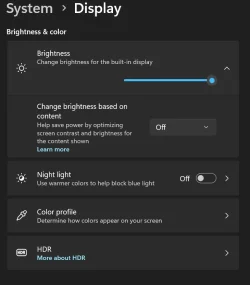
I went to system, display, brightness based on content OFF, night light OFF, I am wondering if a BIOS setting can be used to fix this minor issue.
I am not up on logging or anything too technical, I am just a normal user who knows enough about laptops to get by and that's about it.
Thank you.
BIOS AMI F-07, 7/19/2023
SMBIOS Version 3.3
BIOS Mode UEFI
HP Pavillion Laptop 14z-ec100
8GB DDR4
256GB SSD
Device name
Processor AMD Ryzen 5 5625U with Radeon Graphics (2.30 GHz)
Installed RAM 8.00 GB (7.34 GB usable)
Device ID 42568A98-D50A-4525-A7DC-DB654749E8E3
Product ID 00330-90004-58810-AB843
System type 64-bit operating system, x64-based processor
Pen and touch No pen or touch input is available for this display
Edition Windows 11 Pro
Version 25H2
Installed on 4/11/2025
OS build 26200.8037
Experience Windows Feature Experience Pack 1000.26100.300.0
This is a different laptop than I normally use but a WIN11 HP that is relatively
new and ran well, but i left it sit for a while and the battery evidently depleted,
upon startup a week ago it had a corrupted BIOS error pop up with a message
restoring the default BIOS or something to that effect, then it started and has
worked well ever since except the brightness diminishes as time goes on.
I went to system, display, brightness based on content OFF, night light OFF, I am wondering if a BIOS setting can be used to fix this minor issue.
I am not up on logging or anything too technical, I am just a normal user who knows enough about laptops to get by and that's about it.
Thank you.
BIOS AMI F-07, 7/19/2023
SMBIOS Version 3.3
BIOS Mode UEFI
HP Pavillion Laptop 14z-ec100
8GB DDR4
256GB SSD
Device name
Processor AMD Ryzen 5 5625U with Radeon Graphics (2.30 GHz)
Installed RAM 8.00 GB (7.34 GB usable)
Device ID 42568A98-D50A-4525-A7DC-DB654749E8E3
Product ID 00330-90004-58810-AB843
System type 64-bit operating system, x64-based processor
Pen and touch No pen or touch input is available for this display
Edition Windows 11 Pro
Version 25H2
Installed on 4/11/2025
OS build 26200.8037
Experience Windows Feature Experience Pack 1000.26100.300.0
My Computer
At a glance
windows 11 home12th gen Intel core 7-1260P8GB ram, 256GB SSDIntel Xe Graphics
- OS
- windows 11 home
- Computer type
- Laptop
- Manufacturer/Model
- HP Laptop 15t-dy500
- CPU
- 12th gen Intel core 7-1260P
- Motherboard
- cannot find
- Memory
- 8GB ram, 256GB SSD
- Graphics Card(s)
- Intel Xe Graphics
- Sound Card
- RealTek
- Monitor(s) Displays
- Integrated
- Screen Resolution
- 1366 x 768
- Hard Drives
- SK hynix BC7111HEM HFM256GD31X013N
- Keyboard
- HID kepboard device
- Mouse
- elan
- Internet Speed
- 223 download
- Browser
- several
- Antivirus
- windows security