What is codename Windows K2 for Microsoft to save Windows 11


 Windows Central:

In March, Windows president Pavan Davuluri confirmed plans to address serious "paint points" across Windows 11 that have eroded user trust and generated a wave of negative sentiment around the OS, spawned from Microsoft's relentless push into AI and enshittification while neglecting core Windows fundamentals such as performance and reliability.

Of course, what Microsoft says externally isn't always reflective of what it's really thinking internally, but in this case, my sources say the company is serious about turning Windows 11 into a platform that people are proud to use. By the end of 2026 and into 2027, Microsoft is striving to have Windows 11 in a much better place.

According to my sources, this effort is codenamed Windows K2. It’s a project that was put together in the second half of last year that addresses the biggest complaints that people have about Windows 11 today. Everything from an overabundance of AI features and bloat to performance issues and reliability mishaps will be tackled.

Windows K2 isn’t a dedicated release of the OS. Instead, K2 is an ongoing initiative that will ensure Windows quality remains both high and consistent across current and future versions, building an OS that is always focused on improvements to fundamentals to ensure foundational aspects of the platform are continuously strong.


 Read more:

 
Interesting that they're talking about using WinUI 3 for upgraded performance. If this is true, much of the hand-wringing about WinUI 3 being abandoned may end up being proven wrong. This is a good thing IMO, as if MS starts using and depending on WinUI 3 for improved performance, long-unfixed bugs in WinUI 3 could end up finally being fixed, which could breathe new life into the platform.
 

My Computer

System One

  • OS
    Windows 11 pro 25h2
    Computer type
    PC/Desktop
    Manufacturer/Model
    DIY
    CPU
    AMD Ryzen 7 5700G
    Motherboard
    MSI B450M Bazooka, BIOS version 7A38vHJ5 (latest beta as of 2025-09-23)
    Memory
    64 GB G.Skill (F4-3200C16Q-64GVK)
    Graphics Card(s)
    Integrated into CPU
    Sound Card
    Realtek (built into motherboard)
    Monitor(s) Displays
    Generic HDMI
    Screen Resolution
    1080p
    Hard Drives
    System and apps: SK hynix Gold P31 1TB M.2
    Data: Toshiba HDWQ140 4TB internal SATA
    PSU
    Seasonic 400W SS-400FL2 fanless
    Case
    Fractal Design Define R5
    Cooling
    Cooler Master Hyper 212 Evo
    Keyboard
    Lenovo Preferred Pro II Wired External USB Keyboard (4X30M86879)
    Mouse
    Belkin cheapo corded USB mouse
    Internet Speed
    300 MBit/sec
    Browser
    Firefox
    Antivirus
    Windows Defender
I hate to admit it but my first PC OS was MSDOS 2.0 and I have owned or used almost every version of Windows. I still enjoy using it because I know my around the old stuff and use Start search to find the new screens and menus. I would hate to be a new user. It must be tough for them to understand what all the endless options are and what they do. I think it's overly complicated in it's layout.... The Start Screen should be a Real Window that you can resize and move around. Why not put important items like secure boot, certs, bitlocker status, wifi, bluetooth up front like a dashboard, I haven't seen a long range plan. Each version of windows is different but is better? They need to get us to buy in if they want people to invest in another Windows computer.
 

My Computer

System One

  • OS
    Windows 11 & Zorin Pro
    Computer type
    Laptop
    Manufacturer/Model
    Asus Rog Strix G16
    CPU
    Intel® Core™ Ultra 9 Processor 275HX 2.7 GHz
    Motherboard
    AsusteK Computer
    Memory
    32 gb
    Graphics Card(s)
    NVIDIA® GeForce RTX™ 5060 Laptop GPU
    Sound Card
    Realtek High Definition Audio
    Monitor(s) Displays
    Laptop 16 inch
    Screen Resolution
    2560 X 1600
    Hard Drives
    Boot: Samsung 9100 NVME 2 TB Microsoft Storage Controller: Standard NVM Express Driver: Microsoft 6/21/2006. No SATA/AHCI on my motherboard or in bios
    Mouse
    Pad
    Browser
    Google Chrome
    Antivirus
    Microsoft
    Other Info
    Printer: HP Color LaserJet MFP M477dw
I hate to admit it but my first PC OS was MSDOS 2.0 and I have owned or used almost every version of Windows. I still enjoy using it because I know my around the old stuff and use Start search to find the new screens and menus. I would hate to be a new user. It must be tough for them to understand what all the endless options are and what they do. I think it's overly complicated in it's layout.... The Start Screen should be a Real Window that you can resize and move around. Why not put important items like secure boot, certs, bitlocker status, wifi, bluetooth up front like a dashboard, I haven't seen a long range plan. Each version of windows is different but is better? They need to get us to buy in if they want people to invest in another Windows computer.
Hate to admit that my first PC ran CP/M. And before that IBM mainframes, starting with 026 cardpunches and 1403 printer output.
 

My Computer

System One

  • OS
    Windows 11 2H25
    Computer type
    PC/Desktop
    Manufacturer/Model
    DIY
    CPU
    AMD 9900X
    Motherboard
    MSI X870E Carbon
    Memory
    64 GB
    Graphics Card(s)
    AMD 9070 XT
    Sound Card
    built-in
    Monitor(s) Displays
    Dell 24"
    Hard Drives
    Sabrent 1 TB NVMe, 4 x SSD (need to check models), 4 x 3.5" HDD, 8-16 TB, all WD
    PSU
    Seasonic 850
    Case
    Fractal Design North XL (which I likw)
    Cooling
    Corsair AIO for CPU, fans for case
    Keyboard
    Das Keyboard 4
    Mouse
    Corsair M65 (white)
    Internet Speed
    1 TB download
    Browser
    Firefox
    Antivirus
    Bitdefender
    Other Info
    Also have Lenovo T14S laptop (me) and Lenovo Slim 71 (wife)
My first PC ran the built-in IBM Basic with tape I/O and later DOS 3.20. But indeed, it was very long ago...

Windows Central can be trusted. It's good that MS devs decided to put efforts into improving Windows 11 as much as possible, instead of leaving it in current unfinished state and jump to the next (ambitious and shiny) Windows 12. And changes in the Insider positioning can be seen as a step in the same direction. Long MS problem was counting more on telemetry rather than feedback from users and testers. Many solutions of the problems, which can be found on learn.microsoft.com were provided by MVP people, not by developers or official support, and the discovered bugs might be unfixed for years. Such approach should be changed, at least I hope on that.
 

My Computer

System One

  • OS
    Windows 11 Pro 25H2
    Computer type
    Laptop
    Manufacturer/Model
    Lenovo Legion 5-15ARH05
    CPU
    AMD Rysen 5 4600H
    Memory
    32 GB (2 x 16 GB Samsung SO-DIMM DDR4-3200)
    Graphics Card(s)
    GeForce GTX 1650 Ti, 4 GB GDDR6
    Screen Resolution
    1920x1080
    Hard Drives
    SSD M.2 512 GB SAMSUNG MZALQ512; SSD M.2 1 TB Seagate FireCuda 530
    Mouse
    Logitech M650L in Bluetooth mode
MS already have the foundations in place for this
Windows pro can have everything installed including AI
Windows home just has the basics installed no AI
they have a corporate version already LTSC

anything can be added or removed via the MS store
or the power-shell command line

they have the foundations but do they wish to build on them.
best of luck Steve ..
 

My Computers

System One System Two

  • OS
    Debian 13 KDE .. Windows 11 Home
    Computer type
    PC/Desktop
    Manufacturer/Model
    HP 24" AiO
    CPU
    Ryzen 7 5825u
    Motherboard
    HP
    Memory
    64GB DDR4 3200
    Graphics Card(s)
    Ryzen 7 5825u
    Sound Card
    RealTek
    Monitor(s) Displays
    24" HP AiO
    Screen Resolution
    1920 x 1080 @60 Hz
    Hard Drives
    1TB WD Blue SN580 M2 SSD Partitioned.
    2x 1TB USB HDD External Backup/Storage.
    PSU
    90W external power brick
    Case
    24" All in One
    Cooling
    Default Air Cooling
    Keyboard
    HP WiFi UK extended
    Mouse
    HP WiFi 3 Button
    Internet Speed
    1GB full fibre
    Browser
    Edge & Firefox
    Antivirus
    AVG Internet Security/Windows Defender
    Other Info
    Mainly Open Source Software
  • Operating System
    Ubuntu 22.04.5 LTS
    Computer type
    Laptop
    Manufacturer/Model
    Dell 13" Latitude 2017
    CPU
    i5 7200u
    Motherboard
    Dell
    Memory
    16GB DDR4
    Graphics card(s)
    Intel
    Sound Card
    Intel
    Monitor(s) Displays
    13" Dell Laptop
    Hard Drives
    250GB Crucial 2.5" SSD
    Mouse
    Generic WiFi 3 button
    Internet Speed
    WiFi only
    Browser
    Firefox
    Antivirus
    ClamAV TK
    Other Info
    Mainly Open Source Software
My take is different from most of you. Once I got over the initial learning curve, I've had few issues with 11. My hardware can handle it so, for the most part,
(1) I just let Windows do it's thing without trying to butcher it down and (2) I haven't felt the need to alter the GUI as much as some folks. I don't want my new Windows to look exactly like my old Windows. I truly believe those 2 things are the reason I haven't had any of the problems others report.

I think to gain back customer trust, MS should be first concentrating most on what doesn't work up to par with what customers expect out of Windows, not the way it looks; first and foremost file explorer issues followed by Windows update problems and networking.

My biggest beef has been the Onedrive crap being crammed down our throats and having no obvious option to use a local account during setup. IMO, for those things we should be given a clear choice. In my case, I wanted to use a MS account, but wanted my files to have no ties to Onedrive. That's what I'm doing, but only after jumping through hoops to do it. That's when I cussed Microsoft the most.

As far as AI, again I think it should be a up-front choice of when and where we want to use it. I use AI, but only in Edge. I don't want it writing my documents or emails or overtaking notepad if I decide to write a recipe.
 

My Computers

System One System Two

  • OS
    Windows 11 Pro 25H2 26200.8655
    Computer type
    PC/Desktop
    Manufacturer/Model
    Dell Optiplex 7080
    CPU
    i9-10900 10 core 20 threads
    Motherboard
    DELL 0J37VM
    Memory
    32 gb
    Graphics Card(s)
    none-Intel UHD Graphics 630
    Sound Card
    Integrated Realtek
    Monitor(s) Displays
    Benq 27
    Screen Resolution
    2560x1440
    Hard Drives
    2x1tb Solidigm m.2 nvme /External drives 512gb Samsung m.2 sata+2tb Kingston m2.nvme
    PSU
    500w
    Case
    MT
    Cooling
    Dell Premium
    Keyboard
    Logitech wired
    Mouse
    Logitech wireless
    Internet Speed
    so slow I'm too embarrassed to tell
    Browser
    #1 Edge #2 Firefox
    Antivirus
    Defender+MWB Premium
  • Operating System
    Windows 11 Pro 24H2 26200.8457
    Computer type
    PC/Desktop
    Manufacturer/Model
    Beelink Mini PC SER5
    CPU
    AMD Ryzen 7 6800U
    Memory
    32 gb
    Graphics card(s)
    integrated
    Sound Card
    integrated
    Monitor(s) Displays
    Benq 27
    Screen Resolution
    2560x1440
    Hard Drives
    1TB Crucial nvme
    Keyboard
    Logitech wired
    Mouse
    Logitech wireless
    Internet Speed
    still too embarrassed to tell
    Browser
    Firefox
    Antivirus
    Defender
    Other Info
    System 3 is non compliant Dell 9020 i7-4770/24gb ram Win11 PRO 26200.8457
Actually my complaints are not with the operation and updating of Windows as it works for me. I've never had to back out any windows updates before Windows 11. How may years is it going to take before we can do admin functions frrom a local account?

I guess we have several mainframe guys on this site. My first computer was a 360/30 running IBM Dos, 1401 and 1410 emulation. I spent 42 years working in data centers starting in 1970. I worked as an operaor, technical advisor and manager. I saw lots of changes over the years and throughly enjoyed learning new stuff... I worked a lot of nights and weekends most of it on a 3 day weeks with 12 hour shifts. I was an expert in JCL, scheduling systems, Jes2, MVS, ZOS operation and recovery. In later years we had 3 data centers running parallel sysplex with their jes2 checkpoints running in coupling facilities to keep everything in synch. I don't think windows is that complicated but it should be better by now.
 

My Computer

System One

  • OS
    Windows 11 & Zorin Pro
    Computer type
    Laptop
    Manufacturer/Model
    Asus Rog Strix G16
    CPU
    Intel® Core™ Ultra 9 Processor 275HX 2.7 GHz
    Motherboard
    AsusteK Computer
    Memory
    32 gb
    Graphics Card(s)
    NVIDIA® GeForce RTX™ 5060 Laptop GPU
    Sound Card
    Realtek High Definition Audio
    Monitor(s) Displays
    Laptop 16 inch
    Screen Resolution
    2560 X 1600
    Hard Drives
    Boot: Samsung 9100 NVME 2 TB Microsoft Storage Controller: Standard NVM Express Driver: Microsoft 6/21/2006. No SATA/AHCI on my motherboard or in bios
    Mouse
    Pad
    Browser
    Google Chrome
    Antivirus
    Microsoft
    Other Info
    Printer: HP Color LaserJet MFP M477dw
Windows 11 works fine for me for the most part, but there are a lot of bugs and questionable design choices. They need to vastly improve the security center imho, I think windows 7 security center was much better for the average user to understand.

I like the idea of the new settings panel, but the way everything is buried in menu's is pretty bad. Nothing is easily findable unless you search. Everything is very buried I think. Also, you cannot have multiple settings windows open at a time.

Something else that bothers me to, is when setting a static ip you must put in a dns and subnet and other info in the new panel before being able to save. The old one would auto put in a subnet and not force dns.

Honestly it is kind of the direction of android as well. I want all the settings, but the way they are laid out is just bad imho.

Too many submenus and options in places that do not make that much sense. For example, why is notifications timeout not in notifications? Why is it in accessibility? If it has to be that way, add things like looking for this? Go here.

I would like to see a much more reliable/faster file explorer. I know they are working on it. But preloading is just a bandaid and not a fix.
Onedrive with file explorer is so slow especially in a corporate environment. It lags a lot when there are a lot of files in the folders, especially when syncing.

Start menu should be more customizable.

They should reverse the black screen of death back to blue. And maybe you know instead of the current way of handling bluescreens, maybe autorun the bugchecks, you could actually auto run the basic analyze command and tell us what actually caused it and be actually helpful for once.

And you know, if a pc bluescreens, in the case of drivers, (which it usually is) maybe just maybe I don't know actually upload that driver version that caused the issue and microsoft work with the vendor to make sure it works. If vendor dead, provide a warning flag on the driver on install.

There are so many simple things they can do.

Don't allow trial versions of antivirus programs to be auto installed on a machine.

Don't auto install random stuff from the microsoft store.
 

My Computers

System One System Two

  • OS
    Windows 11 Pro
    Computer type
    PC/Desktop
    Manufacturer/Model
    Custom Built
    CPU
    Ryzen 7 5700 X3D
    Motherboard
    MSI MPG B550 GAMING PLUS
    Memory
    64 GB DDR4 3600mhz Gskill Ripjaws V
    Graphics Card(s)
    RTX 4070 Super , 12GB VRAM Asus EVO Overclock
    Monitor(s) Displays
    Gigabyte M27Q (rev. 2.0) 2560 x 1440 @ 170hz HDR
    Hard Drives
    2TB Samsung nvme ssd
    4TB Western Digital nvme ssd
    PSU
    CORSAIR RMx SHIFT Series™ RM750x 80 PLUS Gold Fully Modular ATX Power Supply
    Case
    CORSAIR 3500X ARGB Mid-Tower ATX PC Case – Black
    Cooling
    ID-COOLING FROSTFLOW X 240 CPU Water Cooler
    Keyboard
    Logitech G213
    Mouse
    Logitech G203
    Internet Speed
    1.2gbps Fiber 😎
  • Operating System
    Chrome OS
    Computer type
    Laptop
    Manufacturer/Model
    HP Chromebook
    CPU
    Intel Pentium Quad Core
    Memory
    4GB LPDDR4
    Monitor(s) Displays
    14 Inch HD SVA anti glare micro edge display
    Hard Drives
    64 GB emmc
They need to stop using AI to generate the code they use AND listen to their users when they say that they don't like some new change they made to the UI, like you can't move the dang task bar to where YOU want it, just for example.
 

My Computer

System One

  • OS
    Windows 11 Pro 23H2
    Computer type
    PC/Desktop
    Manufacturer/Model
    MinisForum
    CPU
    Intel(R) Core(TM) i9-12900HK
    Memory
    32gb
    Graphics Card(s)
    Intel(R) Iris(R) Xe Graphics
    Sound Card
    Realtek 888
    Monitor(s) Displays
    Acer
    Screen Resolution
    1920x1080
    Hard Drives
    1TB SSD
    Keyboard
    Logitech
    Mouse
    Logitech MX Master 2X
    Internet Speed
    1GB
    Browser
    Firefox
    Antivirus
    Windows Defender
In general Windows does what I need. That's not to say they couldn't slim things down, but I'm not holding my breath for massive changes.
 

My Computers

System One System Two

  • OS
    Win 11 Pro 25H2, Build 26200.8655
    Computer type
    PC/Desktop
    Manufacturer/Model
    Home Brew
    CPU
    Intel Core i5 14500
    Motherboard
    Gigabyte B760M G P WIFI
    Memory
    64GB DDR4
    Graphics Card(s)
    GeForce RTX 4060
    Sound Card
    Chipset Realtek
    Monitor(s) Displays
    LG 45" Ultragear, Acer 24" 1080p
    Screen Resolution
    5120x1440, 1920x1080
    Hard Drives
    Crucial P310 2TB 2280 PCIe Gen4 3D NAND NVMe M.2 SSD (O/S)
    Silicon Power 2TB US75 NVMe PCIe Gen4 M.2 2280 SSD (backup)
    Crucial BX500 2TB 3D NAND (2nd backup)
    Seagate 4TB Ironwolf, rotating HDD archive files
    External off-line backup Drives: 2 NVMe 4TB drives in external enclosures
    PSU
    Thermaltake Toughpower GF3 750W
    Case
    LIAN LI LANCOOL 216 E-ATX PC Case
    Cooling
    Lots of fans!
    Keyboard
    Microsoft Comfort Curve 2000
    Mouse
    Logitech G305
    Internet Speed
    Verizon FiOS 1GB
    Browser
    Firefox
    Antivirus
    Malware Bytes & Windows Defender Security
  • Operating System
    Win 11 Pro 25H2, Build 26200.8524
    Computer type
    PC/Desktop
    Manufacturer/Model
    Home Brew
    CPU
    Intel Core i5 14400
    Motherboard
    Gigabyte B760M DS3H AX
    Memory
    32GB DDR5
    Graphics card(s)
    Intel 700 Embedded GPU
    Sound Card
    Realtek Embedded
    Monitor(s) Displays
    27" HP 1080p
    Screen Resolution
    1920x1080
    Hard Drives
    Crucial P310 2TB 2280 PCIe Gen4 eD NAND PCIe SSD
    Samsung EVO 990 2TB NVMe Gen4 SSD
    Samsung 2TB SATA SSD
    PSU
    Thermaltake Smart BM3 650W
    Case
    Okinos Micro ATX Case
    Cooling
    Fans
    Keyboard
    Microsoft Comfort Curve 2000
    Mouse
    Logitech G305
    Internet Speed
    Verizon FiOS 1GB
    Browser
    Firefox
    Antivirus
    Malware Bytes & Windows Defender Security
They need to stop using AI to generate the code they use AND listen to their users when they say that they don't like some new change they made to the UI, like you can't move the dang task bar to where YOU want it, just for example.
They can use AI and generate the code that will meet the needs of the users. AI is just a tool
 

My Computer

System One

  • OS
    Windows 11 Home(RP) - 25H2 -26200..8524
    Computer type
    PC/Desktop
    Manufacturer/Model
    Banana Junior 5600-G Series
    CPU
    AMD Ryzen 5 5600G
    Motherboard
    Asus ROG Strix B550-F
    Memory
    G.SKILL Ripjaws V Series 64GB 4x16
    Graphics Card(s)
    Nvidia geforce gtx titan x
    Monitor(s) Displays
    28" ASUS VP28U 4k
    Screen Resolution
    4K
    Hard Drives
    Primary SAMSUNG 970 EVO Plus
    PSU
    EVGA BQ 700w 80+ Bronze
    Case
    Zalman i3 NEO
    Cooling
    ARCTIC Freezer 7 X
    Keyboard
    Corsair
    Mouse
    Amazon Generic with Cord
    Internet Speed
    Download: 295.11 mbps Upload: 65.35 mbps T-Mobile Internet
    Browser
    Firefox and Edge
    Antivirus
    MS - Defender
    Other Info
    Speakers: Klipsch ProMedia 2.1
Lets get them to have Co-Pilot as the Ai App. that's it. That would be a start. Stop reporting back to the mothership constantly. Just remember folks, Apple is messing up MacOS just as bad. Ads being put in everywhere, slow, sluggish performance and Liquid glASS is Fugly. Vista did it better.
 

My Computers

System One System Two

  • OS
    Windows 11 Home
    Computer type
    PC/Desktop
    Manufacturer/Model
    Dell XPS 8940
    CPU
    Intel i7 10700
    Motherboard
    Dell
    Memory
    128gb crucial
    Graphics Card(s)
    nVidia RTX 2070 super
    Sound Card
    Dell
    Monitor(s) Displays
    2 24 inch Dell ultrasharp displays one touch enabled for video and photo editing
    Screen Resolution
    1080p
    Hard Drives
    Main Drive- XPG 2tb, Project drive - Kingston 1tb, Scratch drive - Kingston 512gb, Storage drive - Seagate barracuda 8tb
    PSU
    Dell
    Case
    Dell
    Cooling
    Custom Noctua setup
    Keyboard
    Vital Pro keyboard
    Mouse
    Vital Pro mouse
    Internet Speed
    Bell fibe 1.0 gbps
    Browser
    Edge
    Antivirus
    Defender
    Other Info
    Various printers, card readers, scanners etc for creative work. I built a NAS out of my old acer AC100 4 bay hot swap server with Xeon processor.
  • Operating System
    WIndows 11 Home
    Computer type
    Laptop
    Manufacturer/Model
    Dell Inspiron 5406 2 in 1
    CPU
    intel i7 1165G7
    Motherboard
    dell
    Memory
    64gb of Ballistix DD4 ram
    Graphics card(s)
    Iris Xe
    Sound Card
    dell
    Monitor(s) Displays
    14 inch touchscreen, plus a second 14 inch touchscreen via HDMI while on location
    Screen Resolution
    1080p
    Hard Drives
    Main drive - 2tb XPG, Storage drive - 1tb Seagate portable drive
    PSU
    dell plus a compact charger for travel
    Case
    dell
    Cooling
    repasted stock coolers
    Browser
    Edge
    Antivirus
    defender
    Other Info
    Thinking about getting an eGpu for this system to take on the road with us.
I hate to admit it but my first PC OS was MSDOS 2.0 and I have owned or used almost every version of Windows. I still enjoy using it because I know my around the old stuff and use Start search to find the new screens and menus. I would hate to be a new user. It must be tough for them to understand what all the endless options are and what they do. I think it's overly complicated in it's layout.... The Start Screen should be a Real Window that you can resize and move around. Why not put important items like secure boot, certs, bitlocker status, wifi, bluetooth up front like a dashboard, I haven't seen a long range plan. Each version of windows is different but is better? They need to get us to buy in if they want people to invest in another Windows computer.
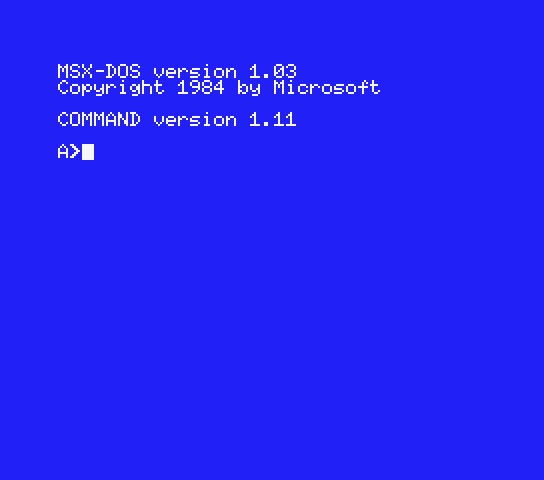
Just curious, are you also familiar with this stuff?

MSX-DOS-1.03.png
 

My Computers

System One System Two

  • OS
    11 Home
    Computer type
    Laptop
    Manufacturer/Model
    Asus TUF Gaming F16 (2024)
    CPU
    i7 13650HX
    Memory
    16GB DDR5
    Graphics Card(s)
    GeForce RTX 4060 Mobile
    Sound Card
    Eastern Electric MiniMax DAC Supreme; Emotiva UMC-200; Astell & Kern AK240
    Monitor(s) Displays
    Sony Bravia XR-55X90J
    Screen Resolution
    3840×2160
    Hard Drives
    512GB SSD internal
    37TB external
    PSU
    Li-ion
    Cooling
    2× Arc Flow Fans, 4× exhaust vents, 5× heatpipes
    Keyboard
    Logitech K800
    Mouse
    Logitech G402
    Internet Speed
    30Mbit/s up, 500Mbit/s down
    Browser
    FF
    Antivirus
    What's an antivirus?
  • Operating System
    11 Home
    Computer type
    Laptop
    Manufacturer/Model
    Medion S15450
    CPU
    i5 1135G7
    Memory
    16GB DDR4
    Graphics card(s)
    Intel Iris Xe
    Sound Card
    Eastern Electric MiniMax DAC Supreme; Emotiva UMC-200; Astell & Kern AK240
    Monitor(s) Displays
    Sony Bravia XR-55X90J
    Screen Resolution
    3840×2160
    Hard Drives
    2TB SSD internal
    37TB external
    PSU
    Li-ion
    Keyboard
    Logitech K800
    Mouse
    Logitech G402
    Internet Speed
    30Mbit/s up, 500Mbit/s down
    Browser
    FF
First episode of Inside Windows with Pavan and Marcus....


My Computer

System One

  • OS
    Windows 11 Pro 25H2
    Computer type
    PC/Desktop
    Manufacturer/Model
    Intel NUC12WSHi7
    CPU
    12th Gen Core i7-1260P
    Motherboard
    NUC12WSBi7
    Memory
    64 GB Micron PC4-25600
    Graphics Card(s)
    Intel Iris Xe Graphics
    Sound Card
    on-board Realtek HD Audio
    Monitor(s) Displays
    Dell U3219Q
    Screen Resolution
    3840 x 2160
    Hard Drives
    Samsung SSD 990 PRO 1TB
    Crucial MX500 2 TB
    Antivirus
    Microsoft Defender
I think to gain back customer trust, MS should be first concentrating most on what doesn't work up to par with what customers expect out of Windows, not the way it looks; first and foremost file explorer issues followed by Windows update problems and networking.
And one good way to find out is to stand up a web page where users can log their problems and issues. Another way is to run focus groups, with a non-Microsoft moderator and no Microsoft people in the room. (Only behind the one-way window.) Another would be to do email surveys to a randomly selected group of people.

Separate pages, groups, and surveys for home users and IT people. For IT people, sub-groups for IT managers, first and second line managers, and CIOs.
MS would learn a LOT. Me, been there, done that.
My biggest beef has been the Onedrive crap being crammed down our throats and having no obvious option to use a local account during setup. IMO, for those things we should be given a clear choice. In my case, I wanted to use a MS account, but wanted my files to have no ties to Onedrive. That's what I'm doing, but only after jumping through hoops to do it. That's when I cussed Microsoft the most.
What she said.
 

My Computer

System One

  • OS
    Windows 11 2H25
    Computer type
    PC/Desktop
    Manufacturer/Model
    DIY
    CPU
    AMD 9900X
    Motherboard
    MSI X870E Carbon
    Memory
    64 GB
    Graphics Card(s)
    AMD 9070 XT
    Sound Card
    built-in
    Monitor(s) Displays
    Dell 24"
    Hard Drives
    Sabrent 1 TB NVMe, 4 x SSD (need to check models), 4 x 3.5" HDD, 8-16 TB, all WD
    PSU
    Seasonic 850
    Case
    Fractal Design North XL (which I likw)
    Cooling
    Corsair AIO for CPU, fans for case
    Keyboard
    Das Keyboard 4
    Mouse
    Corsair M65 (white)
    Internet Speed
    1 TB download
    Browser
    Firefox
    Antivirus
    Bitdefender
    Other Info
    Also have Lenovo T14S laptop (me) and Lenovo Slim 71 (wife)
Last edited:

My Computers

System One System Two

  • OS
    Windows 11 Pro 25H2 build: (26200.7623)
    Computer type
    Laptop
    Manufacturer/Model
    Microsoft Surface Pro
    Memory
    32GB
  • Operating System
    Microsoft 25H2 Pro
    Computer type
    Laptop
    Manufacturer/Model
    Dell Pro 14 - PC14250
    CPU
    Intel Core Ultra 7
    Memory
    64GB
    Graphics card(s)
    Intel Integrated Graphics
    Hard Drives
    Micron 1TB SSD

My Computer

System One

  • OS
    Windows 11 2H25
    Computer type
    PC/Desktop
    Manufacturer/Model
    DIY
    CPU
    AMD 9900X
    Motherboard
    MSI X870E Carbon
    Memory
    64 GB
    Graphics Card(s)
    AMD 9070 XT
    Sound Card
    built-in
    Monitor(s) Displays
    Dell 24"
    Hard Drives
    Sabrent 1 TB NVMe, 4 x SSD (need to check models), 4 x 3.5" HDD, 8-16 TB, all WD
    PSU
    Seasonic 850
    Case
    Fractal Design North XL (which I likw)
    Cooling
    Corsair AIO for CPU, fans for case
    Keyboard
    Das Keyboard 4
    Mouse
    Corsair M65 (white)
    Internet Speed
    1 TB download
    Browser
    Firefox
    Antivirus
    Bitdefender
    Other Info
    Also have Lenovo T14S laptop (me) and Lenovo Slim 71 (wife)
Sure he's pissed at MS, and I would be too, but releasing 0-days just for spite is way over the top

Agree. The way he went about it was wrong, however keeping silent about these vulnerabilities existing is doubly wrong. Besides, simply publishing code is not against the law in the United States. And it seems MS already has recently had a track record of not rewarding those who point out vulnerabilities ahead of time while playing by the rules, only to have them (MS) silently fix it later without any acknowledgement.

Now that it's out in public, MS better do something about it. If their security teams are working 'overtime', well I can't say I feel too sorry about that, either. If this forces them to move their ass instead of taking their own sweet time about it, then so much the better! And by the same token, reward those who point these things out while playing by the rules. Don't take the people helping you out for granted.

Maybe now they'll focus less on AI and focus more on fixing what they already have, which was supposed to be the point of their K2 announcement up above to begin with. Right?
 

My Computers

System One System Two

  • OS
    Windows 11 Pro 25H2 build: (26200.7623)
    Computer type
    Laptop
    Manufacturer/Model
    Microsoft Surface Pro
    Memory
    32GB
  • Operating System
    Microsoft 25H2 Pro
    Computer type
    Laptop
    Manufacturer/Model
    Dell Pro 14 - PC14250
    CPU
    Intel Core Ultra 7
    Memory
    64GB
    Graphics card(s)
    Intel Integrated Graphics
    Hard Drives
    Micron 1TB SSD
Embarrassing, but still not a good thing that this guy did. Sure he's pissed at MS, and I would be too, but releasing 0-days just for spite is way over the top, That all said, the MSRC needs to overhaul their response process.
It started with he did everything right in the bug hunting program.. MS pissed at him and the story is long that can be read on several IT news websites.
So when MS burned him, he payed them back by publishing one bug... Then later MS went even harder on him and he payed back with publishing more.
So now there is several security researchers that is backing him up.

For what i understand from people that is in the pentesting work. This with bitlocker bypass was not meant to be patched according to they tried to shut up two researchers.. But now they will be forced to as everyone has the howto.
And as it was so easy and non technical to bypass, they actually talking about it as a backdoor and not a bug as EU and others have demanded several times to bypass encryption.. this is the talk as Windows 10 is EOL and bitlocker is not affected by Yellowkey on win10

In UK has Apple has turned off iCloud encryption as the UK government demanded a backdoor.. But apple said they wont compromise the whole world for one country, so they just turned of encryption as a workaround
 

My Computers

System One System Two

  • OS
    Linux: Debian, Kali-linux, Alma, Win: 7, 8.1,2012R
    Manufacturer/Model
    HP Elitebook 840, AsusX53, Aspire E1-572. AsusUX32A, HP Pro3130mt+3010mt, HP Proliant ML150, 3xCustom-PC, i3, i5, i7
    CPU
    i3, i5 and i7 From 2gen to 9th gen... Server dual Xenon
    Hard Drives
    Sata, M.2, SAS
  • Operating System
    Retro: 2003server.XPpro, Win2000, Win98SE, Win95, Win3.11, MS-DOS, IBM-DOS
    Manufacturer/Model
    Commodore, AST, Fujitsu, Compaq, etc etc. etc Around 15 desktops and 20 laptops in the collection
    CPU
    Oldest intel 8088 up to P4 dual core
    Hard Drives
    MFM, IDE, SCSI
Back
Top Bottom