Microsoft Copilot Blog:
Copilot Notebooks is an AI-powered workspace for a project or topic to help individuals and teams move work forward. It brings your Microsoft 365 work context into one workspace where you can collect references, ask questions grounded in your project context, uncover key insights across your work, and turn those insights into shareable outputs. Coming to Frontier in the coming weeks, this update helps you create notebooks, work with Copilot, and create or edit artifacts without leaving Notebooks. Try Copilot Notebooks today at Take notes anywhere for free | Microsoft OneNote for the Web.
Create Notebooks with ease
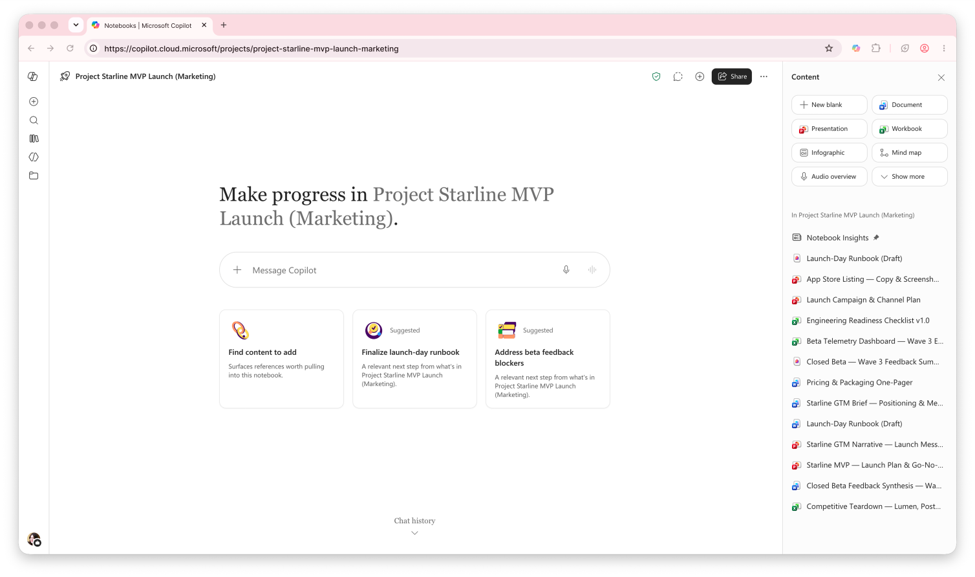
Copilot can help get you started by creating a new Copilot Notebook at your request. With new expanded references support and a UX refresh that keeps your notebooks organized, you can set up a notebook for your workflow.Create a new notebook by just describing your goal to Copilot, rather than setting it up manually. Simply describe what kind of notebook you'd like to make — “I’m working on pitching to a new customer in [industry] and need to get more familiar with the industry and its biggest players” — and notebook creation with Copilot can put together relevant references across your work data and the web to build out that notebook for you.
The notebook then isn’t just an empty container, it’s a workspace pre-filled with relevant references. More reference types means Markdown, TXT and RTF files can be added alongside the existing supported source types. So documentation, notes, logs, and transcripts are also included along with your documents, emails, and meetings.
As your project progresses, the new UX update brings a refreshed experience to the Microsoft Copilot app and OneNote to help keep your notebook organized and easy to use by grouping and reordering content and artifacts from the navigation pane.
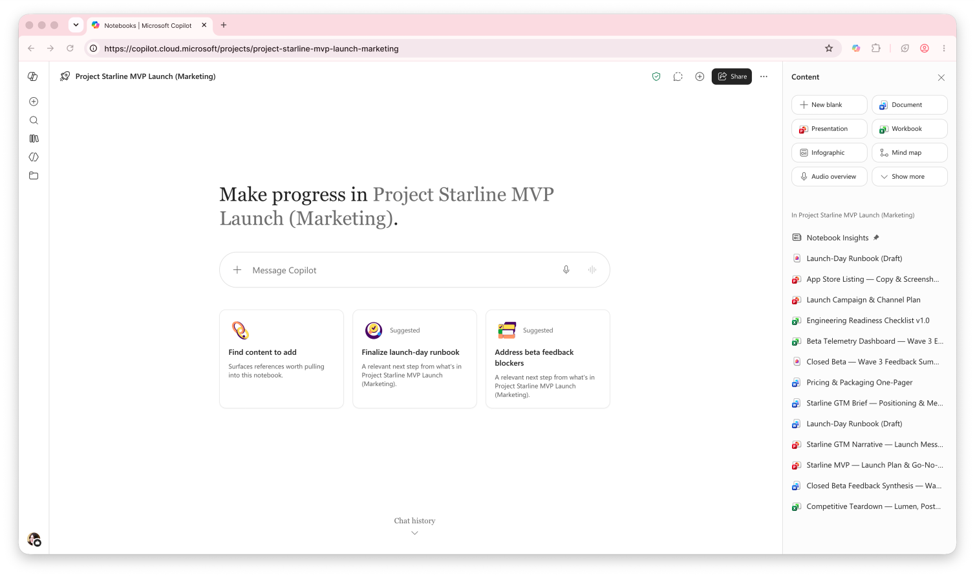
The new UX update is currently available in Frontier, with notebook creation with Copilot coming in the next few weeks. Expanded reference types are generally available.
Get started:
- “I’m working on pitching to a new customer in [industry] and need to get more familiar with the industry and its biggest players. Create a notebook on the industry in 2026, including a competitive analysis and overview.”
Work with Copilot in Notebooks
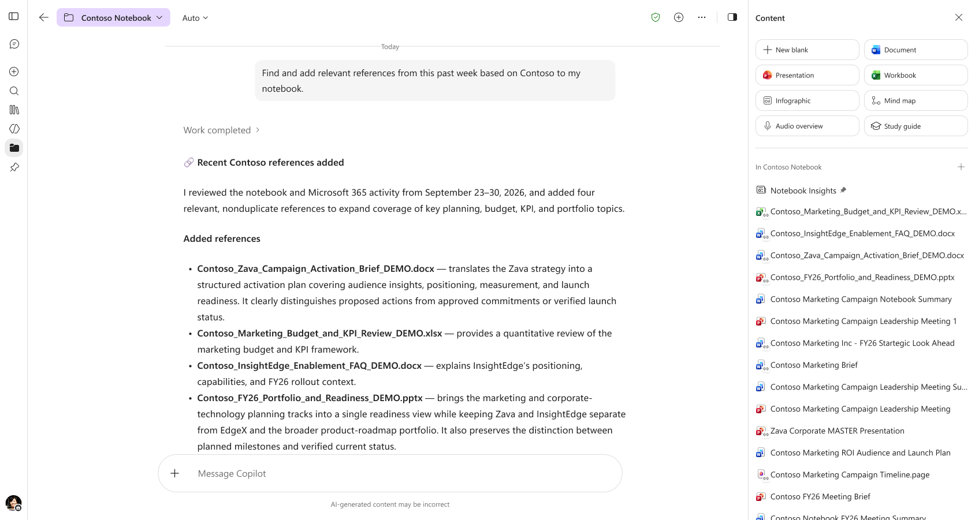
Once your notebook is set up with the right context, Copilot can help move work forward by managing project information, carrying out simple tasks, and automating recurring work. You can also choose the model Copilot uses to tailor its response to your needs.Copilot can now help carry out tasks. Copilot does simple work for you — Use Copilot to manage references and keep your notebooks current, synthesize information across project context, and create and edit single files like Word, Excel, or PowerPoint documents from chat. And now scope your prompt to just your Notebook only or change to "Work and web" for broader context beyond your references.
For frequent tasks, you don’t have to repeatedly prompt Copilot again and again. Schedule reoccurring Copilot tasks, like creating a daily morning brief or weekly status deck, into simple automations so you just have to prompt Copilot once. Create new custom automations, use scheduled task templates, adjust settings like frequency and task instructions, and monitor active and inactive automations.
When you’re looking for a certain response quality, model choice lets you specify the model Copilot uses in your Notebooks chat for your prompt, whether you want it to “think deeper” or choose a specific GPT model. More models coming soon.
Delegating simple work and model choice are currently available in Frontier, with simple task automations coming in the next few weeks.
Get started:
- "Find and add relevant references from this past week based on [Project X] to my notebook."
- "Every Friday at 4:00 PM, Summarize activity across [Topics or Workstreams] from [Time Period], including notable updates, decisions, actions, risks, and unresolved issues. Create a crisp PowerPoint deck that gives a clear weekly narrative, calls out what changed, and closes with follow-ups for the coming week."
Create and edit artifacts from Notebooks
With more ways to create, edit, and customize artifacts, you can complete your workflow and get more work done without leaving Notebooks.Notebooks doesn’t just start and end with adding references and working with Copilot. Now, with the full power of Office, create, edit, and collaborate on documents, spreadsheets, and presentations without breaking your flow. View documents inline, and edit Word, Excel, PowerPoint files directly on the canvas or by prompting Copilot to add new content such as an intro paragraph, bullet points, or a graph, or adjust formatting such as fonts, colors, and layouts. Teams can also invite others to collaborate and continue refining the same file with Copilot. Read more about Office in Copilot here.
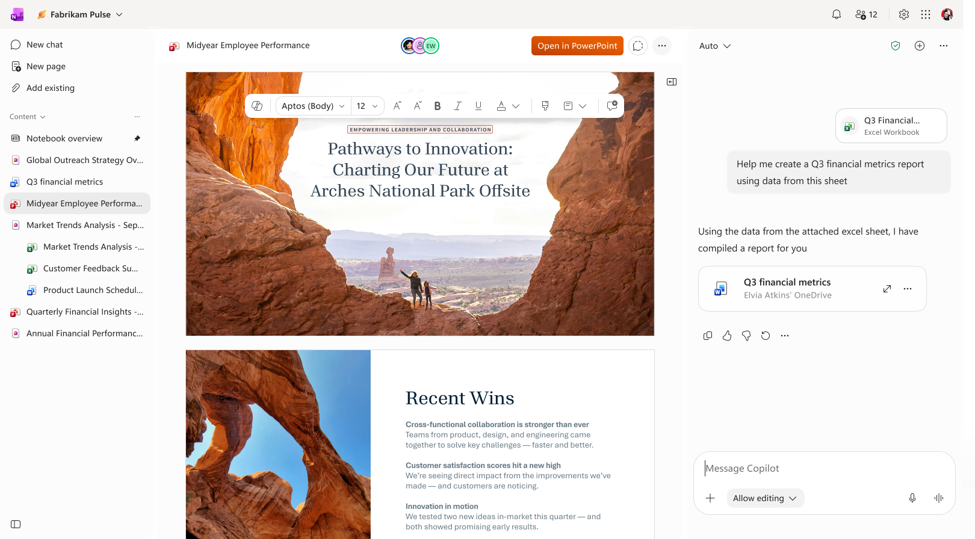
Deliverables aren’t always simple Word, Excel, and PowerPoint files. Go beyond traditional Office deliverables with new support for interactive reports. Create, live-edit, and collaborate with your team and Copilot on visual reports for data trends, monthly updates, and other dynamic content. You can also create PDFs from your notebook content through chat for a polished file like a one-pager you can save or send.
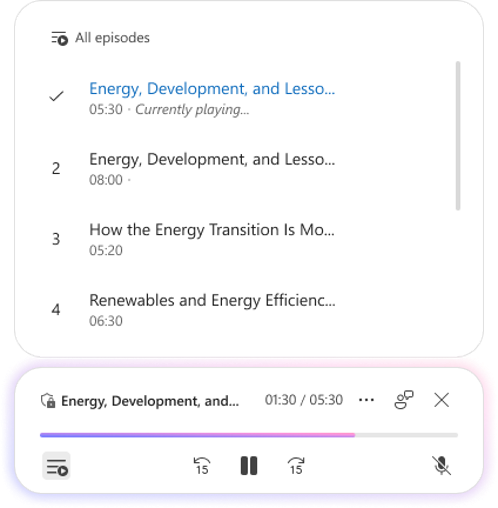
In addition to the other visual and interactive artifact formats, the updated audio overview offers another way to engage with your notebook content. They now draw from more reference types in your Notebook like Outlook emails, Teams meetings and chats, OneNote and Loop pages, and plain text (.txt) files, for a more comprehensive overview. New audio formats are now available such as “Critique and Debate.” You can also navigate longer overviews with topic-based episodes and save audio overview files to OneDrive with inherited sensitivity labels.
Copilot can also suggest artifacts for your project, proactively recommending relevant Word, Excel, or PowerPoint files based on WorkIQ and your notebook content, then lets you quickly generate them. More artifact types to come.
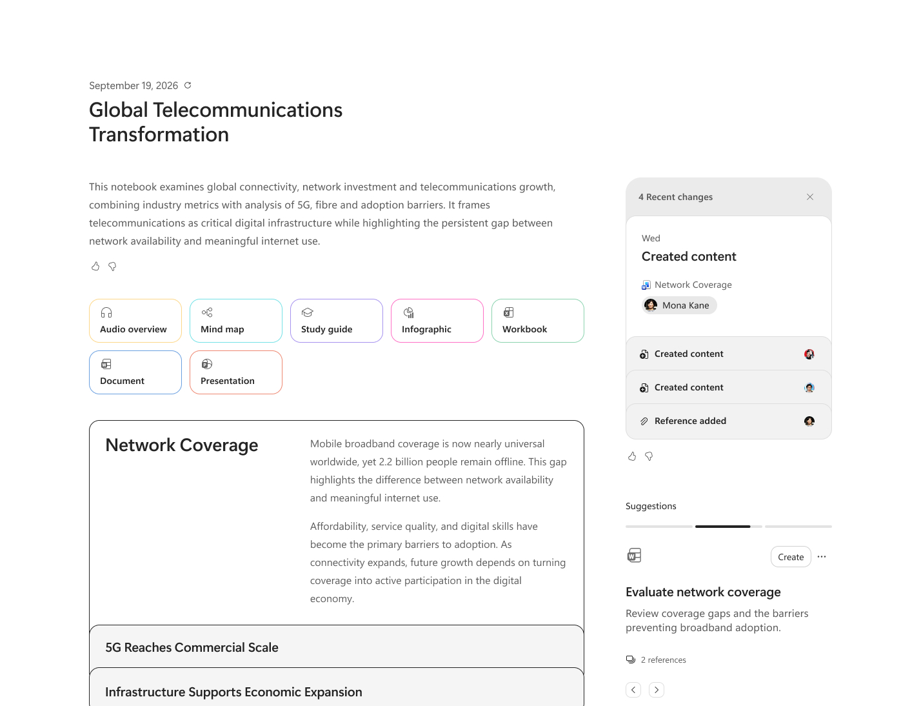
The power of Office, interactive reports, and PDF files are currently available in Frontier, with new audio overview updates coming in the next few weeks. Suggested artifacts are generally available.
Get started:
- "Update this project plan into an executive-ready document by adding a summary, action items, and next steps."
- "Create a rich interactive report from this notebook, complete with executive summaries, visual insights, filters, drill-down sections, and source-grounded references, so stakeholders can quickly understand the key findings and take action."
- "Create a one-page PDF executive summary of this notebook, highlighting the key findings, decisions, and recommendations to share with leadership."
Source:
What's New in Notebooks | October 2026 | Microsoft Community Hub
Copilot Notebooks updates bring an agentic chat experience for task delegation, Copilot Canvas for collaboration, and live-editing of Word, Excel, PowerPoint...
 techcommunity.microsoft.com