Excel Blog:
Welcome to the August 2025 update. We're excited to introduce the new COPILOT function in Microsoft Excel for Windows and Excel for Mac, a major step forward in how you work with data that brings the power of large language models directly into the grid and makes it easier than ever to analyze text, generate content, and work faster. The COPILOT function is now rolling out to Beta Channel users with a Microsoft 365 Copilot license.
Other features rolling out this month include explain formulas with Copilot in Excel, analyze images with Python in Excel, and more.
Excel for Windows and Mac
COPILOT function (Insiders)The new COPILOT function in Excel for Windows and Excel for Mac is here to save time and supercharge your workflows! Just enter a natural language prompt in your spreadsheet, reference cell values as needed, and watch Copilot instantly generate AI-powered results. Read more here >
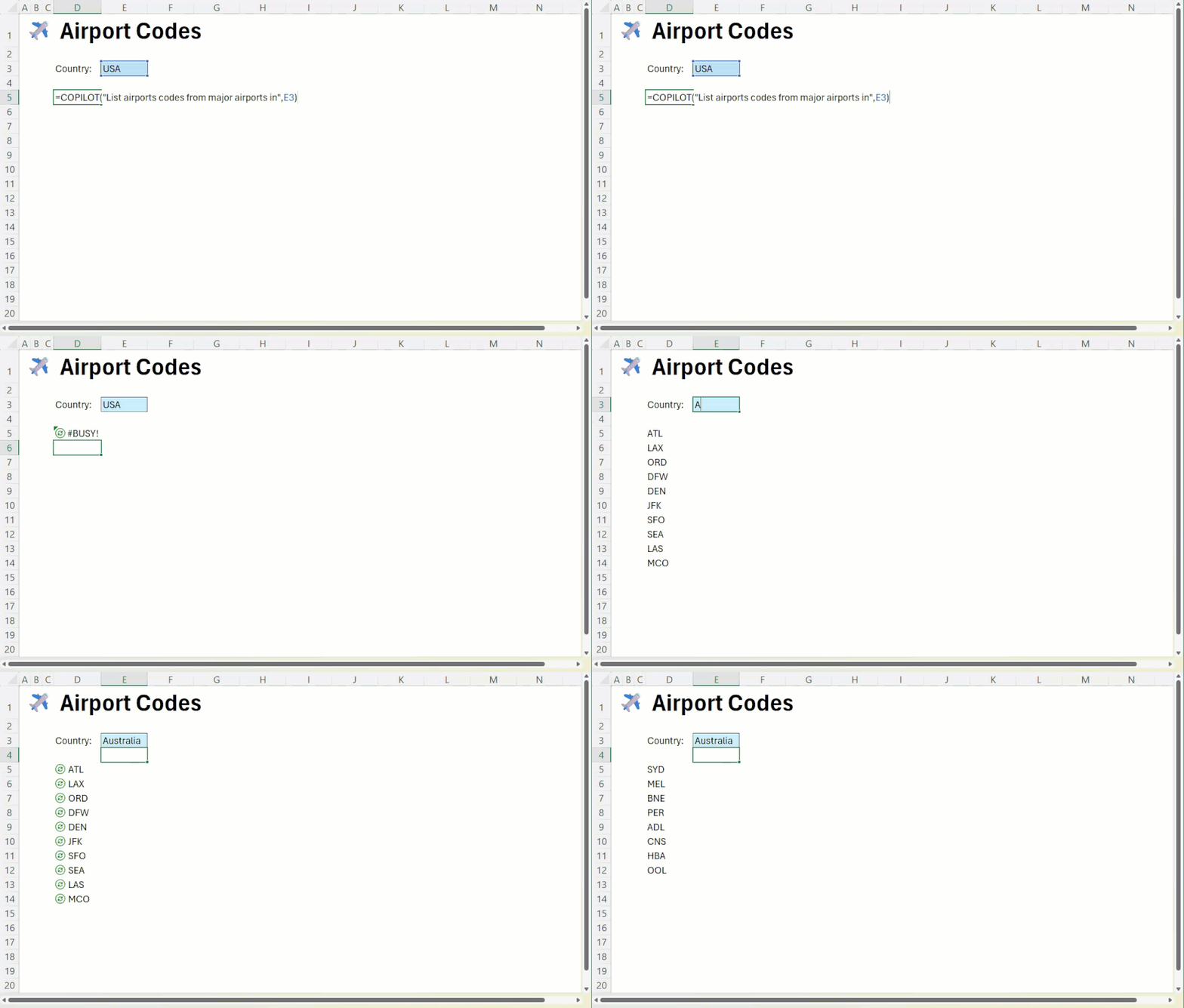
GIF showing how the COPILOT function is built into Excel's calculation engine, updating your results automatically when the data changes.
Excel for Windows and web
Explain formulas on the grid with Copilot in ExcelThe new Explain Formula feature turns Copilot into a user’s inline assistant, delivering clear, step-by-step breakdowns directly on the grid, right next to your data. Read more here >
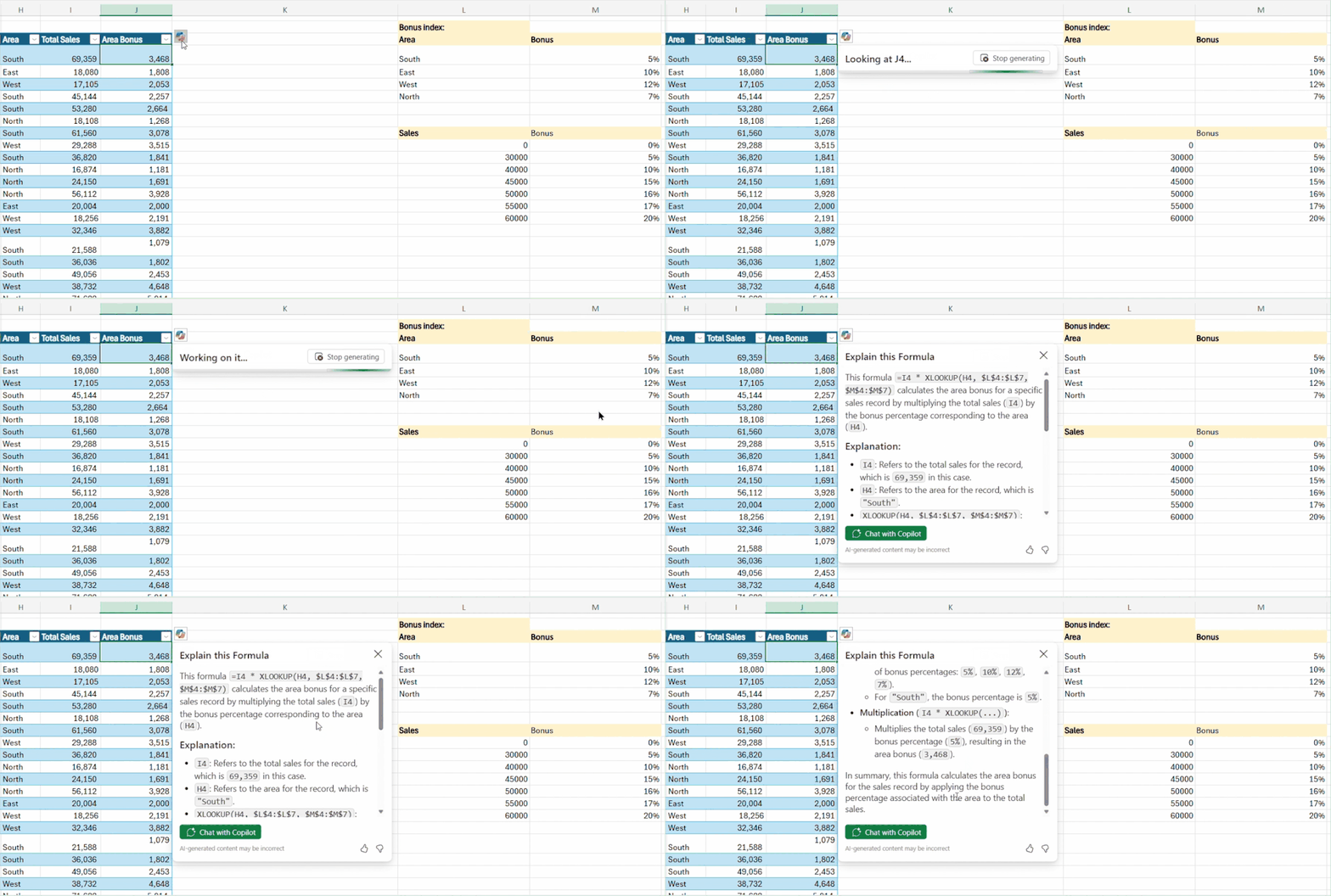
Excel for Windows, Mac, and the web
Analyze images with Python in Excel (Insiders)Analyzing, manipulating, and gathering important information from images in Excel just became easier and faster! This feature unlocks a whole new class of data analysis workflows: Now you can drop an image into a cell and run Python code on it with no extra tools or steps. Read more here >
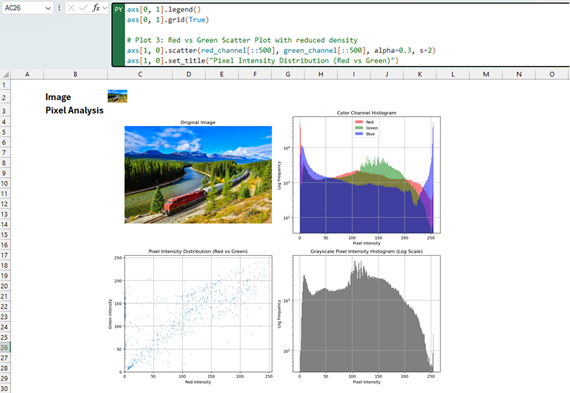
Image showing how Python can analyze metadata and generate plots to explore image structure and composition.
Excel for Windows
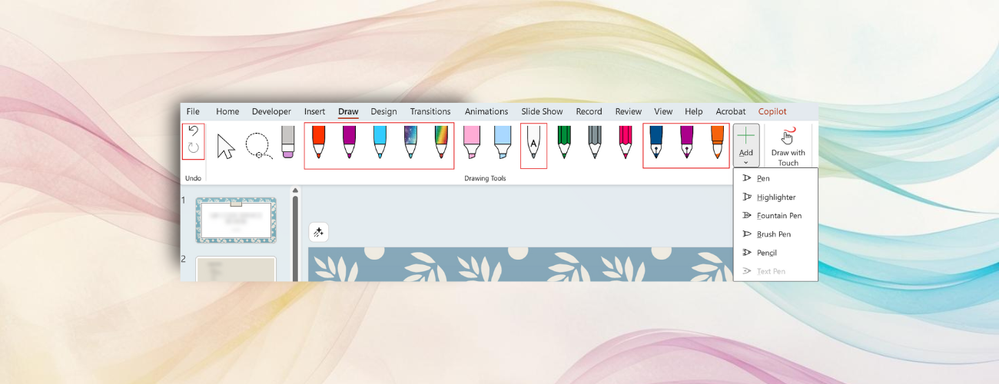
New pen tools and Draw tab customization (Insiders)Unleash your expressiveness and creativity with the Brush pen when adding ink and annotations in PowerPoint or Excel or write your notes in Word with a bit more flourish using the Fountain pen.
These additions can make the Draw tab feel crowded for some users, which is why we’ve also added the options to add, remove, and reorder your drawing tools. Now, it’s easy to customize the Draw tab layout to prioritize the pens, pencils, and highlighters you use most. Read more here >
Excel for the web
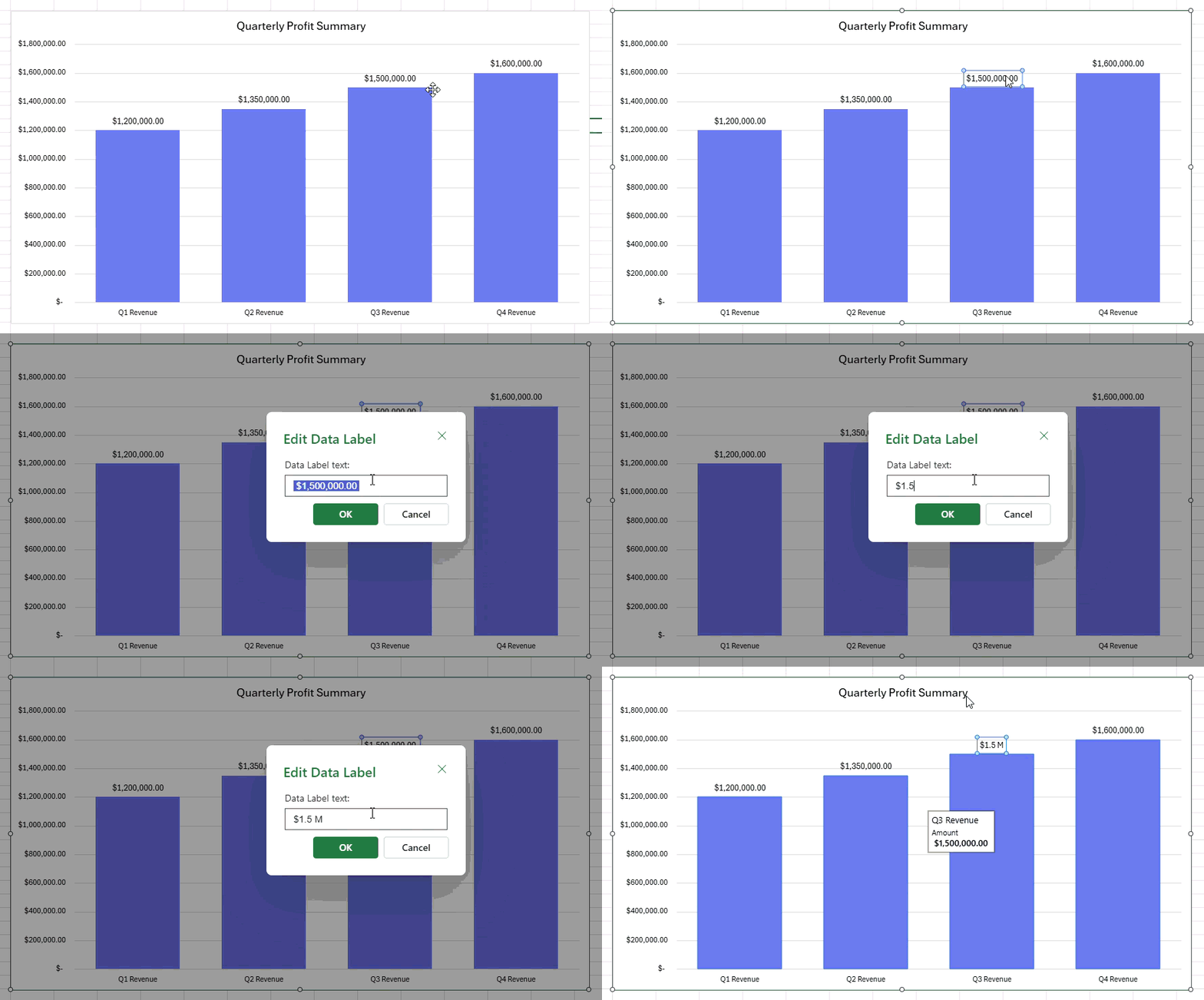
Edit data label text in Excel for the web #FIAYou’ve been asking for more of your favorite Excel features to make their way to the web—and we heard you! We’ve added the ability to edit data label text directly in Excel for the web, a feature that was previously only available on Windows.
Now you can customize chart labels on the fly—whether you're clarifying a data point or adding context—without switching platforms. Try it now in Excel for the web.
Many of these features are the result of your feedback. THANK YOU! Your continued Feedback in Action (#FIA) helps improve Excel for everyone. Please let us know how you like a particular feature and what we can improve upon—"Give a compliment" or "Make a suggestion".. You can also submit new ideas or vote for other ideas via Microsoft Feedback.
Source:

What's New in Excel (August 2025) | Microsoft Community Hub
This month we are excited to announce the release of the =COPILOT function for Windows and Mac Insider users, this powerful new function integrates...
 techcommunity.microsoft.com