Excel Blog:
Happy New Year, and welcome to the January 2026 update! We’re excited to share that Agent Mode in Excel is now generally available in Excel on Windows and is rolling out to Excel on Mac over the coming days. This month also brings the general availability of the full Power Query experience in Excel for the web. In addition, Windows Insider users can access new import functions and descriptive error cards, and Office Scripts now supports saving and emailing files as a PDF across all platforms
Excel for Windows and Mac
Agent Mode in ExcelAgent Mode in Microsoft 365 Copilot is now generally available in Excel on Windows and rolling out in Excel on Mac. This extends availability beyond Excel for the web which rolled out in December. There is now expanded availability, web search grounding, and introduced a model switcher so you can choose between OpenAI and Anthropic models and also improved task success rates and reduced latency across common Excel workflows. Read the full blog here >
Excel for web
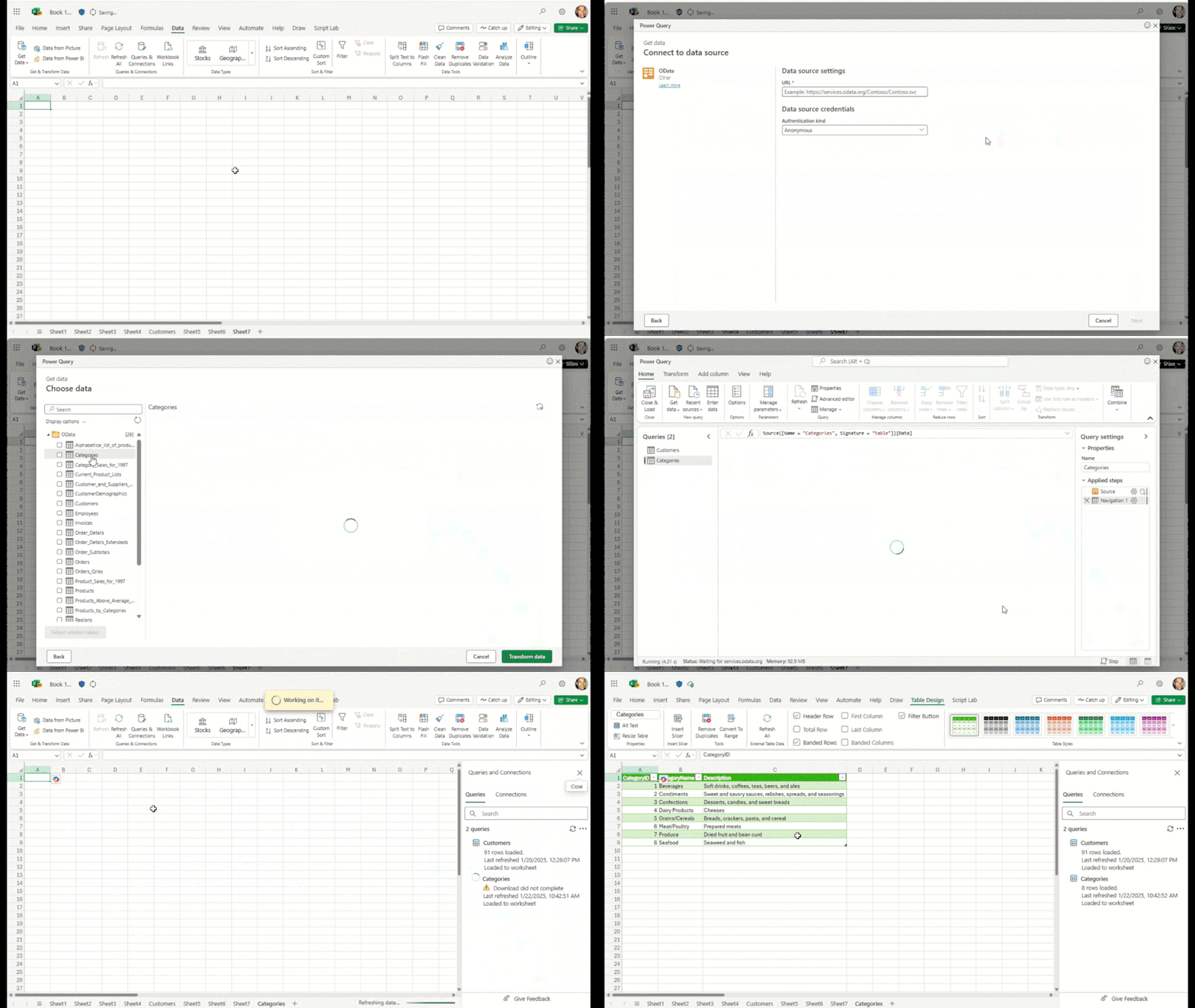
Import and edit data using Power QueryThe full Power Query experience is now generally available in Excel for the web, including the import wizard and Power Query Editor. Read more here >
Excel for Windows
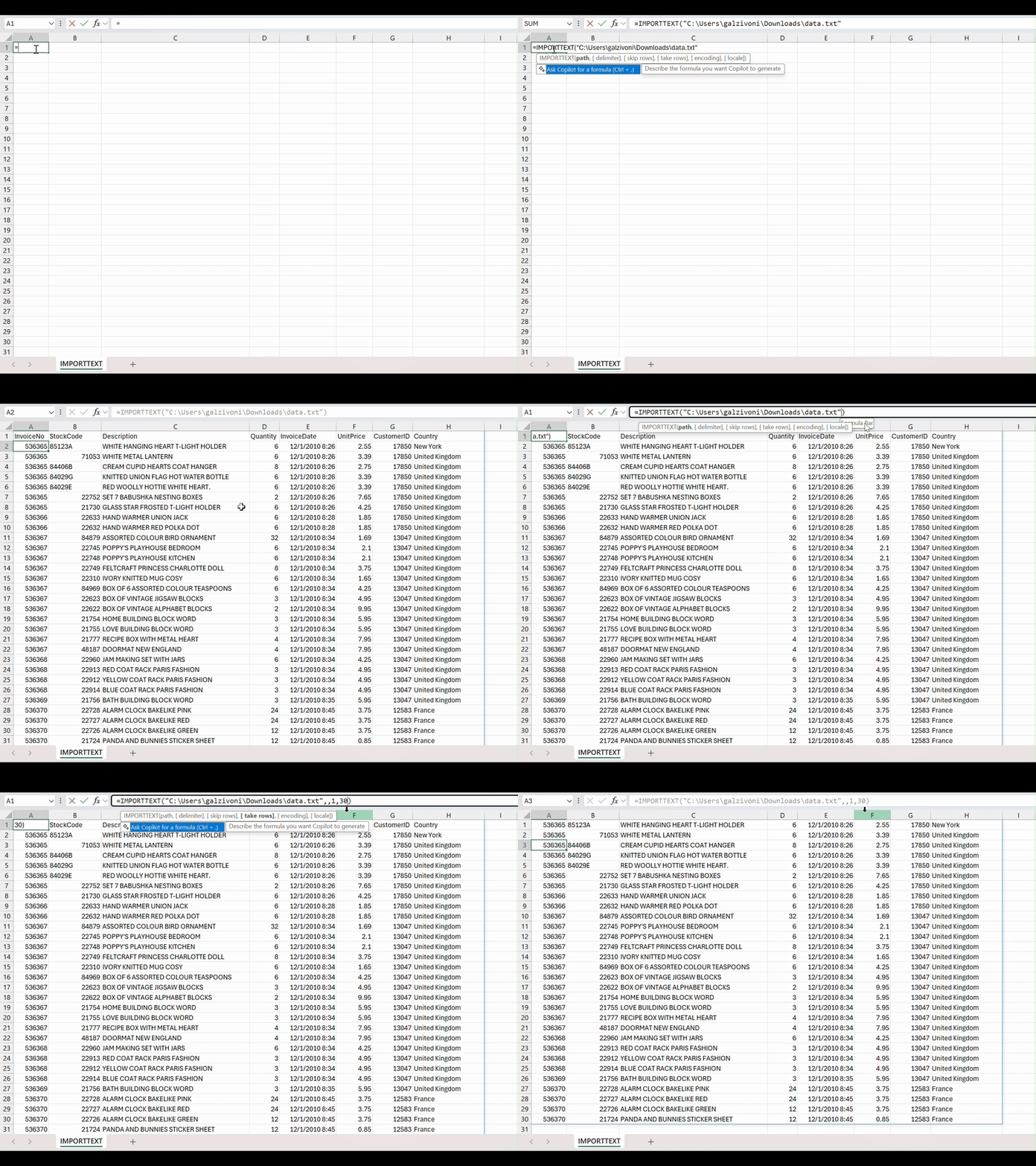
Bring data into Excel with the new Import Functions (Insiders)With Import Functions you now have two faster, more intuitive ways to bring text-based data directly into Excel. These new functions — including IMPORTTEXT and IMPORTCSV — let you load your data into a refreshable dynamic array with a single formula. Read more here >
Descriptive error cards (Insiders)
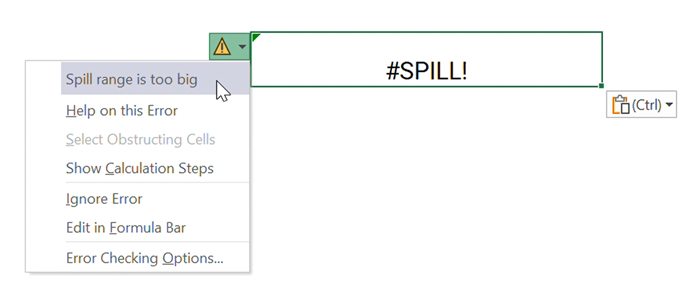
Excel for Windows now offers descriptive error cards to help you understand and fix errors more easily. Read more here >
Excel for Windows, Mac, and web
Save and email as a PDF with Office Scripts #FIA
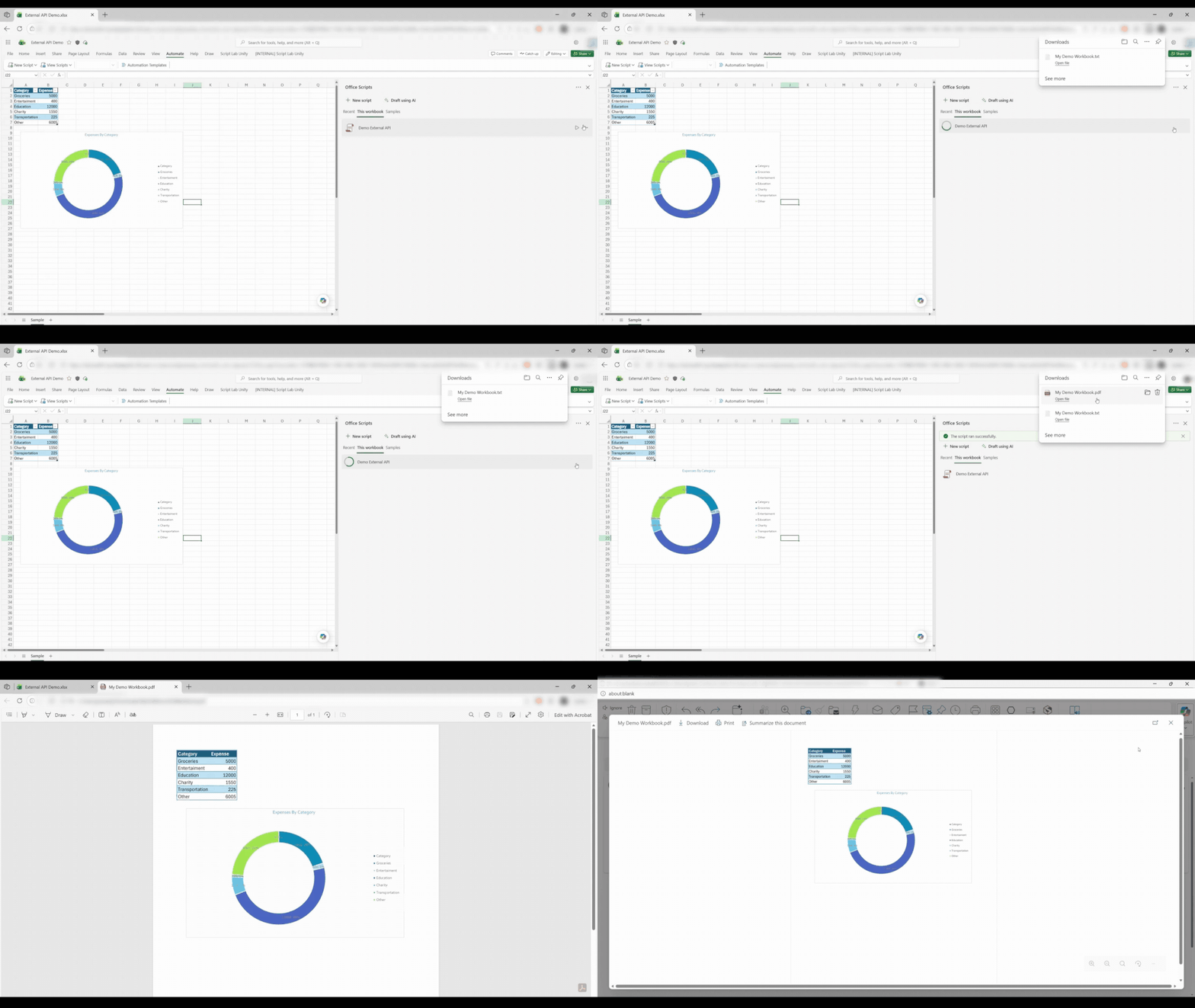
Use Office Scripts to save a worksheet as a PDF and email it to yourself or your team. Read more here >
Many of these features are the result of your feedback. THANK YOU! Your continued Feedback in Action (#FIA) helps improve Excel for everyone. Please let us know how you like a particular feature and what we can improve upon—"Give a compliment" or "Make a suggestion".. You can also submit new ideas or vote for other ideas via Microsoft Feedback.
Subscribe to our Excel Blog and the Insiders Blog to get the latest updates. Stay connected with us and other Excel fans around the world – join our Excel Community and follow us on X, formerly Twitter.
Special thanks to our Excel MVPs David Benaim, Bill Jelen, Alan Murray, and John Michaloudis for their contribution to this month's What's New in Excel article. David publishes weekly YouTube videos and regular LinkedIn posts about the latest innovations in Excel and more. Bill is the founder and host of MrExcel.com and the author of several books about Excel. Alan is an Excel trainer, author and speaker, best known for his blog computergaga.com and YouTube channel with the same name. John is the Founder & Chief Inspirational Officer at MyExcelOnline.com where he passionately teaches thousands of professionals how to use Excel to stand out from the crowd.
Source:

What's New in Excel (January 2026) | Microsoft Community Hub
Happy New Year, and welcome to the January 2026 update! We’re excited to share that Agent Mode in Excel is now generally available in Excel on Windows and is...
 techcommunity.microsoft.com