Welcome to the September 2022 update. We are excited to announce the release of Check Performance for Excel web users to help speed up your workbooks and modern comments for Windows users to allow for a more streamlined commenting experience across products. For Insiders using Mac, you can now shape your data using the Power Query Editor and manage your storage accounts for 1st and 3rd party profiles.
Excel for the web
Excel for Windows
- Check performance
- Sharing a section of Excel workbook
- Dynamic array support in charts
Excel for Mac
- Modern comments
- Dynamic array support in charts (Insiders Beta)
- Shape data with Power Query Editor (Insiders Preview)
- Manage your storage accounts (Insiders Preview)
Excel for the web
Check Performance
Now when you open your workbook, Excel can detect whether your workbook contains unwanted formatted cells that can slow down your workbook. If so, Excel suggests launching “Check Performance.“ You can also manually launch the feature from Review > Check Performance. Read more and try it yourself >

Check Performance
Sharing a Section of Excel Workbook
Whether collaborating through Teams or on the web, you may want to share information from a workbook. You can share the entire workbook, but often it’s safer, faster, and more efficient to share just a section of the workbook for viewing or editing. You can now easily share with others a link to a specific range, table, or chart. Read more >
Share a Section of a Workbook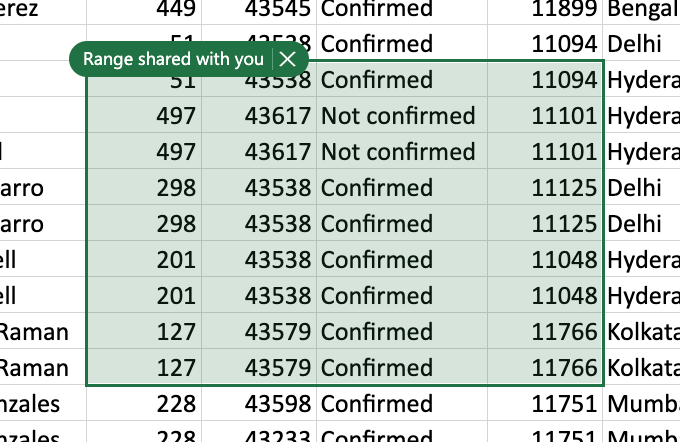
Dynamic array support in charts
Charts now respond to dynamic arrays! Create a chart with a data source range aligned to the result of an array formula. The chart will now update to capture all data whenever the array recalculates, rather than being fixed to a specific number of data points.
Dynamic Array Support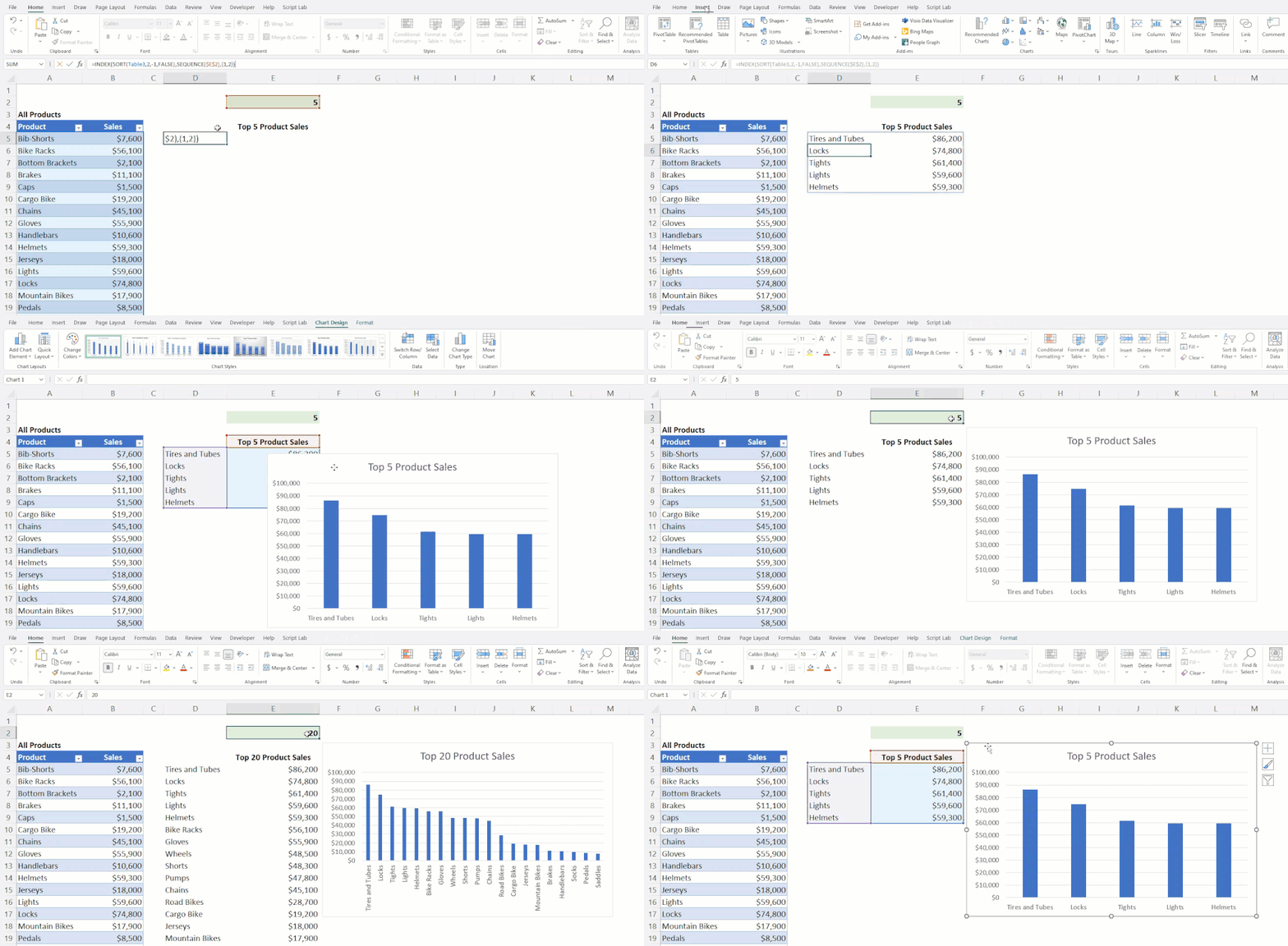
Excel for Windows
Modern Comments
Modern comments in Excel for Windows are now built on the React Native framework, and you will now find people images are clickable showing their contact card details; comments can display both on the grid and in the side pane at the same time; and new icons for edit, resolve, and reactivate are available on the card.
Modern Comments across platforms
Dynamic array support in charts (Insiders Beta)
Charts now respond to dynamic arrays! Create a chart with a data source range aligned to the result of an array formula. The chart will now update to capture all data whenever the array recalculates, rather than being fixed to a specific number of data points.
Excel for Mac
Shape data with Power Query Editor (Insiders Preview)
You can now clean and shape your data from local files, SharePoint, SQL, as well as from tables and ranges using the Power Query Editor in Excel for Mac. Read more >
Launch Power Query Editor from the Data tab
Manage Your Storage Accounts from Mac (Insiders Preview)
Add and manage first– and third–party accounts and services in Excel for Mac - as well as others Office apps for Mac. The same Add Storage Accounts feature you love using in the Office Mobile apps is now available on your Mac. It is a redesign of the previous “Add a Place” experience in the Open tab. By using this feature, you can easily add a SharePoint site, a OneDrive or OneDrive for Business account, or even a third-party account like Box. Read more >
Manage Your Storage Accounts
Your feedback helps shape the future of Excel. Please let us know how you like a particular feature and what we can improve upon—send us a smile or frown. You can also submit new ideas or vote for other ideas via Microsoft Feedback.
Source:

What's New in Excel (September 2022)
Welcome to the September 2022 update. We are excited to announce the release of Check Performance for Excel web users to help speed up your workbooks and modern comments for Windows users to allow for a more streamlined commenting experience across products. For Insiders using Mac, you can now...
techcommunity.microsoft.com