Excel Blog:
 Happy 40th Birthday, Excel!
 Today, Excel turns 40—and we’re so excited to celebrate this milestone with you, our amazing community. For four decades, you’ve helped shape Excel into what it is today, and we couldn’t have done it without you.
Take a stroll down memory lane with our anniversary blog, explore 40 Days of Excel packed with tips and stories, and join the Excel team for a special Reddit AMA today at 10 AM PT.

Microsoft Excel turns 40
Microsoft 365 Insider Blog: In 1985, the world was grooving to “Careless Whisper,” watching Back to the Future rocket Michael J. Fox into superstardom, and marveling at the discovery of the Titanic’s wreckage beneath the Atlantic. The Golden Girls had just premiered, and Nintendo’s Super Mario...
 www.elevenforum.com
This month, we’re thrilled to share some exciting updates! Agent Mode in Excel brings expert-level automation, refining results with AI so you can focus on guiding the outcome. The COPILOT function is rolling out to Excel for the web users soon through the Frontier program. We’re also bringing you formula completion with Copilot in Excel, making it easier than ever to work with formulas. And last but not least, the new Python Initialization Editor is now available to Insider users on Windows.
Excel for web
Agent Mode in ExcelAgent Mode delivers AI that can “speak Excel” natively. It’s built on the richness of Excel artifacts and OpenAI’s latest reasoning models—democratizing access to expert-level capabilities and making advanced modeling approachable for most everyone. These breakthroughs allow Agent Mode to not only generate outputs, but also evaluate results, fix issues, and repeat the process until the outcome is verified. It’s like you’re handing off work to an Excel expert—while you steer and guide.
An early preview of Agent Mode in Excel is available starting today via the Frontier program for Microsoft 365 Copilot licensed customers and Microsoft 365 Personal or Family subscribers (under the Microsoft Services Agreement). Agent Mode works in Excel on the web and is coming soon to desktop. To try it, install the Excel Labs add-in and choose Agent Mode (Frontier). Learn more about it in our announcement blog.
COPILOT function
The COPILOT function is here to help save you time and supercharge your workflows! Just enter a natural language prompt in your spreadsheet, reference cell values as needed, and watch Copilot instantly generate AI-powered results. This function is available to Insider users on Windows and Mac as well as Frontier web users. Read more here >
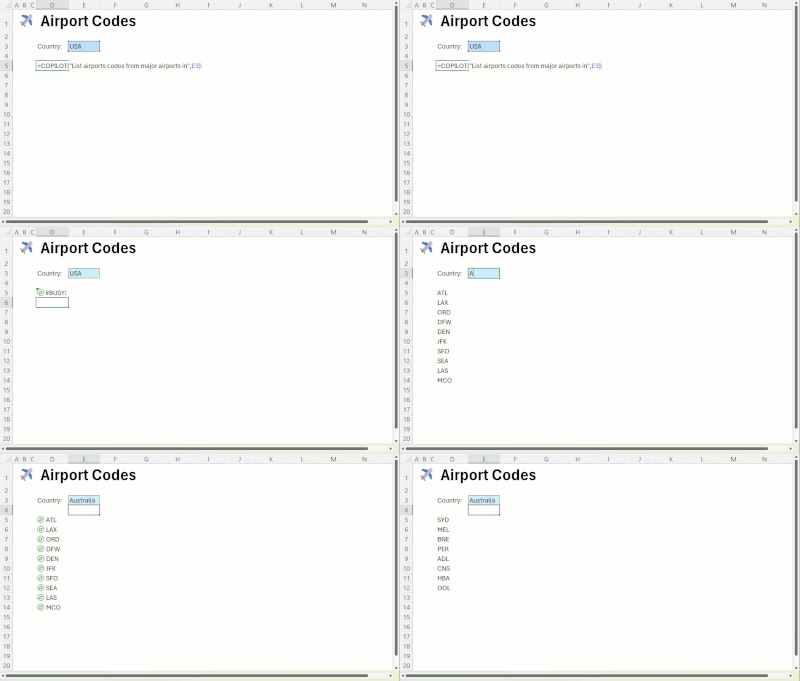
GIF showing how the COPILOT function is built into Excel's calculation engine, updating your results automatically when the data changes.
Excel for web and Windows
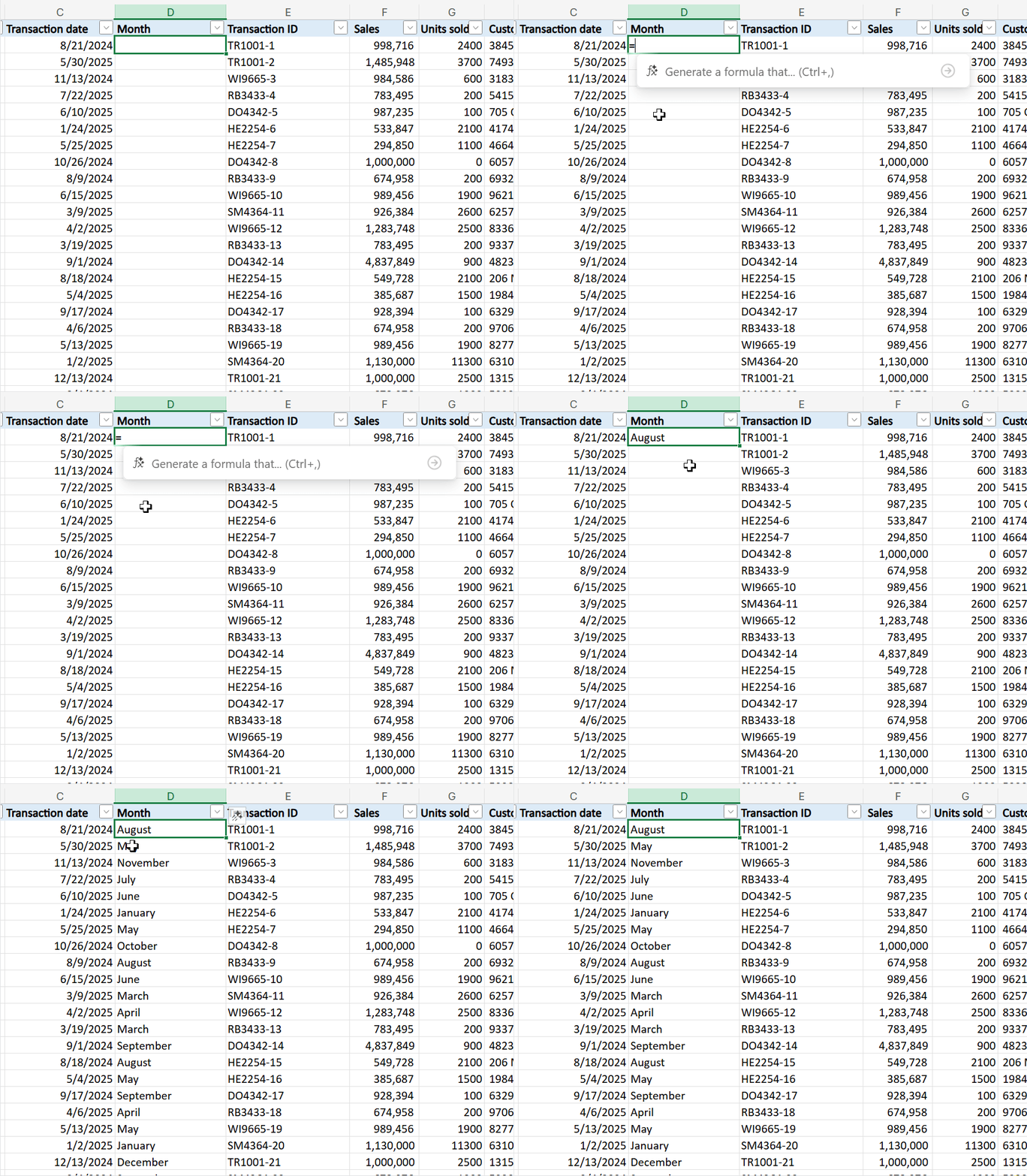
Formula completion with Copilot in ExcelWhen you type “=” in a cell, Excel analyzes the context of your workbook and suggests a formula completion suggestion, using the context of your worksheet - headers, nearby cells, formulas and tables. Alongside the suggestion you will see a preview of the result, as well as a short description in natural language of the formula’s intent. This is currently rolling out to production for Web users and also to Insider users on Windows. Read more here >
Excel for Windows
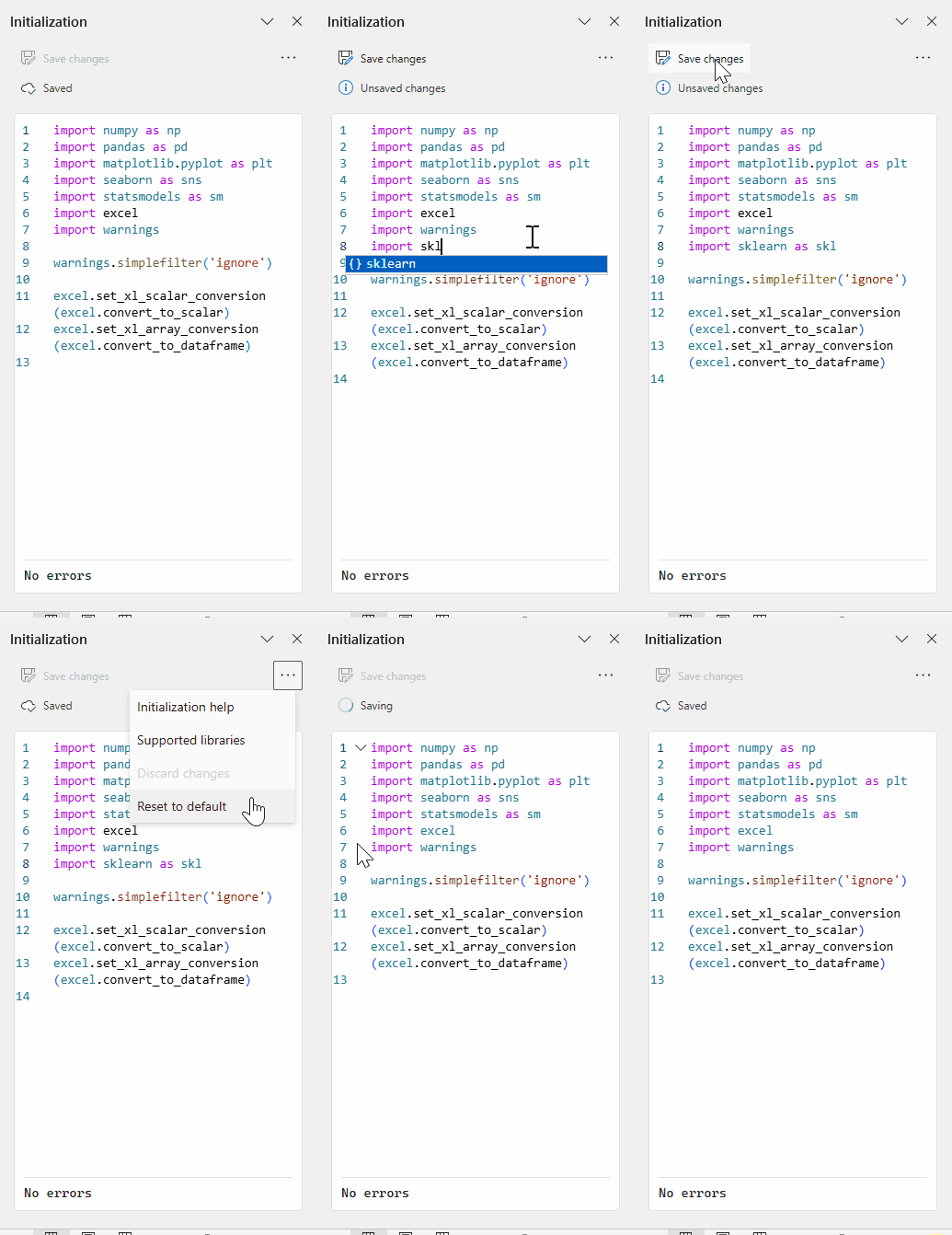
Python in Excel: editable initialization pane (Insiders)Take control of your Python environment—right inside your workbook. With the new Python Initialization Editor, you can customize how Python starts up to better suit your workflow. Easily view and modify the default initialization script, add your own imports, functions, or logic, and undo or reset changes as needed.
Excel for iOS
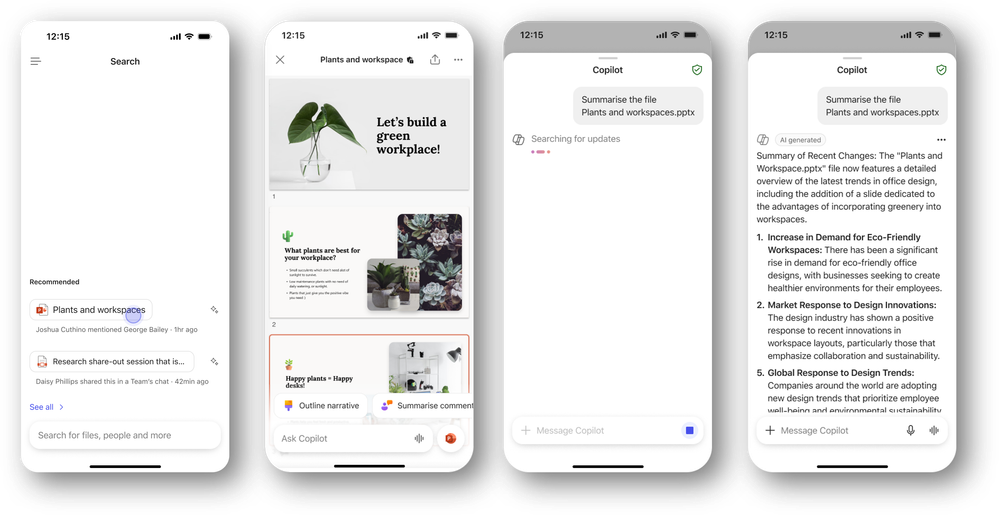
Copilot-powered file previews (Insiders)Unlock instant insights with Copilot-powered file previews in the Microsoft 365 Copilot app for iOS—just share a file and get summaries, answers, and intelligent suggestions in seconds. Read more here >
Many of these features are the result of your feedback. THANK YOU! Your continued Feedback in Action (#FIA) helps improve Excel for everyone. Please let us know how you like a particular feature and what we can improve upon—"Give a compliment" or "Make a suggestion".. You can also submit new ideas or vote for other ideas via Microsoft Feedback.
Source:

What's New in Excel (September 2025) | Microsoft Community Hub
This month we celebrate Excel's 40th Birthday, the release of the new Agent Mode in Excel, as well as formula completion with Copilot in Excel and more.
 techcommunity.microsoft.com