Microsoft 365 Blog:
PowerPoint is evolving to help you create professional presentations faster and with less effort. Today we’re introducing new and updated AI-powered tools: our new presentation generation experience with advanced steering and image generation, a smarter Copilot that understands your context, powerful image editing including improved background and object removal, and an early preview of Agent Mode for editing your presentations with natural language. These updates make it easier than ever to turn ideas into polished, professional presentations and make better decks faster.
Better In-app Presentation Creation: More Control, More Creativity
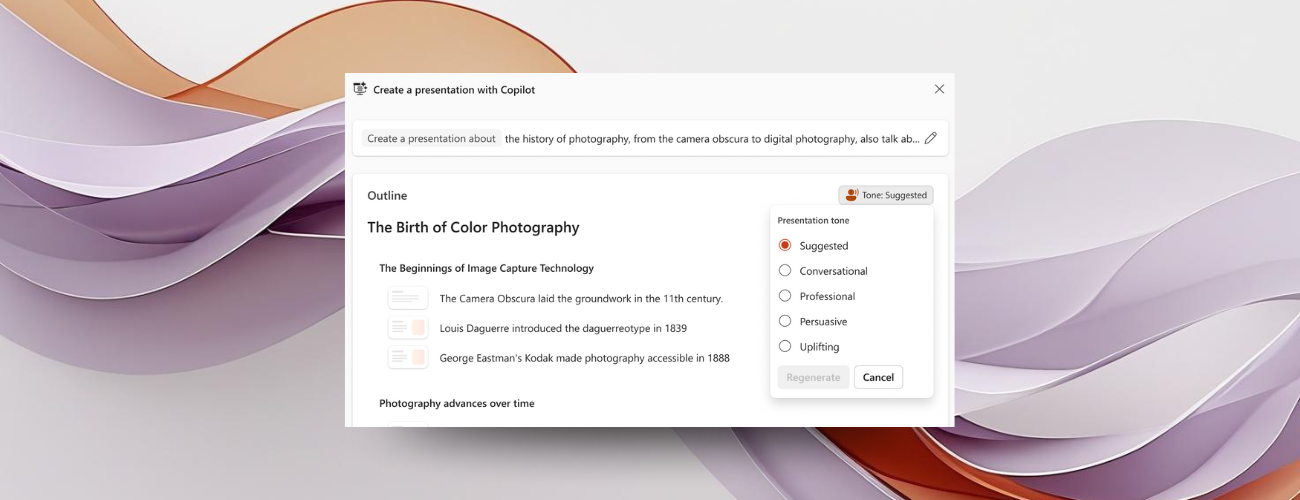
Building a strong story is the foundation of any great presentation, and Copilot now gives you more ways to make it your own. When you create a presentation in the app, you can control the length of your deck, choose a tone that fits your audience—from professional to conversational—and select from new presentation styles before generation.Copilot uses a generative approach to create presentations, moving beyond static templates to build decks dynamically based on your input. Beyond text, it brings powerful visual options. You can generate AI-powered images that go beyond stock photos, with choices across popular image styles to match your theme.
Once your outline and preferences are set, Copilot creates a fully editable PowerPoint deck—so you can fine-tune every detail without starting from scratch.
Copilot Chat in PowerPoint: Smarter, More Contextual Help
Copilot in PowerPoint now offers an improved chat experience, making it easier to work with AI as you edit your presentation. You can have multi-turn conversations and even tap into specialized Agents from across Microsoft 365.Responses are better grounded in your presentation content and current selection, so suggestions feel more accurate and useful. Copilot is designed to help you with guidance, ideas, research and generation of visuals—keeping you focused and productive when working with presentations.
Image Editing Is Getting a Major Upgrade
PowerPoint now includes new image editing tools, giving you more control without leaving your presentation. You can remove backgrounds with exceptional precision, erase objects with a simple click, enhance resolution for sharper visuals, apply new effects to images to customize your look, and even extract text from your image to quickly edit. And that’s just the start—these tools bring advanced editing capabilities directly into PowerPoint.Getting started is easy: right-click any image and select Edit Picture or use the Edit Picture button in the Picture Tools ribbon. From there, you have everything you need to make your visuals stand out.
Agent Mode: A New Way to Work with PowerPoint
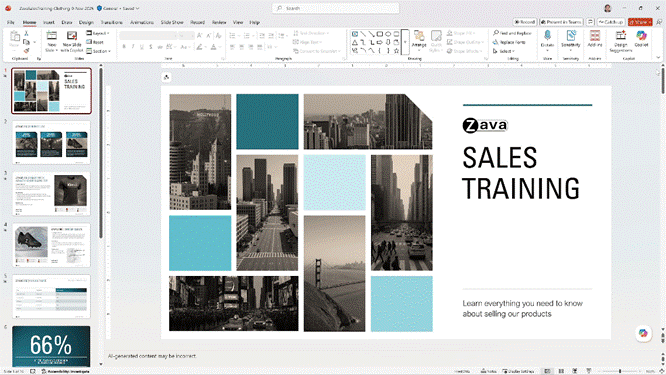
Agent Mode in PowerPoint introduces a more intuitive way to edit and refine presentations using natural language in Copilot chat. You can ask PowerPoint to rewrite and format text, insert and style tables, add or edit images, rearrange content, and even create new slides, all while respecting your existing template and branding.Agent Mode can also draw context from your organization—files, meetings, and emails—alongside web sources to keep presentations accurate and current. This early preview is rolling out now and will continue to expand with additional tools and performance improvements. It’s designed to help you spend less time on the toil of creating presentations and more time on your ideas, making PowerPoint feel like a true co-author for your presentations.
These capabilities represent a major step forward in how presentations are created and refined. PowerPoint is moving toward an AI-first, generative approach that helps you focus on ideas—not the toil of creating presentations. We’re excited for you to try these features and experience the difference.
- Better in-app presentation creation updates are already available in preview to the Frontier audience on Windows, Mac and Web.
- Copilot Chat improvements inside PowerPoint with contextual image generation are already available to worldwide production audience on Windows, Mac and Web.
- Image editing tools now available to Insiders on Windows, with Mac and Web to come.
- Agent Mode in PowerPoint is in early preview and is rolling out to Frontier now.
Source:
What’s New in PowerPoint: Smarter, Faster Ways to Build and Edit Presentations | Microsoft Community Hub
PowerPoint is evolving to help you create professional presentations faster and with less effort. Today we’re introducing new and updated AI-powered tools:...
 techcommunity.microsoft.com