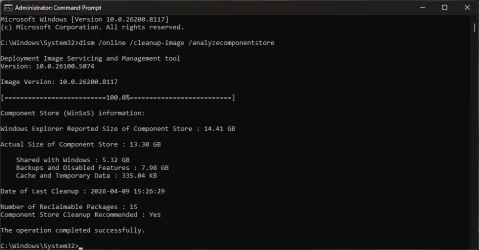
I can provide a counter-example for your repair sequence.
The first SFC replaces any inconsistent files in Windows or the Program Files folders. It trusts whatever files are in the component store as accurate. Suppose you had a bad Windows update, and now your component store is corrupted. SFC cannot detect something's wrong with the store.
If you ran DISM RestoreHealth, it could potentially fix some component store issues. Now the baseline for what are the correct files for SFC to compare against has changed.
Running SFC a second time from the updated store could result in new corrections, simply because the baseline has shifted since the first SFC run.
The first SFC replaces any inconsistent files in Windows or the Program Files folders. It trusts whatever files are in the component store as accurate. Suppose you had a bad Windows update, and now your component store is corrupted. SFC cannot detect something's wrong with the store.
If you ran DISM RestoreHealth, it could potentially fix some component store issues. Now the baseline for what are the correct files for SFC to compare against has changed.
Running SFC a second time from the updated store could result in new corrections, simply because the baseline has shifted since the first SFC run.
My Computer
At a glance
Windows 7
- OS
- Windows 7


 The bottom line