Why Linux isn't a replacement for Windows 10 if you can't run Windows 11 - debate!


Status
Not open for further replies.
Yeah, good point @jimbo45

I also consider myself a novice still, even though my profile states otherwise. There is a learning curve for everything. What stops us from learning for most of us is our own ego and ignorance. Anything can be learned. For some it takes a day and for others, decades.
 

My Computers

System One System Two

  • OS
    Win 11 Pro 25H2 26200.8457 / Linux Mint 22.3
    Computer type
    Laptop
    Manufacturer/Model
    Lenovo A485
    CPU
    Ryzen 7 2700U Pro
    Motherboard
    Lenovo (WiFi/BT module upgraded to Intel Wireless-AC-9260)
    Memory
    32GB
    Graphics Card(s)
    iGPU Vega 10
    Sound Card
    Realtek
    Monitor(s) Displays
    14" FHD (built-in) + 14" Lenovo Thinkvision M14t (touch+pen) + 32" Asus PB328
    Screen Resolution
    FHD + FHD + 1440p
    Hard Drives
    Intel 660p m.2 nVME PCIe3.0 x2 512GB
    PSU
    125W(Dock)/65W(Travel Adapter)
    Keyboard
    Thinkpad / Logitech MX Keys
    Mouse
    Logitech MX Master 2S
    Internet Speed
    1/1Gbit
    Browser
    Firefox
    Antivirus
    Windows Defender
    Other Info
    SecureBoot: Enabled
    TPM2.0: Enabled
    AMD-V: Enabled
  • Operating System
    Win 11 Pro 25H2 26200.8521(RP)
    Computer type
    PC/Desktop
    Manufacturer/Model
    Custom
    CPU
    i7-7700k @4.8GHz
    Motherboard
    Asus PRIME Z270-A
    Memory
    32GB 2x16GB 2133MHz CL15
    Graphics card(s)
    EVGA GTX1080Ti FTW 11GB
    Sound Card
    Integrated
    Monitor(s) Displays
    32" 10-bit Asus PB328Q
    Screen Resolution
    WQHD 2560x1440
    Hard Drives
    512GB ADATA SX8000NP NVMe PCIe Gen 3 x4
    PSU
    850W
    Case
    Fractal Design Define 7
    Cooling
    Noctua NH-D15 chromax.black
    Keyboard
    Logitech MX Keys
    Mouse
    Logitech MX Master 2S
    Internet Speed
    1/1Gbit
    Browser
    Firefox
    Antivirus
    Windows Defender
    Other Info
    AC WiFi Card
Most Linux's these days just RUN straight OOTB. If you need to install motherboard drivers etc you are either using really obscure hardware or a bonkers Linux distro. The newer "immutable ones" are even simpler.

I must have run in the last 6 months OPENSUSE, ARCHLINUX, UBUNTU,FEDORA,DEBIAN, and LINUX MINT on about 40 to 50 computers of varying sorts for all sorts of users -- never needed a single instance of having to find I needed to load a MOBO hardware driver. Stick to one of these 6 and you can't really go wrong.

Here's an example of opensuse KDE desktop with a Windows 11 VM on it - the menu / interface is "windows-y" enough for typical windows users if they want to try this stuff and it's incredibly simple to get a decently performinhg Windows VM on it if they want to (which can run totally full screen if they want access to Windows apps that aren't available on the Linux desktop). KVM/QEMU virtualisation is a type 1 Hypervisor (like HYPER-V) and can run VM's at all but native speed if set up correctly !!.

View attachment 140302


Cheers
jimbo
I don't think you have read my post completely. Obviously I needed driver for the MB because I didn't have equalizer in Linux distro. On Windows, if you want equalizer you need to install audio driver for your motherboard.
 

My Computer

System One

  • OS
    Windows 11 Pro 24H2
    Computer type
    PC/Desktop
    CPU
    Intel® Core™ i5-10400F
    Motherboard
    Gigabyte B460M DS3H
    Memory
    Patriot Viper Steel Series 96GB
    Graphics Card(s)
    ASUS TUF RTX 3080 V2 GAMING OC 10GB
    Monitor(s) Displays
    Dell S2721D 27"
    Screen Resolution
    2560x1440
    Hard Drives
    Solidigm™ P41 Plus Series 2TB NVMe + 2TB HDD + 4TB HDD
    PSU
    XFX PRO1050W Black Edition (80+ Gold)
    Case
    Cooler Master HAF 912 Plus
    Cooling
    Arctic Freezer 34 eSports
    Keyboard
    A4tech FX50 Ultra-Slim
    Mouse
    Razer Basilisk V3
    Internet Speed
    Fiber Optics 80 MB/s
    Browser
    Google Chrome
    Antivirus
    None
One is never an expert before one knows what they are doing. Everything takes some time to learn. Being a PC expert does not automatically mean you are a Windows or Linux expert.

...but anyways...Linux today is very easy to use. Just point and click in most cases. For the rare occasion you might want to fire up the bash terminal, there exists man pages for every single binary you can run there. They are quite good. If that is not enough, then consult the Arch wiki for further assistance. It's brilliant!

If one can't read manuals and follow instructions, then one should stop using computers all together and go back to school and learn to read and write.MHO!
Linux is very easy to use only if you want to use your PC for Internet browsing and watching Youtube videos. In other departments Linux is hell. There's a reason why Windows is most popular OS for desktop. And Linux is still very behind because you still use terminal and we're in 2025 year now. We're not in 80's or 90's to have a need of terminal/cmd for everyday use.
 

My Computer

System One

  • OS
    Windows 11 Pro 24H2
    Computer type
    PC/Desktop
    CPU
    Intel® Core™ i5-10400F
    Motherboard
    Gigabyte B460M DS3H
    Memory
    Patriot Viper Steel Series 96GB
    Graphics Card(s)
    ASUS TUF RTX 3080 V2 GAMING OC 10GB
    Monitor(s) Displays
    Dell S2721D 27"
    Screen Resolution
    2560x1440
    Hard Drives
    Solidigm™ P41 Plus Series 2TB NVMe + 2TB HDD + 4TB HDD
    PSU
    XFX PRO1050W Black Edition (80+ Gold)
    Case
    Cooler Master HAF 912 Plus
    Cooling
    Arctic Freezer 34 eSports
    Keyboard
    A4tech FX50 Ultra-Slim
    Mouse
    Razer Basilisk V3
    Internet Speed
    Fiber Optics 80 MB/s
    Browser
    Google Chrome
    Antivirus
    None
With the large user base of Windows, most PC users are familiar with some version. Changing to a newer unknown version of Windows is challenging and some novices worry about it. I even customize Windows 10/11 so they look like Windows 7 and feel more familiar. Telling them to forget Windows and adopt a new OS, it's horrifying. You need a VERY good excuse to persuade them. As easy as using Windows? I don't think so, eventually they will try to do something that it is done differently or not possible and find out themselves this is not the case. Hardware or software support? Nah! Free? They don't care. There is no good excuse for such big change, so I either find a way to upgrade their Windows version or tell them to replace their PC.
 

My Computers

System One System Two

  • OS
    Windows 11 Pro 23H2 (5699), 25H2 (8457)
    Computer type
    Laptop
    Manufacturer/Model
    Acer Extensa 5630EZ
    CPU
    Mobile DualCore Intel Core 2 Duo T7250, 2000 MHz
    Motherboard
    Acer Extensa 5630
    Memory
    4GB
    Graphics Card(s)
    Mobile Intel(R) GMA 4500M (Mobile 4 series)
    Sound Card
    Realtek ALC268 @ Intel 82801IB ICH9 - High Definition Audio Controller
    Monitor(s) Displays
    1
    Screen Resolution
    1280x800
    Hard Drives
    Samsung SSD 850 EVO 250GB SATA Device (250 GB, SATA-III)
    Internet Speed
    VDSL 50 Mbps
    Browser
    MICROSOFT EDGE
    Antivirus
    WINDOWS DEFENDER
    Other Info
    Legacy MBR installation, no TPM, no Secure Boot, no WDDM 2.0 graphics drivers, no SSE4.2, cannot get more unsupported ;) This is only my test laptop. I had installed Windows 11 here before upgrading my main PC. For my main PC I use everyday see my 2nd system specs.
  • Operating System
    Windows 11 Pro v25H2 (build 26200.8457)
    Computer type
    PC/Desktop
    Manufacturer/Model
    Custom-built PC
    CPU
    Intel Core-i7 3770 3.40GHz s1155 (3rd generation)
    Motherboard
    Asus P8H61 s1155 ATX
    Memory
    2x Kingston Hyper-X Blu 8GB DDR3-1600
    Graphics card(s)
    GIGABYTE GeForce RTX 3050 WINDFORCE OC V2 6GB (GV-N3050WF2OCV2-6GD)
    Sound Card
    Realtek HD audio (ALC887)
    Monitor(s) Displays
    Sony Bravia KDL-19L4000 19" LCD TV via VGA
    Screen Resolution
    1440x900 32-bit 60Hz
    Hard Drives
    WD Blue SA510 2.5 1000GB SSD as system disk, Western Digital Caviar Purple 4TB SATA III (WD40PURZ) as second
    PSU
    Thermaltake Litepower RGB 550W Full Wired
    Case
    SUPERCASE MIDI-TOWER
    Cooling
    Deepcool Gamma Archer CPU cooler, 1x 8cm fan at the back
    Keyboard
    Mitsumi 101-key PS/2
    Mouse
    Sunnyline OptiEye PS/2
    Internet Speed
    100Mbps
    Browser
    Microsoft Edge, Mozilla Firefox
    Antivirus
    Microsoft Windows Defender
    Other Info
    Legacy BIOS (MBR) installation, no TPM, no Secure Boot, WDDM 3.0 graphics drivers, WEI score 7.4
Linux is very easy to use only if you want to use your PC for Internet browsing and watching Youtube videos. In other departments Linux is hell. There's a reason why Windows is most popular OS for desktop. And Linux is still very behind because you still use terminal and we're in 2025 year now. We're not in 80's or 90's to have a need of terminal/cmd for everyday use.
To have any chance to increase its small user base and be a serious alternative as Windows, Linux must first vastly improve its GUI. Everything must be done with the GUI and never need to resort to the Terminal. Also there must be wizards to guide you step-by-step how to install apps, not guessing or having to Google. Just download any app and install, as easy as you can do in Windows. Having done these, is a major step forward. Next is to improve the software support. Encourage major companies to develop Linux versions of their applications and drivers and of course they have to be standardized, not dependent on the distro. I don't see these happening any time soon, so it is safe to predict 10 years later Linux will still have a small user base and there will be many similar debates. I have even read the unbelievable that Linux was harder 10 years ago, but now is easier and better. You cannot persuade me. I occasionally install the current Ubuntu version (because it is the most popular) on a virtual machine and judge for myself. Improvement is very little to justify replacing Windows yet.
 

My Computers

System One System Two

  • OS
    Windows 11 Pro 23H2 (5699), 25H2 (8457)
    Computer type
    Laptop
    Manufacturer/Model
    Acer Extensa 5630EZ
    CPU
    Mobile DualCore Intel Core 2 Duo T7250, 2000 MHz
    Motherboard
    Acer Extensa 5630
    Memory
    4GB
    Graphics Card(s)
    Mobile Intel(R) GMA 4500M (Mobile 4 series)
    Sound Card
    Realtek ALC268 @ Intel 82801IB ICH9 - High Definition Audio Controller
    Monitor(s) Displays
    1
    Screen Resolution
    1280x800
    Hard Drives
    Samsung SSD 850 EVO 250GB SATA Device (250 GB, SATA-III)
    Internet Speed
    VDSL 50 Mbps
    Browser
    MICROSOFT EDGE
    Antivirus
    WINDOWS DEFENDER
    Other Info
    Legacy MBR installation, no TPM, no Secure Boot, no WDDM 2.0 graphics drivers, no SSE4.2, cannot get more unsupported ;) This is only my test laptop. I had installed Windows 11 here before upgrading my main PC. For my main PC I use everyday see my 2nd system specs.
  • Operating System
    Windows 11 Pro v25H2 (build 26200.8457)
    Computer type
    PC/Desktop
    Manufacturer/Model
    Custom-built PC
    CPU
    Intel Core-i7 3770 3.40GHz s1155 (3rd generation)
    Motherboard
    Asus P8H61 s1155 ATX
    Memory
    2x Kingston Hyper-X Blu 8GB DDR3-1600
    Graphics card(s)
    GIGABYTE GeForce RTX 3050 WINDFORCE OC V2 6GB (GV-N3050WF2OCV2-6GD)
    Sound Card
    Realtek HD audio (ALC887)
    Monitor(s) Displays
    Sony Bravia KDL-19L4000 19" LCD TV via VGA
    Screen Resolution
    1440x900 32-bit 60Hz
    Hard Drives
    WD Blue SA510 2.5 1000GB SSD as system disk, Western Digital Caviar Purple 4TB SATA III (WD40PURZ) as second
    PSU
    Thermaltake Litepower RGB 550W Full Wired
    Case
    SUPERCASE MIDI-TOWER
    Cooling
    Deepcool Gamma Archer CPU cooler, 1x 8cm fan at the back
    Keyboard
    Mitsumi 101-key PS/2
    Mouse
    Sunnyline OptiEye PS/2
    Internet Speed
    100Mbps
    Browser
    Microsoft Edge, Mozilla Firefox
    Antivirus
    Microsoft Windows Defender
    Other Info
    Legacy BIOS (MBR) installation, no TPM, no Secure Boot, WDDM 3.0 graphics drivers, WEI score 7.4
I don't think you have read my post completely. Obviously I needed driver for the MB because I didn't have equalizer in Linux distro. On Windows, if you want equalizer you need to install audio driver for your motherboard.
Actually same argument as I presented before - the Linux kernel seems to have no trouble picking up the audio drivers at boot - assuming (which it is by default these days on those distros I mentioned) the multi-media package is installed - and in the worst case to configure / select audio devices / profiles just click the speaker icon at the right hand edge of the screen -- same as one does with Windows 11.

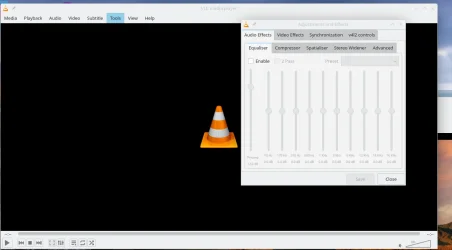
Things like VLC (again 100% same interface as Windows) have perfectly good equalisers in them and can play almost every codec on the planet plus ripped DVD isos' with menus or whatever.

Screenshot_20250724_121548.webp

I accept a load of reasoned arguments -- but seems a lot of B/S is being spewed here before any serious investigation of whether the claims measure up. OK if your hardware is creakingly old that's another issue - but a lot of newer Linux distros won't run on 32 bit CPU's any more.

Loads of other multi-media players whether windows or Linux also have perfectly good equalisers in them - I mention VLC here because it's free universally popular so loads of usage and has the same interface and controls whether you use it on Linux or Windows.

For really pro type equalisers etc any OS will need to have specific software installed but for bog standard equalisers Windows 11 definitly is very poor -- even the old XP system had a good equaliser built in to the OS based I think then on at that time the legendary good SoundBlaster cards (SB 16 etc).

Cheers
jimbo
 

My Computer

System One

  • OS
    Windows XP,11 Linux Fedora Rawhide pre-release 45
    Computer type
    PC/Desktop
    CPU
    2 X Intel i7
    Screen Resolution
    4KUHD X 2
Actually same argument as I presented before - the Linux kernel seems to have no trouble picking up the audio drivers at boot - assuming (which it is by default these days on those distros I mentioned) the multi-media package is installed - and in the worst case to configure / select audio devices / profiles just click the speaker icon at the right hand edge of the screen -- same as one does with Windows 11.

Things like VLC (again 100% same interface as Windows) have perfectly good equalisers in them and can play almost every codec on the planet plus ripped DVD isos' with menus or whatever.

View attachment 140309

I accept a load of reasoned arguments -- but seems a lot of B/S is being spewed here before any serious investigation of whether the claims measure up. OK if your hardware is creakingly old that's another issue - but a lot of newer Linux distros won't run on 32 bit CPU's any more.

Loads of other multi-media players whether windows or Linux also have perfectly good equalisers in them - I mention VLC here because it's free universally popular so loads of usage and has the same interface and controls whether you use it on Linux or Windows.

For really pro type equalisers etc any OS will need to have specific software installed but for bog standard equalisers Windows 11 definitly is very poor -- even the old XP system had a good equaliser built in to the OS based I think then on at that time the legendary good SoundBlaster cards (SB 16 etc).

Cheers
jimbo
What if I don't want to use VLC, but instead want to listen to music on Youtube? There's a reason why there's an equalizer for a motherboard driver, which affects whole computer, not the particular player. There's no problem of drivers or equalizers on Windows 11 or 10 or XP. Audio driver works perfectly and funny thing is that even a third party software equalizer on Linux was buggy, having a static sound after any track I was listening in a player. Linux is only good for servers. It will never replace Windows which is far more polished and very user friendly.
 

My Computer

System One

  • OS
    Windows 11 Pro 24H2
    Computer type
    PC/Desktop
    CPU
    Intel® Core™ i5-10400F
    Motherboard
    Gigabyte B460M DS3H
    Memory
    Patriot Viper Steel Series 96GB
    Graphics Card(s)
    ASUS TUF RTX 3080 V2 GAMING OC 10GB
    Monitor(s) Displays
    Dell S2721D 27"
    Screen Resolution
    2560x1440
    Hard Drives
    Solidigm™ P41 Plus Series 2TB NVMe + 2TB HDD + 4TB HDD
    PSU
    XFX PRO1050W Black Edition (80+ Gold)
    Case
    Cooler Master HAF 912 Plus
    Cooling
    Arctic Freezer 34 eSports
    Keyboard
    A4tech FX50 Ultra-Slim
    Mouse
    Razer Basilisk V3
    Internet Speed
    Fiber Optics 80 MB/s
    Browser
    Google Chrome
    Antivirus
    None
What if I don't want to use VLC, but instead want to listen to music on Youtube? There's a reason why there's an equalizer for a motherboard driver, which affects whole computer, not the particular player.
So long as the audio works you can find almost any amount of audio equalisers around. If the audio driver has to be specifically installed (both Linux and Windows have really brilliant and sophisticated hardware detection now) because you might have an audio card that pushes out sound that even from 97km away sounds like 7 JCB's digging motorway tunnels etc then your argument really doesn't wash.

Windows 11 doesn't have a basic equaliser in it in any case.

Anyway you don't really seem to have a grasp of how a lot of stuff works and I want my Lunch -- so I've said my piece. Just stick to what you use and the way you use it. But PLEASE do a bit more research before posting assertions that aren't correct for most cases.

Linux built in audio drivers are often "generic" meaning that they will work with around 90% of "Standard" hardware. Specific specialized cases like extreme game development etc is another issue entirely.

Cheers
jimbo
 

My Computer

System One

  • OS
    Windows XP,11 Linux Fedora Rawhide pre-release 45
    Computer type
    PC/Desktop
    CPU
    2 X Intel i7
    Screen Resolution
    4KUHD X 2
just as a matter of interest the International Space Station runs and operates on Debian Linux.
best of luck, Steve ..
 

My Computers

System One System Two

  • OS
    Windows 11 Home
    Computer type
    PC/Desktop
    Manufacturer/Model
    HP 24" AiO
    CPU
    Ryzen 7 5825u
    Motherboard
    HP
    Memory
    64GB DDR4 3200
    Graphics Card(s)
    Ryzen 7 5825u
    Sound Card
    RealTek
    Monitor(s) Displays
    24" HP AiO
    Screen Resolution
    1920 x 1080 @60 Hz
    Hard Drives
    1TB WD Blue SN580 M2 SSD Partitioned.
    2x 1TB USB HDD External Backup/Storage.
    PSU
    90W external power brick
    Case
    24" All in One
    Cooling
    Default Air Cooling
    Keyboard
    HP WiFi UK extended
    Mouse
    HP WiFi 3 Button
    Internet Speed
    1GB full fibre
    Browser
    Edge & Firefox
    Antivirus
    AVG Internet Security/Windows Defender
    Other Info
    Mainly Open Source Software
  • Operating System
    Ubuntu 22.04.5 LTS
    Computer type
    Laptop
    Manufacturer/Model
    Dell 13" Latitude 2017
    CPU
    i5 7200u
    Motherboard
    Dell
    Memory
    16GB DDR4
    Graphics card(s)
    Intel
    Sound Card
    Intel
    Monitor(s) Displays
    13" Dell Laptop
    Hard Drives
    250GB Crucial 2.5" SSD
    Mouse
    Generic WiFi 3 button
    Internet Speed
    WiFi only
    Browser
    Firefox
    Antivirus
    ClamAV TK
    Other Info
    Mainly Open Source Software
Y'all do realize you're just saying the same things over and over, right?

vmDC9DD.gif
 
Last edited:

My Computer

System One

  • OS
    Windows 11 Pro 25H2
    Computer type
    PC/Desktop
    Manufacturer/Model
    Intel NUC12WSHi7
    CPU
    12th Gen Core i7-1260P
    Motherboard
    NUC12WSBi7
    Memory
    64 GB Micron PC4-25600
    Graphics Card(s)
    Intel Iris Xe Graphics
    Sound Card
    on-board Realtek HD Audio
    Monitor(s) Displays
    Dell U3219Q
    Screen Resolution
    3840 x 2160
    Hard Drives
    Samsung SSD 990 PRO 1TB
    Crucial MX500 2 TB
    Antivirus
    Microsoft Defender
What I've been wondering for a very long time is, why Android Studio is miles ahead in performace and responsiveness under Linux compared to Windows. I can't figure out why it's so darn sluggish on Windows. It's the same set of components and software after all... 🤔
Probably because Android at its heart runs on top of a Linux kernel. Presumably Linux can let it piggy-back on its own kernel.

There’s really only one argument in favor of classifying Android as Linux, but it’s a strong one: every Android smartphone or tablet contains a Linux kernel.
 

My Computers

System One System Two

  • OS
    Windows 11 Home
    Computer type
    Laptop
    Manufacturer/Model
    Acer Aspire 3 A315-23-R9VY
    CPU
    AMD Athlon Silver 3050U
    Memory
    8GB
    Graphics Card(s)
    Radeon Graphics
    Monitor(s) Displays
    laptop screen
    Screen Resolution
    1366x768 native resolution, up to 2560x1440 with Radeon Virtual Super Resolution
    Hard Drives
    1TB Samsung EVO 870 SSD (from April 2026: 250GB EVO 850)
    Internet Speed
    150 Mbps
    Browser
    Edge, Firefox
    Antivirus
    Defender
    Other Info
    fully 'Windows 11 ready' laptop. Windows 10 C: partition migrated from my old unsupported 'main machine' then upgraded to 11. A test migration ran Insider builds for 2 months. When 11 was released on 5th October 2021 it was re-imaged back to 10 and was offered the upgrade in Windows Update on 20th October. Windows Update offered the 22H2 Feature Update on 20th September 2022. It got the 23H2 Feature Update on 4th November 2023 through Windows Update, 24H2 on 3rd October 2024 through Windows Update by setting the Target Release Version for 24H2, and 25H2 on 30th September 2025 through Windows Update by setting the Target Release Version for 25H2.

    UPDATE - 11 April 2026: due to mechanical deterioration this PC has been retired from active duty. The OS with all software and files has been migrated to my System Seven below to carry on as my general purpose 'main machine'.

    My SYSTEM THREE is a Dell Latitude 5410, i7-10610U, 32GB RAM, 512GB NVMe ssd, supported device running Windows 11 Pro.

    My SYSTEM FOUR is a 2-in-1 convertible Lenovo Yoga 11e 20DA, Celeron N2930, 8GB RAM, 256GB ssd. Unsupported device: currently running Win10 Pro, plus Win11 Pro RTM and Insider Dev, Beta, and RP 24H2 as native boot vhdx.

    My SYSTEM FIVE is a Dell Latitude 3190 2-in-1, Pentium Silver N5030, 8GB RAM, 1TB NVMe ssd, supported device running Windows 11 Pro, plus Insider Beta, Dev, and Canary builds (and a few others) as a native boot .vhdx.

    My SYSTEM SIX is a Dell Latitude 5550, Core Ultra 7 165H, 64GB RAM, 1TB NVMe SSD, supported device, Windows 11 Pro 24H2, Hyper-V host machine. Updated to 25H2 on 30th September 2025.

    My SYSTEM SEVEN is a Lenovo Thinkpad T580, Intel Core i7-8650U, 16GB RAM, 512GB NVMe SSD + 2nd 512GB NVMe SSD, a supported device for Windows 11. This is my current general purpose 'main machine'. The installed Windows 11 Home from my System One has been migrated to this machine.
  • Operating System
    Windows 11 Pro
    Computer type
    Laptop
    Manufacturer/Model
    Dell Latitude E4310
    CPU
    Intel® Core™ i5-520M
    Motherboard
    0T6M8G
    Memory
    8GB
    Graphics card(s)
    (integrated graphics) Intel HD Graphics
    Screen Resolution
    1366x768
    Hard Drives
    500GB Crucial MX500 SSD
    Browser
    Firefox, Edge
    Antivirus
    Defender
    Other Info
    unsupported machine: Legacy bios, MBR, TPM 1.2, upgraded from W10 to W11 using W10/W11 hybrid install media workaround. In-place upgrade to 22H2 using ISO and a workaround. Feature Update to 23H2 by manually installing the Enablement Package. In-place upgrade to 24H2 using hybrid 23H2/24H2 install media. Upgraded to 25H2 by Enablement Package. Also running Insider Dev, and Canary builds and Windows 10 as native boot .vhdx.

    My SYSTEM THREE is a Dell Latitude 5410, i7-10610U, 32GB RAM, 512GB NVMe ssd, supported device running Windows 11 Pro.

    My SYSTEM FOUR is a 2-in-1 convertible Lenovo Yoga 11e 20DA, Celeron N2930, 8GB RAM, 256GB ssd. Unsupported device: currently running Win10 Pro, plus Win11 Pro RTM and Insider Dev, Beta, and RP 24H2 as native boot vhdx.

    My SYSTEM FIVE is a Dell Latitude 3190 2-in-1, Pentium Silver N5030, 8GB RAM, 1TB NVMe ssd, supported device running Windows 11 Pro, plus Insider Beta, Dev, and Canary builds (and a few others) as a native boot .vhdx.

    My SYSTEM SIX is a Dell Latitude 5550, Core Ultra 7 165H, 64GB RAM, 1TB NVMe SSD, supported device, Windows 11 Pro 24H2, Hyper-V host machine. Updated to 25H2 on 30th September 2025.

    My SYSTEM SEVEN is a Lenovo Thinkpad T580, Intel Core i7-8650U, 16GB RAM, 512GB NVMe SSD + 2nd 512GB NVMe SSD, a supported device for Windows 11. This is my current general purpose 'main machine'. The installed Windows 11 Home from my System One has been migrated to this machine.
Probably because Android at its heart runs on top of a Linux kernel. Presumably Linux can let it piggy-back on its own kernel.


Yes yes, but that has nothing to do with Android studio in itself. Absolutely 100% nothing.
 

My Computers

System One System Two

  • OS
    Win 11 Pro 25H2 26200.8457 / Linux Mint 22.3
    Computer type
    Laptop
    Manufacturer/Model
    Lenovo A485
    CPU
    Ryzen 7 2700U Pro
    Motherboard
    Lenovo (WiFi/BT module upgraded to Intel Wireless-AC-9260)
    Memory
    32GB
    Graphics Card(s)
    iGPU Vega 10
    Sound Card
    Realtek
    Monitor(s) Displays
    14" FHD (built-in) + 14" Lenovo Thinkvision M14t (touch+pen) + 32" Asus PB328
    Screen Resolution
    FHD + FHD + 1440p
    Hard Drives
    Intel 660p m.2 nVME PCIe3.0 x2 512GB
    PSU
    125W(Dock)/65W(Travel Adapter)
    Keyboard
    Thinkpad / Logitech MX Keys
    Mouse
    Logitech MX Master 2S
    Internet Speed
    1/1Gbit
    Browser
    Firefox
    Antivirus
    Windows Defender
    Other Info
    SecureBoot: Enabled
    TPM2.0: Enabled
    AMD-V: Enabled
  • Operating System
    Win 11 Pro 25H2 26200.8521(RP)
    Computer type
    PC/Desktop
    Manufacturer/Model
    Custom
    CPU
    i7-7700k @4.8GHz
    Motherboard
    Asus PRIME Z270-A
    Memory
    32GB 2x16GB 2133MHz CL15
    Graphics card(s)
    EVGA GTX1080Ti FTW 11GB
    Sound Card
    Integrated
    Monitor(s) Displays
    32" 10-bit Asus PB328Q
    Screen Resolution
    WQHD 2560x1440
    Hard Drives
    512GB ADATA SX8000NP NVMe PCIe Gen 3 x4
    PSU
    850W
    Case
    Fractal Design Define 7
    Cooling
    Noctua NH-D15 chromax.black
    Keyboard
    Logitech MX Keys
    Mouse
    Logitech MX Master 2S
    Internet Speed
    1/1Gbit
    Browser
    Firefox
    Antivirus
    Windows Defender
    Other Info
    AC WiFi Card
Probably because Android at its heart runs on top of a Linux kernel. Presumably Linux can let it piggy-back on its own kernel.


Yes yes, but that has nothing to do with Android studio in itself. Absolutely 100% nothing
 

My Computers

System One System Two

  • OS
    Win 11 Pro 25H2 26200.8457 / Linux Mint 22.3
    Computer type
    Laptop
    Manufacturer/Model
    Lenovo A485
    CPU
    Ryzen 7 2700U Pro
    Motherboard
    Lenovo (WiFi/BT module upgraded to Intel Wireless-AC-9260)
    Memory
    32GB
    Graphics Card(s)
    iGPU Vega 10
    Sound Card
    Realtek
    Monitor(s) Displays
    14" FHD (built-in) + 14" Lenovo Thinkvision M14t (touch+pen) + 32" Asus PB328
    Screen Resolution
    FHD + FHD + 1440p
    Hard Drives
    Intel 660p m.2 nVME PCIe3.0 x2 512GB
    PSU
    125W(Dock)/65W(Travel Adapter)
    Keyboard
    Thinkpad / Logitech MX Keys
    Mouse
    Logitech MX Master 2S
    Internet Speed
    1/1Gbit
    Browser
    Firefox
    Antivirus
    Windows Defender
    Other Info
    SecureBoot: Enabled
    TPM2.0: Enabled
    AMD-V: Enabled
  • Operating System
    Win 11 Pro 25H2 26200.8521(RP)
    Computer type
    PC/Desktop
    Manufacturer/Model
    Custom
    CPU
    i7-7700k @4.8GHz
    Motherboard
    Asus PRIME Z270-A
    Memory
    32GB 2x16GB 2133MHz CL15
    Graphics card(s)
    EVGA GTX1080Ti FTW 11GB
    Sound Card
    Integrated
    Monitor(s) Displays
    32" 10-bit Asus PB328Q
    Screen Resolution
    WQHD 2560x1440
    Hard Drives
    512GB ADATA SX8000NP NVMe PCIe Gen 3 x4
    PSU
    850W
    Case
    Fractal Design Define 7
    Cooling
    Noctua NH-D15 chromax.black
    Keyboard
    Logitech MX Keys
    Mouse
    Logitech MX Master 2S
    Internet Speed
    1/1Gbit
    Browser
    Firefox
    Antivirus
    Windows Defender
    Other Info
    AC WiFi Card
Linux must first vastly improve its GUI.
Linux GUI is by far more powerful and prettier than Windows could ever even imagine. Only your imagination is the limit.
Everything must be done with the GUI and never need to resort to the Terminal.
Why? There exists GUIs for most terminal stuff but a lot of that is actually pointless. You can't do everything without resorting to PS or CMD in Windows either. Should we remove those too?

Also there must be wizards to guide you step-by-step how to install apps, not guessing or having to Google.
You don't need a wizard. There's a standard way to install apps and every file has its own standard home. You can do exceptions for testing purposes though, but that is highly not recommended for daily use.
 

My Computers

System One System Two

  • OS
    Win 11 Pro 25H2 26200.8457 / Linux Mint 22.3
    Computer type
    Laptop
    Manufacturer/Model
    Lenovo A485
    CPU
    Ryzen 7 2700U Pro
    Motherboard
    Lenovo (WiFi/BT module upgraded to Intel Wireless-AC-9260)
    Memory
    32GB
    Graphics Card(s)
    iGPU Vega 10
    Sound Card
    Realtek
    Monitor(s) Displays
    14" FHD (built-in) + 14" Lenovo Thinkvision M14t (touch+pen) + 32" Asus PB328
    Screen Resolution
    FHD + FHD + 1440p
    Hard Drives
    Intel 660p m.2 nVME PCIe3.0 x2 512GB
    PSU
    125W(Dock)/65W(Travel Adapter)
    Keyboard
    Thinkpad / Logitech MX Keys
    Mouse
    Logitech MX Master 2S
    Internet Speed
    1/1Gbit
    Browser
    Firefox
    Antivirus
    Windows Defender
    Other Info
    SecureBoot: Enabled
    TPM2.0: Enabled
    AMD-V: Enabled
  • Operating System
    Win 11 Pro 25H2 26200.8521(RP)
    Computer type
    PC/Desktop
    Manufacturer/Model
    Custom
    CPU
    i7-7700k @4.8GHz
    Motherboard
    Asus PRIME Z270-A
    Memory
    32GB 2x16GB 2133MHz CL15
    Graphics card(s)
    EVGA GTX1080Ti FTW 11GB
    Sound Card
    Integrated
    Monitor(s) Displays
    32" 10-bit Asus PB328Q
    Screen Resolution
    WQHD 2560x1440
    Hard Drives
    512GB ADATA SX8000NP NVMe PCIe Gen 3 x4
    PSU
    850W
    Case
    Fractal Design Define 7
    Cooling
    Noctua NH-D15 chromax.black
    Keyboard
    Logitech MX Keys
    Mouse
    Logitech MX Master 2S
    Internet Speed
    1/1Gbit
    Browser
    Firefox
    Antivirus
    Windows Defender
    Other Info
    AC WiFi Card
just as a matter of interest the International Space Station runs and operates on Debian Linux.
best of luck, Steve ..
Is that an average user PC? Here we argue if Linux can replace Windows for a general purpose average PC (anything with an Intel or AMD CPU). Workstations, servers, mainframes and other specialized computers DON'T count. And there they do it because Windows implementation would cost a fortune in licensing, not because Linux is better, so that partly doesn't count either.
 

My Computers

System One System Two

  • OS
    Windows 11 Pro 23H2 (5699), 25H2 (8457)
    Computer type
    Laptop
    Manufacturer/Model
    Acer Extensa 5630EZ
    CPU
    Mobile DualCore Intel Core 2 Duo T7250, 2000 MHz
    Motherboard
    Acer Extensa 5630
    Memory
    4GB
    Graphics Card(s)
    Mobile Intel(R) GMA 4500M (Mobile 4 series)
    Sound Card
    Realtek ALC268 @ Intel 82801IB ICH9 - High Definition Audio Controller
    Monitor(s) Displays
    1
    Screen Resolution
    1280x800
    Hard Drives
    Samsung SSD 850 EVO 250GB SATA Device (250 GB, SATA-III)
    Internet Speed
    VDSL 50 Mbps
    Browser
    MICROSOFT EDGE
    Antivirus
    WINDOWS DEFENDER
    Other Info
    Legacy MBR installation, no TPM, no Secure Boot, no WDDM 2.0 graphics drivers, no SSE4.2, cannot get more unsupported ;) This is only my test laptop. I had installed Windows 11 here before upgrading my main PC. For my main PC I use everyday see my 2nd system specs.
  • Operating System
    Windows 11 Pro v25H2 (build 26200.8457)
    Computer type
    PC/Desktop
    Manufacturer/Model
    Custom-built PC
    CPU
    Intel Core-i7 3770 3.40GHz s1155 (3rd generation)
    Motherboard
    Asus P8H61 s1155 ATX
    Memory
    2x Kingston Hyper-X Blu 8GB DDR3-1600
    Graphics card(s)
    GIGABYTE GeForce RTX 3050 WINDFORCE OC V2 6GB (GV-N3050WF2OCV2-6GD)
    Sound Card
    Realtek HD audio (ALC887)
    Monitor(s) Displays
    Sony Bravia KDL-19L4000 19" LCD TV via VGA
    Screen Resolution
    1440x900 32-bit 60Hz
    Hard Drives
    WD Blue SA510 2.5 1000GB SSD as system disk, Western Digital Caviar Purple 4TB SATA III (WD40PURZ) as second
    PSU
    Thermaltake Litepower RGB 550W Full Wired
    Case
    SUPERCASE MIDI-TOWER
    Cooling
    Deepcool Gamma Archer CPU cooler, 1x 8cm fan at the back
    Keyboard
    Mitsumi 101-key PS/2
    Mouse
    Sunnyline OptiEye PS/2
    Internet Speed
    100Mbps
    Browser
    Microsoft Edge, Mozilla Firefox
    Antivirus
    Microsoft Windows Defender
    Other Info
    Legacy BIOS (MBR) installation, no TPM, no Secure Boot, WDDM 3.0 graphics drivers, WEI score 7.4
Is that an average user PC? Here we argue if Linux can replace Windows for a general purpose average PC. Workstations, servers, mainframes and other specialized computers DON'T count. And there they do it because Windows implementation would cost a fortune, not because Linux is better, so that partly doesn't count either.
Actually Windows wouldn't be reliable and low resource enough. Price has nothing to do with it unless you mean beefier hardware requirements. 😂
 

My Computers

System One System Two

  • OS
    Win 11 Pro 25H2 26200.8457 / Linux Mint 22.3
    Computer type
    Laptop
    Manufacturer/Model
    Lenovo A485
    CPU
    Ryzen 7 2700U Pro
    Motherboard
    Lenovo (WiFi/BT module upgraded to Intel Wireless-AC-9260)
    Memory
    32GB
    Graphics Card(s)
    iGPU Vega 10
    Sound Card
    Realtek
    Monitor(s) Displays
    14" FHD (built-in) + 14" Lenovo Thinkvision M14t (touch+pen) + 32" Asus PB328
    Screen Resolution
    FHD + FHD + 1440p
    Hard Drives
    Intel 660p m.2 nVME PCIe3.0 x2 512GB
    PSU
    125W(Dock)/65W(Travel Adapter)
    Keyboard
    Thinkpad / Logitech MX Keys
    Mouse
    Logitech MX Master 2S
    Internet Speed
    1/1Gbit
    Browser
    Firefox
    Antivirus
    Windows Defender
    Other Info
    SecureBoot: Enabled
    TPM2.0: Enabled
    AMD-V: Enabled
  • Operating System
    Win 11 Pro 25H2 26200.8521(RP)
    Computer type
    PC/Desktop
    Manufacturer/Model
    Custom
    CPU
    i7-7700k @4.8GHz
    Motherboard
    Asus PRIME Z270-A
    Memory
    32GB 2x16GB 2133MHz CL15
    Graphics card(s)
    EVGA GTX1080Ti FTW 11GB
    Sound Card
    Integrated
    Monitor(s) Displays
    32" 10-bit Asus PB328Q
    Screen Resolution
    WQHD 2560x1440
    Hard Drives
    512GB ADATA SX8000NP NVMe PCIe Gen 3 x4
    PSU
    850W
    Case
    Fractal Design Define 7
    Cooling
    Noctua NH-D15 chromax.black
    Keyboard
    Logitech MX Keys
    Mouse
    Logitech MX Master 2S
    Internet Speed
    1/1Gbit
    Browser
    Firefox
    Antivirus
    Windows Defender
    Other Info
    AC WiFi Card
Again irrelevant and possibly inaccurate. Current Windows implementations are limited to 4 physical CPUs because they are meant for a standard PC or workstation. If there was a version for mainframes it would support the number of CPUs and RAM required. What makes you think performance would be inferior? Unless you can give some evidence, you are just speculating. And yes, many large companies and organizations adopt Linux because even volume licensing for too many computers would be very expensive. That doesn't make Linux better, only more cost-effective.
 

My Computers

System One System Two

  • OS
    Windows 11 Pro 23H2 (5699), 25H2 (8457)
    Computer type
    Laptop
    Manufacturer/Model
    Acer Extensa 5630EZ
    CPU
    Mobile DualCore Intel Core 2 Duo T7250, 2000 MHz
    Motherboard
    Acer Extensa 5630
    Memory
    4GB
    Graphics Card(s)
    Mobile Intel(R) GMA 4500M (Mobile 4 series)
    Sound Card
    Realtek ALC268 @ Intel 82801IB ICH9 - High Definition Audio Controller
    Monitor(s) Displays
    1
    Screen Resolution
    1280x800
    Hard Drives
    Samsung SSD 850 EVO 250GB SATA Device (250 GB, SATA-III)
    Internet Speed
    VDSL 50 Mbps
    Browser
    MICROSOFT EDGE
    Antivirus
    WINDOWS DEFENDER
    Other Info
    Legacy MBR installation, no TPM, no Secure Boot, no WDDM 2.0 graphics drivers, no SSE4.2, cannot get more unsupported ;) This is only my test laptop. I had installed Windows 11 here before upgrading my main PC. For my main PC I use everyday see my 2nd system specs.
  • Operating System
    Windows 11 Pro v25H2 (build 26200.8457)
    Computer type
    PC/Desktop
    Manufacturer/Model
    Custom-built PC
    CPU
    Intel Core-i7 3770 3.40GHz s1155 (3rd generation)
    Motherboard
    Asus P8H61 s1155 ATX
    Memory
    2x Kingston Hyper-X Blu 8GB DDR3-1600
    Graphics card(s)
    GIGABYTE GeForce RTX 3050 WINDFORCE OC V2 6GB (GV-N3050WF2OCV2-6GD)
    Sound Card
    Realtek HD audio (ALC887)
    Monitor(s) Displays
    Sony Bravia KDL-19L4000 19" LCD TV via VGA
    Screen Resolution
    1440x900 32-bit 60Hz
    Hard Drives
    WD Blue SA510 2.5 1000GB SSD as system disk, Western Digital Caviar Purple 4TB SATA III (WD40PURZ) as second
    PSU
    Thermaltake Litepower RGB 550W Full Wired
    Case
    SUPERCASE MIDI-TOWER
    Cooling
    Deepcool Gamma Archer CPU cooler, 1x 8cm fan at the back
    Keyboard
    Mitsumi 101-key PS/2
    Mouse
    Sunnyline OptiEye PS/2
    Internet Speed
    100Mbps
    Browser
    Microsoft Edge, Mozilla Firefox
    Antivirus
    Microsoft Windows Defender
    Other Info
    Legacy BIOS (MBR) installation, no TPM, no Secure Boot, WDDM 3.0 graphics drivers, WEI score 7.4
Again irrelevant and possibly inaccurate. Current Windows implementations are limited to 4 physical CPUs because they are meant for a standard PC or workstation. If there was a version for mainframes it would support the number of CPUs and RAM required. What makes you think performance would be inferior? Unless you can give some evidence, you are just speculating. And yes, many large companies and organizations adopt Linux because even volume licensing for too many computers would be very expensive. That doesn't make Linux better, only more cost-effective.

The Windows kernel itself would be bigger than the whole software suite required to run a space station reliably. You can't even boot it in a few hundreds of KB of RAM.

For companies that a actually makes money, price isn't an issue. Besides, I'm quite certain running Linux would be more expensive in the long run than Windows, and it has nothing to do with licensing.
 

My Computers

System One System Two

  • OS
    Win 11 Pro 25H2 26200.8457 / Linux Mint 22.3
    Computer type
    Laptop
    Manufacturer/Model
    Lenovo A485
    CPU
    Ryzen 7 2700U Pro
    Motherboard
    Lenovo (WiFi/BT module upgraded to Intel Wireless-AC-9260)
    Memory
    32GB
    Graphics Card(s)
    iGPU Vega 10
    Sound Card
    Realtek
    Monitor(s) Displays
    14" FHD (built-in) + 14" Lenovo Thinkvision M14t (touch+pen) + 32" Asus PB328
    Screen Resolution
    FHD + FHD + 1440p
    Hard Drives
    Intel 660p m.2 nVME PCIe3.0 x2 512GB
    PSU
    125W(Dock)/65W(Travel Adapter)
    Keyboard
    Thinkpad / Logitech MX Keys
    Mouse
    Logitech MX Master 2S
    Internet Speed
    1/1Gbit
    Browser
    Firefox
    Antivirus
    Windows Defender
    Other Info
    SecureBoot: Enabled
    TPM2.0: Enabled
    AMD-V: Enabled
  • Operating System
    Win 11 Pro 25H2 26200.8521(RP)
    Computer type
    PC/Desktop
    Manufacturer/Model
    Custom
    CPU
    i7-7700k @4.8GHz
    Motherboard
    Asus PRIME Z270-A
    Memory
    32GB 2x16GB 2133MHz CL15
    Graphics card(s)
    EVGA GTX1080Ti FTW 11GB
    Sound Card
    Integrated
    Monitor(s) Displays
    32" 10-bit Asus PB328Q
    Screen Resolution
    WQHD 2560x1440
    Hard Drives
    512GB ADATA SX8000NP NVMe PCIe Gen 3 x4
    PSU
    850W
    Case
    Fractal Design Define 7
    Cooling
    Noctua NH-D15 chromax.black
    Keyboard
    Logitech MX Keys
    Mouse
    Logitech MX Master 2S
    Internet Speed
    1/1Gbit
    Browser
    Firefox
    Antivirus
    Windows Defender
    Other Info
    AC WiFi Card
The Admin just made a post about an Apple Program. Yes this is a Windows 11 forum but it is also a Technical forum. There are also music videos, YouTube videos as well. It seems to me that if one is not interested in Linux then just do not look at that thread. Simple enough.

This forum section is about: Virtualization and WSL

Side Note: Notepad crashing - could be considered a technical issue, yet old users making a topic about it here: BSOD Crash Analysis - wouldn't stand.

- and this topic is about: a personal misconception of Linux... and why it can't be a replacement for Windows 10. I say misconception, since the scaling issues mentioned - are tied to Desktop Environments using Xorg (not Linux as a whole) - a misguided choice while unaware of XFCE and Cinamon + Xorg limitations.

Also added - "debate" at the end of the topic title - which in a dedicated Windows community (where the majority are Windows users - and some hate Linux with passion) - draws mainly Windows users like Moth to a flame - spewing further misconceptions among their valid statements (there's also factual truths - not denying that) - but obviously (human nature) - the misconceptions act as emotional triggers for some of the few Linux users - even those with a basic understanding of Linux distributions (no qualification whatsoever, 0 experience with the server side of Linux - and, if you ask them about Linux commands - using their own memory - they might remember only the most common commands, like: sudo passwd root, su root or sudo apt install - the rest or copy pasted from the official forum of a specific distro or reddit - while googling for a specific dilemma - yet, they know more Windows CMD commands :). Since it's 2025.... and 90% of currently available Linux distributions - are dumbed down to Windows level - in terms of installation/configuration (if you can do a clean Windows install - and copy paste or follow step by step guides from elevenforum - congratulation - you're qualified to install/try a huge number of Linux distributions).

As mentioned before, you can't judge Linux as a whole - while your experience with Linux is based only on 2 or 3 distributions. Same way it wouldn't be fair to judge Windows as a whole - if you use/d only Windows 7 and Windows 10S... and that's saying to little - taking into account the vast alternatives/options of "Active/Updated" Linux Distributions). That being said - if instead of opening this topic - the OP went to the official Ubuntu forum and opened a topic abut scaling issue with Xubuntu or Lubuntu 16.04 (same way Windows users - open a topic in a specific Windows section - about some dilemma with Windows build 24H2 ) - some of the users from that Linux community - should be aware Xorg is the culprit and recommend latest Kubuntu or Ubuntu Gnome - which uses Wayland. Yes, it uses more resources - but more resources "for Windows users (have 64 GB RAM and TM shows 40% in use)" has a completely different meaning than Linux users:


PS.Part of my previous post (the part for which your answer was directed) - is inspired by past Windows vs Linux debates - where the topics end-up closed (due to increased level of toxicity aimed at Linux - cause again - even generally speaking - as can be seen on most social media platforms let alone Windows dedicated forums: many Windows Users hate Linux with a racist level of passion). So hey, i completely agree with you - that only users with an interest for Linux should answer - Linux related topics, but... as can be seen - more often than not - users who hate Linux are more eager to reply (more than all the Linux users combined). On the other hand... IF an Admin would open a topic about Linux - then and only then, the answers might be productive (I think :unsure: ) and avoided by those who hate it (while unable to help themselves from laughing or flaming Linux). Again, talking from what i've witnessed before (and inclined to believe that Windows users can't have productive Linux debates). Would love to be proven wrong one day... maybe 1000 years from now, who knows. 🤷‍♂️
 

My Computer

System One

  • OS
    WinDOS 25H2
    Computer type
    Laptop
    CPU
    Intel & AMD
    Memory
    SO-DIMM SK Hynix 15.8 GB Dual-Channel DDR4-2666 (2 x 8 GB) 1329MHz (19-19-19-43)
    Graphics Card(s)
    nVidia RTX 2060 6GB Mobile GPU (TU106M)
    Sound Card
    Onbord Realtek ALC1220
    Screen Resolution
    1920 x 1080
    Hard Drives
    1x Samsung PM981 NVMe PCIe M.2 512GB / 1x Seagate Expansion ST1000LM035 1TB
Y'all do realize you're just saying the same things over and over, right?

vmDC9DD.gif

I'm wondering why this thread still exists, and what is the benefit of people still commenting on it.
 

My Computers

System One System Two

  • OS
    Fedora/KDE Plasma F43
    Computer type
    PC/Desktop
    Manufacturer/Model
    HP Z640
    CPU
    Xeon 2667 v4
    Motherboard
    Xeon V4 Motherboard
    Memory
    48GB ECC DDR4
    Graphics Card(s)
    nVidia GTX 1650
    Monitor(s) Displays
    LG 27"
    Screen Resolution
    1920x1080@144hz
    Hard Drives
    NVME, SSD
    PSU
    850W
  • Operating System
    Windows 11 IOT Enterprise LTSC/RHEL 10.1 KDE Plasma
    Computer type
    PC/Desktop
    Manufacturer/Model
    HP Z440
    CPU
    Intel Xeom 2680 V4
    Motherboard
    HP Z440
    Memory
    64gb DDR4 ECC
    Graphics card(s)
    AMD RX560
    Monitor(s) Displays
    LG Gsync 27" 144hz
    Screen Resolution
    1920x1080@144hz
    Hard Drives
    SSD/nVme/HDD
    PSU
    standard 700W
    Case
    standard
    Cooling
    Standard
    Browser
    MS Edge
    Antivirus
    BitDefender
Status
Not open for further replies.
Back
Top Bottom