- Local time
- 3:09 PM
- Posts
- 256
- OS
- Windows 11 Pro 25H2
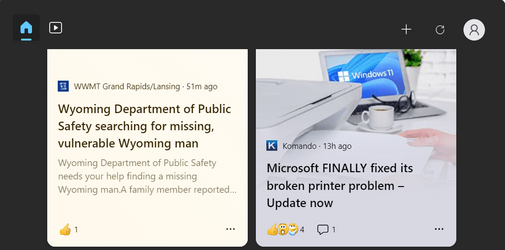
Just got a new Dell PC with Win 11 Pro 22H2 pre loaded. Everything is running great, but the widget button on the taskbar doesn't show the weather. It does on my laptop with 22H2. I see it as a minor inconvenience, but wondering if something might have happened during updates while setting up the system or is there a fix?
- Windows Build/Version
- Win 11 Pro 2H2
My Computers
-
At a glance
Windows 11 Pro 25H2AMD Ryzen 9 7940HS32 GBRadeon 780M Graphics- OS
- Windows 11 Pro 25H2
- Computer type
- PC/Desktop
- Manufacturer/Model
- Geekom AX7 Pro
- CPU
- AMD Ryzen 9 7940HS
- Memory
- 32 GB
- Graphics Card(s)
- Radeon 780M Graphics
- Monitor(s) Displays
- Dell S2425H 24"
- Screen Resolution
- 1920 x 1080
- Hard Drives
- 2 TB NVMe SSD
- Internet Speed
- 100 Mbs
- Browser
- Microsoft Edge / Firefox
- Antivirus
- F-Secure Security Suite
- Other Info
- All secure boot certificates updated to CA 2023
Windows Production PCA 2011 certificate has been revoked.
-
At a glance
Windows 11 Pro 25H212th Gen Intel Core i7-12700 processor (12-Co...16 GBIntel(R) UHD Graphics 770 with shared graphic...- Operating System
- Windows 11 Pro 25H2
- Computer type
- PC/Desktop
- Manufacturer/Model
- Dell Inspiron 3910
- CPU
- 12th Gen Intel Core i7-12700 processor (12-Core, 25M Cache, 2.1GHz to 4.8GHz)
- Motherboard
- Dell 0KHP4K
- Memory
- 16 GB
- Graphics card(s)
- Intel(R) UHD Graphics 770 with shared graphics memory
- Monitor(s) Displays
- Dell 27" Monitor S2721DS,
- Screen Resolution
- QHD 2560 x 1440 @ 75 Hz
- Hard Drives
- 1TB M.2, PCIe NVMe, SSD
- Internet Speed
- 100 Mbps
- Browser
- Edge
- Antivirus
- F-Secure Security Suite
- Other Info
- All secure boot certificates updated to CA 2023
Windows Production PCA 2011 certificate has been revoked.
-
HP Laptop 15-fd0xxx
OS: Windows 11 Home 25H2
Processor: 13th Gen Intel(R) Core(TM) i7-1355U (1.70 GHz), 10 Cores, 12 Logical Processors
BIOS Version: AMI F.26 4/22/2026
RAM: 16 GB
SSD: 1 TB
Screen Resolution: 1920 x 1080
All secure boot certificates updated to CA 2023 by factory.